Terrax Lighting system

● ARCHIVED · READ-ONLY
Started by Terrax 1467 posts Page 35 of 74 View original ↗
  1. DarkSearinox92 said:
    There is a problem. If i set Player Radius 0, the player still have light around... :/


    Yes, i've found that also, Javascript seems to default the value 0 to the default of 150, looking for an answer in google ;)


    Found the answer :) , fixed next update
  2. Terrax said:
    Yes, i've found that also, Javascript seems to default the value 0 to the default of 150, looking for an answer in google ;)


    Found the answer :) , fixed next update


    <3 You rock man!
  3. I uploaded a new version (no new version number). This should fix both problems.


    Skurge, move terraxlighting to the very bottom of the list if your getting strange problems. If its at the top, stuff will get overwritten by other plugins.


    This might cause problems with other plugins being overwritten, but with a bit of luck they will throw an error and we will know what plugin causes the problems.


    Seems i left in some debug-junk.. new version soon :)


    15:57 : updated.
  4. Terrax said:
    I uploaded a new version (no new version number). This should fix both problems.


    Skurge, move terraxlighting to the very bottom of the list if your getting strange problems. If its at the top, stuff will get overwritten by other plugins.


    This might cause problems with other plugins being overwritten, but with a bit of luck they will throw an error and we will know what plugin causes the problems.


    Seems i left in some debug-junk.. new version soon :)


    15:57 : updated.


    I've redownloaded the 1.3.2 but there is still the problem with radius. I don't understand if in this version you have updated you solved these bugs
  5. New progress to report:

    • Plugin has been moved to the last on the plugin list.
    • Events torch lights are just stationary even though they are facing downwards.
    • Managed to get the players vehicle light to work much like the demo's ship- however the torch light likes to activate prior to entering the vehicle and when exiting the light source briefly remains when exiting then finally disappearing. Which combined looks awkward- unsure if you have a command or trick behind this.

    Other than these few things- is it absolutely necessary for the event's that use torch lights requiring to face down in order for them to move with the event and face directions?
  6. DarkSearinox92 said:
    I've redownloaded the 1.3.2 but there is still the problem with radius. I don't understand if in this version you have updated you solved these bugs

    If i call 'Light radius 0 #000000'  it gets pitch black in the demo. I checked and the correct version is online.


    And i just fixed the screenshake problem :)

    Skurge said:
    New progress to report:

    • Plugin has been moved to the last on the plugin list.
    • Events torch lights are just stationary even though they are facing downwards.
    • Managed to get the players vehicle light to work much like the demo's ship- however the torch light likes to activate prior to entering the vehicle and when exiting the light source briefly remains when exiting then finally disappearing. Which combined looks awkward- unsure if you have a command or trick behind this.

    Other than these few things- is it absolutely necessary for the event's that use torch lights requiring to face down in order for them to move with the event and face directions?

    You can set the initial direction to whatever you like, the default is down (if you don't set the direction)
    (1=up, 2=right, 3=down, 4=left)

    Code:
    [COLOR=#808080]Flashlight 8 12 #888888 1 1 (up)[/COLOR]

    Code:
    [COLOR=#808080]Flashlight 8 12 #888888 1 2 (right)[/COLOR]

    Code:
    [COLOR=#808080]Flashlight 8 12 #888888 1 3 (down)[/COLOR]

    Code:
    [COLOR=#808080]Flashlight 8 12 #888888 1 4 (left)[/COLOR]


    Once the NPC starts moving, it should follow in the direction the npc is facing automaticly.


    Once the NPC started moving, is the flashlight working correctly? or doesn't it work good at all?


    The lag when entering vehicle is because its handled by a script, it can only detect the change once your out of the vehicle, i could look at the scripting, but its not a priority atm.
  7. Terrax said:
    If i call 'Light radius 0 #000000'  it gets pitch black in the demo. I checked and the correct version is online.


    You can set the initial direction to whatever you like, the default is down (if you don't set the direction)
    (1=up, 2=right, 3=down, 4=left)

    Code:
    [COLOR=#808080]Flashlight 8 12 #888888 1 1 (up)[/COLOR]

    Code:
    [COLOR=#808080]Flashlight 8 12 #888888 1 2 (right)[/COLOR]

    Code:
    [COLOR=#808080]Flashlight 8 12 #888888 1 3 (down)[/COLOR]

    Code:
    [COLOR=#808080]Flashlight 8 12 #888888 1 4 (left)[/COLOR]


    Once the NPC starts moving, it should follow in the direction the npc is facing automaticly.


    Once the NPC started moving, is the flashlight working correctly? or doesn't it work good at all?


    The lag when entering vehicle is because its handled by a script, it can only detect the change once your out of the vehicle, i could look at the scripting, but its not a priority atm.

    I decided to make the initial event graphic an invisible one that can allow me to select a direction for it.


    The only problem is that the light effect does not move with the event at all. I cannot tell if it's going to move smoothly either since it's stationary now.


    About the script regarding entry and exiting- I would love that but of course in your own time :)
  8. Terrax said:
    If i call 'Light radius 0 #000000'  it gets pitch black in the demo. I checked and the correct version is online.


    And i just fixed the screenshake problem :)


    THIS right? The 1.3.2 (latest)? Terrax, it doesn't work. There is a problem with the custom setting in the plugin maybe. If i call  'Light radius 0 #000000' it work. If i set 0 in the plugin, it doesn't work.


    And the screen shake with resolution 1280x720, with Yanfly core engine, is the same problem... MAYBE, you've enlarged X with the call script.


    Instead, i've setted X alwasy by the plugin.


    I think that the custom settings don't work very well. Please, try to use the setting in the plugin to increase X/Y AND to set 0 on Radius.


    you'll see that there will be problems...


    I've tryed to set 1500x 2000, great numbers, but dosn't work.


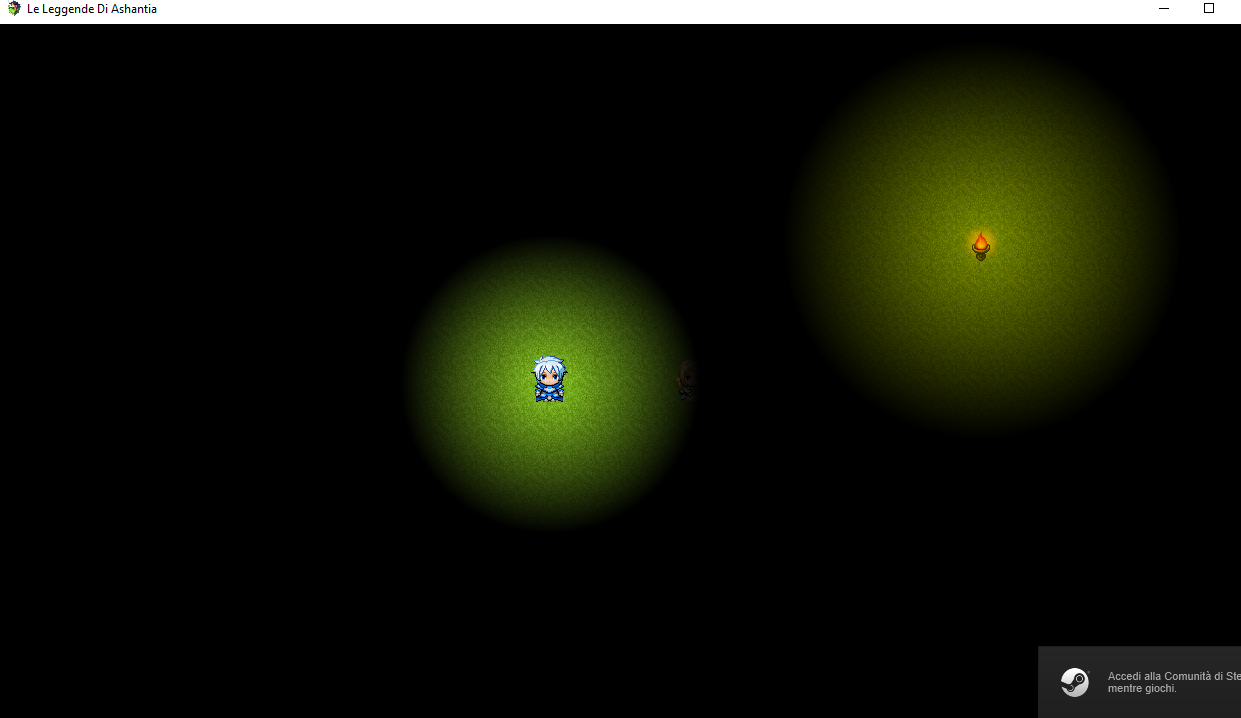
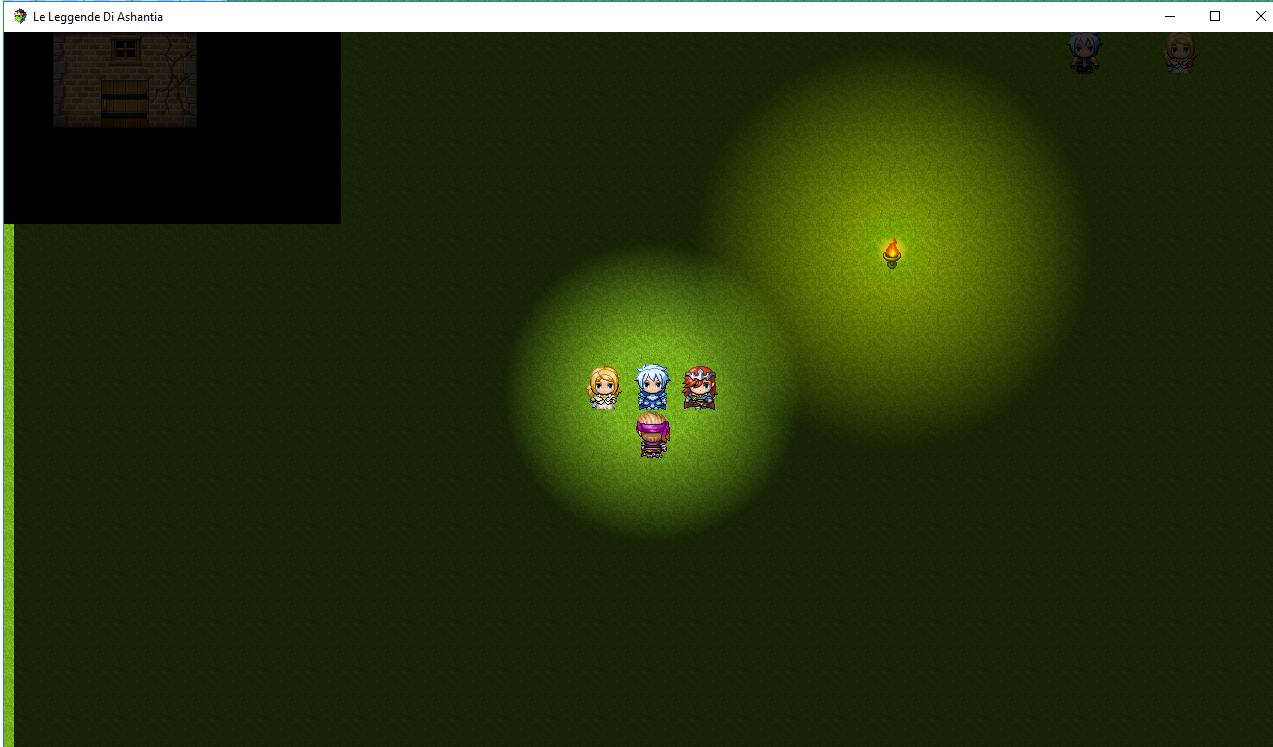
    Attch 1: my settings for try


    Attach 2: Play with that settings (note the radius)


    Attach 3: Screen shaking in the exact time.
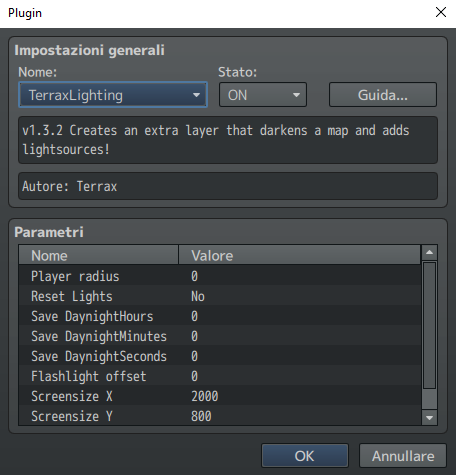
    try.PNG

    try2.PNG

    try3.png
  9. Just thought i'd ask also, with a stationary event, how would you command it to change it's colours?


    For example I have traffic lights that I want to have coloured lights such as green/red/yellow that change preferably within it's self.


    I've been experimenting with what the help window in the plugin guides with but I can't get my head around it.
  10. DarkSearinox92 said:
    THIS right? The 1.3.2 (latest)? Terrax, it doesn't work. There is a problem with the custom setting in the plugin maybe. If i call  'Light radius 0 #000000' it work. If i set 0 in the plugin, it doesn't work.


    Ah, i didn't check the custom settings yet, ill give it a check

    And the screen shake with resolution 1280x720, with Yanfly core engine, is the same problem... MAYBE, you've enlarged X with the call script.


    Nah, i just finished the shake problem, didn't upload it yet


    ill just fix the custom settings, then upload the new version, the shake should be fixed then also.
  11. Nice plugin, Terrax!


    I was wondering if it's possible to make this compatible with Quasi's Movements? I believe Quasi made a fix back in the 1.2.5 version but trying it out now doesn't seem to work with the latest version.


    Placing your plugin above his works but the light radiating from events doesn't move with the events, it stays in place even if they move. The region block doesn't work either.
  12. HasdrubalBarca said:
    Nice plugin, Terrax!


    I was wondering if it's possible to make this compatible with Quasi's Movements? I believe Quasi made a fix back in the 1.2.5 version but trying it out now doesn't seem to work with the latest version.


    Placing your plugin above his works but the light radiating from events doesn't move with the events, it stays in place even if they move. The region block doesn't work either.

    Can you give me the download page so i don't have to look for it.
  13. OMG FANTASTIC! NOW IT'S PERFECT! GREAT! *_*_*_*_*_*_*


    Thanks bro!!!
  14. Thanks a lot Terrax, you're a lifesaver.
  15. @Terrax


    Hey, I just just released a massive update to my game centered around your lighting script (Before the 1.3.4 update), I saw the update but I was unsure how it would affect my game right before I released it so I decided to release it the way it was and check out 1.3.4 later.


    Anyways I am sure you would love the way I use your awesome light system in my game. (Day/night cycle, Custom time system , Custom Torch Mechanic, etc.)


    Play the browser version online here: http://www.indiexpo.net/en/games/killer-gin 


    Let me know what you think.


    (P.S. The browser Version can be laggy, download the game here: https://killergin.com/downloads/
  16. Terrax, I've a request, if it is possible.


    Is it possible add an option in options menu, for disable the plugin, if a player find lag ingame? (maybe because he's using a bad pc)


    I think it is a good idea. Something for totally power off the plugin.
  17. @KillerGin


    Nice work! What minimap plugin did you use sir?