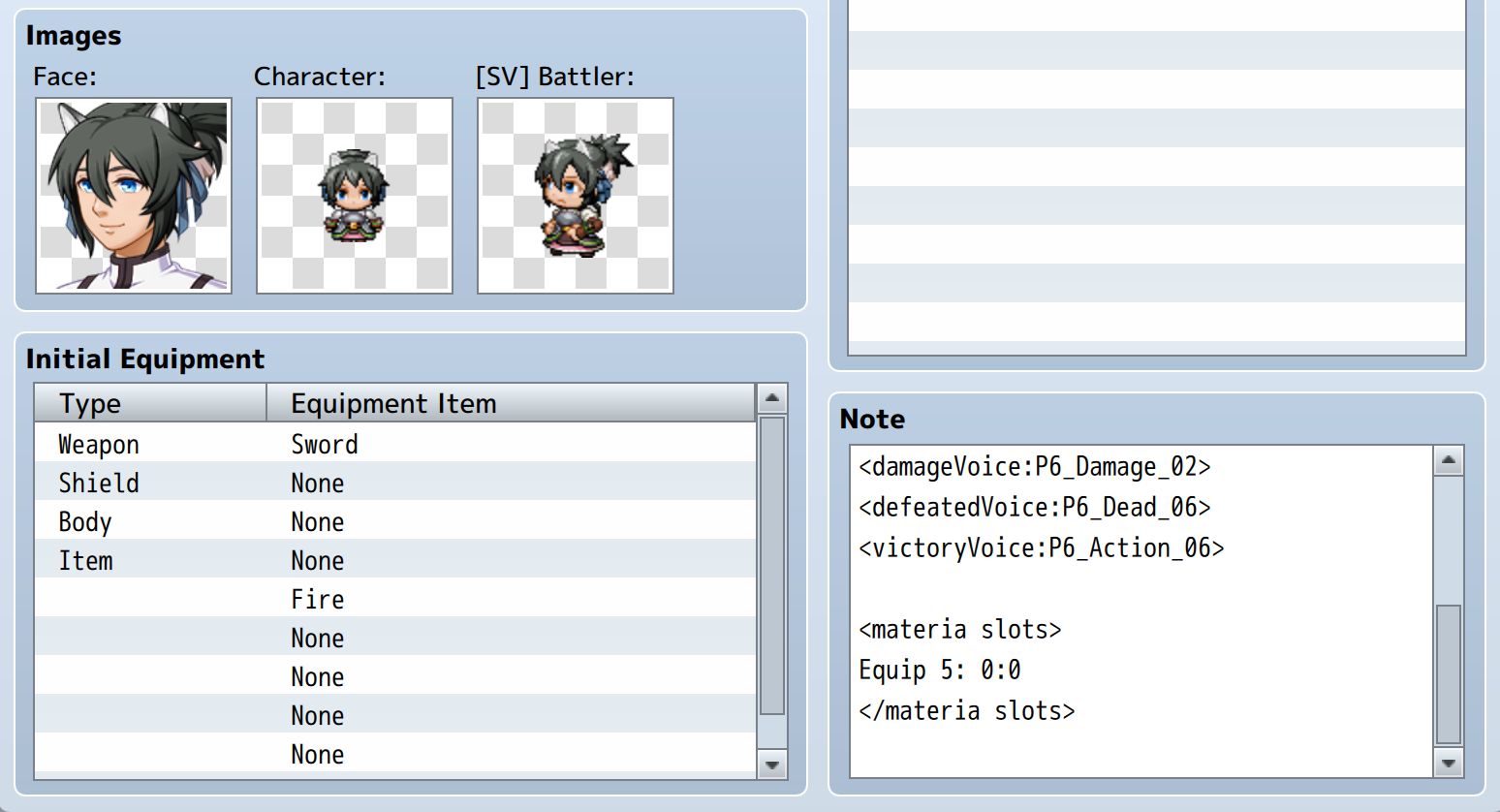
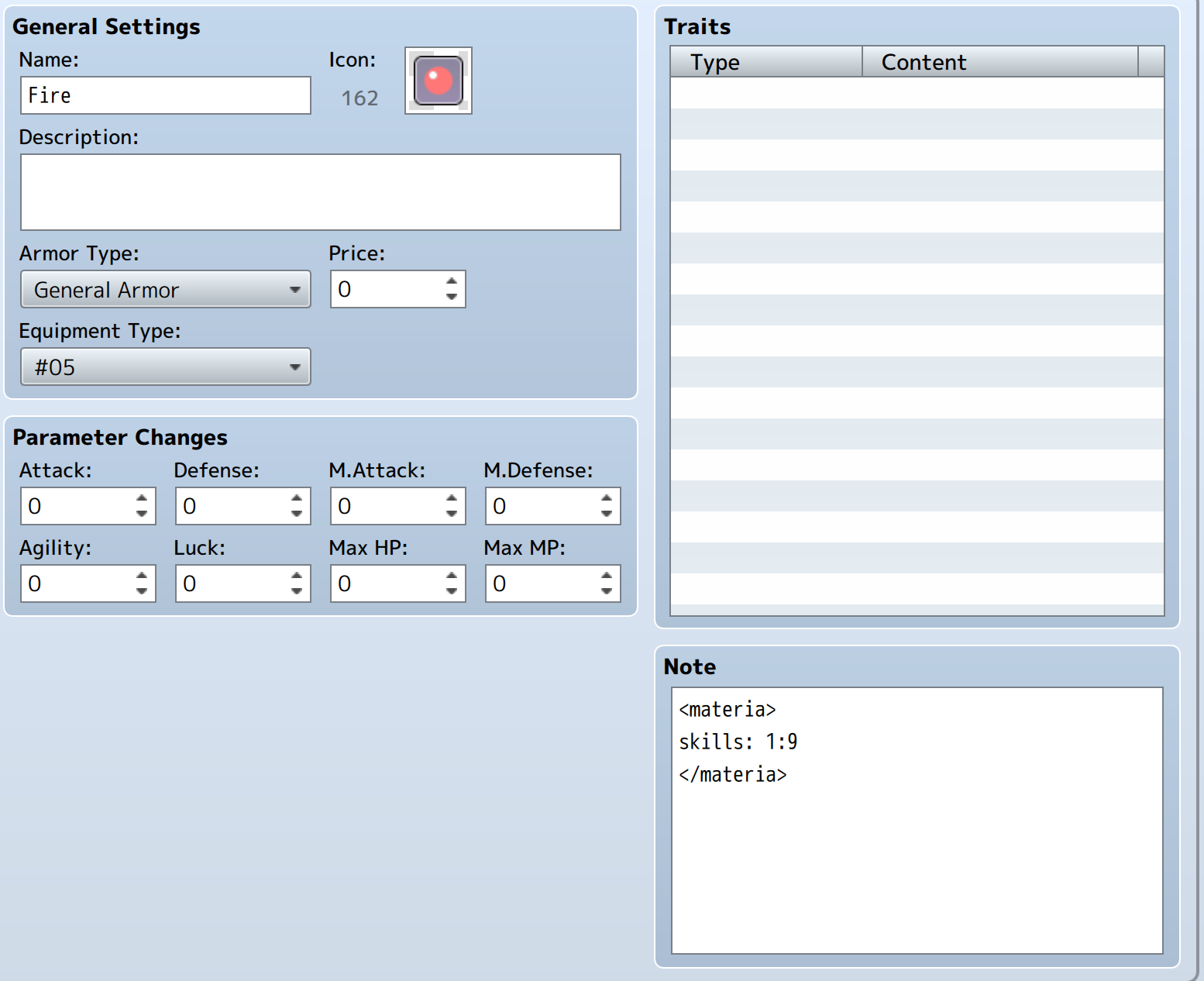
For some reason, even when I change those numbers the Materia Armor itself isn't showing up - the icons in the slots just change
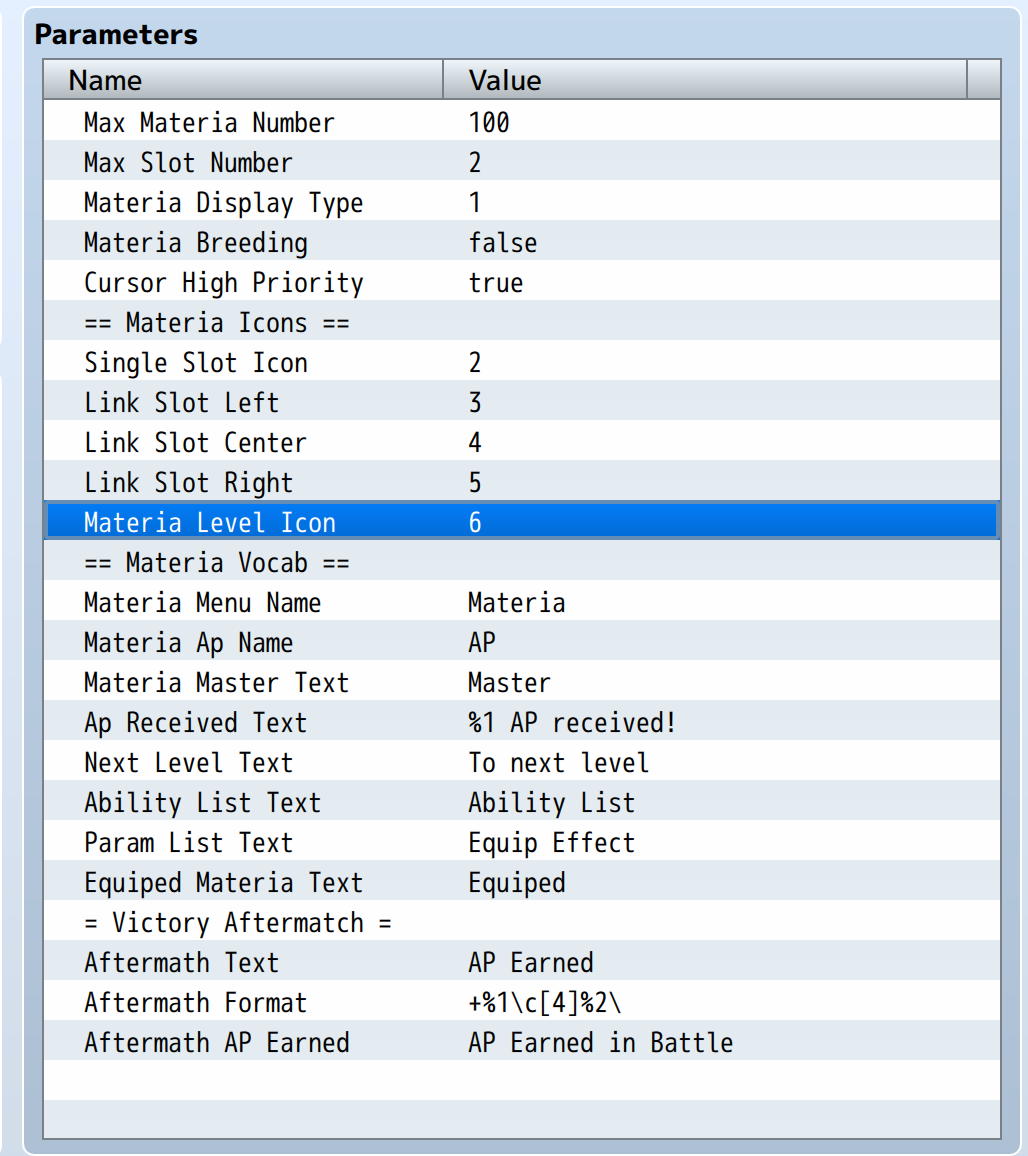 I have it equipped to Actor 01.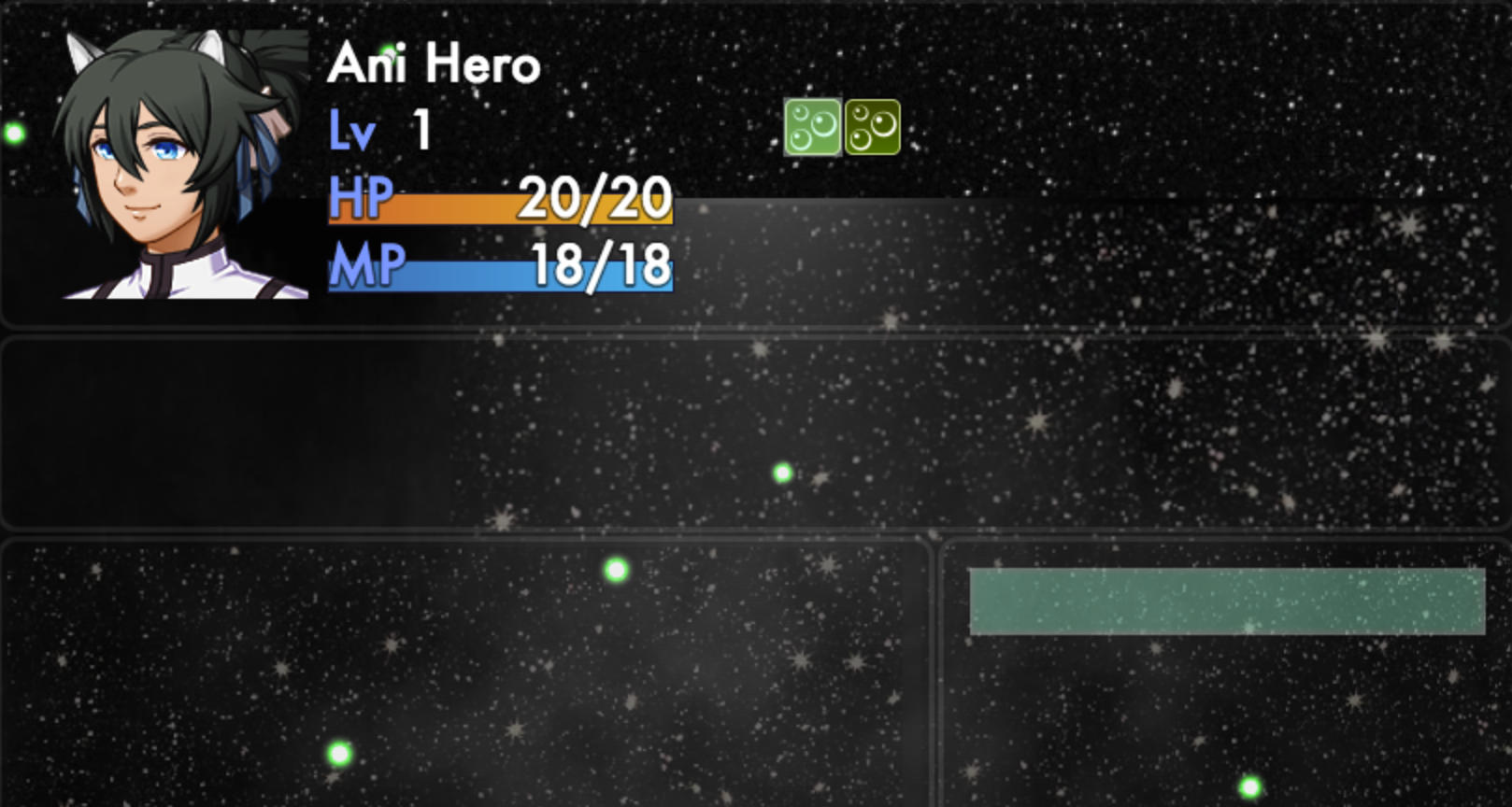
VE - Materia System
● ARCHIVED · READ-ONLY
-
-
One more thing I just noticed, if I set Actor 1 to not have a Materia equipped and leave "Materia" slot 5 open, then make an event in game that gives me the materia. I can see it on the Equip menu but not the Materia menu - does that help at all?
-
Mmm I don't have electricity n my laptop is completely out of power. Once I have electricity in the morning I'll check out an old project I have where I have all my materia setup, this way I can see what the difference is.
-
Great, thank you!!
-
This is my setup for my materia. Compare and see what yours is missing. From what I can tell so far is the icon
-
I loved this plugin for MV. Just wondering - is Victor still active? If so does he have any plans to port this for MZ?
-
Huh, guess I will try plugins in my game lolo
-
I am confuse on how this
cnt +x%, 'Counter Up' suppose to work. i assume it works like the Counter Materia -
Ok guys. First, thanks Victor for all those great plugins. To add further info on the last post, I suppose it's more or less the same thing, I'm trying to create the "counter attack" materia, I guess you need "VE CounterActions" and "RetaliationsDamage" (if you want your characters to actually take damage instead of avoiding them) plugins to do this, so I downloaded those as well. I added those tags in the armor "counter-attack" materia :
<materia>
ap: 10000, 20000, 50000, 100000
price: 2
type: independent
</materia>
<action counter: physical, attack, 20%>
and it's working, that's not the point. But when i'm adding this line inside the <materia> tags (after "type: independent") :
effect: cnt +20%, 'Counter Up'
It's crashing the game when the character is about to counter attack. The goal is to add 20% chance of counter at each level, for a maximum of 100% at materia's master level, so 5. Here's the error message :
Can someone tell me what's wrong ? Thanks in advance. -
The Counter Action isn't compatible with yanfly battle engine core it just bugs out but the retaliation damage doesn't look like it affects anything but they are both not required for the counter-attack Materia.Ok guys. First, thanks Victor for all those great plugins. To add further info on the last post, I suppose it's more or less the same thing, I'm trying to create the "counter attack" materia, I guess you need "VE CounterActions" and "RetaliationsDamage" (if you want your characters to actually take damage instead of avoiding them) plugins to do this, so I downloaded those as well. I added those tags in the armor "counter-attack" materia :
<materia>
ap: 10000, 20000, 50000, 100000
price: 2
type: independent
</materia>
<action counter: physical, attack, 20%>
and it's working, that's not the point. But when i'm adding this line inside the <materia> tags (after "type: independent") :
effect: cnt +20%, 'Counter Up'
It's crashing the game when the character is about to counter attack. The goal is to add 20% chance of counter at each level, for a maximum of 100% at materia's master level, so 5. Here's the error message :
View attachment 182003
Can someone tell me what's wrong ? Thanks in advance.
This notetag is just fine to run without them
<materia>
type: independent
ap: 10000, 20000, 50000, 100000
icon: 1608
price: 2
limited
effect: cnt +20%, 'Counter UP'
</materia>
it had happen to me as well with something else with VE plugins so I can understand what going one :) -
<materia>
type: Independent
ap: 10000, 20000, 30000, 50000
price: 2
icon: 89
effect: cnt +30%
</materia>
<Not Independent Item>
<Counter Skills: 1>
<Counter Total: +10>
mine was setup different though with Yanfly Counter Control plugin. i had a little theory of combining with Counter Control plugin with the the materia plugin setup. i would also set the cnt% to zero in trait. now the hardest part for me is making the counter materia for magic. the <Counter Total: +10> there i put in just to make sure it works, haven't tested that yet if it will work without it still -
I got a bug while working with this, whenver a battle is finished something goes wrong with the gain AP function and I don't know enough about it to figure out what the problem is.
From what I can tell it is something to do with the slot variable not being set correctly but I don't know specifically. Thanks for any help anyone can offer.
It also happens when the characters gain AP through an event. -
Can you show pics of the materia in question as well? It could be a simple type-o causing it. Could also be a plugin order.I got a bug while working with this, whenver a battle is finished something goes wrong with the gain AP function and I don't know enough about it to figure out what the problem is.
View attachment 188552View attachment 188553
From what I can tell it is something to do with the slot variable not being set correctly but I don't know specifically. Thanks for any help anyone can offer.
It also happens when the characters gain AP through an event. -
Currently? None. This happens even if none are equipped but it does still happen with materia equipped.Can you show pics of the materia in question as well? It could be a simple type-o causing it. Could also be a plugin order.
-
Could be a plugin conflict. Try arranging yeps on upper range n materia below them all.
-
That is already how I set it up. Materia is one of the lowest things on the list.Could be a plugin conflict. Try arranging yeps on upper range n materia below them all.
I have a special section just for non Yep stuff at the bottom. -
Mmmm, How do you have the gain Ap set?That is already how I set it up. Materia is one of the lowest things on the list.
View attachment 188591
I have a special section just for non Yep stuff at the bottom. -
Just like this, this was for testing. I set it to this once I noticed it start crashing (Used to be nothing, before then it was just blank, both crash) -
Let me check my game file. I have a ff7 fan game I as working on n have all this working. Give me a few minutesView attachment 188592
Just like this, this was for testing. I set it to this once I noticed it start crashing (Used to be nothing, before then it was just blank, both crash)
*Edit. Sorry for delay. Okay so I checked n the way I have it so it works with yep aftermath is I have the tags
<materia ap: 35>
<JP: 35>
I think otherwise jp tag should solve the conflict -
That doesn't fix it. Same error occurs.Let me check my game file. I have a ff7 fan game I as working on n have all this working. Give me a few minutes
*Edit. Sorry for delay. Okay so I checked n the way I have it so it works with yep aftermath is I have the tags
<materia ap: 35>
<JP: 35>
I think otherwise jp tag should solve the conflict
I even tried disabling everything after the Materia pluggin.
It happens even when AP is given through pluggin commands. It is something in there directly.
Due to the error report it seems to be coming from the Gain AP code
As I said earlier, I used a debug log to check and slot appears to be undefined (And the debug log notes the error is at line 1434, 18 along, which is where the materia is mentioned). I don't understand how your code works so could you give suggestions?
(I added in a console log below the var slot and above the slot.materias)