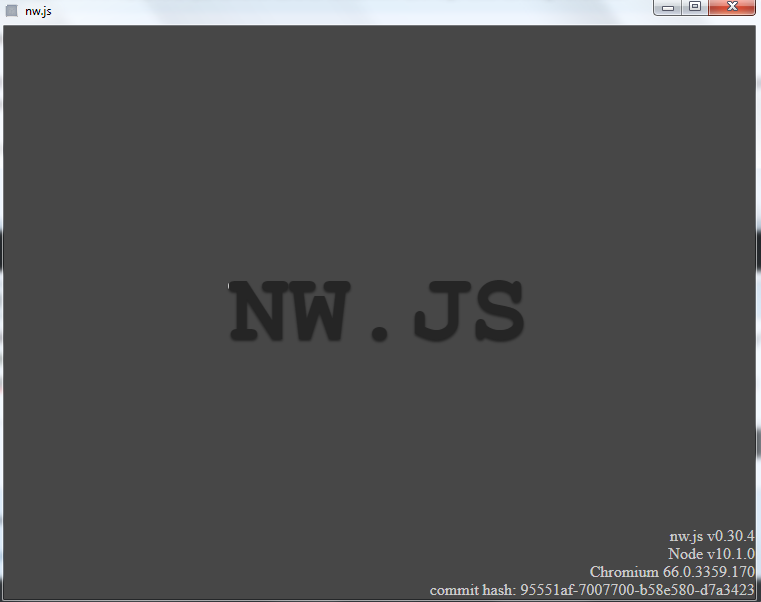
Besides, after deployment and replacing all files with new NWJS, i ran nw.exe, but the game did not ran and it kept displaying this window:
OrangeGreenworks - Steam Integration with Achievements and Time Log
● ARCHIVED · READ-ONLY
-
-
I got this error when playtest, even though all files are in the required places.
View attachment 97451
Besides, after deployment and replacing all files with new NWJS, i ran nw.exe, but the game did not ran and it kept displaying this window:
View attachment 97453
Do you have package.json in your root folder? -
Thanks for replying. I fixed it some days ago and it works well now :D I did delete package.json back then :headshake:Do you have package.json in your root folder?
-
I've just been giving this plugin a go as I try to get my game prepped on Steam, and I've finally got it working a treat!
I only have one significant issue at the moment:
I get this popup every time the game runs (through steam or by running nw.exe). It's just a mild inconvenience, and doesn't affect anything else, but I wanted to share in case anyone else is having the same issue or has any suggestions to resolve it.
I'm using:
Greenworks v0.13.0
Steamworks SDK v1.42
nwjs v0.30.4
The popup disappears if I use nwjs v33.4, but the achievements stop activating.
One other minor issue is that when achievements trigger, there is no popup in the bottom-right corner, as there usually is in games on Steam.
Thanks so much Hudell for your work on this plugin, it's genuinely fantastic, and thanks everyone else sharing their efforts on this thread, it has helped enormously. -
My guess is that is just nwjs complaining that you used v0.33.4 and went back to v0.30.4.
-
Just wondering — has anybody created a full template for this plugin? Like, a dummy game that runs "out of the box" to be replaced with one's own, in order to make sure everything runs on your current system. If not, is this something people (other than me) would want?
-
It's better if you set it up yourself, due to the fact that nw.js, greenworks, and Steam CMD update two or three times a year each. When they update, it changes what you have to do, so a "pre-built" version would only last up until one of the three of them update again.Just wondering — has anybody created a full template for this plugin? Like, a dummy game that runs "out of the box" to be replaced with one's own, in order to make sure everything runs on your current system. If not, is this something people (other than me) would want?
-
I've just been giving this plugin a go as I try to get my game prepped on Steam, and I've finally got it working a treat!
I only have one significant issue at the moment:
I get this popup every time the game runs (through steam or by running nw.exe). It's just a mild inconvenience, and doesn't affect anything else, but I wanted to share in case anyone else is having the same issue or has any suggestions to resolve it.
I'm using:
Greenworks v0.13.0
Steamworks SDK v1.42
nwjs v0.30.4
The popup disappears if I use nwjs v33.4, but the achievements stop activating.
One other minor issue is that when achievements trigger, there is no popup in the bottom-right corner, as there usually is in games on Steam.
Thanks so much Hudell for your work on this plugin, it's genuinely fantastic, and thanks everyone else sharing their efforts on this thread, it has helped enormously.
This is because you upgraded to nwjs and then downgraded back. To fix this delete all contents within this folder and then reboot your game, it will update the things to your old version.
Code:C:\Users\<your_user_name>\AppData\Local\<app_name_in_manifest>
If you've not changed package.json data it's in Kadokawa\RPGMV folder, otherwise it's to whatever you've changed your package.json to. -
-
@Eliott : Does the game launch fine and do the achievements trigger? Sometimes it can give an error like this while everything works ok.
If not, then there might be an incompatibility somewhere. Perhaps a different version of Nw.js might be needed. This stuff is very fiddly because essentially you have to find a 4-way compatibility between different versions of Orange Greenworks plugin, Greenworks plugin, NWjs, and Steam SDK.
The only combination that has worked for me thus far has been: Orange Greenworks v1.1 or 1.2, Greenworks v1.0 or above (if I remember right), Nwjs v22.3, and Steam SDK 1.40 or above. Unfortunately I couldn't find the right configuration with latter versions of Nwjs, because even if the game launched fine, the achievements wouldn't trigger. Hope this helps. -
I tried, with this version the game does not start at all. But thanks, I guess it's time to give up. ^_^
-
The plugin is still working with the latest versions of greenworks (there was a new version a couple weeks ago). Just make sure to use the same version of nwjs and steamworks as listed on the greenworks download page:
https://github.com/greenheartgames/greenworks/releases -
Unfortunately when I tried the newer versions of Nwjs with their corresponding version of the greenworks and SDK, the achievements wouldn't trigger (though the game launched fine). Don't know if anyone else is experiencing the same problem.
@Eliott : The reason for that is because you most likely have a new version of Nwjs on your computer now, so it won't let an older version to start. There's a fix for this. Tuomo mentioned it a few posts above. You have to go to your AppData/Local folder, then to Kadokawa/RPGMV and in there clear out all instances of "Web Data" and "Web Data-journal" files. I think there's one in that folder and also another in one of the further folders (UserData/Default).
If any player also has a newer version of Nwjs associated with their account on PC, they will also be getting the same error and will need to delete those files. Unfortunately I've not come across any better way, because I couldn't get achievements to work with newer versions of Nwjs (and I tried several). Besides, as Nwjs will be constantly updated, there will always be new versions, and some people will always have a version newer than whichever your game uses. -
Okay, thank you all. All work) This is a detailed instruction, can someone come in handy: D
1. I have a clean project
2. I install OrangeGreenworks.js
3. I install:
4.Unzip file greenworks.js
5. Unzip
6. Download steam SDK
7. Unzip (sdk\redistributable_bin)
8. Unzip (sdk\public\steam\lib)
9. Deploy game
10. Check result
11. Delete everything except "www" and "package.json"
12. Create txt file "steam_appid.txt" and write id game
13.Download NW.js v.0.33.3 sdk and unzip in game -
Okay, thank you all. All work) This is a detailed instruction, can someone come in handy: D
1. I have a clean project
View attachment 104278
2. I install OrangeGreenworks.js
View attachment 104279
3. I install:
View attachment 104280
4.Unzip file greenworks.js
View attachment 104281
5. Unzip
View attachment 104282
6. Download steam SDK
View attachment 104284
7. Unzip (sdk\redistributable_bin)
View attachment 104287
8. Unzip (sdk\public\steam\lib)
View attachment 104288
9. Deploy game
View attachment 104289
10. Check result
View attachment 104290
11. Delete everything except "www" and "package.json"
View attachment 104291
12. Create txt file "steam_appid.txt" and write id game
View attachment 104292
13.Download NW.js v.0.33.3 sdk and unzip in game
Remember to never release your game with the steam_appid.txt file. -
I've actually included it in the past, does including it have some negative impact I'm unaware of? It'd take no work to get rid of it, but I'm curious what the negative of including it is?Remember to never release your game with the steam_appid.txt file.
-
Other than players modifying it, I don't see any issue with including it.
-
@Eliott : Did you also rename the lib files? I remember on Orange Greenworks instructions on the site, there was a part where you have to rename some of the lib files.
-
yep, for linux (64 bit, 32 bit)@Eliott : Did you also rename the lib files? I remember on Orange Greenworks instructions on the site, there was a part where you have to rename some of the lib files.
-
Wait, how would you even implement DLC in an RM game? Have it trigger a variable/switch that unlocks content that's just sitting in the game, or what?