MV3D - 3D rendering for RMMV with Babylon.js

● ARCHIVED · READ-ONLY
Started by Cutievirus 1560 posts Page 60 of 78 View original ↗
  1. gRaViJa said:
    The regions for height only work up to 8 in my project. Is this intentional? Can I edit this somewhere so I can go up to 20 or whatever? Might be a plugin conflict too but not sure which one.

    @gRaViJa Yeah. Go to MV3d's plugin parameters > scroll down to tile config > regions. On structure list, double click the bottom in the blank space to create a new region ID. There, just type or paste in this in configuration functions: height(20). Also make the Region ID whatever number you want for it. Height doesn't have to match the number ID unless for OCD reasons.
  2. Fyoha said:
    @gRaViJa Yeah. Go to MV3d's plugin parameters > scroll down to tile config > regions. On structure list, double click the bottom in the blank space to create a new region ID. There, just type or paste in this in configuration functions: height(20). Also make the Region ID whatever number you want for it. Height doesn't have to match the number ID unless for OCD reasons.
    Thanks! The kind of thing you only start searching for when you need it :)
  3. Found a bug on my end that breaks the panning of the skybox when rotating the camera after turning on/off mipmapping in the 3D options menu. My apologies if this was already reported.

    EDIT: Actually, it breaks by just opening and closing the menus with escape button.
  4. Is it possible to make this function with SRPG Engine? Particularly, to make the movement grid and selection box 3d:
  5. The problem with skyboxes only happens when you have alpha fog turned on, so setting alpha fog to zero might be a good temporary solution for those who need skyboxes.

    @Burgerland
    It's hard to say where the performance problems are coming from especially considering you're applying it to an existing project. MV3D does perform worse than raw MV.

    For the title screen, the camera centers on the player. I don't know where your player is, but you could try moving them to the center of the map.

    @Conflictx3
    I can't seem to reproduce the bug. Transferring to and from a disabled map doesn't cause any black squares on my end.

    @maliyana
    I don't think it can be made to work.
  6. maliyana said:
    Is it possible to make this function with SRPG Engine? Particularly, to make the movement grid and selection box 3d:
    While I don't think you can get it to be compatible with the plug-in, if there's a command call that can be made that would reset the camera to top down for a specific scene call, you could regain some of that functionality for just the movement turn I'd imagine. Since I'm planning to do something similar eventually, I may eventually start working on that but for the moment I'm working on a different part of my game.
  7. Let me take a moment to express how cool this 3D plugin is again. I was able to build myself a nice foundation for a ship with a little bit of time this past week. Some things are limited and took a while to make a few workarounds, but I'm starting to get satisfied with my work so far. I hope it's okay to share my work in progress via video here. I hope to inspire more people with this plugin.

  8. Fyoha said:
    Let me take a moment to express how cool this 3D plugin is again. I was able to build myself a nice foundation for a ship with a little bit of time this past week. Some things are limited and took a while to make a few workarounds, but I'm starting to get satisfied with my work so far. I hope it's okay to share my work in progress via video here. I hope to inspire more people with this plugin.


    Really cool!
    How do you made the ship flags?
  9. @CoopNinjask Are you talking about the rope nets on the sides?

    For those, I extracted the image out of a tileset made by Celianna and reformatted it into a 3x4 character sheet with image editing software and placed a !$ prefix on the file's name (ex: !$RopeNet.png). This is done by keeping the image size the same, but multiplying the canvas size horizontally by 3 to the right and vertically by 4 to the bottom.

    Import to img/characters. Create a single event. Use the image for it. Use the Note box to adjust position/size. Shape is Fence. I had to bump it up to <scale(2.5)> or <scale(3)> to get them that big. Did the same concept for the sails as well as the bowsprit in the front.

    I did a minor edit to the tops to bring them in closer like a sharper triangle so it would not be much wider than the 1x1 fringe tile above, giving it a more natural appearance in terms of connection. Also, I had to layer the image on top of itself multiple times to get rid of some of the transparent pixels that was occurring from transforming it.

    Really wish there was a way to angle them in more where they would hook near the tops of the masts instead, but straight up to a fringe tile was the best option I could think of with the current build of the plugin.
  10. @Dread_Nyanak Thank you for looking! i figured it out, i had an outdated version of the plugin, in the plugin Master demo you have 2 folders named "project" one at the top from 3/5/2020 with version 5.1.3 and the other below it from 4/10/2020 with version 5.4.2 so that was on me not paying attention but im good now!
  11. Fyoha said:
    @CoopNinjask Are you talking about the rope nets on the sides?

    For those, I extracted the image out of a tileset made by Celianna and reformatted it into a 3x4 character sheet with image editing software and placed a !$ prefix on the file's name (ex: !$RopeNet.png). This is done by keeping the image size the same, but multiplying the canvas size horizontally by 3 to the right and vertically by 4 to the bottom.

    Import to img/characters. Create a single event. Use the image for it. Use the Note box to adjust position/size. Shape is Fence. I had to bump it up to <scale(2.5)> or <scale(3)> to get them that big. Did the same concept for the sails as well as the bowsprit in the front.

    I did a minor edit to the tops to bring them in closer like a sharper triangle so it would not be much wider than the 1x1 fringe tile above, giving it a more natural appearance in terms of connection. Also, I had to layer the image on top of itself multiple times to get rid of some of the transparent pixels that was occurring from transforming it.

    Really wish there was a way to angle them in more where they would hook near the tops of the masts instead, but straight up to a fringe tile was the best option I could think of with the current build of the plugin.

    Good Idea!
    You made good use of the events!
  12. @CoopNinjask Thank you very much. It's nothing when compared to the elite coding systems you and others can make though.
  13. Hello!
    I appreciate this plugin a whole lot, great work!
    My question is, is there a way to make the camera rotate towards an event in first person view, regardless or where the event approaches you from?
    Thanks!
  14. Is there any way to add projectiles? I was going to buy the premium version, but I can't get it to work with Galv's projectiles (or maybe I'm just thick...)
  15. A question that @Dread_Nyanak maybe can answer best, but any input would massively help me:

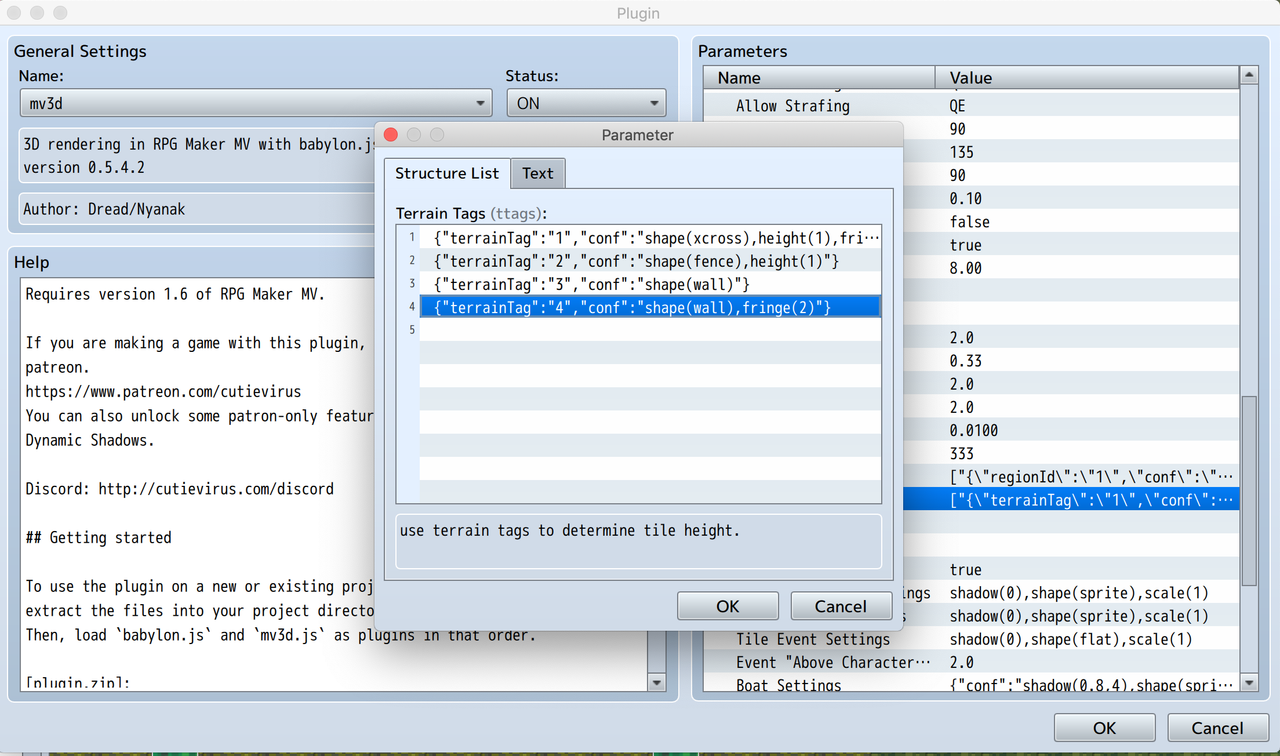
    In the terrain types option, is there a way to make x and y work? (mainly y for me)? I can circumvent z by using fringe instead, but I really need to add a y-value here to make my game work:

    Screenshot-2020-06-01-at-14-43-32.png


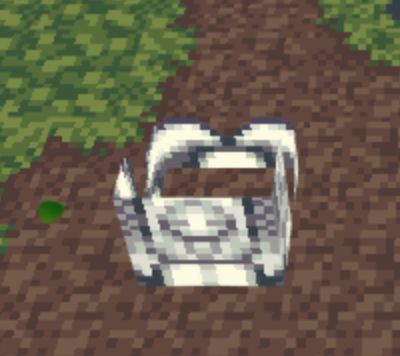
    Also, when I put shape(wall) in there, the tiles with this terrain tag don't look like the shape(wall) at all as events would when i put shape(wall) in the event notetag. Instead, it more looks like a cross once more than one tile is touching:

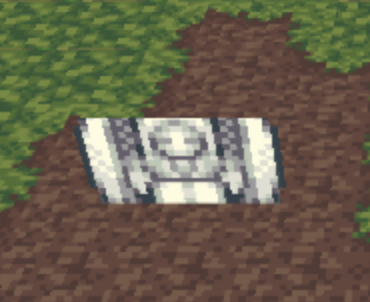
    2x1 tiles with notetag shape(wall) looks like this (as it should):
    Screenshot-2020-06-01-at-14-55-35.png

    2x2 tiles with notetag shape(wall) looks like this (it becomes like a box-shape or something:

    Screenshot-2020-06-01-at-14-52-47.png
  16. Update 0.6:
    • babylon.js has been merged into mv3d.js
    • Images from the MV3D folder can now be used as textures.
    • tree shape renamed to board shape (tree still works as an alias)
    • sprite and board shapes now work as map tiles.
    • separate textures for north, south east, and west.
    • default map settings in plugin parameters
    • yaw setting now works properly with board shape
    • pos setting can now set z position.
    • textures now use tile coordinates by default no matter the number of parameters. texture(B,0,0,48,48) becomes texture(B,0,0,1,1) or texture(B,0,0,48px,48px)
    • new 8cross shape.
    • ceilings can be set using regions.
    • mv3d.command() script call for running plugin commands.
    Premium:
    • Import OBJ files
    • added options for "dynamic normals" which will make characters meshes stay lit even when facing away from the sun.
    • premium glow effect is now disabled by default.
    • fix skybox problem when changing maps
    Might still be bugs, and there's still some missing features that I originally wanted to put in 0.6. I wanted to get an update out since it's been a while.

    @gRaViJa
    Currently wall shape and fence shape are two names for the same thing. I've been considering separating them so wall shape for tiles behaves more like it does for events, but I would also need to add a rot function for tiles, and perhaps allow them to be rotated with the shadow pen like I do for slopes.

    @Sausage_Boi
    I'm not familiar with that plugin, so I'm not sure.

    @ZelloksThunder
    Currently there's no way to make the camera auto rotate to always face an event, but you can rotate the camera using plugin commands.
  17. @Dread_Nyanak Thanks for the update and answer on my question. To add to my question: is it possible to move a tile through the terrain tag config or not? :)
  18. Is there a way to rotate the 3d models? Also, I know there obj format but are there limits to it or a certain way to do it I made a simple bed in 3ds max and it won't load its just a plane.
    Screenshot_1.png
  19. updated  yes!