MV3D - 3D rendering for RMMV with Babylon.js

● ARCHIVED · READ-ONLY
Started by Cutievirus 1560 posts Page 41 of 78 View original ↗
  1. gRaViJa said:
    It actually sorts of work with: B,7,1:height(0.75),top(B,0,0)

    Wanted to create crenellations, while it perfectly works with events, it's just too many of them and would slow down the entire game i think?

    Currently events are probably biggest source of lag but you can just make the character picture really big if your making a fence to use less, or scale if you want bad quality, perhaps when 3d meshes are out it will be even easier.

    Also if you want exactly y(1) can't you just place the tile 1 back? Pretty sure that would be the position you want.
  2. When I try to run my game after export I get the error failed to load mv3d image shadow. It is in the folder in the master game file and loads when I play test. What's up?

    BTW the script is amazing I plan to use it with all custom graphics and to buy it for the 20 bucks if I can resolve this.

    Edit: turns out I am dumb you do not want to tick exclude unused images. Thanks for the amazing plug in.
  3. Dread_Nyanak said:
    @KirkMarkarian
    Try mv3d.shadowGenerator.normalBias=0
    This setting helps prevents artifacts from self-shadowing, but it seems it sometimes causes problems.
    I'll address this in the next premium update by either tweaking the settings or adding more options.

    In the mean time, you can try this code. Load it in a plugin.
    JavaScript:
    _updateParameters=mv3d.updateParameters
    mv3d.updateParameters=function(){
        _updateParameters.apply(this,arguments);
        mv3d.shadowGenerator.normalBias=0;
    }
    Works great (mostly) so far - got rid of the holes, but now the shadows are a bit off in other structures! Still, thank you for the reply. It's nice to see some of the issue resolved Screen Shot 2020-02-19 at 7.32.05 PM.png:)
  4. glaphen said:
    Currently events are probably biggest source of lag but you can just make the character picture really big if your making a fence to use less, or scale if you want bad quality, perhaps when 3d meshes are out it will be even easier.

    Also if you want exactly y(1) can't you just place the tile 1 back? Pretty sure that would be the position you want.
    I thought the same, but then the crenellations are on the ground just before the wall instead of on top of the wall. Gonna play around a bit more with it though, i think i'll find the answer.
  5. @KaosChrist
    It's probably being removed by the "exclude unused files" option. I'll have to do some testing later to make sure they aren't excluded in future versions.
    In the mean time you can manually replace the file into the deployed project. The images are in the img/MV3D folder.
  6. Hello, @Dread_Nyanak. First, thank you for your hard work!
    I wanted to ask is there planning feature like creating boxes (like from tiles, with top, side textures) from events? It would be so cool to have it! Possibilities are endless *_*
  7. @Dread_Nyanak oh, just remembered something that would be great for me if you added!
    I didn't test yet, but I'm assuming that if I try to enter a passage with one tile of height while the player characters have a height of 1.5 they can't go through it, right? I was thinking of allowing the player character to crouch and crawl slowly... is there a way to change their collide height through plugin commands?
  8. Waterguy said:
    @Dread_Nyanak oh, just remembered something that would be great for me if you added!
    I didn't test yet, but I'm assuming that if I try to enter a passage with one tile of height while the player characters have a height of 1.5 they can't go through it, right? I was thinking of allowing the player character to crouch and crawl slowly... is there a way to change their collide height through plugin commands?

    If the image is small enough you can walk under stuff, I made a 0.5 fringe wall but a 384x256 4x2 character couldn't fit under, but a 252x112 4x2 could walk under it.
  9. Hi! I was playing with the test project again...
    Is there any way to stop this from happening? (The seeing through wall) I've done it on my own maps, and I'm just curious... Thank you!
    1582231818060.png
  10. You'll have to make the map 1 tile larger, then you should see the back of the tile instead of it being see-through.
  11. Okay, thank you! I'll make sure to fix that around my maps. ^^
  12. @fizzly
    This is a planned feature, planned for version 0.6.

    @Waterguy
    As @glaphen pointed out, the default collision height is based on the height of the image. So if you switch to an image with a shorter height it should work.
    Events can change their setting by switching pages, but of course the player can't do this.Changing settings using a plugin command is something I've been thinking about.
  13. hi I use change tile size plugin to get biger tile map
    Change Tile Size will this plugin ever adjust with it because now it mess up the texture

    and other question is
    I use big hd sprite but when render with this 3d they look crisp
    is that the option to change render to smooth
    because the tile look smooth but character look crisp
    thank you
  14. @pasunna ok, not sure if they are really compatible but you kinda can reproduce the effect easily... after all this plugin lets you select the area in the tileset file instead of just the 48x48 base tile.
    and can you show this character problem? it seems like you are saying anti-aliasing isn't working, or you don't want it to work or something? did you try either turning it off on the parameters or changing the characters' scale there?
  15. Waterguy said:
    @pasunna ok, not sure if they are really compatible but you kinda can reproduce the effect easily... after all this plugin lets you select the area in the tileset file instead of just the 48x48 base tile.
    and can you show this character problem? it seems like you are saying anti-aliasing isn't working, or you don't want it to work or something? did you try either turning it off on the parameters or changing the characters' scale there?
    In fact I already give up
    The plugin use the tile from main folder and split it to render 3d
    So I can just upscale the img but then in the editor is mess up to know where I put anything
    By that change tile size plugin I can separate the upscale tile somewhere else
    And other thing is I use mog abs and this plugin had their own sprite pose system that conflict with 3d render

    oh but you are right about antialiasing but that not important any more T_T
  16. I remember suggesting to dread using textures from outside the tileset on some tiles. in this case it'd be textures in the mv3d folder, used by putting the name instead of A1, B etc.... maybe she'll add that in a version soon.
    maybe if you change the plugin order the sprites will work better? I mean, I'm helping someone fix some compatibilities with chrono engine right now too and theirs seems to be working fine...
  17. Waterguy said:
    I remember suggesting to dread using textures from outside the tileset on some tiles. in this case it'd be textures in the mv3d folder, used by putting the name instead of A1, B etc.... maybe she'll add that in a version soon.
    maybe if you change the plugin order the sprites will work better? I mean, I'm helping someone fix some compatibilities with chrono engine right now too and theirs seems to be working fine...
    I think it can compatible but I also edit mog plugin by myself
    To use only one line sprite and flip it because I make something more like side scrolling so top down not necessary
    And that will more complicate with many other thing I modify mog plugins
    So if the tile still a problem I will wait and see before jump in to use this plugin
    Not that my project will finish very soon anyway haha…
  18. @pasunna
    The change tile size plugin is something I plan to support in a future update.
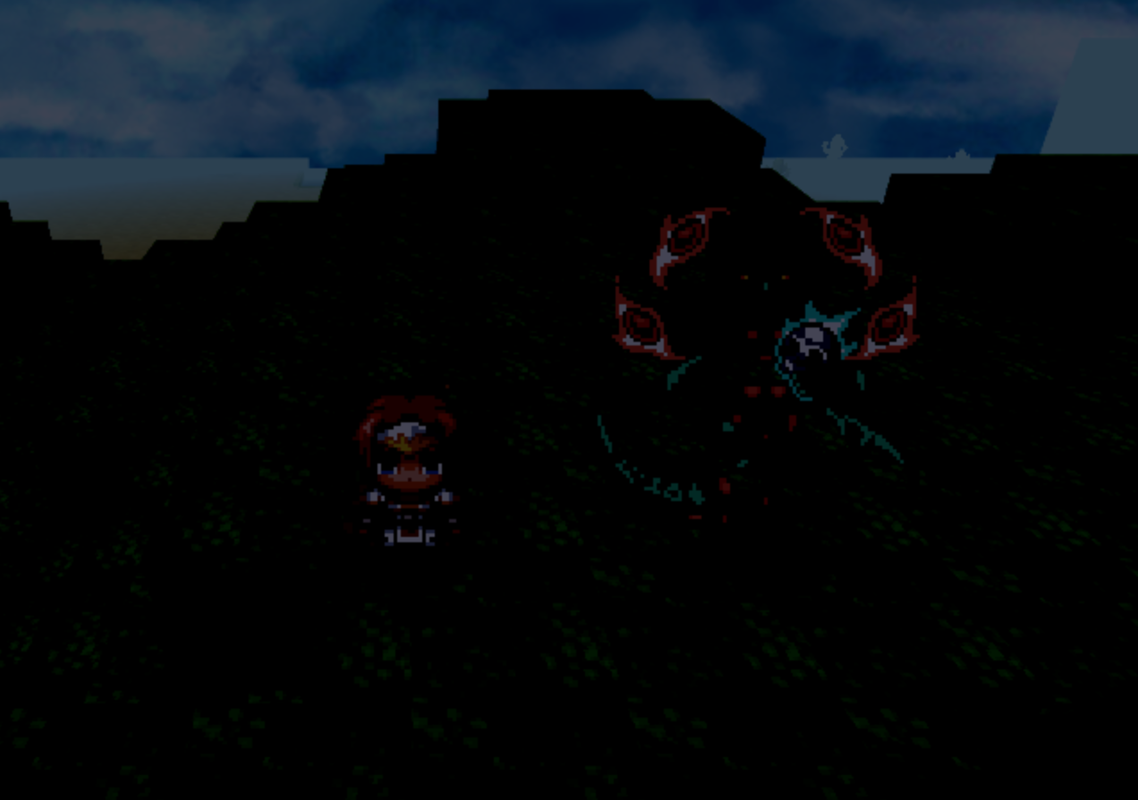
  19. I've looked into this before together with @Waterguy, but I decided to start over from the start and... I downloaded a fresh demo, and simply moved the starting point next to the demon on top of the forest and made the screen tint darker so light sources should be easily seen.

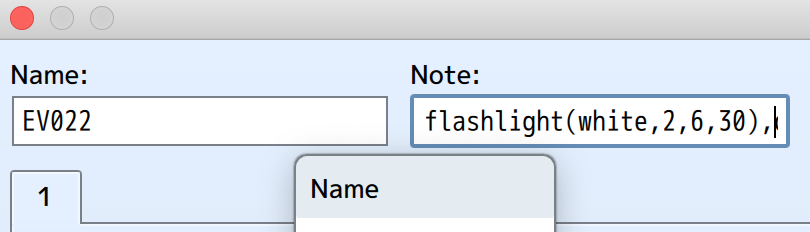
    The demon on top of the forest is supposed to show a light source as seen in the notes:
    Screenshot-2020-02-24-at-20-00-26.png


    But it doesn't show:
    Screenshot-2020-02-24-at-20-00-38.png


    And this seems to happen with every simple light source. It's a fresh demo, so i expect this to work, but it doesn't. On the other side, the flashlight in CoopNinjask's time/weather plugin does work, but me and Waterguy can't seem to even copy the code from there.

    What's going on here? Is there an event blocking the light sources in the big island map or is it something else?
  20. gRaViJa said:
    I've looked into this before together with @Waterguy, but I decided to start over from the start and... I downloaded a fresh demo, and simply moved the starting point next to the demon on top of the forest and made the screen tint darker so light sources should be easily seen.

    The demon on top of the forest is supposed to show a light source as seen in the notes:
    Screenshot-2020-02-24-at-20-00-26.png


    But it doesn't show:
    Screenshot-2020-02-24-at-20-00-38.png


    And this seems to happen with every simple light source. It's a fresh demo, so i expect this to work, but it doesn't. On the other side, the flashlight in CoopNinjask's time/weather plugin does work, but me and Waterguy can't seem to even copy the code from there.

    What's going on here? Is there an event blocking the light sources in the big island map or is it something else?

    Hi @gRaViJa!

    The flashlight system in my demo is made by Common Event with plugin commands, not via event note tags.
    Take a look in the image to understand better.

    Flashlight Command.png

    I hope this help you! ^^