MV3D - 3D rendering for RMMV with Babylon.js

● ARCHIVED · READ-ONLY
Started by Cutievirus 1560 posts Page 40 of 78 View original ↗
  1. SefirosuKuraodo said:
    Hello everybody, I need help with bridges. I'm wondering if it's possible to make it so that the player can walk underneath a bridge. I have images below to shed light on what I mean. I have a cave system, and there's a narrow path leading beneath a land bridge to a treasure chest. The bridge is functional and the player can walk across, but if I try to walk underneath it on the ground below it's as thought he player hits a wall and can't pass from either side. I've tried a few different methods of changing the passability of the tiles, using events to make the bridge with the platform funtion, and nothing has worked. The bridge I have now is made up of B tiles, and the bridge settings are part of the tileset notetags. The ground level is at a height elevation of 0, and the bridge is a height level of 2.

    View attachment 134324View attachment 134325View attachment 134326

    Did you try using fringe(2), inside bridge tileset notetag to set height instead, I tried and it worked perfectly.
  2. glaphen said:
    Did you try using fringe(2), inside bridge tileset notetag to set height instead, I tried and it worked perfectly.
    No, I've only been using the default tags from the master demo so I thought fringe was pretty much just for lowering flora and such into the ground a bit :p - It does work, but now my only issue is that the bridge no longer has mass or bulk to it (the sides aren't being rendered) it's just a flat sheet of brown paper haha. Any thoughts on why?

    Bridge4.pngBridge5.png
  3. SefirosuKuraodo said:
    No, I've only been using the default tags from the master demo so I thought fringe was pretty much just for lowering flora and such into the ground a bit :p - It does work, but now my only issue is that the bridge no longer has mass or bulk to it (the sides aren't being rendered) it's just a flat sheet of brown paper haha. Any thoughts on why?

    View attachment 134343View attachment 134344
    Give it height(1) as well, or whatever you want the thickness to be height.
  4. glaphen said:
    Give it height(1) as well, or whatever you want the thickness to be height.
    Oh, thank you! That had been driving me crazy all evening, you're a saint!
  5. Using the premium version of the plugin, there's some light-leaks in the shadows - any way to patch this up?

    Settings:

    <mv3d>
    camera(0,15,dist:20,height:1)
    camera(mode:perspective)
    sun(#FFFFFF |45,45)
    </mv3d>

    See attached images for the actual leaking, and the shadow settings in the Plugin Manager panel.
  6. Quick question: is there a limit to how many light events may exist on a single map with the free version of the plugin? I can only seem to have 4 active (in order of the smallest number of events to the highest, ex: EV01-EV04 are lit, but EV05 and beyond aren't working, despite being copied clones of the previous events.) I am using ver. 0.4.8
  7. @SefirosuKuraodo as far as I know the only changes with the paid plugin right now is an extension for dinamic shadows and alpha fog. If there is more I'll need to download it soon.
    This limit of four has been there for a while, it is a babylon thing, not from the plugin, but I thought @Dread_Nyanak had already made a fix for it...
  8. SefirosuKuraodo said:
    Quick question: is there a limit to how many light events may exist on a single map with the free version of the plugin? I can only seem to have 4 active (in order of the smallest number of events to the highest, ex: EV01-EV04 are lit, but EV05 and beyond aren't working, despite being copied clones of the previous events.) I am using ver. 0.4.8

    More than 4 light events is possible, i'm using 5 of them in my project.
    I'm using v0.4.6.
  9. Waterguy said:
    @SefirosuKuraodo as far as I know the only changes with the paid plugin right now is an extension for dinamic shadows and alpha fog. If there is more I'll need to download it soon.
    This limit of four has been there for a while, it is a babylon thing, not from the plugin, but I thought @Dread_Nyanak had already made a fix for it...
    Hmmm... if @Dread_Nyanak already made a fix for it, and CoopNinjask is able to exceed it with their project, I may experiment when I get home and downgrade to an older version to see what my results are.
  10. SefirosuKuraodo said:
    Hmmm... if @Dread_Nyanak already made a fix for it, and CoopNinjask is able to exceed it with their project, I may experiment when I get home and downgrade to an older version to see what my results are.

    There is! 6 light events: 5 crystal lights + player's light.

    Light Events.jpg
  11. I downgraded to the 0.4.3 version I had backed up and it looks like I could actually achieve 7 lights, though the last couple had some strange results, making the event glow bright like it was lit but the light only visible in the water beside it but not on the ground beneath it... So, like, 5 lights and some partials. *Shrug* I'm going to just stick with the current updates and plan around 4 lights in a map until further notice. The plugin is too good not to keep using it over something silly like that :p
  12. Actually just wanted to say that this is one of the best script for RMMV so far! It can totally change how the engine works and it's so good so far. Would buy VIP version for sure. Shame that developers didn't implemented this as a new feature of "MV", cause it's just SO GOOD. Thanks to @Dread_Nyanak for providing this superduper script.
  13. @fizzly
    I agree, best stuff is always fan made , has been this way since don miquels rm2k version back in 95.
  14. Hi guys!

    I came to show a small teaser of what I'm developing for MV3D.
    Hope you like it! :awink:

  15. @SefirosuKuraodo
    Originally the limit was 4 lights, but I've increased that limit. Now there's a problem which causes the shaders to fail to compile if you have too many lights. The exact limit might be platform-specific, or depend on your webGL version.
    I'm going to fix it in a future update.

    @KirkMarkarian
    Try mv3d.shadowGenerator.normalBias=0
    This setting helps prevents artifacts from self-shadowing, but it seems it sometimes causes problems.
    I'll address this in the next premium update by either tweaking the settings or adding more options.

    In the mean time, you can try this code. Load it in a plugin.
    JavaScript:
    _updateParameters=mv3d.updateParameters
    mv3d.updateParameters=function(){
        _updateParameters.apply(this,arguments);
        mv3d.shadowGenerator.normalBias=0;
    }
  16. Small question: Can you change the y-position of a tile through the tileset notes?

    I tried with this code:

    B,7,1:shape(wall),y(1),height(0.75)

    Shape and height are changed according to the code, but y is not.
  17. gRaViJa said:
    Small question: Can you change the y-position of a tile through the tileset notes?

    I tried with this code:

    B,7,1:shape(wall),y(1),height(0.75)

    Shape and height are changed according to the code, but y is not.

    Use fringe(1)
  18. glaphen said:
    Use fringe(1)
    Fringe is z, not y, so with fringe(1), the tiles are floating:

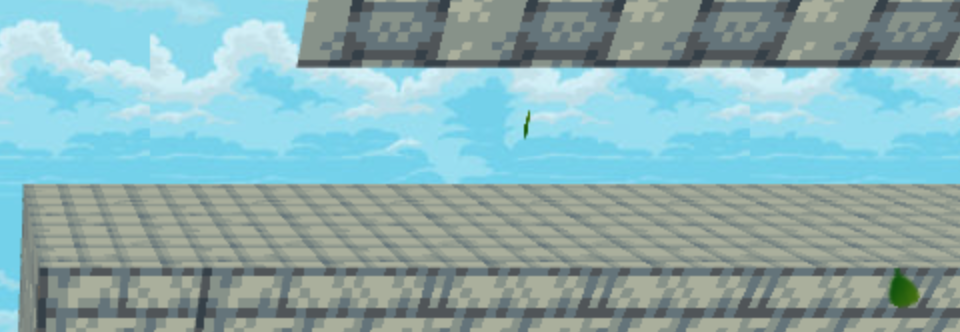
    Screenshot-2020-02-19-at-21-05-37.png
  19. gRaViJa said:
    Fringe is z, not y, so with fringe(1), the tiles are floating:

    Screenshot-2020-02-19-at-21-05-37.png

    Oh my bad, I don't think there is a way to offset tiles, need to use events with the tiles picture.
  20. glaphen said:
    Oh my bad, I don't think there is a way to offset tiles, need to use events with the tiles picture.
    It actually sorts of work with: B,7,1:height(0.75),top(B,0,0)

    Wanted to create crenellations, while it perfectly works with events, it's just too many of them and would slow down the entire game i think?