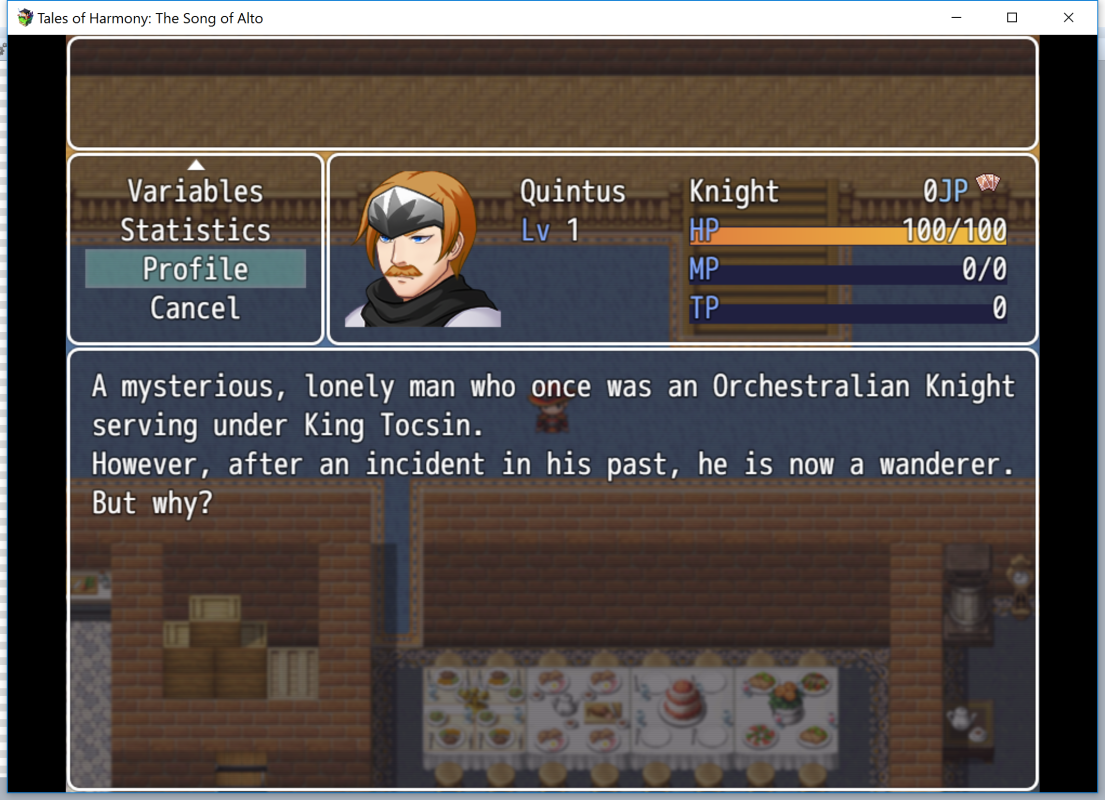
I'm disappointed that word wrap functionality isn't a thing with Profile Status Core... I hate how it looks when it's all jumbled together like this... :( You did Word Wrap with everything else.
[YEP] Yanfly Engine Plugins
● ARCHIVED · READ-ONLY
-
-
@Riff
Indeed, the program only read the second line and ignored the first.
I tried want you suggested me and it gave me this error :
View attachment 33664
You might need to use Eval then. I'm just not sure what's the code for average party level is. Maybe this one?
<AI Priority>
Eval (($gameParty.averageLevel() > 5) && (!target.isStateAffected(10)): Sleep, Random
</AI Priority>
p/s: we're on the wrong thread, btw.
- Riff -
I'm disappointed that word wrap functionality isn't a thing with Profile Status Core... I hate how it looks when it's all jumbled together like this... :( You did Word Wrap with everything else.
View attachment 33665
i dont get whats wrong with how it looks... -
You might need to use Eval then. I'm just not sure what's the code for average party level is. Maybe this one?
<AI Priority>
Eval (($gameParty.averageLevel > 5) && (!target.isStateAffected(10)): Sleep, Random
</AI Priority>
p/s: we're on the wrong thread, btw.
- Riff
Got syntax error...
But yeah, since it's not a bug, I will post elsewhere.
Sorry Yanfly. -
i dont get whats wrong with how it looks...
I just don't like having to press enter on all those sentences when everything else can be written out in one big line and it formats the text automatically. *shrugs* :/ -
Hope someone can answer this...
I try to use the "Lunatic Mode - Custom Info Window Display" note tags as described in the "Item Core" plugin but it's not working.
<Info Text Top>
text
text
</Info Text Top>
No info is shown in the right window when looking at items, only the name of the item appears which seems redundant to me.
I desperately need for a way to view weapon/armor stats in that window instead of the item name, and I'm not planning on using the Item Slots plugin. -
Got syntax error...
But yeah, since it's not a bug, I will post elsewhere.
Sorry Yanfly.
You need a () with the $gameParty.averageLevel
Hope someone can answer this...
I try to use the "Lunatic Mode - Custom Info Window Display" note tags as described in the "Item Core" plugin but it's not working.
<Info Text Top>
text
text
</Info Text Top>
No info is shown in the right window when looking at items, only the name of the item appears which seems redundant to me.
I desperately need for a way to view weapon/armor stats in that window instead of the item name, and I'm not planning on using the Item Slots plugin.
Are you doing this from a saved game or a new game? If it's a saved game before you've made the change, any items you've had before making the changes will not show up assuming you're using independent items. -
Thanks for the reply!
I'm actually testing on a new game, no saves. Basically what I would love is for your Item Core plugin to show weapon/armor stats and attributes in the info window to the right. I can't get it to work using your posted method. I'm using DreamX's prefix/suffix plugin to make random gear but I somehow need to show the item info of what those affixes are adding, else people will not know what they are getting. -
Hey there :)
Two things:
1- Bug Report (I think)
Plugin: YEP_X_ActorVariables
Error & How to Reproduce: I created a Variables page using the plugin (and gave it the name "Stats" using the plugin params). I wanted it to come before the General page, however, so I went to YEP_StatusMenuCore and edited the respective parameter to be like this:
VARIABLES GENERAL ELEMENTS ...
But when I tried to test it, the "Stats" command did exist but was showing the same screen as the General page. I've tested several times but the only time I could make the Variables page appear and work properly was using the word "Custom" on the YEP_StatusMenuCore ordering parameter. But "Custom" also brings forth other two pages I didn't want at the top (Statistics and Profile), so I went to check the script...
Problem & Fix (?): I'm still learning the basics on Javascript, but I decided to look for the function that created the CommandWindow commands so I could check out why it would only work when using the "Custom" word and not "Variables".
When I found them, I noticed that there were 2 functions, one checking for each word, but their actions to create the command were different. On line 323, I found the creation of the command for when the word "Custom" is used:
this.addCommand(text, 'actorVariables', true);
And on line 311, a little above, I found the same command for when "Variables" is used... It is slightly different, though:
this.addCommand(text, 'Variables', true);
I've then changed the 'Variables' part to 'actorVariables', like on line 323, and when I tested it worked fine. So I asume it's just a little typing mistake, not really a bug :D Or perhaps I messed it all up but somehow it ended up working? :p Anyway, I hope it helps :3
2- Request/Help wanted
The second thing now... I'd really appreciate if someone could help me with this one :)
Like stated above, I'm still trying to figure out Javascript and so far I have not been able to accomplish what I'm trying. It's supposedly simple (I guess) but I can't make it work >.<
I'm using both YEP_ClassChangeCore and YEP_X_Subclass on my "learning project". I've decided to create characters with fixed main classes and variable subclasses (like 'jobs') that change according to the weapon you equip. So no manual class changes here. I blocked the player's ability to change class manually through the Plugin Params but now I need to create a note for Items (specifically Weapons) to change the subclass when equipped. Something lik <Change Subclass: x>
I'm having a tough time understand how to edit/create notes, however. There's already a change subclass function on the script, it's called through plugin commands, though :(
I'd need it called by a Weapon note and without needing to specify the actor (being the actor the one who equips the weapon). Would it be much trouble?
I'd really appreciate any help or advice!
Thanks,
Dani -
@Little Paw To fix that, simply remove the icon from your "Guard" state which is probably state #2.
But that isn't really fixing it because A. I WANT it to show an icon when someone is guarding and B. They aren't guarding, the state expires instantly. -
But that isn't really fixing it because A. I WANT it to show an icon when someone is guarding and B. They aren't guarding, the state expires instantly.
What does your Guard state look like? How long is it set to end? It works fine for me when set to "Action End: 1~1" (Actually, this discussion reminded me that I still had it set to 2~2 because of how Yanfly's CTB used to work. I forgot to fix it. Oops.) Turn Start: 1 should be even better (obviously, I hadn't messed with my Guard state in a while...)
BTW, Yanfly, is there any noteworthy difference between Turn Start and Action Start for states under CTB? There doesn't appear to be. I've actually modified when battler.onTurnStart() is called due to this, so Turn Start actually causes states to wear off at, y'know, the start of a battler's turn instead of their action. -
You know... with your Taunt and Counter Control plugins enabled, do we even have a use for Target Rate or Counterattack/Magic Reflection anymore? Don't these plugins make those parameters obsolete?
While the Counter part is true, Taunt and Target Rate aren't the same. Taunt is a forced aggro while Target Rate is a percent chance of getting targeted, making them work fine side by side. Enemies can ignore Taunt, Taunt can affect certain types of attack only, and so on. Though Taunt sometimes overrides Target Rate it's hardly making TGR redudant, just changing its impact slightly. -
Yanfly,
Ok when I moved the project to a new project I no longer had the Typeerror U undefined with steal a snatch plug-in on. I also figured out why the animation was wrong. So I was able to fix it and can continue the project. Thanks again for all the wonderful plug-ins. -
What does your Guard state look like? How long is it set to end? It works fine for me when set to "Action End: 1~1" (Actually, this discussion reminded me that I still had it set to 2~2 because of how Yanfly's CTB used to work. I forgot to fix it. Oops.) Turn Start: 1 should be even better (obviously, I hadn't messed with my Guard state in a while...)
BTW, Yanfly, is there any noteworthy difference between Turn Start and Action Start for states under CTB? There doesn't appear to be. I've actually modified when battler.onTurnStart() is called due to this, so Turn Start actually causes states to wear off at, y'know, the start of a battler's turn instead of their action.
It's just the default Guard state. I haven't changed it or the Guard Skill at all. -
You clearly did change it, because you gave it an icon. Seriously, though, can you screenshot it just so we can be sure?
EDIT: Actually, no, I think I see it. The default is "Turn End: 1". In older versions of BEC, any self-applied states with such a default would end instantly; Yanfly changed this later. Which version of Battle Engine Core do you have?
EDIT 2: Oh, yeah, "Turn End" is also the tick-based one. That's going to matter too. Which should be obvious from later posts, but still, I forgot that fact when I posted last night. There's really no reason for Guard to remain tick-based, though - Turn Start or Action Start is what you want. -
It's just the default Guard state. I haven't changed it or the Guard Skill at all.
Try messing with the state. Are you using CTB? If so make sure your state turns are actually set to the same length (ish) as your CTB turns or you'll run into an issue where states fall off super fast or super slow. Or you could just set the Guard state to 1 action duration to make it last 'til the next time they act, which is what I've done.
As for the double icons, one's for your skill cast, one's for the state. Removing the icon from your skill cast or state would remove one of them. -
Try messing with the state. Are you using CTB? If so make sure your state turns are actually set to the same length (ish) as your CTB turns or you'll run into an issue where states fall off super fast or super slow. Or you could just set the Guard state to 1 action duration to make it last 'til the next time they act, which is what I've done.
As for the double icons, one's for your skill cast, one's for the state. Removing the icon from your skill cast or state would remove one of them.
What do you mean "length of CTB turns"? How do I control/determine that? -
You're using the CTB plugin Yanfly made right? Within that plugin's settings there's a part where you can define a full turn. In my case it's set to:
Math.min(200, BattleManager.lowestBaseAgi() * 8)
Now make sure your states are set to have a similar turn duration. Within Yanfly's Battle Engine Core there's a bunch of settings for states, one of them is Turn Time. You can define how long a "state turn" is in there, pretty much. I've set mine to 500, but you can set it to anything and just test it in battle to make sure turns feel "just long enough" when it comes to states.
If you use Yanfly's Buffs/States Core you can enable turn timers on your states, which makes it easier to track how fast their turns fall off.
I might be wrong about the mechanics, but from just messing with the numbers some I've reached a point where states last just long enough to match a character with average speed's turn. So just experiment with the numbers for a bit and I'm sure you'll reach good results soon. -
That's an awful lot of trouble for a state that's supposed to last until your next turn. If you have the Battle Engine Core up to date, <Turn Start: 1> should do the trick.
-
That's an awful lot of trouble for a state that's supposed to last until your next turn. If you have the Battle Engine Core up to date, <Turn Start: 1> should do the trick.
Yes, true, but he'll have to set turn timers up at some point either way if he wants states to play nice with CTB. Do it properly and he won't have to fiddle that much with individual states later on.