SRPG Gear MZ - Plugins for creating Tactical Battle System

● ARCHIVED · READ-ONLY
Started by RyanBram 190 posts Page 1 of 10 View original ↗
  1. Authors : Ohisama Craft (おひさまクラフト), SRPG Team
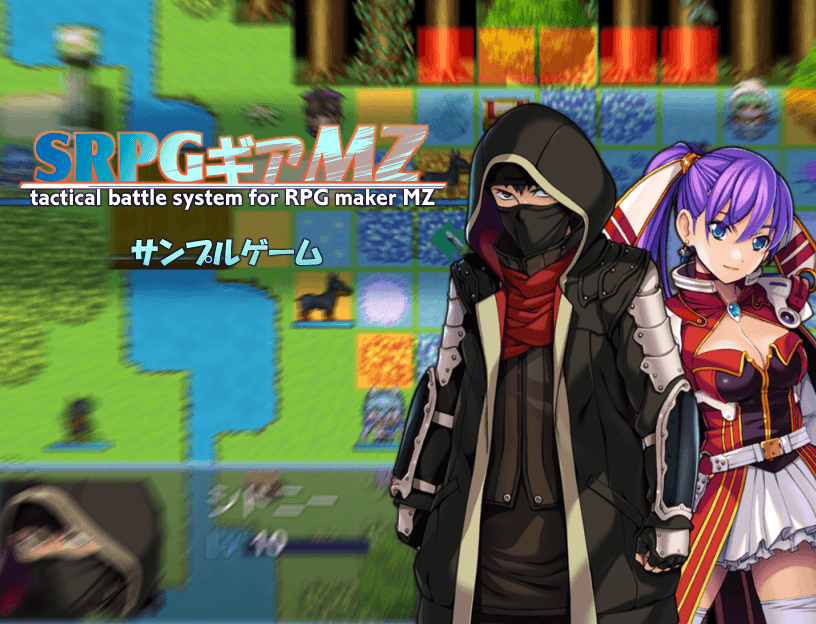
    titleMZ.png

    Hi, Everyone.

    At the end of this happy year, I would like to announce the arrival of the Tactical Battle System plugin for RPG Maker MZ called SRPG Gear MZ. By using the SRPG Engine MV as a base, SRPG Gear MZ has the same goodness with improvements that can make it easier for you to create your own version of Tactical RPG.

    Website & Download

    The following are some of the improvements made to SRPG Gear MZ by taking advantage of the features contained in the technology under RPG Maker MZ:
    • Most of SRPG Engine MV features
    • With a new feature in the RPG Maker MZ map event editor, setting up SRPG Battle becomes more simple.
    Spoiler
    Editor Screenshot.png
    • The Plugin Command adapts new features found in the RPG Maker MZ editor, so using commands becomes more intuitive.
    Spoiler
    Plugin Command Editor.png
    • Better touch control.
    • More extensions are integrated
    • More samples are included in the Demo version including database templates, such as weapons, skills, states, and any features provided by the extension.
    This plugin is a successful example of how the MIT open source license works very well in the development of a game engine that can be used for the common good. A plugin that is almost equivalent to building a new engine would be hard to come true without many support. A number of contributors have been kind enough to develop extensions for this Engine and release them under the same license.

    We thank this community for your trust, support, and enthusiasm for the SRPG Engine MV, which made SRPG Gear MZ possible. If you have common goals and want to contribute to this Engine, we would love to get help from you in any form of contribution.

    Roadmap:
    • English and Japanese official website
    • Demo translation into English version
    • Port number of extensions that currently don't work in SRPG Gear MZ

    Special Thanks to:
    • Dr Q
    • Dopan
    • Boomy
    • Shoukang
    • everyone who really active in helping each other in understanding the engine
    Personally, I apologize for disappearing in a very long time and not being very active in this forum, so that not all incoming messages and questions can be answered. Thank you to anyone who has volunteered their time to answer every question that comes in.
  2. finally the MZ ENG translated.. more people can now enjoy SRPG! ala Fire Emblem
  3. Has anybody tried this with VisuStella MZ?
    • How to set the action of collision attack target in map battle?
  4. NikaraWorld said:
    Has anybody tried this with VisuStella MZ?
    I have ascertained that it in fact does not work with VisuStella
  5. NikaraWorld said:
    I have ascertained that it in fact does not work with VisuStella
    Could you expand on this a bit?
  6. I was thrilled when I checked the creator's Twitter and saw the MZ version was available! It's leaps and bounds better than running the MV version through FOSSIL. Not only is it faster, but it's much more stable and the UI looks better.

    I'm testing to see which VisuStella plugins work. So far Core Engine works, Battle Core doesn't (it crashed the SRPG plugin immediately) and Skills and States works.

    Edit: Main Menu Core and Element Status Core work just fine. I doubt I'll test any of the other core plugins, since they either don't interest me or don't pertain to my project. So far it seems to me that any of the core plugins other than Battle Core are compatible, and more importantly, the VisuStella plugins that rely on them probably will work, too.
  7. Puppet Knight said:
    Could you expand on this a bit?
    In order to use VisuStella with the SRPG system you'd have to disable the Battle core and every plugin that requires Battle core to run. Which might be fine for others but all of the VisuStella plugins are integral to my games which means no SRPG plugin for me
  8. NikaraWorld said:
    In order to use VisuStella with the SRPG system you'd have to disable the Battle core and every plugin that requires Battle core to run. Which might be fine for others but all of the VisuStella plugins are integral to my games which means no SRPG plugin for me
    Thank you for clarifying
  9. Very nice. Need to see if I can move the project I am working on over from MV to MZ, and see if the other plugins I use will work.

    Pity multiple teams seem to be an issue. Was hoping for something like that to happen. May have to change some things down the road in my project.
  10. Wanted to provide feedback seeing I recently started working on the SRPG maps and did some tests.

    1. Battle Prepare continues to happen even when I choose the option to disable. MV never had this problem.

    2. Turn End is invisible whenever the player attempts to finish their turn if there's nobody to attack. (Screen provided below.)

    3. Some characters are in Kanji. (Should be easy for me to locate and fix...)

    4. Show path arrows do not show.

    If one is concern about load order, screen of this will also be provided.

    Update: When I copied your plugins in your demo vs downloading the plugins on the srpgmaker page, it fixed the kanji issue, and path issue. The wait/turn end is still invisible and Battle Prepare still executes when it shouldn't be. Currently investigating why it shows invisible from my end, whereas your demo is not invisible. Note that the plugins above have nothing to do with it, for I tested it when they were disabled.

    1676411725593.png
    1676411779298.png
  11. I'd like to report a small bug:
    When adding more than 1 skill type to a given class, the lower options disappear.
    Let's say I have a Paladin in my game, which I want to be able to use skills in both 'Blessing' and 'Fighting' categories. This makes it so the commands are not properly shown when selecting the actor.


    Steps to replicate:
    Simply downloaded the demo, added a new skill type for the Ninja class, now the 'Wait' command for the MC doesn't show.
    1676906296774.png

    1676906256554.png

    Also, adding more skill types makes even more of the options not show, starting from the bottom option and going upwards. With 3 skill types, now 'Weapon' command is not shown.
    1676906735358.png

    1676906723589.png

    However, you can still click where the button would be located, and the logic still works. If I click on where 'Wait' would be, the actor waits turn as usual.
    1676906864181.png

    So in this is just a visual bug with how the command options are rendered, not a problem with the plugin functionalities. I'm still trying to locate where in the code those actor options are populated to see if I can solve this by myself, but it's really a lot of code. Impressive dedication of this team, this plugin is awesome. This small inconvenience is really minor in the overall plugin.
  12. I don't know if I'm doing something wrong or overlooking anything, but whenever I try to set up a battle like one in the demo, I get an error saying: "Cannot read property 'split' of undefined". I checked the console log and this is what it says:

    Spoiler
    Screen Shot 2023-03-12 at 10.18.44 PM.png
  13. GalacticRaphus said:
    I don't know if I'm doing something wrong or overlooking anything, but whenever I try to set up a battle like one in the demo, I get an error saying: "Cannot read property 'split' of undefined". I checked the console log and this is what it says:

    Spoiler
    View attachment 256160
    Probably the enemy IDs don't match

    P.S. I can't find the setup documentation.
  14. KARAKURT said:
    Probably the enemy IDs don't match

    P.S. I can't find the setup documentation.

    It turns out that I didn't put the necessary tags into the database for the enemy but I still have an issue where I can't move an actor and there is a type error when I press End Turn. I'm sorry to bother anyone, but what are the steps to setting up a battle because there don't seem to be any in the help section?

    Spoiler
    Screen Shot 2023-03-28 at 10.28.36 PM.png
  15. Is there a value that I can edit to extend how long the battle result screen appears? When you win a battle and gain exp/gold/items, it pops up and disappears nearly instantly, no chance for the player to read it.
  16. GalacticRaphus said:
    It turns out that I didn't put the necessary tags into the database for the enemy but I still have an issue where I can't move an actor and there is a type error when I press End Turn. I'm sorry to bother anyone, but what are the steps to setting up a battle because there don't seem to be any in the help section?

    Spoiler
    View attachment 257460
    I've had a lot of similar mistakes. There was always a mistake on my part. Incorrectly entered data. Try copying all the settings from the demo project. Disable all other plugins in the project. The SRPG should be on top in the plugin manager.
  17. I have created a playable demo for my game and presented it live at CT Gamer Con a few weeks ago! Along the way, I discovered some glitches and I have some questions.

    -How do I remove options from Battle Prepare? I don’t use Formation at all in my game. Also, Status and Equip do nothing when I select them.
    Glitch-Cannot Access Equip from Pre Battle.jpg

    -In battle, sometimes I can access Equipment and sometimes I cannot. Sometimes the option appears as it should; sometimes it is blank, but can still be selected; sometimes it appears, but cannot be selected; and sometimes it is blank AND cannot be selected. How do I fix this? For testing purposes, I created weapons that each character can equip.

    EDIT: I have figured out that Equipment only works if it is used before moving the character. This isn't game-breaking, but it's unintuitive for players.

    Glitch-Equipment Option Appears Without Text.jpg

    -Somehow I have lost the blue and red aura that shows where characters can move and where they can attack. How do I bring this back?

    EDIT: This is because I am using Galv's Layer Graphics plugin to create a parallax, and the parallax covered it up. This is worth noting for anyone else using this plugin. This plugin is compatible as long as the parallax doesn't cover up the floor. Using it for lighting, shading or walls is fine.

    -When I reach the far right edge of the screen on the map, the actions menu is cropped off.

    Glitch-Actions Are Clipped Off.jpg
  18. When I try to use items from the inventory (not in battle) I get the following error:

    1682892622179.png

    I have no other plugins installed.
  19. Rapacious said:
    When I try to use items from the inventory (not in battle) I get the following error:

    View attachment 260505

    I have no other plugins installed.
    this means that the system is trying to check if any unit is alive, but outside of battle there are no battleUnits..
    But i am not sure why and where(code position) this check is used

    to give more information to the forum , you need to hit F8 to open the dev-console and screenshot the red text

    ---
    for the other Questions above, i just can say, that i cant really help on problems that happen with plugins or demos which are not made or used by me sry..
    (i dont use all plugins and i didnt test the newest rpg mz demo myself.. also i dont plan to use rpg mz)

    edit
    I am really sorry, i just recognized , that this is the MZ thread,.. i shouldnt have answered here n the first place.my bad