MV - SRPG Engine MV - Plugins for creating Tactical Battle System

● ARCHIVED · READ-ONLY
Started by RyanBram 3313 posts Page 127 of 166 View original ↗
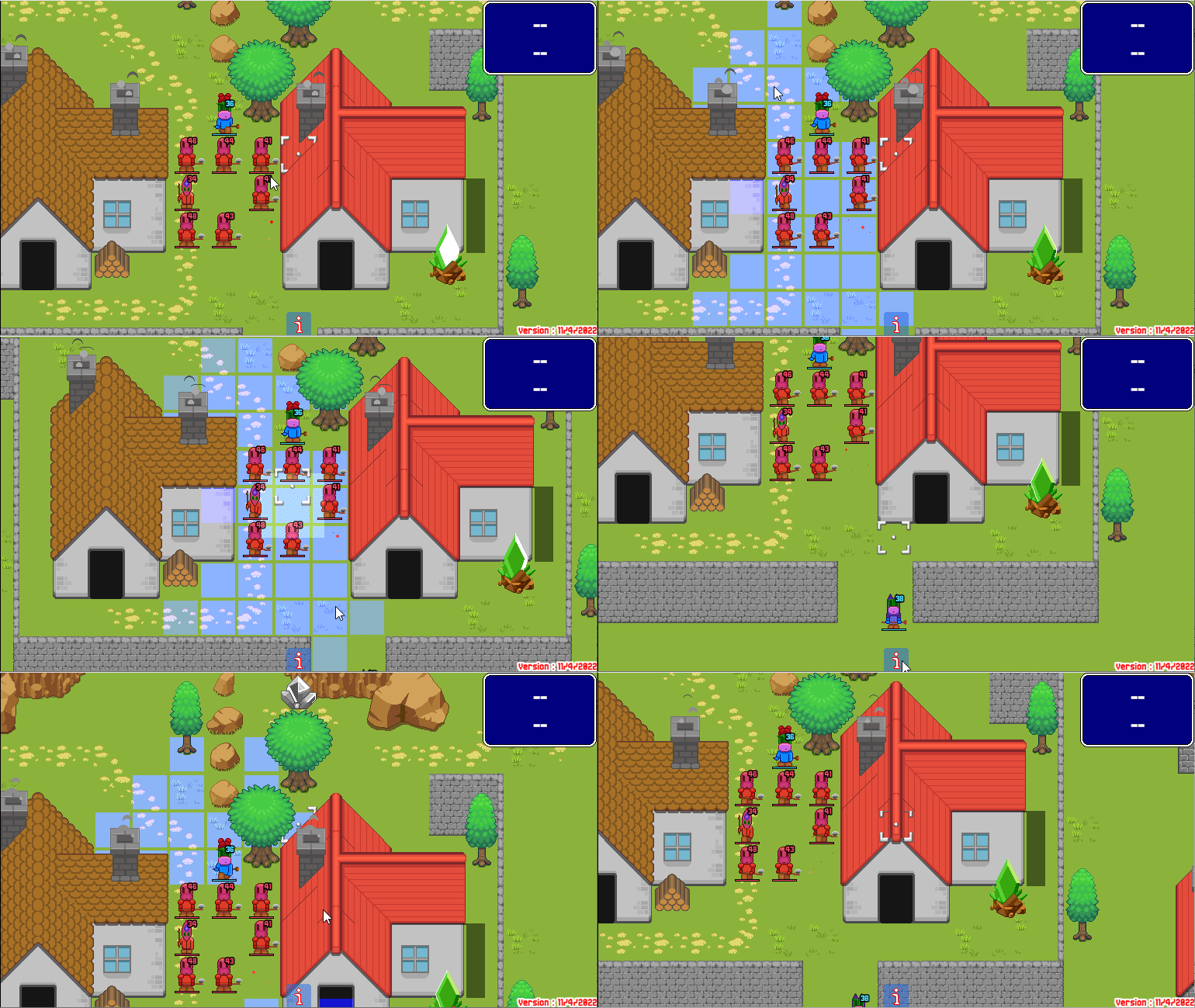
  1. (SOLVED) Um, a bit of a silly bug:
    I have a simple Heal skill: [Scope: 1 Ally][<srpgRange:1>]. Skills of scope 1 Ally shouldn't be able to target the user.
    1666098921312.png
    Yet it is trying to, anyway.
    If that was the problem I could just add a tag like <srpgMinRange>, but something else is happening: I _also_ crash whenever I use self-target skills, ever, and this minor bug suddenly becomes a major one:
    UX_Cursor code
    1666099134100.png
    When doing the logs to console, 1 works fine after TargetWindow.setBattler, but 2 crashes after PredictionWindow.setBattler.
    Same error as before: currentAction() returns null
    Looking at PredictionWindow:
    PredictionWindow code
    JavaScript:
        Window_SrpgPrediction.prototype.setTargetAction = function() {
            $gameParty.clearSrpgBattleActors();
            $gameTroop.clearSrpgBattleEnemys();
            $gameTroop.clear();
            console.log("prediction members:", this._actionArray[1]._name, this._targetArray[1]._name)
            if (this._actionArray[0] === 'actor') {
                $gameParty.pushSrpgBattleActors(this._actionArray[1]);
                if (this._targetArray[0] === 'actor') {
                    if (this._actionArray[1] != this._targetArray[1]) {
                        $gameParty.pushSrpgBattleActors(this._targetArray[1]);
                        this._actionArray[1].action(0).setTarget(1);
                    } else {
                        this._actionArray[1].action(0).setTarget(0);
                    }
                } else if (this._targetArray[0] === 'enemy') {
                    $gameTroop.pushSrpgBattleEnemys(this._targetArray[1]);
                    this._actionArray[1].action(0).setTarget(0);
                }
            } else if (this._actionArray[0] === 'enemy') {
                $gameTroop.pushSrpgBattleEnemys(this._actionArray[1]);
                this._actionArray[1].action(0).setSrpgEnemySubject(0);
                if (this._targetArray[0] === 'actor') {
                    $gameParty.pushSrpgBattleActors(this._targetArray[1]);
                    this._actionArray[1].action(0).setTarget(0);
                } else if (this._targetArray[0] === 'enemy') {
                    if (this._actionArray[1] != this._targetArray[1]) {
                        $gameTroop.pushSrpgBattleEnemys(this._targetArray[1]);
                        this._actionArray[1].action(0).setTarget(1);
                    } else {
                        this._actionArray[1].action(0).setTarget(0);
                    }
                }
            }
            //対象の行動を設定
            if (this._actionArray[1] != this._targetArray[1]) {
                this._targetArray[1].srpgMakeNewActions();
                if (this._actionArray[0] === 'actor' && this._targetArray[0] === 'enemy' &&
                    this._targetArray[1].canMove()) {
                    $gameTroop.pushMembers(this._targetArray[1]);
                    this._targetArray[1].action(0).setSrpgEnemySubject(0);
                    this._targetArray[1].action(0).setAttack();
                    this._targetArray[1].action(0).setTarget(0);
                }
                if (this._actionArray[0] === 'enemy' && this._targetArray[0] === 'actor' &&
                    this._targetArray[1].canMove()) {
                    this._targetArray[1].action(0).setAttack();
                    this._targetArray[1].action(0).setTarget(0);
                }
            }
            console.log("action after:",this._actionArray[1].currentAction());
        };
    For this whole function, the action is still attached to the actor.1666100324830.png
    And, like, there is no other call after that one, right? It's setTarget then straight to the console.log. Yet, when the log hits, there's no action to be seen, and thus an error (can't find Game_Item from undefined).
    1666100652946.png
    Am I missing something? This has been puzzling me for two hours straight; I'll take a break.

    EDIT
    Turns out it was, once again, from my own code. For whatever reason 6-months-ago me decided to clear the actions from the target. I have no idea why.
    1666101645912.png
    I feel very dumb haha. Just commenting that and adding minRange to the skill solves it.
  2. Quick out-of-context question, don't know if it has been answered yet (sheesh this is a too big forum thread!!!):
    Assuming you have your enemies inside the enemy group specified for SRPG, even so, can random enemy battles be programmed?, or due to making only to one particular enemy group that would not be possible. Even so, without thinking on the enemy groups, via notetags?
  3. PARCB said:
    Assuming you have your enemies inside the enemy group specified for SRPG, even so, can random enemy battles be programmed?, or due to making only to one particular enemy group that would not be possible. Even so, without thinking on the enemy groups, via notetags?
    Some ideas:
    - The SRPG combat can be switched on and off with a Switch. Some plugins may not play well with this, but the Core is built with that in mind. So, if you still want your standard jrpg encounters, just turn the switch off.
    - Assuming you have a map with "empty" events, ones that don't have <type:enemy> tags, you can assign a SRPG enemy to it by, inside another event's plugin call, calling ``this.addEnemy(eventId, enemyId)``.
    - You can theoretically, while on a map, trigger a random event that saves your position and teleports you to one of X random battle maps, either with random or preset SRPG enemies. On battle end, teleport back to the original map (there's a few tutorials online for this teleport thing I'm sure)
  4. NatePlays said:
    - You can theoretically, while on a map, trigger a random event that saves your position and teleports you to one of X random battle maps, either with random or preset SRPG enemies. On battle end, teleport back to the original map (there's a few tutorials online for this teleport thing I'm sure)
    I believe this is what i am thinking of. I believe it must be needed to be check the coordinates of the player to do the backtrack. So, it would be like teleporting into a selected group of random maps... got it... THANKS!
  5. I'm still interested in a solution / patch with SRPG_UX_Cursor to be able move the cursor diagonally while maintaining the spritesheet index.
    RK DracoRoy said:
    About 8 directional movement, this isn't about the events, just the cursor.

    I can move the cursor diagonally with VE_DiagonalMovement, but it'll show frames in this strange way. This happens only if I have the cursor-style movement enabled from SRPG_UX_Cursor. It is back to normal when I move in 4 directions. Anyway it can be edited to keep the cursor in its index when moving diagonally?

    Otherwise, it's fine. I can disable the diagonal movement for player when entering the Srpg battle and bring it back when the Srpg phase ends.

    I also have this, but I don't know how I'd go about. Several passive skills in Fire Emblem have the ability to check if there's adjacent allies near the user. Or enemies adjacent to the user or at a certain distance.

    Let's say I have 4 allies surrounding the user who has the passive heal state, allies adjacent will heal once a turn.

    If I have an enemy adjacent to the user who has a passive state, that enemy suffers a state with a stat decrease, Avoid -20. Or if there were multiple enemies 3 tiles from the user, effect happens to them.

    I'm using VE_PassiveStates, and it may also involve eventing. Any help appreciated.
  6. RK DracoRoy said:
    I'm still interested in a solution / patch with SRPG_UX_Cursor to be able move the cursor diagonally while maintaining the spritesheet index.


    I also have this, but I don't know how I'd go about. Several passive skills in Fire Emblem have the ability to check if there's adjacent allies near the user. Or enemies adjacent to the user or at a certain distance.

    Let's say I have 4 allies surrounding the user who has the passive heal state, allies adjacent will heal once a turn.

    If I have an enemy adjacent to the user who has a passive state, that enemy suffers a state with a stat decrease, Avoid -20. Or if there were multiple enemies 3 tiles from the user, effect happens to them.

    I'm using VE_PassiveStates, and it may also involve eventing. Any help appreciated.
    about cursor movement:
    well moving the cursor diagonaly is possible with mouse usage.. idk anything about cursor or grid related code sry.
    (i guess it should be possible to archieve that aswell if using keyboard or gamepad , but i never tried)

    about calc distance:
    to calc the distance betwen units you only need to calc the distance betwen the events of the Units.
    There is the default calc distance script:
    $gameMap.distance(x1, y1, x2, y2);
    there are also scriptcalls in the srpg help info to do that
    they use basicly the same code:
    (those 2 are "game interpreter functions")
    srpg core help info
    * this.EventDistance(VariableID, EventID, EventID); # Store the distance between events in a variable.
    * this.ActorDistance(VariableID, ActorID, ActorID); # Store the distance between actors in a variable.

    about AURA:
    the other thing you try to archieve sounds like an "AURA"-state.. in the past,i made an Aura plugin which was a bit noobisch, it caused laggs & was difficult to setup..

    later shoukang made an Aura plugin aswell, which seemed to work much better, thats why i removed my old Aura plugin from my GitHub.
    I didnt tested it but you can find it here:
    shoukangs website

    --------
    --------
    @ all
    about my demo :

    i know i sayd it would be uploaded very soon , but i found different things which i had to fix everytime i finished something.. Most things should be fine now, but i preffer to test a bit more before uploading it.Same goes for my Github.
    sry for the delay.
  7. Hello everyone, I'm looking for a way to implement two things for my project, but I'm not certain where to get started, so I thought to ask here for any advice.

    The first thing I'd like to add is an indicator (like an icon over an enemy, or turning their sprite red on the map) if a specific condition is fulfilled. For example, bow weapons are effective against flying units, if you select a flying unit then all enemy archers should become red-tinted or have an exclamation point icon over their heads. I'm handling this with states; the enemy has a "using bow weapon" state, the actor has an "is flying unit" state. If both are true, the damage taken by the unit is increased.

    The second thing I'd like to add is showing how far enemies can move without having to select them. Basically this:
    Image
    Fire-Emblem-Three-Houses-Battle-Lines.jpg
    Where the purple-tinted tiles indicate that an enemy can move or attack you within that range.

    Just to be clear, I'm not asking anyone to make these or give me step-by-step instructions, but if someone could give me a hint or tell me where to get started, I'd really appreciate it!
  8. VengefulStrudel said:
    Hello everyone, I'm looking for a way to implement two things for my project, but I'm not certain where to get started, so I thought to ask here for any advice.

    The first thing I'd like to add is an indicator (like an icon over an enemy, or turning their sprite red on the map) if a specific condition is fulfilled. For example, bow weapons are effective against flying units, if you select a flying unit then all enemy archers should become red-tinted or have an exclamation point icon over their heads. I'm handling this with states; the enemy has a "using bow weapon" state, the actor has an "is flying unit" state. If both are true, the damage taken by the unit is increased.

    The second thing I'd like to add is showing how far enemies can move without having to select them. Basically this:
    Image
    View attachment 243222
    Where the purple-tinted tiles indicate that an enemy can move or attack you within that range.

    Just to be clear, I'm not asking anyone to make these or give me step-by-step instructions, but if someone could give me a hint or tell me where to get started, I'd really appreciate it!
    first:
    perhaps you could use the srd hudmaker for such things but you would need some scripts that enable/disable a switch when the conditions are met..(perhaps they are better ways its just an idea)
    - you could also build a plugin that loads any img you build over BattleUnits that met your wanted condition..
    (this would work similar how the E X A are displayed over the EventUnits.. or how "srpg_unitMapInfo"-plugin, load and displays state and weapon icons..
    The functions for that are :
    "Sprite_Character.prototype." and the main function which is needed to update that stuff is called :
    "Sprite_Character.prototype.updateCharacterFrame"
    (if you search that second function in the srpg core than you see how "E" "X" "A" are handled)
    Screenshot_1.png

    second:
    I not sure .. i think its possible but i got no idea how.
    - perhaps it would be enough to edit the plugin part where displaying the movement is handled , or an extra plugin would be needed.. But i never made any edit regarding this Stuff and cant give much hints.sry
  9. VengefulStrudel said:
    The second thing I'd like to add is showing how far enemies can move without having to select them
    A number of users have already requested for such a function, check my GitHub for the script:

    SIIOMrpy2y.gif
  10. @boomy
    I'm using the Direction Selection plugin, I can only turn around when choosing the Wait command, but not when using other actions or items. Somehow units in auto battle can let me turn them around when doing any action (I'd like to disable the turn around thing for just auto battler as an option if that is possible).

    Also, earlier when I started using this, it would look for a filename "-1" when I put in the number.
  11. RK DracoRoy said:
    @boomy
    I'm using the Direction Selection plugin, I can only turn around when choosing the Wait command, but not when using other actions or items. Somehow units in auto battle can let me turn them around when doing any action (I'd like to disable the turn around thing for just auto battler as an option if that is possible).

    Also, earlier when I started using this, it would look for a filename "-1" when I put in the number.
    The directionselection plugin clashes a lot with other srpg plugins so its pretty hard to integrate it. Try putting it below most srpg_core.js plugins but above shoukang's moveafteraction plugin. I think I had to write some compatability patches to work with some other plugins (maybe yanfly ones; I forgot I made them ages ago) so if moving the plugin down doesn't work I'll look deeper into it
  12. dopan said:
    first:
    perhaps you could use the srd hudmaker for such things but you would need some scripts that enable/disable a switch when the conditions are met..(perhaps they are better ways its just an idea)
    - you could also build a plugin that loads any img you build over BattleUnits that met your wanted condition..
    (this would work similar how the E X A are displayed over the EventUnits.. or how "srpg_unitMapInfo"-plugin, load and displays state and weapon icons..
    The functions for that are :
    "Sprite_Character.prototype." and the main function which is needed to update that stuff is called :
    "Sprite_Character.prototype.updateCharacterFrame"
    (if you search that second function in the srpg core than you see how "E" "X" "A" are handled)
    View attachment 243343

    second:
    I not sure .. i think its possible but i got no idea how.
    - perhaps it would be enough to edit the plugin part where displaying the movement is handled , or an extra plugin would be needed.. But i never made any edit regarding this Stuff and cant give much hints.sry
    Thanks for the hint! I'll take a look at updateCharacterFrame!

    boomy said:
    A number of users have already requested for such a function, check my GitHub for the script:

    SIIOMrpy2y.gif
    This is what I was looking for, thank you! However, I'm running into a problem; if there are more than 12 enemies on the map, it crashes and gives me this error.
    Error
    Error.png
    I added a console.log(b) action near the end of the srpgMakeMoveTableTeam function, and I noticed that this occurs when b's length is over 600. This is its length with 13 enemies on the map.
    Array.png
    If I put 12 enemies, its length is 588 and it works perfectly well. I edited the function to also display the enemies' weapon range, at first I assumed that might be what caused the crash, but it happens even without this modification. However, when also displaying the enemies' weapon range, it crashes when there are more than 9 units, instead of 12. With weapon range display, the array's length is 622 with 10 units, and 537 with 9 units, hence why I assume it's the 600~ length that might be the culprit.

    Any help on fixing this would be appreciated :)
  13. boomy said:
    The directionselection plugin clashes a lot with other srpg plugins so its pretty hard to integrate it. Try putting it below most srpg_core.js plugins but above shoukang's moveafteraction plugin. I think I had to write some compatability patches to work with some other plugins (maybe yanfly ones; I forgot I made them ages ago) so if moving the plugin down doesn't work I'll look deeper into it

    I've disabled every plugin except Srpg_Core and Direction Selection and used an item on the map. Unfortunately, it still happens and only appears when I select the Wait command.
  14. Updated Showcase Demo & Plugins (version0.3)
    (including some eventing stuff in the demo)
    Showcase Demo
    GitHub Plugins

    so whats new?
    Spoiler
    - Pluginmanager i had to put the srpgUnitCore directly under the srpg_core ,cos it overwrites important parts of the srpg core which would cause bugs in my demo if the UnitCore isnt dierectly under the srpg_core
    (thats related to equip/classes/weapons and such things)

    - edited srpg core
    has some functions added that helped me to make sure that counters will care about their skillrange.
    (this is suppossed to work with the srpg statbasedCounter plugin)
    -> those
    new functions are:
    (they are located at the end of the srpg_core)

    - "srpgUnitSkillRange"
    (returns the range of a skill based on the BattleUnit_User and all notetags that could make any change)
    -"srpgBattlerDistance"
    (returns the distance betwen 2 Units, but as gameSystem function which can easier be used in plugins, & with the option to use "0" as indicater for active&target unit)
    -"srpgCntInRange"

    (uses both functions above & returns true if the counterskill is in UserCNTSkill-range to the target)

    - srpgForceAction works bugfree now with or without the Yep battleEngine
    (i still plan to make updates/upgrades on this plugin ,but its not required for the bugfree usage)

    - srpgStatbasedCounter i edited that plugin in order to make equip & classnotes work for enemys aswell.Same way it works for actors..
    (thats related to the srpgUnitCore which adds enemy equip&classes and much more)

    - srpgEventUnitGraves
    removed 2 scriptcalls that were not helpfull & added a new one instead
    (thats about the new "delete all graves" which should be used outside of srpg battle to clean up the graves if wanted, because in battle they would instant respawn if the related Unit is dead... thats also the reason why the old scriptcalls were not useable, they only worked in battle but the graves did respawn instant in battle)
    -> the 2 deleted scriptcalls were "delete all actor graves" & "delete all enemy graves"
    => And i might make another update on this in the future to "break" a grave with a scriptcall, so that it wont respawn in battle even if the related Unit is still dead.
    ..some people might want such option ,like its used in final fantasy tactics for example..

    -And little Fixes or just little edits on the help info of other plugins , .. ( i cant go into much details here )

    list of updated Plugins:
    SRPG_core.js
    SRPG_UnitCore.js
    SRPG_EventUnitGraves.js
    SRPG_StatBasedCounter.js
    SRPG_UnitMapInfo.js
    SRPG_ForceAction.js
    (following plugins exist 2 times which is related to the screen resolution setup)
    - the default i use is 1110x768
    - the alternative is for 816x624
    SRPG_StatusWindow(patch).js
    (the "patch" means its a patch/editedVersion of the default plugin from Shoukang)
    SRPG_StatusWindow(816x624).js
    SRPG_Prediction.js
    SRPG_Prediction(816x624).js

    another Sidenote about CounterSkill_Id:
    Spoiler
    by default the counterskillId is added by the srpgStatbasedCounter plugin from drQ.
    In the past i added that counterskill id setup & a little edit for UnitCore compatiblety to my forceAction plugin, that was because i wanted to enable the counterskillID for all options.
    (that means also for default counter and "agiatt+" counter if not using the statbased counter plugin)
    -> i added that to my forceAction in the first place because it needs the counterskill id for the "wield"-counters & i wanted to make the usage of statbasedCounter optional for others, even if i use statbased counter by default

    But after i removed the agiatt+ Option from my edited srpg_core cos of conflicts with my ForceAction , it made not much sence to keep that edit in the forceAction Plugin, thats why i made an edit on the StatbasedCounter plugin itself, for Unitcore usage like explained above ..
    - the default counter can easy be replicated with the statbasedCounter plugin, by giving every unit that should counter an ex-param of 100% counter.. if thats really wanted..
    So why do i explain this??
    because if you dont want to use my demo or its setup, but you want a counterskill ID, you can just take most functions from drQs original plugin and put them in a new plugin or in your srpg core.
    (only the function that disables the default counter should not be used in such case)
    => basicly the counterskill id highjacks the "attackSkill id" & add its counterskill instead, if any possible notetag applys

    edit.:
    i forgot to mention that actor1 in the demo has 2 swords equiped and wield setup now.
    (it doesnt fit to his charsprite which wears a shield and a sword, but i did that to properly test "multi-wield" from the ForceAction Plugin)

    And i forgot to remove the empty textboxes at "pre action" "post action" and "sv troop", which i used for testing purposes.
    (the textboxes were used to stop the action which makes it easier when i wanna open the console at a certain timming)
    -> so i removed the textboxes now and reuploaded the demo.
    (same version because nothing much has changed)
  15. RK DracoRoy said:
    I've disabled every plugin except Srpg_Core and Direction Selection and used an item on the map. Unfortunately, it still happens and only appears when I select the Wait command.
    I've updated my code and made a blank project with the following plugins:
    srpg_core
    srpg_positionEffects
    srpg_aoe
    srpg_directionSelection

    With the updated code it should iron out some bugs but let me know how it goes
  16. @boomy
    It's now letting me turn them around, but I have these two things that ocurred.

    It only works when after a sideview battle. They won't turn if I'm using the tag <mapBattle:true> on a skill / item from Srpg_Core.

    About the -1 I put in the After Battle Character Image parameter since setting it as the value wouldn't change the player icon, I get this error.

    -----------
    [Edit]

    I forgot to mention if you set the first parameter option as false, it will change the player icon to the $arrowindicator.png file despite disabling the option.
  17. RK DracoRoy said:
    @boomy
    It's now letting me turn them around, but I have these two things that ocurred.

    It only works when after a sideview battle. They won't turn if I'm using the tag <mapBattle:true> on a skill / item from Srpg_Core.

    About the -1 I put in the After Battle Character Image parameter since setting it as the value wouldn't change the player icon, I get this error.

    -----------
    [Edit]

    I forgot to mention if you set the first parameter option as false, it will change the player icon to the $arrowindicator.png file despite disabling the option.
    I dunno how to make it work with map battle; map battle aliases the mapUpdate function already so I think you would need to edit srpg_core.js for it to work though even adjusting that doesn't seem to make it work (would probably need to rewrite some sections of srpg_core.js code)

    I fixed the -1 issue with a new update
  18. boomy said:
    I dunno how to make it work with map battle; map battle aliases the mapUpdate function already so I think you would need to edit srpg_core.js for it to work though even adjusting that doesn't seem to make it work (would probably need to rewrite some sections of srpg_core.js code)

    I fixed the -1 issue with a new update
    @boomy
    edit4:
    ok i think i figured it out , & builded another version, but its not fully done yet

    sidenote for new srpg devs: it is possible to turn units by default by right-cliking on a finished unit, but that has 2 issues:
    - it has no arrow img added
    - the last unit which the gamer uses wont be able to turn by clik, because the enemy turn starts instant.
  19. If anyone wants to handle the Dance skill from Fire Emblem, you can use (YEP_SkillCore):
    Code:
    <After Eval>
    target._srpgTurnEnd = false;
    </After Eval>

    To prevent an enemy from counterattacking if the attack was successful:
    Code:
    <Post-Damage Eval>
    target.clearActions();
    </Post-Damage Eval>

    To prevent the user's Agi Attacks from happening and the weapon breaks (YEP_X_ItemDurability):
    Code:
    <Custom Break Effect>
    user.clearReserveAction();
    </Custom Break Effect>

    If the range is 3 or more, there can be a hit rate penalty. Using YEP_HitAccuracy.
    Code:
    //Ensures that 0.60 is the maximum penalty.
    //Returns 0 if distance - 2 is negative.
    user.hit - Math.min(0.60, (0.20 * Math.max(0, $gameTemp.SrpgDistance() - 2)))
  20. RK DracoRoy said:
    If anyone wants to handle the Dance skill from Fire Emblem, you can use (YEP_SkillCore):
    Code:
    <After Eval>
    target._srpgTurnEnd = false;
    </After Eval>

    To prevent an enemy from counterattacking if the attack was successful:
    Code:
    <Post-Damage Eval>
    target.clearActions();
    </Post-Damage Eval>

    To prevent the user's Agi Attacks from happening and the weapon breaks (YEP_X_ItemDurability):
    Code:
    <Custom Break Effect>
    user.clearReserveAction();
    </Custom Break Effect>

    If the range is 3 or more, there can be a hit rate penalty. Using YEP_HitAccuracy.
    Code:
    //Ensures that 0.60 is the maximum penalty.
    //Returns 0 if distance - 2 is negative.
    user.hit - Math.min(0.60, (0.20 * Math.max(0, $gameTemp.SrpgDistance() - 2)))
    just as info, to prevent counters completly you can use skillNote :
    <srpgUncounterable>
    i think its not in the core help info cose is was part of a plugin that was added into the core..
    ..another skilnote that might not be found in the core help is for AgiAtt+:
    <doubleAction:false>
    Screenshot_1.png

    (basicly it doenst matter if false or true on this skillnote as soon its "doubleAction", the plugin asumes false)

    --------------
    And my edited core wont use&need any AgiAtt+ related script,:
    user.clearReserveAction();

    ( might give an error cos i dont use that code)
    -------------

    another sidenote: about my new version of SRPG_DirectionSelection
    (i might change the name, to not confound both plugins ..and add boomy in the credits and autor data)
    Spoiler
    I was able to rebuild boomys plugin(SRPG_DirectionSelection) for my demo,
    - it can use srpg SV & Map battlemode (skills)
    - works with wait command
    - works with keyboard & mouse
    - its triggered with after action Mapscene
    - it should be compatible with aoes but its not tested yet
    - it adds data to gameActor to handle if arrowDirection usage is allowed to be triggered for this actor.
    - it checks if actor is an autobattler

    - it should be compatible with shoukangs "moveAfterAction"
    (that part was pretty easy cos i used the after action as trigger)
    (it only triggers if unit turn has ended, what also happpens in shoukangs plugin at the final end of units turn, that can be seen in shoukangs showcase gif).
    -> but its not tested yet because i dont know yet if shoukangs plugin is compatible with my whole demo ..

    - I am not fully sure how it will work with combos if using my srpgForceAction yet..

    - i had to edit the mouseInput code cos it didnt worked for me by default,
    now i used code from the rpg.core, to make it work
    ("moveOverX/Y" and the other 2 "game.temp_XY" var were allways undefined by default.. atleast in my demo)

    My plugin has a lot of diefferences to boomys and i didnt added the lunatic code option yet, but without boomys code i would have no clue how to build it in the first place^^.
    However i will share it as soon i tested it somemore & update my demo aswell.
    (that might take a bit more time, also cos of testing & some small edits ect)