Thank you so much for that! The code example was exactly what I needed to wrap my head around it - got it working like a charm and now I understand the syntax and how it needs to be formatted. It's super useful because I can probably use that as a base now for using more script calls in the future for other bits of game data.
Cheers you absolute legend!
MV - SRPG Engine MV - Plugins for creating Tactical Battle System
● ARCHIVED · READ-ONLY
-
-
By the way, is your prediction window supposed to be in the pictures or System folder?
-
i didnt tested the plugin myself yet.,By the way, is your prediction window supposed to be in the pictures or System folder?
..but from reading boomy's github tutorial, i am pretty sure its the "system" folder
info tutorial screenshotfor example if "Char Imgs" are loaded, the code part "System", is replaced by "Character"
-
@boomy is there a way to add the x2 in the prediction? i saw the md and the Fire Emblem screenshots have x2 in them.
nice, this plugin getting more n more like Fire Emblem. i tihnk that's what your status window is - uses portraits, Lv + Name, all NP MP TP bars in 1 line.. do you have plugin for this style you are using? thank you
though i want the prediction window to be also like Ogre Tactics -ish
also, is there any plugin for enemy random names, and actor random names? -
How to add damage in the middle of animation like this ?
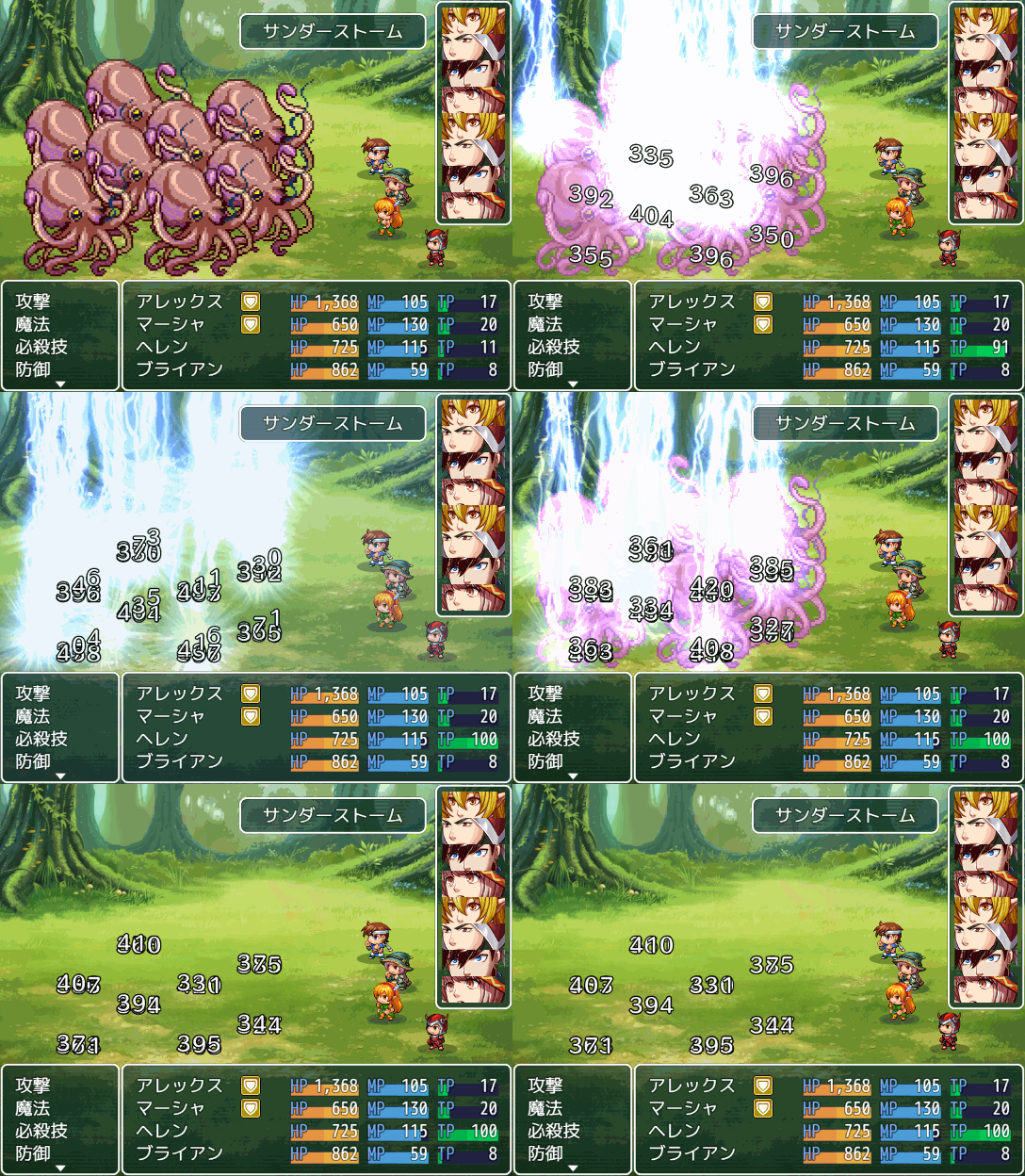
Already tried all command on example site http://newrpg.seesaa.net/article/474094068.html#midare
and
it always end up damage at the end of animation -
xabileu asked:
-> if that question is about srpg plugins. I guess not, atleast as far i know,also, is there any plugin for enemy random names, and actor random names?
----------------------
Hunters12 asked:
-> sry i cant give any advice on those plugins,..i didnt used these plugins much myself.How to add damage in the middle of animation like this ?
as far i know they should work, perhaps your plugin order isnt correct idk
---------------------------------------------------------------------------
---------------------------------------------------------------------------
@ All
while working on the actorItemSlot code, i fixed some small bugs, & made small updates on related plugins:
-> github is updated
changelog ect-SRPG_EnemyEquip.js
fixed bug, that triggered an error if trying to aplly an action outside of srpgBattle.
(When using an item for example).
fixed small bug on the "steal item"-skill
(this bug made it impossible to steal more than the first enemyItemSlot's item)
-SRPG_StatusWindow(patch)
small update to add actor-slot_data to the actor window
(this requires the first version of srpg_equipcore, which will be uploaded soon)
-SRPG_UnitMapInfo.js
added the same fix like on SRPG_EnemyEquip.js,even if not really required
(thats about the debug code which was added to this plugin, which is about "gameAction apply")
-> the first Version of the "srpg_equipcore" will be uploaded soon, the actorItemSlot code ,works bugfree now..
i just need to add it into the EnemyEquip_code and add small extras(notetags ect) ..
==> this first Version will not include "enemy levels/EXP", or steal exp & steal gold -skills..
==> i also plan to add drQs "srpgTeams" directly into the "srpg_equipcore" for better support of the steal/break skills.. but that has to wait for a later update aswell. -
Hey Boomy, I noticed your Fire Emblem (GBA) Style Battle Prediction Tutorial code is has a few errors- testing out the code, the last two sets of code for lunatic mode (and just those) throw errors when I input them (I am using Dopan's most recent 1.34 version):
Code:if (this._actionArray[1] != this._targetArray[1] && this._targetArray[1].currentAction() !== null) { this.drawText(this._targetArray[1].name(), 0, this.fittingHeight(7), this.windowWidth()) - Window_Base._iconWidth - this.padding * 3, 'right'); }Code:if (this._actionArray[1] != this._targetArray[1] && this._targetArray[1].currentAction() !== null) { if (this._targetArray[1].isActor()) { this.drawIcon(this._targetArray[1].weapons()[0].iconIndex, this.windowWidth() - Window_Base._iconWidth * 2, this.fittingHeight(7)); } else if (this._targetArray[1].meta.srpgWeapon) { this.drawIcon($dataWeapons[this._targetArray[1].meta.srpgWeapon].iconIndex, this.windowWidth() - 2 * Window_Base._iconWidth, this.fittingHeight(7)); } }
Also, the user's HP does not show up, though that is I assume, because you simply copy-pasted the code used for displaying action name without adjusting the parameters for displaying HP. -
@ MetalKing11417
to return the hp of target in that context above you will need :
this._targetArray[1].name()
this._targetArray[1].hp
(i am not sure if that works with "draw text",.. because it will return a number)
..no idea why you get errors, or what code is exactly needed, i didnt used the plugin myself yet..
however it would be helpfull to see the error info text
edit
i looked into the code of the status window and to draw hp on actor&enemys, this code is used:
Not sure how that would look in the code from boomy's plugin , but i assume that you need to use :
"this.drawActorHp" instead of "this.drawText" -
Ok, I am getting close in regards to showing the user's HP, all that is needed is to properly line up the left edge with the rest of the other user stats.
Edit: Got it
Code:this.drawText(this._actionArray[1].hp, 0, this.fittingHeight(2), 'left');
As for the errors, here:
Code:if (this._actionArray[1] != this._targetArray[1] && this._targetArray[1].currentAction() !== null) { this.drawText(this._targetArray[1].name(), 0, this.fittingHeight(7), this.windowWidth()) - Window_Base._iconWidth - this.padding * 3, 'right'); }
Code:if (this._actionArray[1] != this._targetArray[1] && this._targetArray[1].currentAction() !== null) { if (this._targetArray[1].isActor()) { this.drawIcon(this._targetArray[1].weapons()[0].iconIndex, this.windowWidth() - Window_Base._iconWidth * 2, this.fittingHeight(7)); } else if (this._targetArray[1].meta.srpgWeapon) { this.drawIcon($dataWeapons[this._targetArray[1].meta.srpgWeapon].iconIndex, this.windowWidth() - 2 * Window_Base._iconWidth, this.fittingHeight(7)); } } -
@MetalKing11417
first img error says, you got a typo and probably an array isnt closed properly
( look for any "(" ")" "{" "}" that could be missing )
second img says, that probably the target or its meta is undefined
( it cant read the weapon data )
.. its really chaotic for me to read code that is put into a long single line,,
error 1
SpoilerJavaScript:if (this._actionArray[1] != this._targetArray[1] && this._targetArray[1].currentAction() !== null) { this.drawText(this._targetArray[1].name(), 0, this.fittingHeight(7), this.windowWidth()) - Window_Base._iconWidth - this.padding * 3, 'right'); }
error 2
SpoilerJavaScript:if (this._actionArray[1] != this._targetArray[1] && this._targetArray[1].currentAction() !== null) { if (this._targetArray[1].isActor()) { this.drawIcon(this._targetArray[1].weapons()[0].iconIndex, this.windowWidth() - Window_Base._iconWidth * 2, this.fittingHeight(7)); } else if (this._targetArray[1].meta.srpgWeapon) { this.drawIcon($dataWeapons[this._targetArray[1].meta.srpgWeapon].iconIndex, this.windowWidth() - 2 * Window_Base._iconWidth, this.fittingHeight(7)); } }
edit
solution for error 1
SpoilerJavaScript:if (this._actionArray[1] != this._targetArray[1] && this._targetArray[1].currentAction() !== null) { var tName = this._targetArray[1].name(); var fHeight = this.fittingHeight(7); var wWidth = this.windowWidth(); var iconW = Window_Base._iconWidth - this.padding * 3; this.drawText(tName, 0, fHeight, (wWidth - iconW), 'right'); } // explanation : // i used "var" to make the code shorter and i put "(wWidth - iconW)" // into "()" for better visual understanding //the default error code would have looked like this: this.drawText(tName, 0, fHeight, wWidth) - iconW, 'right'); // this simply cant work., and with shorter code we see why -
It doesn't throw an error, but it seems to send most of the text off screen and in an inconsistent manner as to how much.
-
i guess the "maxWidth" is not correct..It doesn't throw an error, but it seems to send most of the text off screen and in an inconsistent manner as to how much.
here is what "draw text" default script looks like
another try => solution for error 1
SpoilerJavaScript:pls try this solution instead...if (this._actionArray[1] != this._targetArray[1] && this._targetArray[1].currentAction() !== null) { var tName = this._targetArray[1].name(); var fHeight = this.fittingHeight(7); var wWidth = this.windowWidth(); var iconW = Window_Base._iconWidth - this.padding; this.drawText(tName, 0, fHeight, (wWidth - iconW)* 3, 'right'); }
i moved the "* 3" outside of the "var iconW"
and outside of the "(wWidth - iconW)"-array
-> the problem is i am not sure what this code was supposed to be in the first place,
but you can experiment with different solutions till it works
edit
another try would be:
SpoilerJavaScript:Here i tried to keep "* 3" in the "var padding"if (this._actionArray[1] != this._targetArray[1] && this._targetArray[1].currentAction() !== null) { var tName = this._targetArray[1].name(); var fHeight = this.fittingHeight(7); var wWidth = this.windowWidth(); var iconW = Window_Base._iconWidth; var padding = this.padding * 3; this.drawText(tName, 0, fHeight, (wWidth - iconW - padding), 'right'); } -
1st is a complete dud and nothing appears, 2nd one works perfectly.
-
Hello all :) I'm a noobie with a couple questions. Would this work with something like Yanfly's ATB plugin to remove actor/enemy phases for speed reliant turns? Also, is there anyway to slowdown the A.I's movement? The enemy moves from position a to position b and enters their attack phase way too quick. I would like to see the enemy slowly make their way to their destination, slowly pick their targets, then initiate combat. TY Very much for any replies <3 Or even my teammates when they are set to auto battle for that matter
I'm really enjoying this battle system -
In all likelihood, no, this isn't compatible with yanfly's ATB plug-in. If you want that, Lecode's Plug-in is more for you, but that one is far less newbie friendly. As for changing the AI's movement, when you set up an event where a unit will spawn, go to the speed in the autonomous movement of the event to set up how fast you want the event to move. You can even set things up so that some enemies move faster than others.Hello all :) I'm a noobie with a couple questions. Would this work with something like Yanfly's ATB plugin to remove actor/enemy phases for speed reliant turns? Also, is there anyway to slowdown the A.I's movement? The enemy moves from position a to position b and enters their attack phase way too quick. I would like to see the enemy slowly make their way to their destination, slowly pick their targets, then initiate combat. TY Very much for any replies <3 Or even my teammates when they are set to auto battle for that matter
I'm really enjoying this battle system
Also, Dopan, any ideas for error 2? -
*face palms then runs off to hide in shame* That's great @MetalKing11417. Just picking up RPG Maker again after not using it for like half a year and overlooked something suuuper simple. XD That looks way better, thanks for the quick response <3
-
If the Target battleUnit is NOT undefined, ..Also, Dopan, any ideas for error 2?
than i guess that this is related to using an older version of the EnemyEquip Plugin,,
Explanation:
compared to SRPGCore ,the EnemyEquip Plugin uses different enemyNote to tell the System which weapon is used,,
-> most plugins will always look for the meta enemyNote which is used in the srpgCore,so they wont recognize the weapon which was added by the enemyEquip plugin.
i fixed that issue in the currentVersion(which can be found on my github) of the EnemyEquip Plugin, with a meta debug script ..
-> this script adds the required meta info so that every plugin will recognize the weapon.
-----------
i highly recommend to always use the newest version of any of my plugins, when i make any bugfix or bigger update.
--------------------------------------------------
@ All
About the next update of "EnemyEquip Plugin" (or whatever Name the final version of this plugin gets):
However, sry for the delay but i recogized how to use less code while making more steal/break Options..
(And i recognized that adding exp will need a minimum "class"-setup to be added for enemys..)
-> So at the moment i am working on reworking the Skills for the next update,which means it takes more time than expected..
Also i recommend to not add to much steal/break Skills to your project yet, because you will need to rework the SkillNotes with the next update .. ("adding equip" -notes wont change)
i am sorry but that cant be avoided and i recommend to wait for the final plugin Version before building a lot of steal/break Skills ect -
But I am not using your enemy equip plug-in right now...If the Target battleUnit is NOT undefined, ..
than i guess that this is related to using an older version of the EnemyEquip Plugin,,
Explanation:
compared to SRPGCore ,the EnemyEquip Plugin uses different enemyNote to tell the System which weapon is used,,
-> most plugins will always look for the meta enemyNote which is used in the srpgCore,so they wont recognize the weapon which was added by the enemyEquip plugin.
i fixed that issue in the currentVersion(which can be found on my github) of the EnemyEquip Plugin, with a meta debug script ..
-> this script adds the required meta info so that every plugin will recognize the weapon.
-----------
i highly recommend to always use the newest version of any of my plugins, when i make any bugfix or bigger update.
--------------------------------------------------
@ All
About the next update of "EnemyEquip Plugin" (or whatever Name the final version of this plugin gets):
However, sry for the delay but i recogized how to use less code while making more steal/break Options..
(And i recognized that adding exp will need a minimum "class"-setup to be added for enemys..)
-> So at the moment i am working on reworking the Skills for the next update,which means it takes more time than expected..
Also i recommend to not add to much steal/break Skills to your project yet, because you will need to rework the SkillNotes with the next update .. ("adding equip" -notes wont change)
i am sorry but that cant be changed and i recommend to wait for the final plugin Version before building a lot of steal/break Skills ect -
than i dont know..But I am not using your enemy equip plug-in...
Somehow the Script from error 2 is not able to read the required meta info , in order to know which weapon is equiped.
- perhaps the enemyNote is missing? but than that target unit would not have any weapon equiped..
- perhaps boomys plugin trys to display the weapon info, even if the enemy has no weapon equiped by default?
--> for beeing sure what the problem is, i would have to try it out myself.. and i am to busy for that at the moment. -
I tried it on both an equipped and unequipped enemy. Both crashed the game. I guess I will have to make do with the default prediction screen, Which isn't too bad, I guess.than i dont know..
Somehow the Script from error 2 is not able to read the required meta info , in order to know which weapon is equiped.
- perhaps the enemyNote is missing? but than that target unit would not have any weapon equiped..
- perhaps boomys plugin trys to display the weapon info, even if the enemy has no weapon equiped by default?
--> for beeing sure what the problem is, i would have to try it out myself.. and i am to busy for that at the moment.