Procedural Maps Generator

● ARCHIVED · READ-ONLY
Started by Lantiz 20 posts View original ↗
  1. Biter Maps v1.07 [Discontinued as of 09-22-2018]
    by Lantiz (Biterkid)

    Hello there!

    Today I bring you guys a small pack of plugins that may be used to procedurally generate maps at run time.
    That means a new map can be created based on random numbers whenever the player enters the map.

    I've been working with these plugins for a long time and decided to share it so the community can work together and improve them. I'm currently using a slightly different version of these because of the way that my game works, but this can be the basis for whatever you may need to generate.

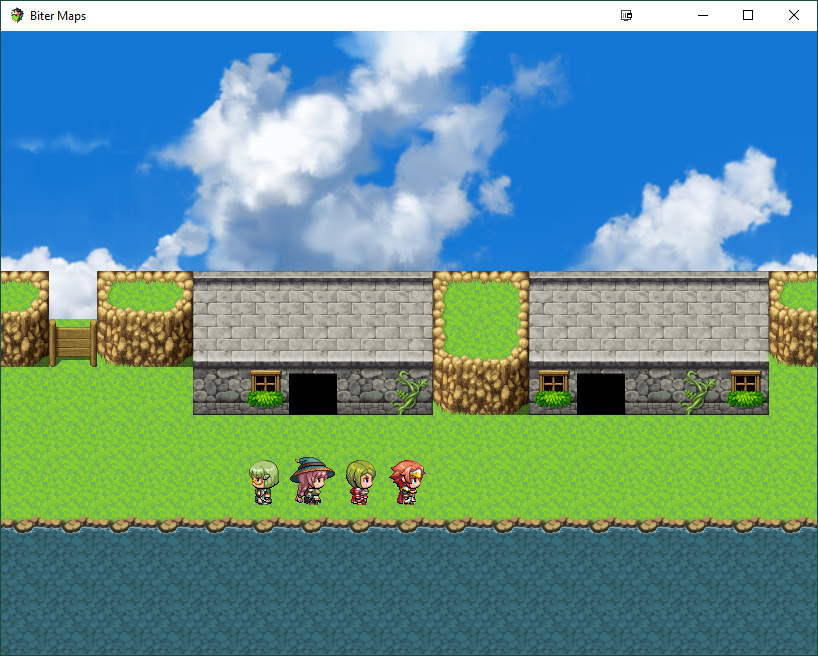
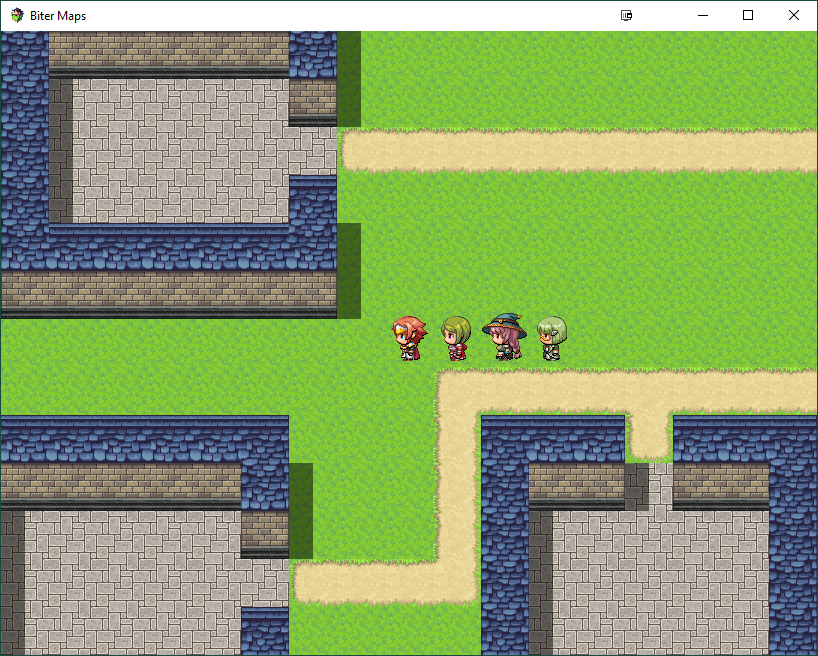
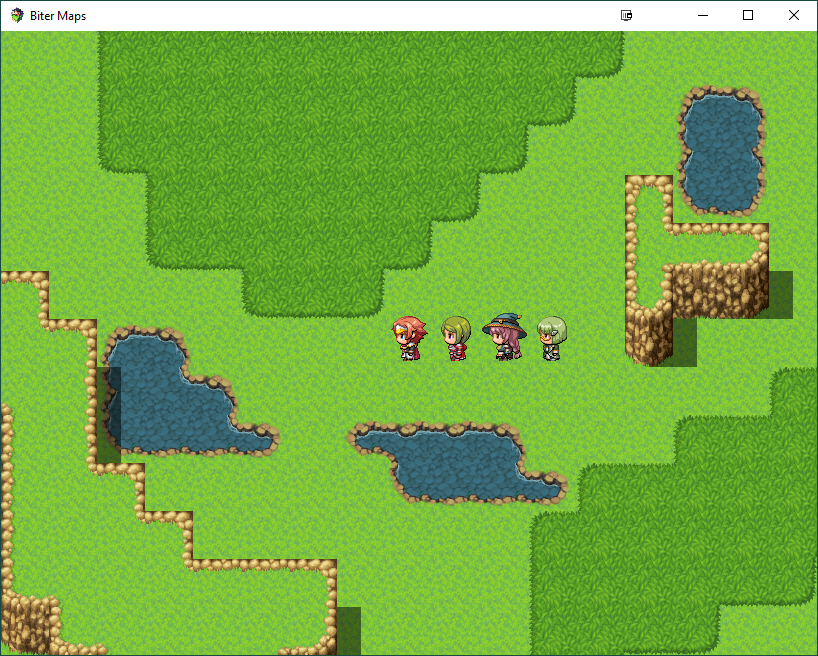
    Currently it's possible to generate the following patterns:
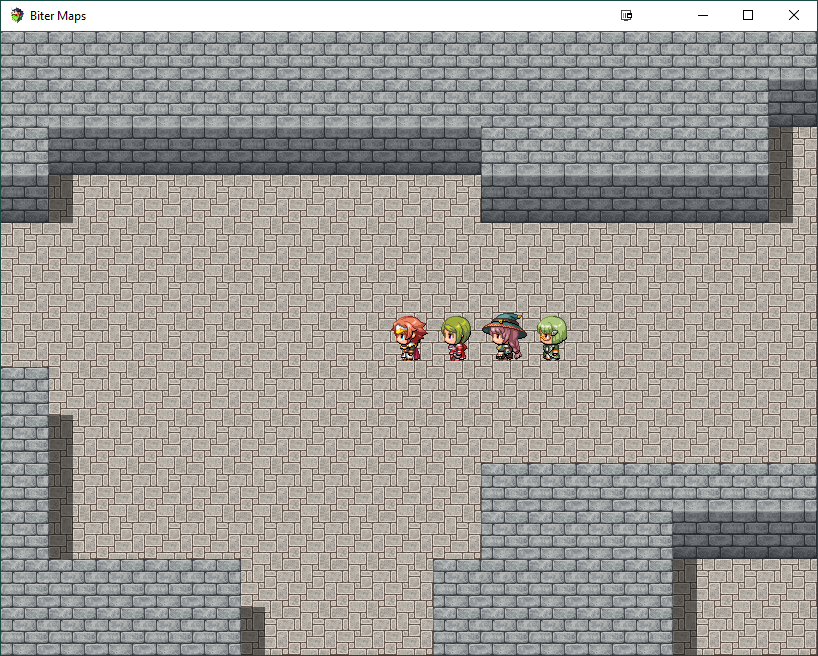
    • Cave;
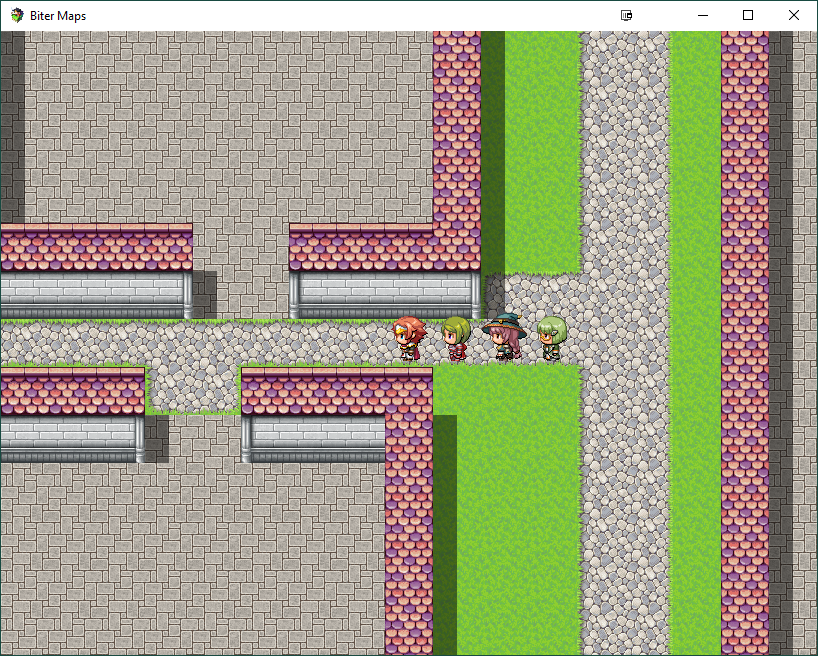
    • City;
    • Dungeon;
    • Grid (generate rooms for Zelda-like games);
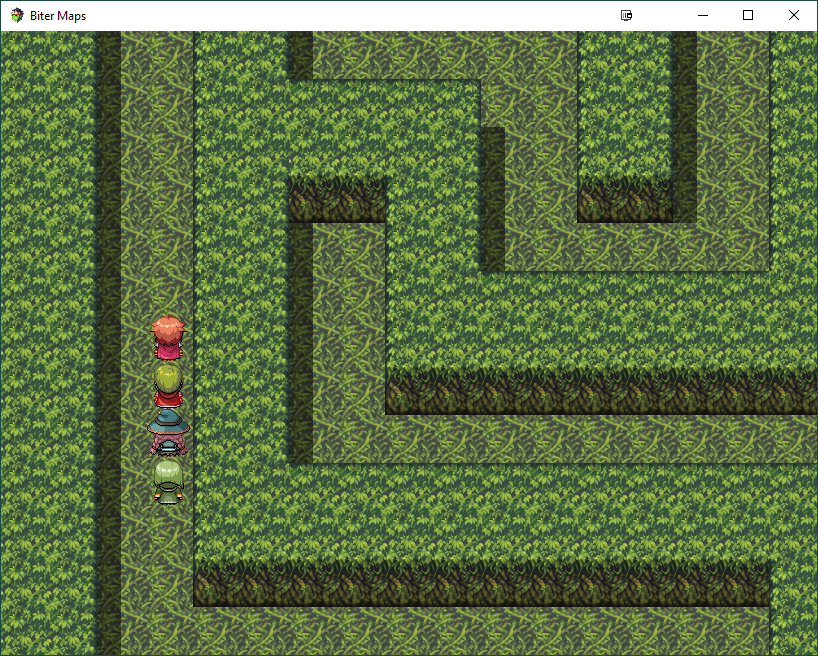
    • Maze;
    • Side scrolling;
    • Town (small towns, medieval style);
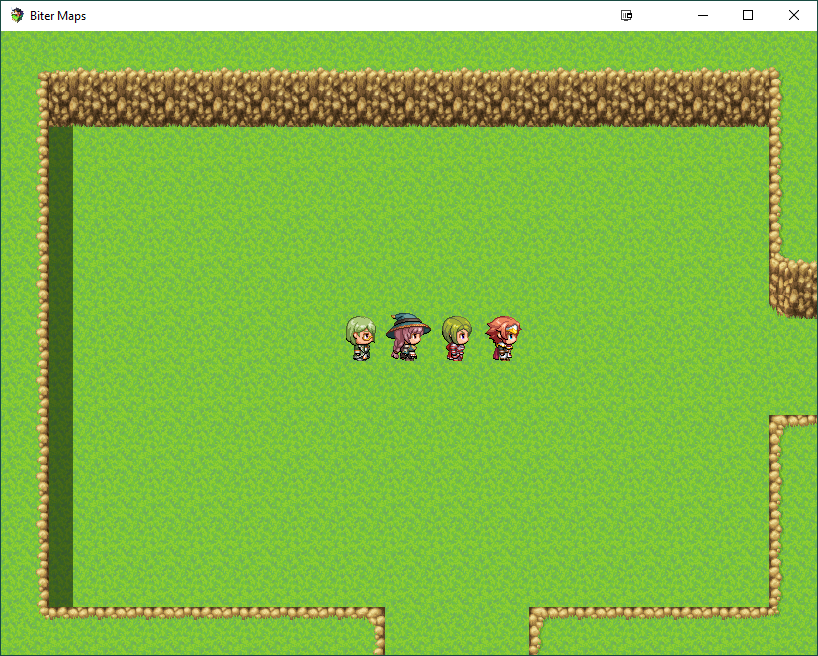
    • World (can also be used for outside maps).

    Aside from generating the maps, there's also the option to use fog of war and Zelda-like camera scrolling.


    Important notes
    These plugins are really complex and I don't have enough time to write a full documentation.
    I'm sorry about this, but if you read the help section of each plugin or the code itself, I'm sure you can understand it.
    Of course you can also ask here for help, I'll help whenever I can.

    Also, I'm not perfect.
    As I said before, I started working on these plugins a long time ago and I learned a lot since then.
    What I mean is: the plugins are not perfect, they may have errors and compatibility issues.

    If you think you can help to improve them you can edit any of these, but please, only share it here at this topic so we can keep an updated code that everyone can use


    Limitations
    It saves the map state: layers, events, self switches... all that is inside the $dataMap object.


    Usage
    1. Add the plugins to the project;
    2. Use a $ sign at the start of the map name;
    3. Add the note tags to the map, following the help section of the btr_map_core file and each extension as needed;
    4. Add the tiles on the map following the positions [x,y] of each extension's help section;
    5. Add the desired events (and it's note tags) to the map, see btr_map_core and each extension for the possible note tags;

    I uploaded some sample map files and a mapinfo file to the zip package in case you want to see how to configure it.
    There's also a readme.txt file included.


    Screenshots
    Screenshots
    Cave
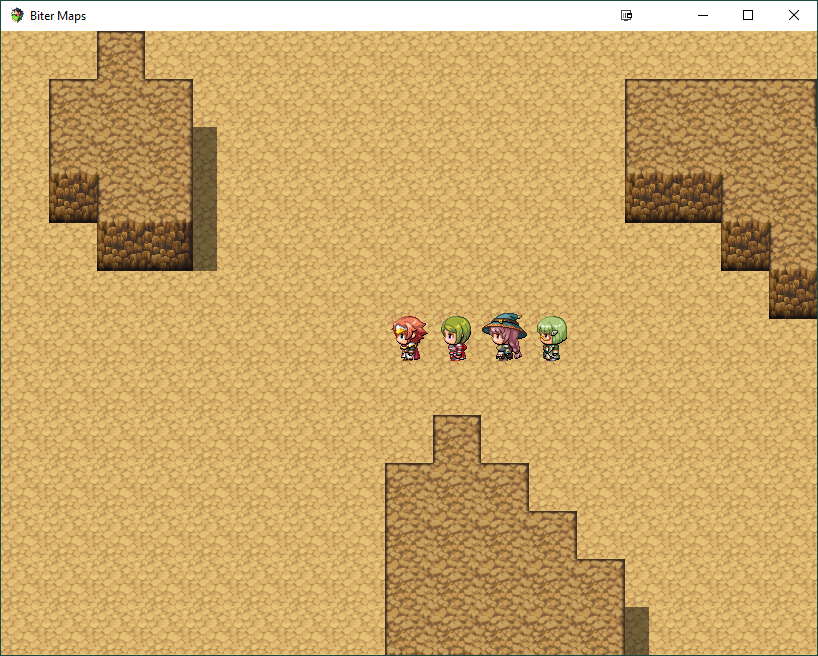
    cave.png

    City
    city.png

    Dungeon
    dungeon.png

    Grid
    grid.png

    Maze
    maze.png

    Side scrolling
    side.png

    Town
    town.png

    World
    world.png


    Plugin order
    Plugin order
    order.png


    Changelog
    Last changes
    • btr_map_core v1.07
      • Removed the <persist> feature for better compatibility with event handling plugins;
      • The events won't be removed from the dataMap anymore.


    Download
    Free to use with proper credits given.

    Click here

    Also, check my game here, tell me what you think about it.
    You can follow me on Twitter too.
  2. Just curious, is it possible to increase the wall height?
  3. It is and needs only to change a single value on the core plugin, but the auto tile fixing functions wont work well on walls, and that's why it's disabled.
    The auto tiling needs improvement :/

    Also this may cause unexpected behavior on some extensions, like the City or Town where it calculates the house entrances on the walls.
  4. ^-^ Okay, I tried it out, and here's some suggestions:

    Parameters:
    -Shadows (true/false) Adds shadows/Doesn't add shadows. This'd be nice when using the overworld tileset and mountains as the walls.
    -Density (integer) Changes how frequent the grass/water/walls/paths are, as the caves especially seem rather empty.
    Other:
    -Decorations. Allows you to add pebbles, tufts of grass, etc. randomly.
    -Some way to save the map or make it generate the same map every time.

    Overall, it's pretty good! ^-^ (As far as procedural map generators go)
  5. For shadows theres the note tag <skipshadows> on the world extension, so you can generate over worlds without shadows.

    Changing the density is possible, but only by code for now.
    For instance, at the btr_map_world at the line 172 there's this code:

    Code:
        //cotrol the amount of each tile
        var values = [
            this._values.ground, //index 0 is always fill value
            this._values.grass
        ];

    If you increase the amount of the grass value inside of the array, it's going to add more grass, like this:

    Code:
        //cotrol the amount of each tile
        var values = [
            this._values.ground, //index 0 is always fill value
            this._values.grass,
            this._values.grass,
            this._values.grass,
            this._values.grass
        ];


    For decorations, it's hard to controll the amount each person wants to use. For instance, you may want to use 5 types of decorations, but I would like 10 types, and so on...
    You can achieve the same effect using events, I tested it with lots of event and got not lag so far.
    Of course it's not something recomended for big maps, but it works.
    I thought of creating a function to call via plugin command, so we can configure an event to draw a tile and delete itself.
    Ideas to overcome this are welcome :b

    The map should be saved as long it does not have the <regenerate> note tag. [:

    Thanks for trying, for testing and all the ideas!
    Sadly I'm out of time to improve it for now, but as I said before, I'm sharing this so somebody else can help to improve it [:
  6. Ah, I haven't tested how events work on this, I had intended to... :p (And now I'm not at my computer)
  7. No worries [:
  8. Looks good! Can't wait for next development updates of this!
  9. Okay, did a bit more fooling around. It's not generating any buildings in side...? EDIT: Also no buildings in city. I didn't change any map notetags.
    Lantiz said:
    The map should be saved as long it does not have the <regenerate> note tag. [:
    Oh, I meant a way to have the map be the same every time you play the game, not just every time you enter it. :p Or even it could save the map (I don't know it that's possible though.)

    P.S. that grid camera movement could be nice as an individual plugin. :p And it'd be especially awesome if it could work across maps too. :)
  10. Nutty171 said:
    Okay, did a bit more fooling around. It's not generating any buildings in side...? EDIT: Also no buildings in city. I didn't change any map notetags.
    Buildings in side? I don't get it, can you post a pic?
    Oh, got that... for Side you need to define the note tags <minHouses:X> and <maxHouses:X>.
    For the City one, try using bigger and even sizes for the map.
    For instance the smaller building square is 13 (<maxLeafSize:13>), so if you make a 13x13 map it's going to generate 1 house.
    I do recomend using the Town plugin instead though, unless you want a modern pattern (square based).

    Nutty171 said:
    Oh, I meant a way to have the map be the same every time you play the game, not just every time you enter it. :p Or even it could save the map (I don't know it that's possible though.)
    You can do it, the map data will be created inside the "save/fileN" folder (where "N" is the save id), or "save/filetemp" if the game was not saved, inside the game folder, you can just copy the file and place inside the "Data" folder.
    Not exactly made with that in mind though haha.

    Nutty171 said:
    P.S. that grid camera movement could be nice as an individual plugin. :p And it'd be especially awesome if it could work across maps too. :)
    You can use it in any map as long as the size of the map fits the screen size well (as specified in the plugin), you just need to add the note tag <grid> to the maps you want. There's already plugins for that though, I'm sure.
    Now if you are talking about loading another map while scrolling, it would be painfull to do. The new map would not be loaded yet.
  11. Update.
    Please check the changelog for versions.

    Fixed the save problems. Now the saving system should work fine as the default.
    It still saves the map state: layers, events, self switches... all that is inside the $dataMap object.
  12. I feel completely stupid here, but I can't seem to get the plugin to work. I've copied the maps to the data folder and installed the plugins in the order stated. Is there some initial setup I need to do after I've copied everything over from the zip?
  13. Did you copy the MapInfo file too?

    The maps in the zip pack are only examples, you don't need to use them.
    In this case you need:

    1. add a $ symbol at the start of the map's name.
    2. add the tiles to the map in the correct order ( see each [x,y] coordinate on the plugin help section)
    3. define the map note tags (see the help section of the plugins)
    4. define events note tags (see the help section of the plugins)
  14. I was just wanting to take a cruise around the maps. Do I need to create map notes for every variable? And do I need to create certain events for it to function at all? Such as player entrance/exit?

    I'll look directly at the plugins as well. I was just reading what I saw in the text under the plugins tab in MV.

    Edit: I did copy over the MapInfos.json file

    Edit again:
    This is the error stuff I get
    PixiJS 4.5.4 - ✰ WebGL ✰ http://www.pixijs.com/ ♥♥♥


    rpg_managers.js:1919 Uncaught Error: ENOENT: no such file or directory, mkdir 'D:\RPG Maker MV Resources\Games\BiterMaps\save\filetemp'
    rpg_managers.js:1920 fs.js 789
    fs.js:789 Uncaught Error: ENOENT: no such file or directory, mkdir 'D:\RPG Maker MV Resources\Games\BiterMaps\save\filetemp'
    rpg_managers.js:1949 TypeError: Cannot read property 'x' of undefined
    at Game_Player.performTransfer (/D:/RPG%20Maker%20MV%20Resources/Games/BiterMaps/js/plugins/btr_map_core.js:1099)
    at Scene_Map.onMapLoaded (rpg_scenes.js:569)
    at Scene_Map.isReady (rpg_scenes.js:561)
    at Scene_Map.isReady (/D:/RPG%20Maker%20MV%20Resources/Games/BiterMaps/js/plugins/btr_map_core.js:1233)
    at Function.SceneManager.updateScene (rpg_managers.js:2018)
    at Function.SceneManager.updateMain (rpg_managers.js:1983)
    at Function.SceneManager.update (rpg_managers.js:1907)
  15. No need.
    Try the following:

    1. Start a new project and close it.
    2. Copy the contents from the "maps" folder (of the download) to the "data" folder of the new project.
    3. Copy the plugins to the plugins folder.
    4. Import the plugins and turn on the plugins on the editor.
    5. Place the player on the desired map.
  16. I made a completely new project. I closed it. I copied over the maps folder (overwriting two files) to the data folder. I copied the plugins. I installed them as shown, and didn't change the player on any map, he starts on the cave map. This was my result:
    Error
    8OBsVDI.png
    Edit: I know you're leaving soon and don't wanna bug you, I just wanted to take it for a test drive. Thanks for the help so far, I'll figure out what I'm doing wrong later on.
  17. I figured out why it wasn't working. I had to make a save/filetemp folder, then everything worked fine. Not sure why, but that's what had to happen.
  18. Was about to say, its probably a permission issue.
    The game is trying to save the generated map files.
    I'm trying to update a small change that may prevent this, but the site is giving me error when trying to edit the topic.

    Anyway, glad you could fix it [:
  19. Finally managed to update the code.
    The permission problem should be fixed (it works on my machine, but I can't test anywhere else).
  20. I freshly downloaded the link and made a new game. Still gives the error unless I manually make a save folder. Not a big deal really.
    Error Message
    heyC2BS.png