Great work by all in involved! The plugins work flawlessly! No problems, if anyone is getting stuck I would recommend buying the demo! It’s insane! :thumbsup-left::troll:
Octopath Traveler Battle System
● ARCHIVED · READ-ONLY
-
-
This plugin works wonders, but I wonder if this plugin supports absorption barrier hence it's form yanfly.
I can it see it works fine on actors, but the enemy is not visible (the gray colored part)
also
this

-
@Jrrkein I have the same error
-
@Jrrkein And @Krystek_My read the first post and follow the directions there. As stated they cannot make patches for other plugins so if you want it you'll have to code it yourself
-
@bgillisp sorry I'll try to code it.
-
@Dr. Cakey redownload the plugin. There's a new fail safe.
-
Guess I have to wait and see. I just want to have compability with steal plugin
-
Guess I have to wait and see. I just want to have compability with steal plugin
Read the opening post with the proper procedure. I swear if I have to keep repeating this I'll start dishing verbal warning points. -
Only bug fixes are not the index one I just checked.
-
Only bug fixes are not the index one I just checked.Plugin Name: (What is the name of the plugin?)
Error Message: If you received an error message:
- Emulate the bug in an empty new project.
- Press F8 when you receive it to open up the debug console.
- On the console tab, copy/paste the error log and paste it here.
- If you post a screenshot, host it on imgur.com or another website because the images posted here are tiny and I can't read it.
- Emulate the bug in an empty new project.
-
Ok. I'mma try on a new project first
-
Does Order Turn Battle System plugin work on rpg maker 1.6.1 or lower? Because the help says lower but in the info it says for RPG Maker MV verison 1.6.1.
Im using 1.5.1 and the enemies don't attack its only the actor who can act then when the turn restarts starts over the actor then ends turn to have actor go again next round.
Plus the size overlaps and blocks the text that pop up when you use "attack" or any skill.
How can I fix this? -
Read very first post, It tells you to use latest version instead the lower one
-
@Archeia Looks like that worked. Thanks for your help.
EDIT: Oh no, I'm sorry...it seems like the fix caused a new problem.
Fresh project. As before, this only happens in a battle test. When I try to change weapons (so, when Attack is selected and I hit the left or right arrow key), the game freezes. Music continues playing, but otherwise a total freeze. This happens whether or not there are weapons in the inventory to be switched to. I've tried turning off Battle Weapons Test, turning off and on YEP Battle Engine, turning off and on all the systems other than the Weapon Swap System, and any combination of those, but the same thing happens every time.
(Closing the game this way also causes "nwjs (32-bit)" to keep running as a background process. I got scared for a second when when my computer started running like molasses and there were 20 instances of a program I'd never seen before running in the background.) -
@Archeia Here's the demo game
https://mega.nz/#!u75z2ZQT!20weI8_H8wHU7zOP8f81DIKCZqNCGiX3AOowEEiizPI -
@Archeia Here's the demo game
https://mega.nz/#!u75z2ZQT!20weI8_H8wHU7zOP8f81DIKCZqNCGiX3AOowEEiizPI
I don't want to download a 300 mb demo game without any indication on what exactly the bug is.
@Archeia Looks like that worked. Thanks for your help.
EDIT: Oh no, I'm sorry...it seems like the fix caused a new problem.
Fresh project. As before, this only happens in a battle test. When I try to change weapons (so, when Attack is selected and I hit the left or right arrow key), the game freezes. Music continues playing, but otherwise a total freeze. This happens whether or not there are weapons in the inventory to be switched to. I've tried turning off Battle Weapons Test, turning off and on YEP Battle Engine, turning off and on all the systems other than the Weapon Swap System, and any combination of those, but the same thing happens every time.
You already said your problem here. And I don't experience the same crashing as you do.
If you want to make it work, make some real weapons for each type. The console will even tell you about this.
-
The bug is same as here
how else you suppose to try to find the error =/ -
I really have to say this because it's getting ridiculous. Why would you send an encrypted 300 mb project to a scripter who wants to find out why a plugin is bugging with their plugin? And it has other scripts in there when we literally said empty project, meaning vanilla and only scripts related to the issue. There's not even an enemy on the map to test the issue. I already gave you a template on how to report the bugs WITH the demo.The bug is same as here
And I am sick of this. I am sorry but I am closing this thread. -
Many big changes done to the sample project today!
First, let's talk about the bug fixes.
Bug Fixes
- Boost Point System: Fixed <BP Regen: +x> notetag is fixed!
- Boost Point System: Bug fixed for plugin parameters: Boost Point Death Regen and Boost Point BP Addition now working
- Boost Point System: Bug fixed for \bpEffect[x] displaying wrong value
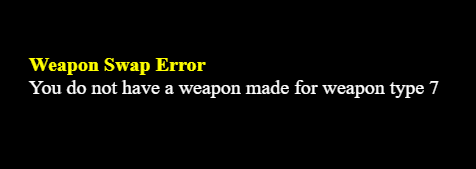
- Weapon Swap: Error message occurs if you do not have your weapon types set up properly if you do a battle test.
- OTB: Error message occurs if you try to run a Force Action during turn 0. Process your Force Actions during turn 1.
- Sample Project: Amputation and Rehabilitation skills now target properly. Level 35 random encounter now plays properly.
- Sample Project: Cleric's Holy Auspices didn't apply the state.
- Sample Project: Merchant's Hired Help, Dancer, was bugged with the wrong element.
It seems there's a miscommunication on the purpose of the fail safes. The fail safes aren't meant to be used as a reason to not properly set up the game. Instead, they are supposed to alert devs of the things they should not be doing. Instead of promoting this, there will now be an error message and halt the game until it is fixed properly.
New Compatibilities!
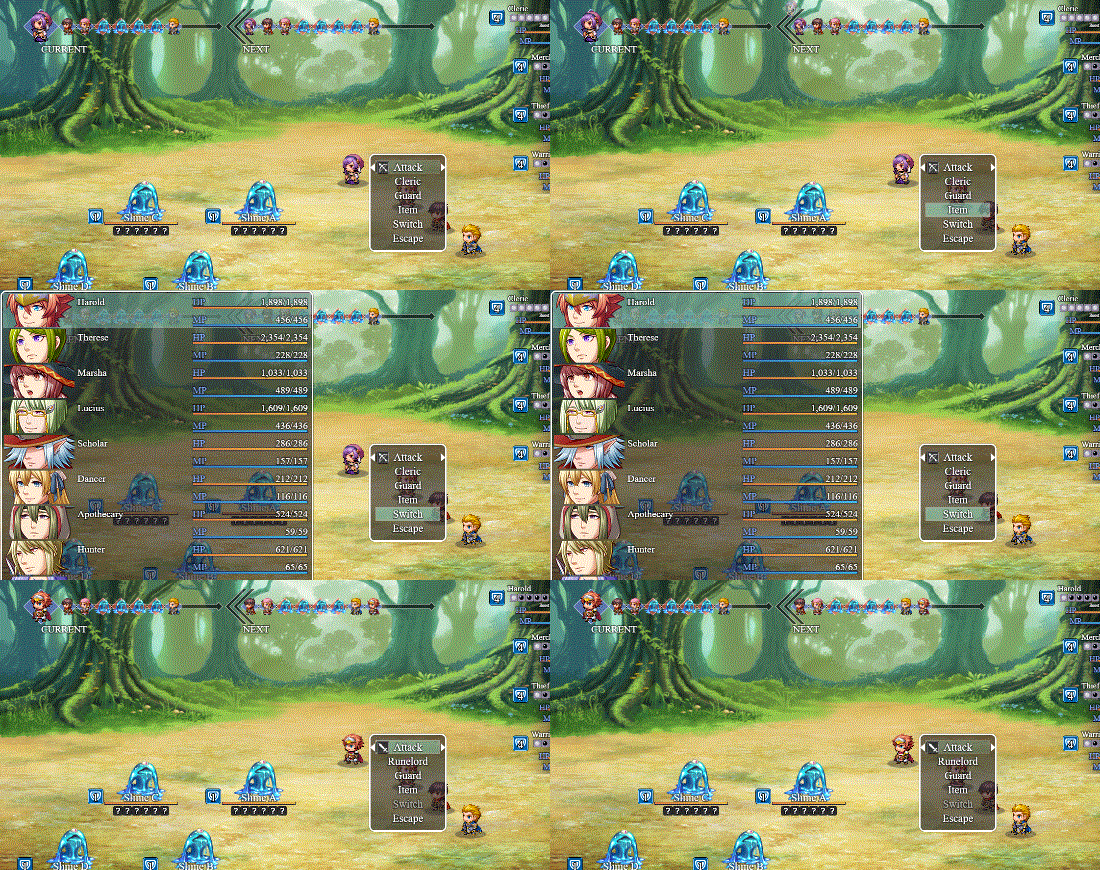
There are also new compatibility updates with Yanfly's plugins. Yanfly's Buffs & States Core <Custom Action End Effect> notetag now works properly with OTB. Yanfly's Actor Party Switch also now works with OTB!
Some new notetags are added to OTB!
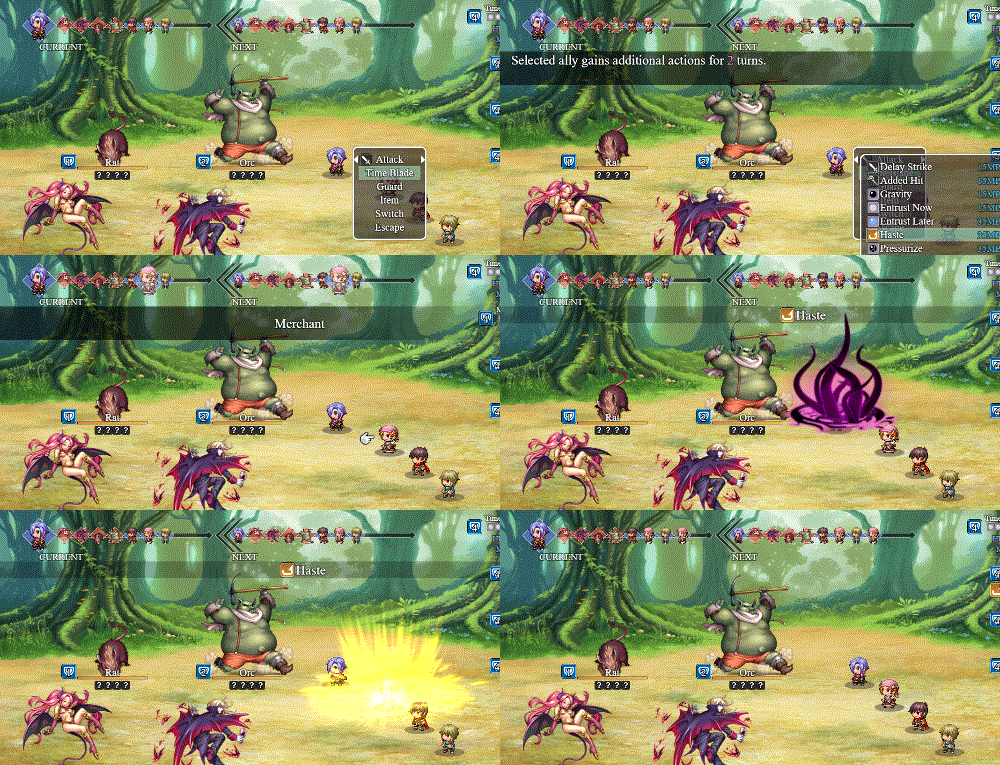
<OTB User Add Current Turn Actions: x>
<OTB User Add Next Turn Actions: x>
Add x actions to the current turn or the next turn for the user. This will only be added once no matter how many times the battler hits the target.
<OTB Target Add Current Turn Actions: x>
<OTB Target Add Next Turn Actions: x>
Add x actions to the current turn or the next turn for the target. If the target is targeted multiple times, the target will gain actions multiple times so please be cautious when using this.
Sample Project Update:
And finally, we have a new job, custom made for the sample project that isn't from Octopath Traveler: the Time Blade! The Time Blade is a class that manipulates the turn order and produces other various cool effects!
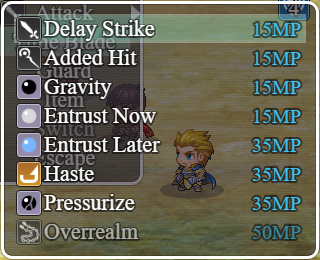
Using the Time Blade, you can control the flow of battle by delaying actors, adding actions to allies, inflicting damage based on their current HP or their position in the turn order! And if that isn't enough, the Time Blade's ultimate allows the user to gain additional turns during the current turn!
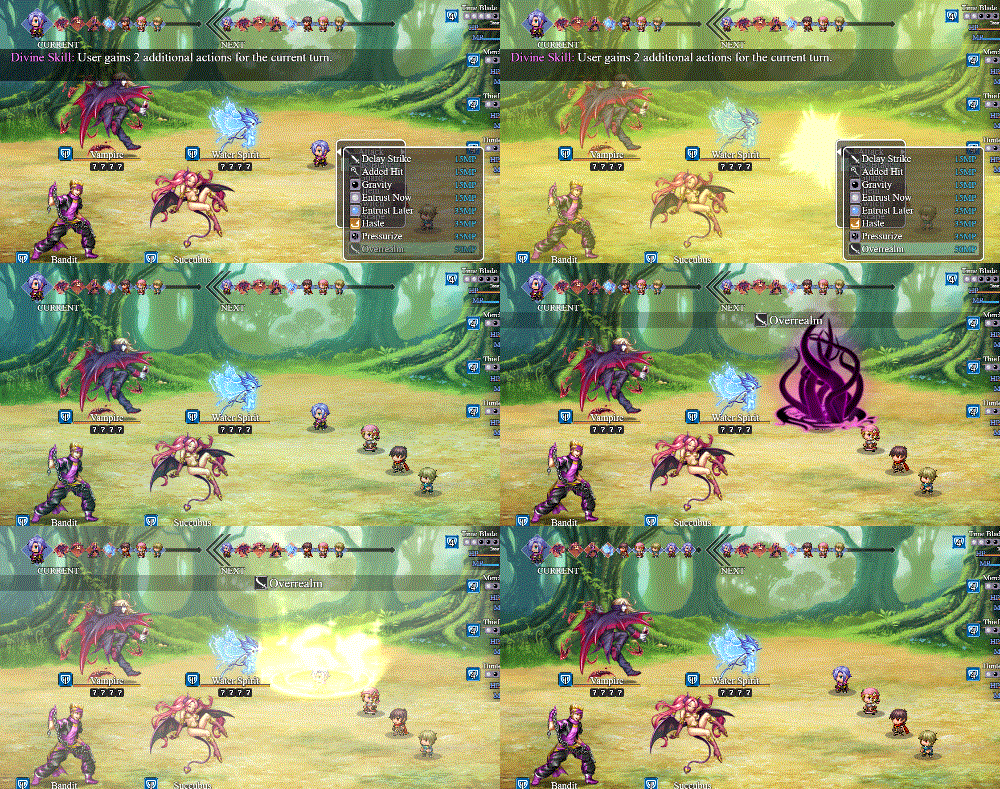
If you want to add the Time Blade to your party, you can find her in the bar in the sample project!

It's a very big update! Take your time exploring the new features! -
There's a quick update to add a fail safe with DTB, OTB and Instant Skills.
Also, I would like to ask users to not follow Olivia to ask her for feature requests on itch.io or anywhere else really on unrelated websites. It's very disrespectful to her and the developer/topic owner.
I would also like to ask people to stop blaming Olivia for everything that's suddenly wrong with their project. Make sure to test it out thoroughly and actually know the engine before thinking it's her plugins' fault. We got a lot of false bug reports and it is getting really annoying. This is honestly disrespectful and you should not be using her plugins.