@glaphen
Unfortunately this is a limitation of Babylon.js. I haven't been able to find a workaround yet. Objects with alpha transparency can't generate shadows and are ignored by the depth map which I use for the alpha fog.
The problem is especially bad in your case because you're using a lot of alpha transparency.
MV3D - 3D rendering for RMMV with Babylon.js
● ARCHIVED · READ-ONLY
-
-
Do you have a trello or a page where we can keep up on your future plans for this plugin?
Really interesting stuff, keep up the good work! -
@glaphen I had mentioned a problem like yours earlier, when alpha fog is turned on and a character has something that changes the opacity, like standing on a bush tile, if the background is the parallax it is invisible if there is nothing on the way.
But the shadows... that I never noticed... do they not happen with alpha fog turned off too (set to 0) or only with it on too? -
@glaphen I had mentioned a problem like yours earlier, when alpha fog is turned on and a character has something that changes the opacity, like standing on a bush tile, if the background is the parallax it is invisible if there is nothing on the way.
But the shadows... that I never noticed... do they not happen with alpha fog turned off too (set to 0) or only with it on too?
The first image is with fog 0, anything with any opacity lower than full visibility doesn't make a shadow, but if you make only top opacity it makes slight weird shadows. The shadow in wall only happens because of negative fringe probably.
Top vs 0 -
Noobish question:
In the demo, the shadow in the back is white for me, but what should I do if I want to make the background of a map I transport to, black?
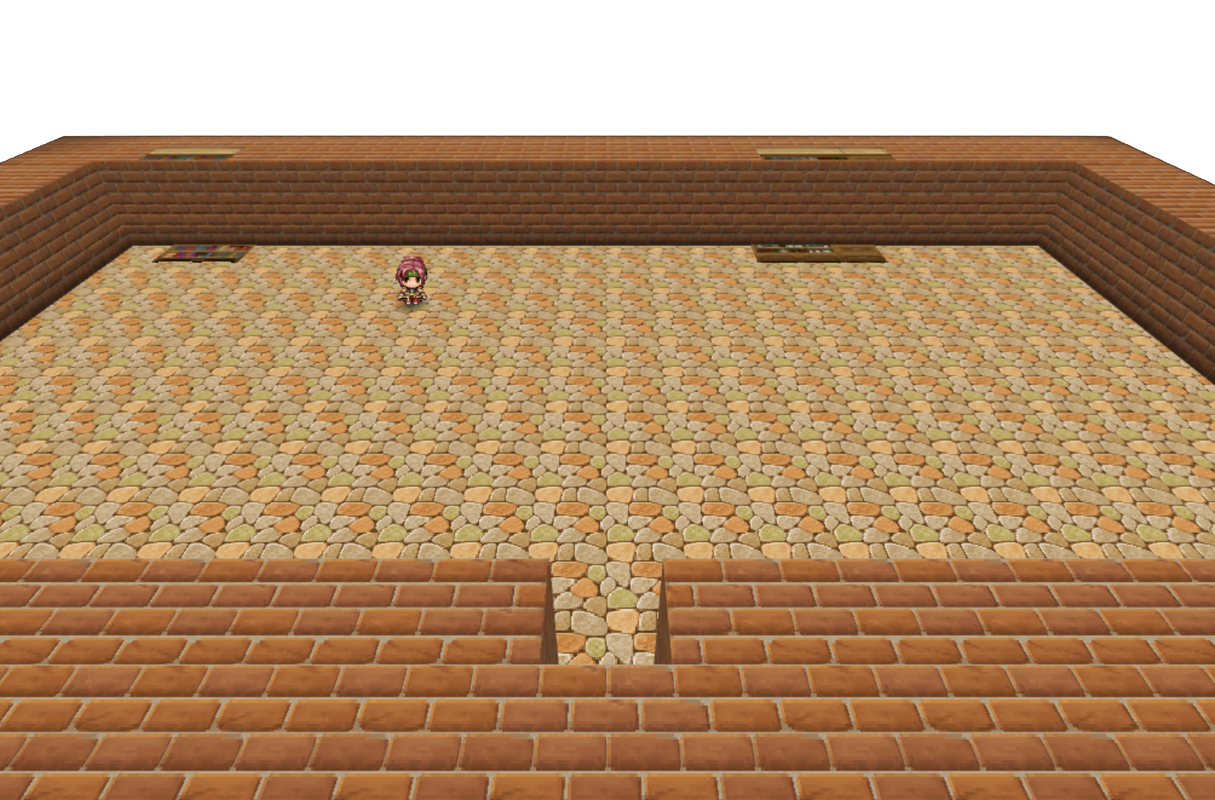
It seems like, once I move from a map where the bg is white, I can't change it another color. i tried the fog and sun commands in the map's notes. -
I'm sorry for asking simple questions but this is the first time I've had to use a plugin of this caliber.
Can someone tell me how to create a ceiling and go into first person mode? I see the ceiling text, but I'm not sure where to input that. As for first person mode I have no clue.
The other thing is all the characters have a black square underneath them, also when they're walking. Does anyone know how to remove that?
Did you try adding a parallax background to the map?Noobish question:
In the demo, the shadow in the back is white for me, but what should I do if I want to make the background of a map I transport to, black?
It seems like, once I move from a map where the bg is white, I can't change it another color. i tried the fog and sun commands in the map's notes. -
@Crampus you set the ceiling on the map notetags. It is explained in the github in the section "Setting A Ceiling For A Map"
Basically the notetag is "ceiling(img,x,y,w,h|height|alpha|glow[anim]animx,animy )" inside the map's configuration block. all those ceiling settings work the same way as setting a tile's top, side, bottom or inside by the way.
I think ceilings only appear in first person view though?
To go to first person, set the camera's dist to 0, either in the map notetag block or with the plugin command. pitch and yaw may need to be set too.
The black square under them... is there a shadow image in your img/mv3d folder?
@gRaViJa how did you make it white in the first place? O_O isn't it usually just black when no parallax image is set?
@glaphen I'm not sure if I am right, but did you try changing the "Alpha cutoff" in the original plugin? I'm not sure exactly how it works, it may be exactly this. -
@Waterguy: somehow, it's not for me! I'm using other plugins as you know, so might be the reason. Anyway, I'm using a black parallax bg now. It's only a couple kb so not the end of the world.
Also: I'm trying to set up 2x2 book cases, what is the best way to set these up? I tried it through events with the shape notetag and through terrain tag, but none seem to work how i think it should:
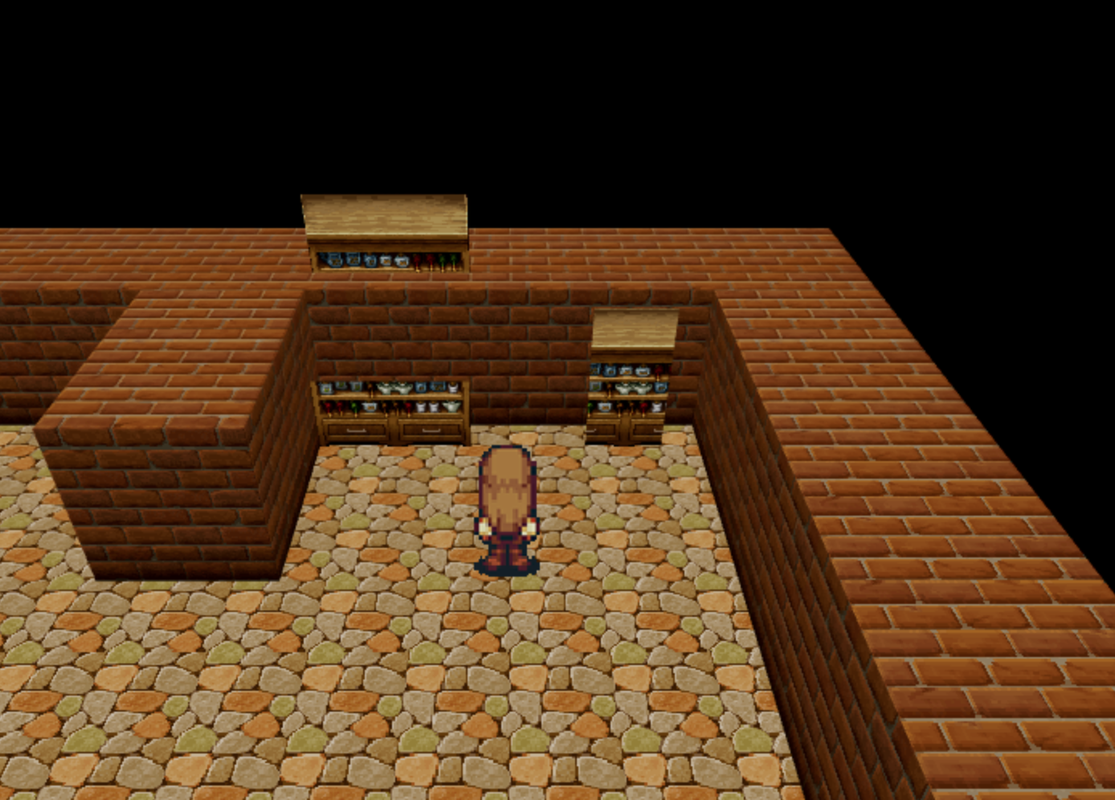
-
@gRaViJa I suggest visiting tinypng then, they make the images even smaller but they may lose some quality... but if they are already one solid color, there is nothing to lose.
Ok, decorating... that is a bit of a difficult thing to do with this plugin actually, because it is trying to put 2d tiles in the 3d world... I think the best for that example you put is either setting them as a fence or using events, but the main things: to make tiles have two of height they need to be put in the same tile so one is put over the other, and unless you set fringe star passages are set for the plugin parameter's (that is, 2 tiles up by default).
Anything more complex, you'llneed to set them through events and their notetags. -
@Waterguy So maybe the lower parts as normal tiles with notetags and the top part as events? I'll have to play around with it until i find the best way.
-
2-high tile events can be handled with pos tags. To do what you're wanting here, you're going to want something like
Then set the event notes as follows:
For the top tile: z(+1)
For the bottom: pos(+0,+-1)
To get
This works for 2-wide objects as well. It just comes down to the "z" and "pos" settings. -
@hsumi Thanks! I was pretty close to the same solution after a lot of testing :rswt But, when I do exactly the same (i think), i get this result:
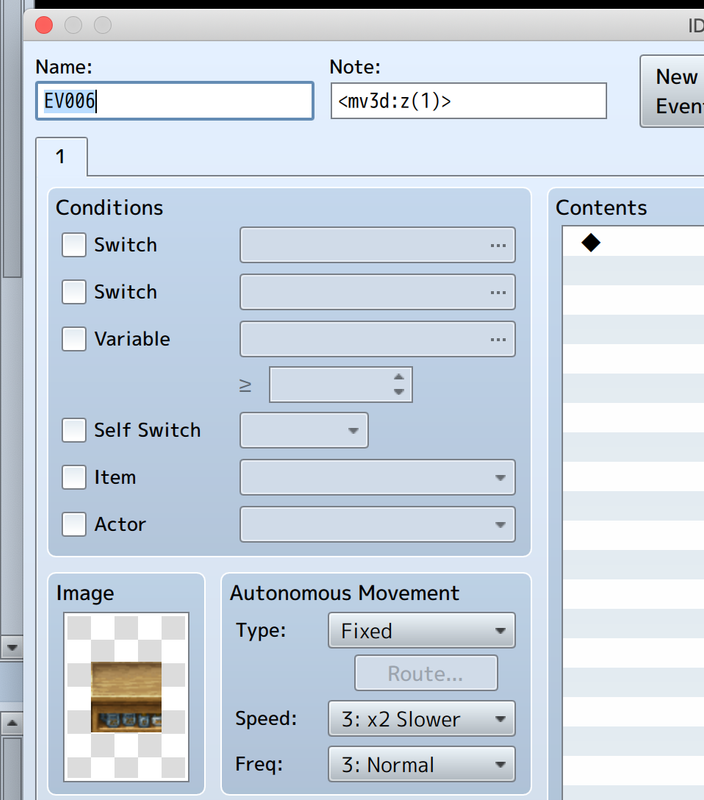
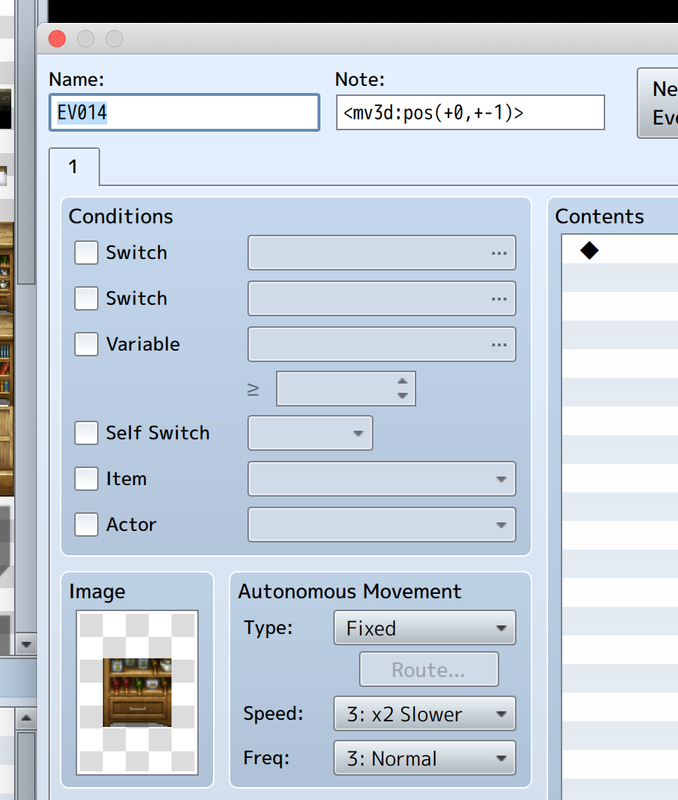
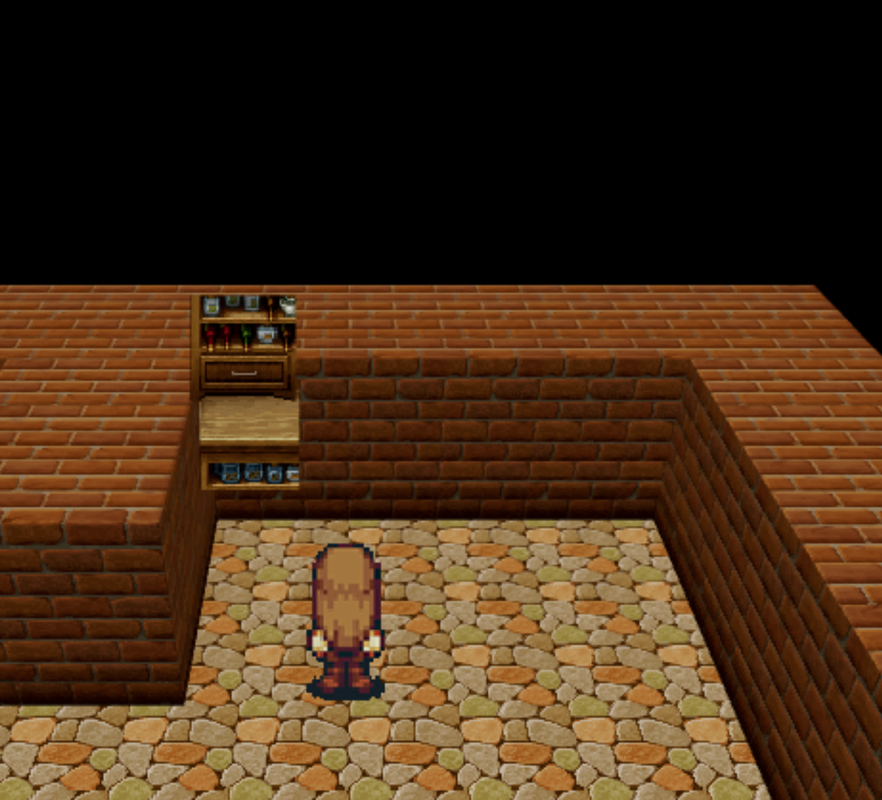
I thought flipping the tiles might do it, but it's still not as it should be:
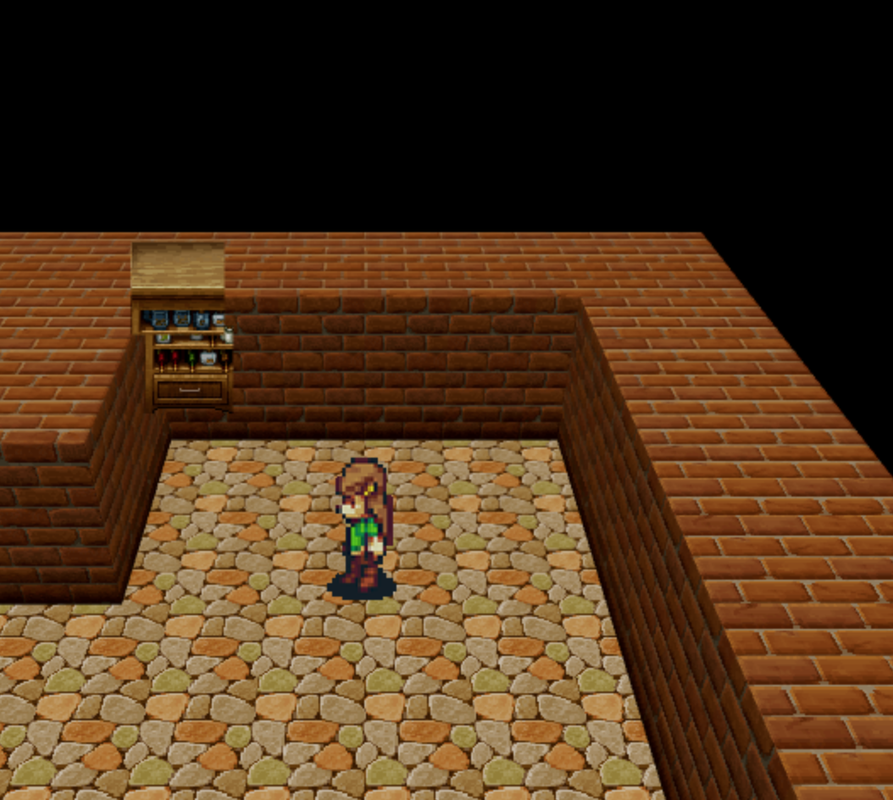
-
Hmm. Well, these are the exact tags I'm using:
(the line before the second one is just the cursor, you can ignore it, and the +7 is because I had this specific thing on a higher elevation. You'll just want to use "1", not 7.)
Your tags are correct, just try changing the shape to "wall". -
How do you access the notetags?@Crampus you set the ceiling on the map notetags. It is explained in the github in the section "Setting A Ceiling For A Map"
Basically the notetag is "ceiling(img,x,y,w,h|height|alpha|glow[anim]animx,animy )" inside the map's configuration block. all those ceiling settings work the same way as setting a tile's top, side, bottom or inside by the way.
I think ceilings only appear in first person view though?
To go to first person, set the camera's dist to 0, either in the map notetag block or with the plugin command. pitch and yaw may need to be set too.
The black square under them... is there a shadow image in your img/mv3d folder?
@gRaViJa how did you make it white in the first place? O_O isn't it usually just black when no parallax image is set?
@glaphen I'm not sure if I am right, but did you try changing the "Alpha cutoff" in the original plugin? I'm not sure exactly how it works, it may be exactly this. -
Oh, I didn't know Wall was a shape too lol... i tried sprite, cross, tree, ... That's probably the reason then :)Hmm. Well, these are the exact tags I'm using:
View attachment 133099
(the line before the second one is just the cursor, you can ignore it, and the +7 is because I had this specific thing on a higher elevation. You'll just want to use "1", not 7.)
Your tags are correct, just try changing the shape to "wall". -
@gRaViJa Wall is the same as Fence
-
@glaphen I'm not sure if I am right, but did you try changing the "Alpha cutoff" in the original plugin? I'm not sure exactly how it works, it may be exactly this.
It's on default .51, doesn't make a difference .99 or .01, I did manage a sorta workaround with Yep_HitboxResize.
Video
I did with an event set up like this
Only problems are it lag spikes slightly on first time the shadow disappears and appears and shadow also disappears with it which looks weird but that is the problem in the first place, also makes me need an extra event per camera facing wall group and shadows already add a ton of lag potential. Oh and I tried to make it lower elevation instead to the floor but it doesn't seem to like going below walls with the plugin command.
Here's event notetag in full.
<mv3d:platform(false),trigger(Infinity,Infinity),y(+4),x(+0.5),z(5.92),scale(4,7),shape(flat)>
Another thing is that outline, it seems to do it even without premium or fog for some things.
Outline
I thought outline might be because my resolution isn't right scale compared to default but if anything default is even worse.
Default resolution
I managed to solve the outlines, for some reason if I only use 1/3 of the A4 sheet it does it, if I just clone it to fill the whole A4 sheet it doesn't happen. -
@Dread_Nyanak
This by plugin 0.4.5
Heres a video about how I made some stuff with landscape and objects.
I have a few problems thought, and suggestions.
1. If we activate Qmovement, no interactions with event is working. If you just have scenes on map its fine, since auto and parallel process works.
2. Teleportation through doors seems to make your character drop from ceiling to the ground.
If you add fade out, wait a second, fade in, you can work around it.
3. When adding fringe height too slopes, as seen in the video, a weird flat surface is happening.
I tried disabling the slope with side(0,0,0) or top(0,0,0), it just results in a loading screens.
Right now we also could use more customization to meshes from textures and more options to events
Walls/Fence - Can we get a a customization where we can tilt these so they behave like / or \ ?. This can be useful for roofs or other stuff, not reached that point yet.
Sides meshes - Right now sides mesh cover all 4 directions, but we cannot actually choose what sides on those 4 is rendered or choose to replace them with another texture.
Example. Front, left and right sides uses same texture, but you want another texture in the back. Because of this we are forced to use events with shape:flat to compensate.
And lastly objects. Right now every tile is calculated as a square. Every side is a square.
Could we have implentations that for example a side is calculated as a cylinder, sphere or cone.
You mentioned adding 3d models later, but until then, extra functions to already avaiaible commands would help alot with mapping. Especially with objects and round edged objects.
I would LOVE a Demo of this map and some of the houses to get a better grasp and learn how some of this is accomplished! -
@SefirosuKuraodo I agree. Especially the indoors are very impressive and they are what i'm struggling with too. Anyway, impressive stuff @safermike !
-
I have downloaded the demo project and the game does not render in 3D. it is stuck in 2d and i cant change camera at all. I am wondering if this plugin is uncompatiable with older versions of RPG Maker MV, as I have RPG maker version 1.5.1. If there is any advice you could give me i would very much appreciate it.