Localization - Translate your project into several languages

● ARCHIVED · READ-ONLY
Started by DK 139 posts Page 4 of 7 View original ↗
  1. DK said:
    To run on mobile devices and browsers, you must follow these instructions:
    1. Make sure you have Nwjs + Stamp filesystem mode enabled in the DKTools plugin.
    2. Before compiling the project, you must run the UpdateFileSystemStamp plugin command from the DKTools plugin.
    3. Compile the project for the required platform.
    A description of the filesystem modes can be found in the DKTools plugin help.
    @thomazrb A couple of posts ago the person faced the same problem. Here's how to start the project.
    The plugin command will create a Stamp.json file in the data folder. You do not need to leave an event with this plugin command in the release version of the game.
  2. DK said:
    @thomazrb A couple of posts ago the person faced the same problem. Here's how to start the project.
    The plugin command will create a Stamp.json file in the data folder. You do not need to leave an event with this plugin command in the release version of the game.
    Yep... I'm doing exactly what is in that post (or I think I'm doing it).

    To run on mobile devices and browsers, you must follow these instructions:
    1. Make sure you have Nwjs + Stamp filesystem mode enabled in the DKTools plugin.
    2. Before compiling the project, you must run the UpdateFileSystemStamp plugin command from the DKTools plugin.
    3. Compile the project for the required platform.
    A description of the filesystem modes can be found in the DKTools plugin help.

    I think I'm missing some step... made a fresh game here to test again:

    1. I went to plugin manager, DKTools, and changed File System to Mode 0: Nwjs + Stamp (not really changed... because it was in that).

    so I made the translations in the language folder (locales/en/main.json and locales/pt/main.json)

    2. I put an event in my map... to Run UpdateFileSystemStamp... after it executed, I receive the message: "System stamp updated!" and RPG Maker MZ said to me that the data was modified externally, so I reload the data.

    I closed the game, disabled the event, and checked at the data folder, I have the Stamp.json there.

    3. So i compiled the game to Browsers / Android / iOS
    (Put to exclude non used files, because without this option itch.io complains about the amount of files).

    In the Output game I checked something:
    I have the Stamp.json in the data folder.
    In locales folder in don't have en.json and pt.json. It is still /en/main.json and /pt/main.json.

    I zipped everything and send it to server...

    And again... "Uncaught Error: Localization file does not exist: locales\en.json"

    If I try to run index.html in my machine, I received the same error.

    What im missing?
  3. thomazrb said:
    Yep... I'm doing exactly what is in that post (or I think I'm doing it).


    I think I'm missing some step... made a fresh game here to test again:

    1. I went to plugin manager, DKTools, and changed File System to Mode 0: Nwjs + Stamp (not really changed... because it was in that).

    so I made the translations in the language folder (locales/en/main.json and locales/pt/main.json)

    2. I put an event in my map... to Run UpdateFileSystemStamp... after it executed, I receive the message: "System stamp updated!" and RPG Maker MZ said to me that the data was modified externally, so I reload the data.

    I closed the game, disabled the event, and checked at the data folder, I have the Stamp.json there.

    3. So i compiled the game to Browsers / Android / iOS
    (Put to exclude non used files, because without this option itch.io complains about the amount of files).

    In the Output game I checked something:
    I have the Stamp.json in the data folder.
    In locales folder in don't have en.json and pt.json. It is still /en/main.json and /pt/main.json.

    I zipped everything and send it to server...

    And again... "Uncaught Error: Localization file does not exist: locales\en.json"

    If I try to run index.html in my machine, I received the same error.

    What im missing?
    Okay, I'll take a look
  4. Version 1.2.1
  5. I once again having this "Uncaught Error: Localization file does not exist: locales\en.json" problem but this time it was when I was running the game on Xcode iOS Emulator. On Android it runs fine. I did all the Stamp steps again but idk why it didn't work.
  6. Lee Sang said:
    I once again having this "Uncaught Error: Localization file does not exist: locales\en.json" problem but this time it was when I was running the game on Xcode iOS Emulator. On Android it runs fine. I did all the Stamp steps again but idk why it didn't work.
    Unfortunately I do not have IOS and Mac to check the error, I will try to do something.
  7. Version 1.3.0:
    • Added language switcher function in messages. You can now view messages in different languages while playing. The function does not work when selecting an item or entering numbers. Don’t forget to customize the button to open the window.
    • Help updated.
    GIF
    GIF.gif
  8. Version 1.3.1:
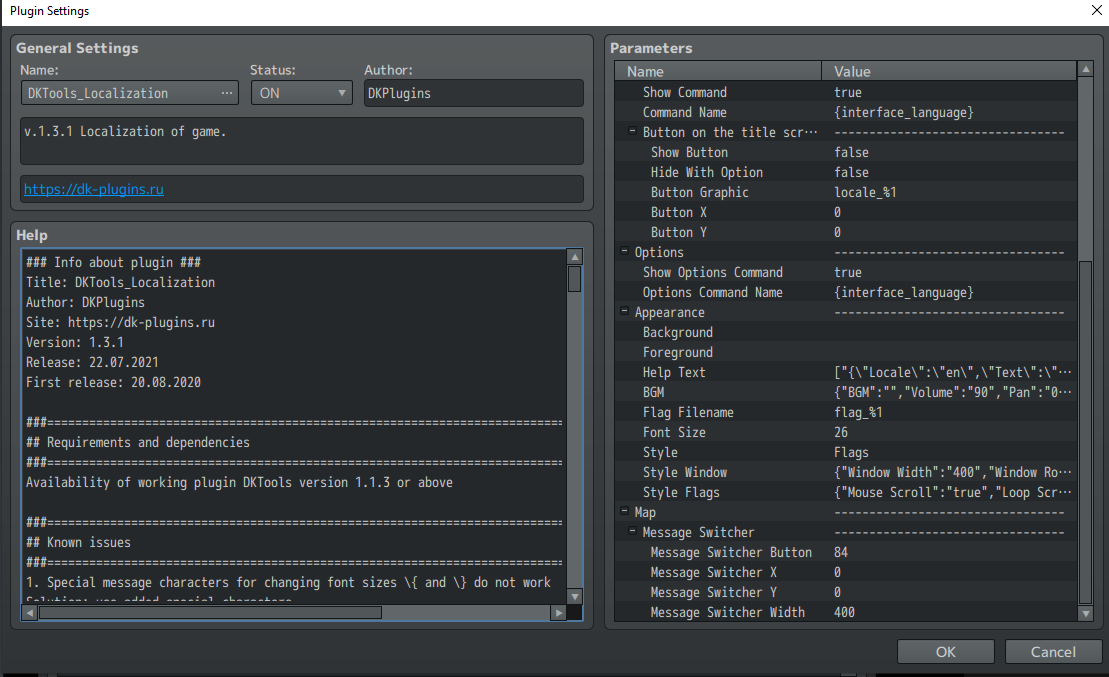
    • Added support for CSV files. Now you can select the file format you want to use in your project in the plugin settings. Each format has its own pros and cons. For example, when using CSV, translate text into different languages in one file. You can also edit the translation with several people at the same time using online tools (for example, Google Docs).
    • The plugin commands UpdateLocalizationTags and ExportAllText have been updated. Fixed a bug due to which these commands did not process plugin parameters. Also UpdateLocalizationTags now supports CSV format.
    • Help updated.
    ShooterScreenshot-150-22-07-21.png
  9. Thanks for the CSV support
    DK said:
    Version 1.3.1:
    • Added support for CSV files. Now you can select the file format you want to use in your project in the plugin settings. Each format has its own pros and cons. For example, when using CSV, translate text into different languages in one file. You can also edit the translation with several people at the same time using online tools (for example, Google Docs).
    • The plugin commands UpdateLocalizationTags and ExportAllText have been updated. Fixed a bug due to which these commands did not process plugin parameters. Also UpdateLocalizationTags now supports CSV format.
    • Help updated.
    View attachment 197217


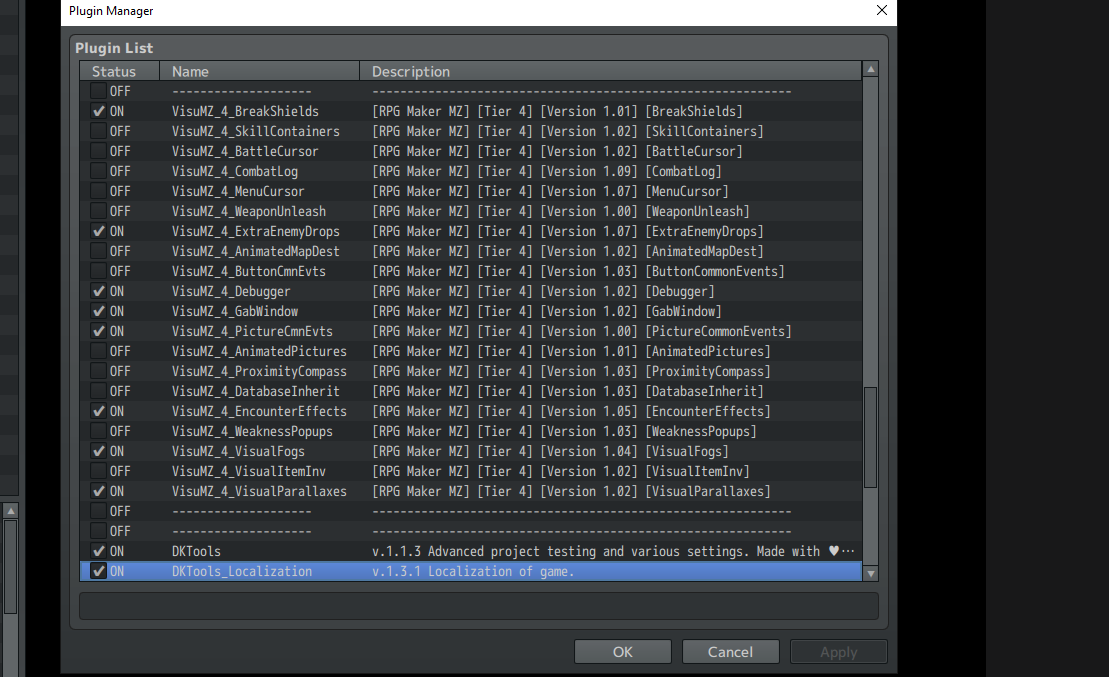
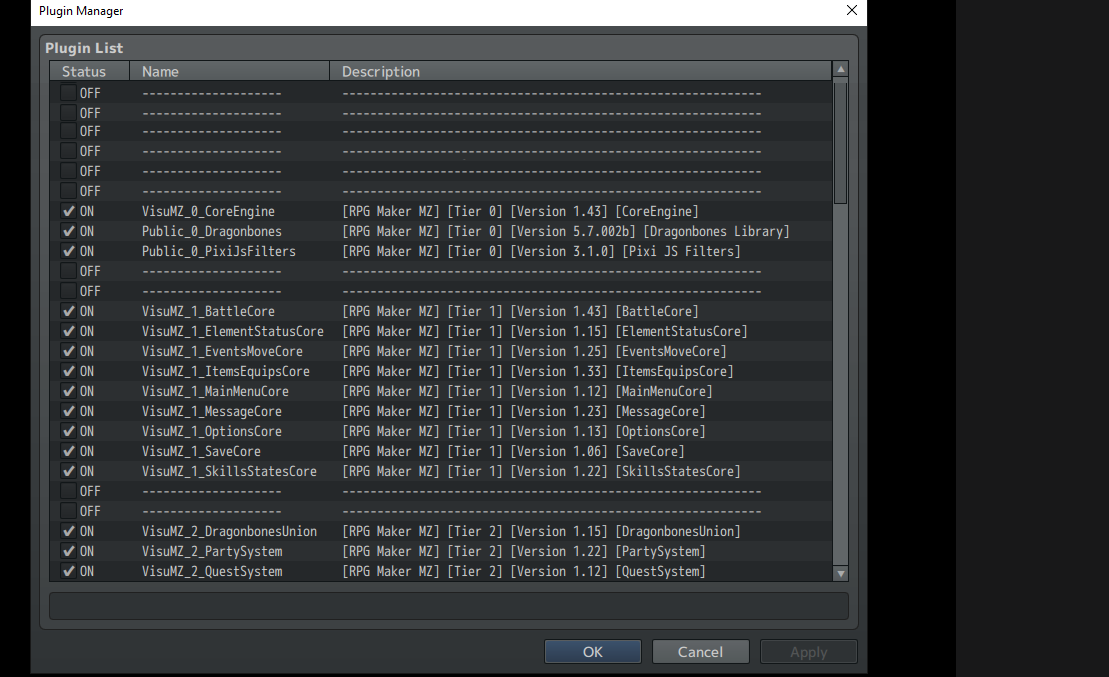
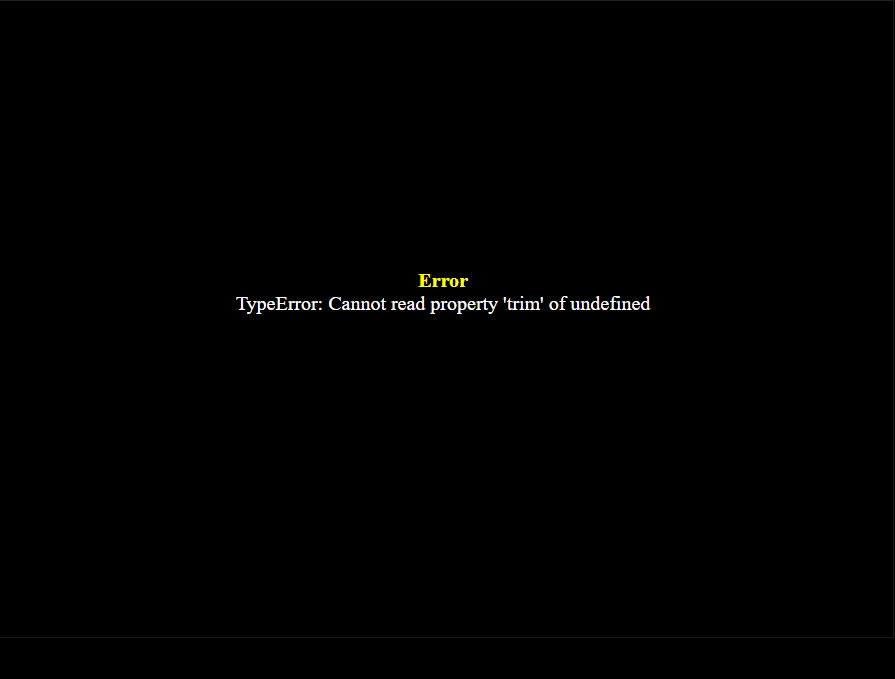
    I'm having trouble when starting up the game in test mode. I believe I have followed the instructions provided. The only other plugins I have are VisuStella MZ ones. I'm running MZ 1.3.0, DKTools V1.1.3 and DKTools V1.3.1.
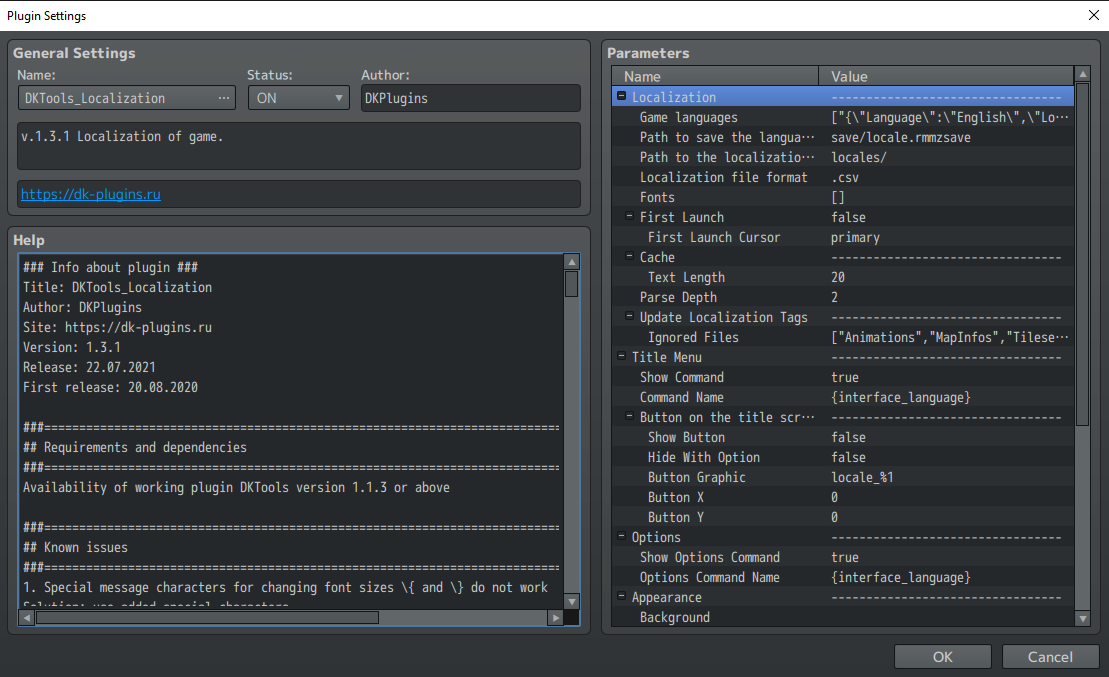
    1.png
    2.png
    3.png
    4.png
    5.png
    rmmz_managers.js:1968 TypeError: Cannot read property 'trim' of undefined
    at DKTools_Localization.js:2778
    at Array.forEach (<anonymous>)
    at processCsvFile (DKTools_Localization.js:2771)
    at async Promise.all (index 0)
    at async Function._loadData (DKTools_Localization.js:2799)
    at async Function.loadData (DKTools_Localization.js:2847)
    at async Function.initialize (DKTools_Localization.js:2144)
    at async Function.DKTools.StartupManager.initializeModules (DKTools_Localization.js:3116)
    at async Function.initialize (DKTools.js:7670)
    at async Function.SceneManager.initialize (DKTools.js:16683)
    SceneManager.onError @ rmmz_managers.js:1968
    rmmz_managers.js:1969

    undefined undefined
    SceneManager.onError @ rmmz_managers.js:1969

    DKTools_Localization.js:2778 Uncaught (in promise) TypeError: Cannot read property 'trim' of undefined
    at DKTools_Localization.js:2778
    at Array.forEach (<anonymous>)
    at processCsvFile (DKTools_Localization.js:2771)
    at async Promise.all (index 0)
    at async Function._loadData (DKTools_Localization.js:2799)
    at async Function.loadData (DKTools_Localization.js:2847)
    at async Function.initialize (DKTools_Localization.js:2144)
    at async Function.DKTools.StartupManager.initializeModules (DKTools_Localization.js:3116)
    at async Function.initialize (DKTools.js:7670)
    at async Function.SceneManager.initialize (DKTools.js:16683)

    VisuMZ_1_OptionsCore

    Symbol: locale

    JS Text:
    return LocalizationParam.get('Options Command Name');

    Accessibility
    JS: Show/Hide
    return Imported['DKTools_Localization'] && LocalizationParam.get('Show Options Command');


    JS Draw
    // Declare Constants
    const index = arguments[1];
    const title = this.commandName(index);
    const rect = this.itemLineRect(index);
    const halfWidth = rect.width / 2;

    // Draw Command Name
    this.resetFontSettings();
    this.changePaintOpacity(true);
    this.drawTextEx(title, rect.x, rect.y, halfWidth, 'left');
    this.drawText(this.statusText(index), rect.x + halfWidth, rect.y, halfWidth, 'center');

    // Draw Status Text
    const off = 'OFF';
    const on = 'ON';
    this.changePaintOpacity(!value);
    this.drawText(off, rect.x + halfWidth, rect.y, quarterWidth, "center");
    this.changePaintOpacity(value);
    this.drawText(this.statusText(index), rect.x + halfWidth, rect.y, halfWidth, 'center');

    Note* I'll be purchasing a license once I know I can get it to run.
  10. Version 1.3.2:
    • Added delimiter setting for CSV files, by default - ";".
  11. When using this plugin for localization can end-users add additional languages without needing to have access to RPG Maker or digging through the general source code files of the game?
  12. GamerGoddessDin said:
    When using this plugin for localization can end-users add additional languages without needing to have access to RPG Maker or digging through the general source code files of the game?
    Now there is no such possibility. The new language will have to be added by changing the plugins.js file.
  13. DK said:
    Now there is no such possibility. The new language will have to be added by changing the plugins.js file.
    How hard would it be to have the plugin save/read the list of languages to/from a "languages.js" file in the same folder as the language files?
  14. GamerGoddessDin said:
    How hard would it be to have the plugin save/read the list of languages to/from a "languages.js" file in the same folder as the language files?
    I will add this capability in one of future update.
  15. Hey, I have a problem with translation of pictures in exported project. I have translated some of the disclaimer texts and such in other languages, but despite putting them under different language such as pictures/ru with same name as the english one, it's not displaying the pictures in other languages?

    This seems to work in the editor, but not exported project.
  16. Exported project on which platform? Pc, web, mobile?
  17. DK said:
    Exported project on which platform? Pc, web, mobile?

    PC
  18. Do you have a demo? You can send?
  19. DK said:
    Do you have a demo? You can send?

    Do you mean the exported project?
  20. No, project demo