Just for reference, none of these involve JavaScript, so this would really belong in its own thread in Plugin Support (or one of the action sequence threads).
What's the difference between these three?
perform action - character steps forward and does their motion (swing if attack, etc)
What it says. This is what you see in the default battle in MV, they step forward and swing.
attack animation: target (same? What's difference between this and last?)
The actual description from the documentation for reference:

Thus:
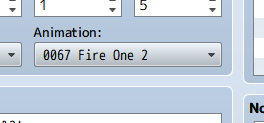
This has nothing to do with the battler moving or using any motion, so you'll have to describe what part you're confused about.
motion attack: target (does the motion for the attack? Again what is different from above two.
It is completely different from playing an animation.
It is similar to perform action, except you'll see it doesn't say that the battler steps forward first.
It also allows you to specify which battler is performing the motion, which perform action does not do.
animation wait: x
wait: frames
Again, this description seems quite clear to me in the documentation.

Therefore,
wait: 4 is not the same as
animation wait: 4
If you wanted to time something to happen at a specific frame in the animation, the animation wait command is provided so you don't need to do multiplication to convert animation frames to game frames.
That's not a valid action sequence command, but I assume you mean
wait for animation - again, the description seems clear. You'll need to specify which part of the wording you don't understand.

Which would I use if I'm using a skill that does the same attack animation (swinging weapon) twice in a row?
Okay, this gives a bit of a clue about the first part. You seem to be confusing two very different terms.
An animation is a spritesheet defined in the Animations tab of your database.
The pictures on an SV battler's spritesheet that make them look like they're walking or swinging a weapon are
not animations, they're called motions.
If you just want to swing the weapon twice, you would do:
Code:motion attack: user
wait: 36
motion attack: user
If you want to show those attacks hitting the target, then you'd insert action effect, action animation, etc. (in which case you could get rid of the wait: 36 and use wait for animation)