Ignis Text Database

● ARCHIVED · READ-ONLY
Started by Raizen 9 posts View original ↗
  1. Ignis Text Database

    Introduction
    This plugin allows you to save any text from the game on JSON files, this allows some big advantages over storing them on the RPG Maker editor:

    * MUCH easier for translating (You can have multiple files and swap them with plugin commands)
    * Easy for others to review and edit your game's text without needind the RPG Maker software
    * Easy for you to review your game's text
    * Better control over the texts of the game
    * Better control over the vocabulary of the game
    * Easier to work on the game without actually opening the game, like working outside or other occasions.

    How to Use
    Just insert the plugin and read the help section.

    Video
    [embedded media]

    Spoiler
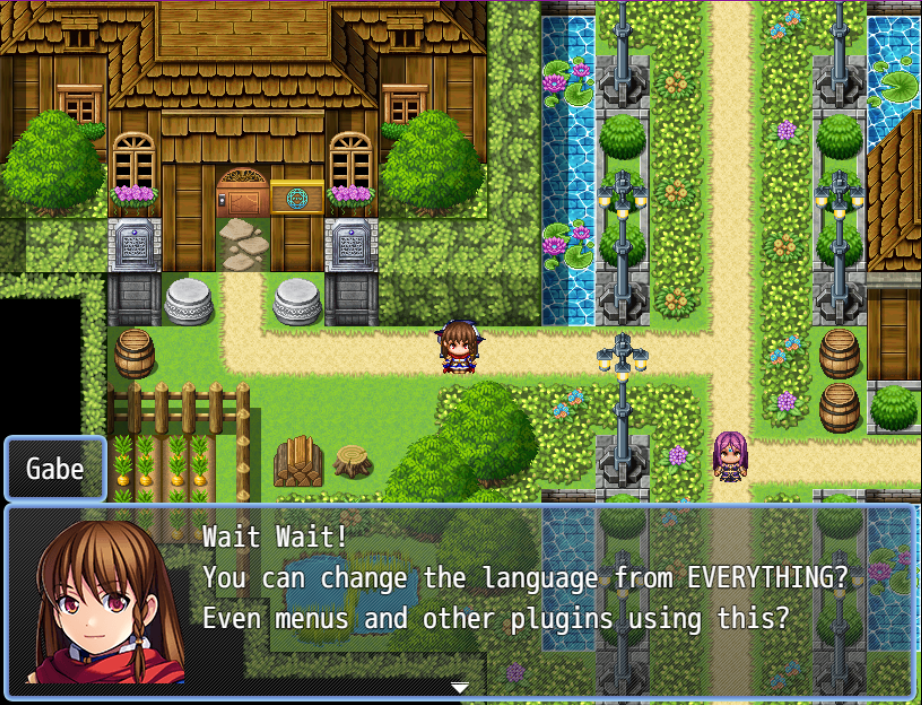
    xEB0P2.png
    Plugin
    Ignis Text Database by Raizen

    FAQ

    Can I use this commercially?

    Yes, this plugin is available for commercial usage, check out zlib license that this plugin is under to know more about.

    Credit and Thanks
    - Reisen (Mauricio Pastana)
  2. This is great. It helps me a lot, because english is not my native language. Texts are easier to find, and easy to edit in a text editor. So I can easily keep track of which texts I still have to adapt (translate).
  3. Looks simple! This is so cool, you can have volunteers to translate your game without needing them to purchase the engine, also it's even safer, you can upload the text files on github then just download them and replace the text files.

    Just a question, how will this behave with a word wrapping plugin? It'll work good?
  4. Zaven said:
    This is great. It helps me a lot, because english is not my native language. Texts are easier to find, and easy to edit in a text editor. So I can easily keep track of which texts I still have to adapt (translate).
    Thanks friend! I used a lot on MV from lavra, so it was very useful for me back then! :yhappy:

    Killuki Zaoldyeck said:
    Looks simple! This is so cool, you can have volunteers to translate your game without needing them to purchase the engine, also it's even safer, you can upload the text files on github then just download them and replace the text files.

    Just a question, how will this behave with a word wrapping plugin? It'll work good?
    Thanks friend! So about the word wrap, it should work, but it depends on where the coder of the wrapper makes the "wrap". So if he somehow makes it before I replace the text with the one on the json file, it might not work, I tried the best to replace it early. If there is a word wrap that doesn't work with it, you can link me the word wrap that I'll probably be able to adjust it to work :ywink:
  5. I really needed a plugin to translate my games, which is why I tested this one with interest. And it really delivers on those promises. For fun, based on a freshly created game, I was able to translate:
    • Actors (name, nickname, profile)
    • Classes (name)
    • Skills (name, description, messages)
    • Items (name, description)
    • Weapons (name, description)
    • Armors (name, description)
    • Enemies (name)
    • Troops (name)
    • States (name, messages)
    • System (game title, currency)
    • All types
    • All terms
    • And even the map (name, displayed name)
    Even if I could, I didn't test the animations and tilesets... which doesn't really make sense in the end.

    With all this, the only issue detected is with the title of the game. Indeed, the title is saved in the tag <title> of the index.html file. And as the plugin script is loaded afterwards, it is not transformed... as you can see on this screenshot.

    Screenshot
    issue.jpg

    @Raizen
    I have prepared a complete template with all the translatable texts indicated above. Maybe I can share it with you so that you can add it in the opening post as an additional resource (along with the JSON files of the corresponding data). Maybe this will facilitate the translation work of the developers who will use this plugin in the future.
  6. Nice work Zaven! You can share if you wish for the ones that want to use it :yhappy: .
    Oh, okay I'll check the title part, I think its something not so hard to fix, if there is anything else to adjust, you can send it here that I'll try to help with it o/
  7. Perfect, I'll share all this as soon as I'm done with the translations of the texts generated by default when creating a new game.

    On the other hand, I discovered a new issue, more complex this time I think. Apparently, the text evaluation doesn't take into account texts with regexp parameters to be replaced. Example below with the texts (in French) corresponding to the messages Message.expTotal and Message.expNext. The parameter %1 is not replaced by the text of the corresponding term.

    Screenshots
    System data
    issueMessageSystem.jpg

    Text file
    issueMessageText.jpg
    Result in game
    issueMessageDisplay.jpg

    Expected Result
    correctMessageDisplay.jpg

    And yet another problem with the escape character used to display currencies: the texts don't load anymore.

    Screenshots
    System data
    issueMessageSystem2.jpg

    Text file
    issueMessageText2.jpg

    Result in game
    issueMessageDisplay2.jpg

    In the end, these are just problems with system messages that we could get around with a little manual work. Otherwise, this plugin works great for the remaining 98% of the game texts. :ehappy:
  8. hey, sup?

    do you know why when we are using choices with your IgnisTextDatabase plugin, have a limite of letters that we can use? I mean, if I use more than 13 letters, the word become disform?

    thanks a tons for this work, looks great... i am just worried about that point now.

    cya!
  9. Hi @Napalm

    In principle, I don't support other plugins, although there is a dedicated thread for the Ignis Text Database plugin.

    However, the problem is quite simple and is not related to the plugin, but to the way RMMZ works. In this case, the width of the choice item is calculated from the width of the text supplied at the time of its creation. In your case, the supplied text ${...} must be 13 characters long, which means that the “translated” text, if larger, is simply condensed into the available space. As a test, try setting ${..} text to 20 characters or more, and the “translated” text should display better.

    See also this post for an example of what I mean: https://forums.rpgmakerweb.com/inde...ti-language-system-plugin.141442/post-1383954
    Hello @Raizen, @r66r helped me find a solution for the choice problem. Gonna post here how it can be fix:

    @r66r, based on your support I think I found a makeshift solution. Look that:


    Put this as a choice: ${1.2} ${1.111111111111111111111111111111111111111111111111111111111111111111111}

    ${1.2} = real txt in game.
    ${1.111111111111111111111111111111111111111111111111111111111111111111111} = fake area

    In every choice line after real txt link (${1.2} in this case) you must add SPACE, then add a specific fake line as u wish, in my case: ${1.111111111111111111111111111111111111111111111111111111111111111111111}

    I gonna make more tests now. But looks ok, lets see.
    Thanks a tons @r66r!
    Working 100%, Thanks again @r66r!!!!