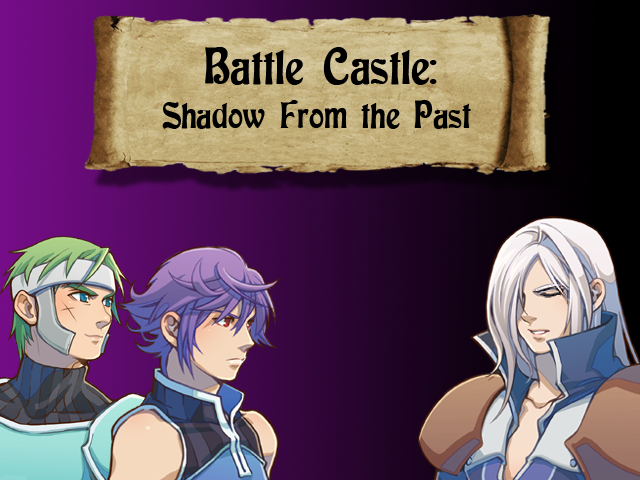
New title screen for Battle Castle. See everyone, I'm not dead.
Game & Map Screenshots 11
● ARCHIVED · READ-ONLY
-
-
Do non-game but-game-related screenshots go here?
A while back I took up visual studio to make a custom utility to edit custom skill data for my project. It took about two weeks going from knowing basically nothing to being able to read and save rxdata files, so I'm pretty proud of it~.
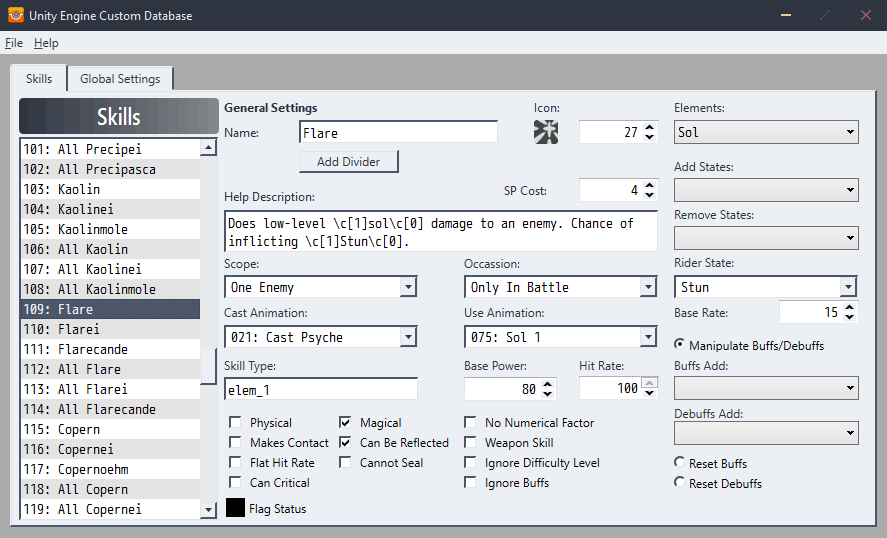
More screenshotsIt also has a "flag status" popup that helps tell you what each of the tick-boxes do, and whether they're relevant to a certain skill.
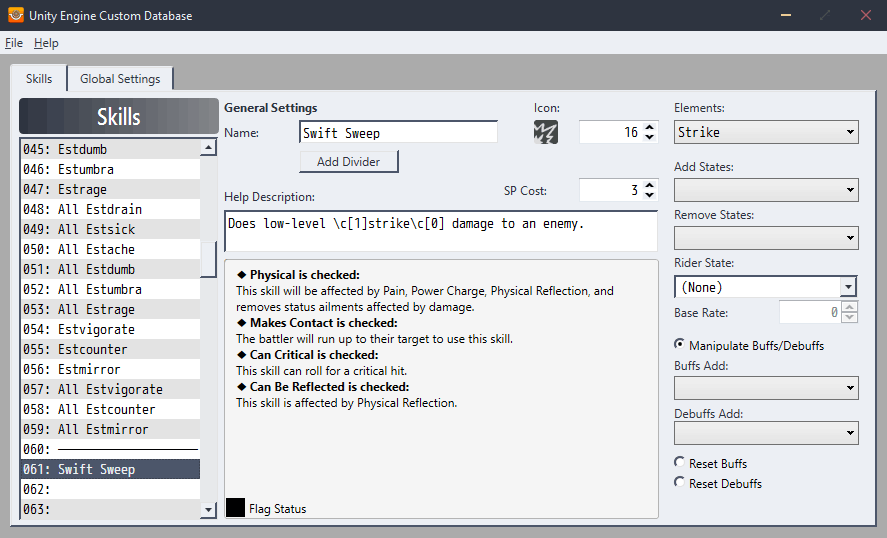
RPG Maker XP doesn't natively let me specify the chance of a state or do things like buffs, so that was the kinds of custom data I wanted to be able to edit.

In the end though, I've not actually really used this utility at all. I was able to edit some data and make sure it was being saved back to the data files correctly, but it lacks some quality-of-life to make it worthwhile to heavily use. . w. Namely, I haven't implemented a loading dialogue - it loads a specific hard-coded set of files, and there's no copy/paste/etc of skill entries, which makes shuffling data around impossible.
So I've stuck back with my previous method of loading in a ruby text file to rewrite the data when I need to.
But it was an interesting experience making this, anyway. -
I'm starting with the beta testing for the demo tomorrow! Here's a preview of the Fenrir Boss Battle, hope you guys and gals enjoy! -
@DeBaby28 This is a nice start, but there are some mapping issues there. I quickly remade a map with a similar environment so you can compare and hopefully take some advice from it:
This is just a quick makeover that adresses some of the things that I would change, I know some areas are still kinda empty.
- The map is very large and pretty empty in many places, you can fit that whole setting on much less space.
- Your mountains are very "edgy" and have many many height inconsistencies.
- Your trees grow in very unnatural orders.
Mapping Forests | The Official RPG Maker Blog Mapping: Towns | The Official RPG Maker Blog Tips and Tricks: Mapping Cliffs | The Official RPG Maker Blog
I hope this helps you :) I have used RMMZ, but since the tiles are very similar I think it is not that much of an issue. -
@Avery Thank you for the advice. I managed to change some stuff like reducing the size and fixing the cliff heights. I haven't filled in the map yet, to wait on your input.
I'm still working on creating tree walkways that make sense at the bottom. That will different monster types based on location, that's why it's not totally reduced.
Spoiler -
Your stairs look like ladders.@Avery Thank you for the advice. I managed to change some stuff like reducing the size and fixing the cliff heights. I haven't filled in the map yet, to wait on your input.
I'm still working on creating tree walkways that make sense at the bottom. That will different monster types based on location, that's why it's not totally reduced.
Spoiler
Think in 3D
You should add 1 or 2 tiles of stairs to make it look more natural. -
@DeBaby28 I think that there is still a lot more you could do with your cliffs. At the moment, each cliff goes straight up to the next main level with 100% regularity. It would look much better, imo, if you broke those straight lines with bits of cliff which were of differing heights. Here is an old map of mine where I still have the screenshot on my hard disk. If you look at, e.g., the southwest corner you can see what I mean.
It also has 3 sets of steps on it. pluevnr is right to say that your stairs look like ladders. However, I think that just putting an extra tile in so that the bottom sticks out looks silly. Steps in cliffs should look, as far as possible, as if they have been carved out of the cliff face. If they are sticking out at the bottom, that wrecks that illusion. Instead, I take my cliff edge back in a tile at the top. That allows me to get the extra tile in.
cliff and steps map -
@DeBaby28 I think that there is still a lot more you could do with your cliffs. At the moment, each cliff goes straight up to the next main level with 100% regularity. It would look much better, imo, if you broke those straight lines with bits of cliff which were of differing heights. Here is an old map of mine where I still have the screenshot on my hard disk. If you look at, e.g., the southwest corner you can see what I mean.
It also has 3 sets of steps on it. pluevnr is right to say that your stairs look like ladders. However, I think that just putting an extra tile in so that the bottom sticks out looks silly. Steps in cliffs should look, as far as possible, as if they have been carved out of the cliff face. If they are sticking out at the bottom, that wrecks that illusion. Instead, I take my cliff edge back in a tile at the top. That allows me to get the extra tile in.
cliff and steps map
Those cliffs look really cool. It'll be a while before I make it to that level, but I'll definitely keep practicing. Plus I'm not really should how to begin this. Would I start it off like a plateau, then begin digging around and leveling it? -
@Kes I think I made it look worse.
-
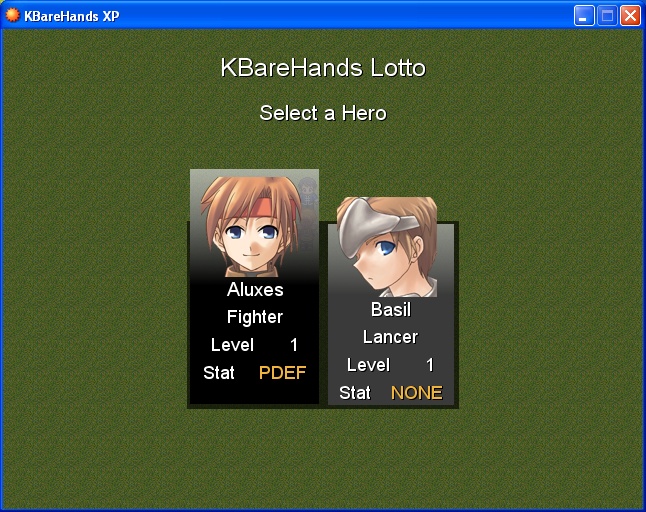
I have been working on my KBareHands XP script and found it convenient to make a custom menu for it. So I started crafting it till the moment came where I got stuck. :S Now I dunno how to continue designing its GUI while keeping its original aesthetics.
What do you think about it, guys?
More Snapshots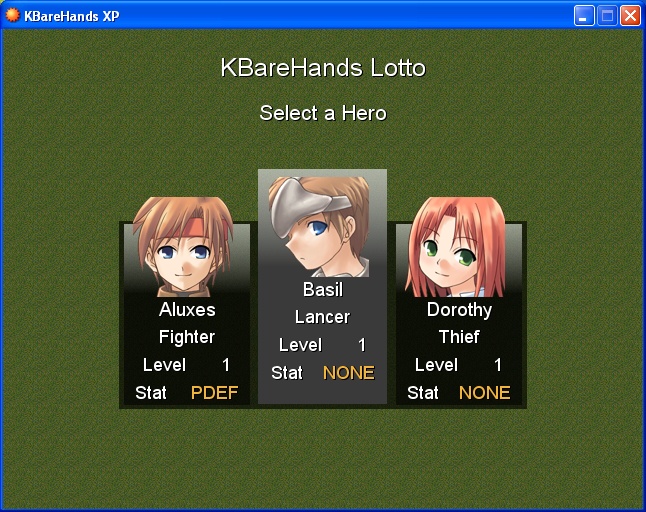
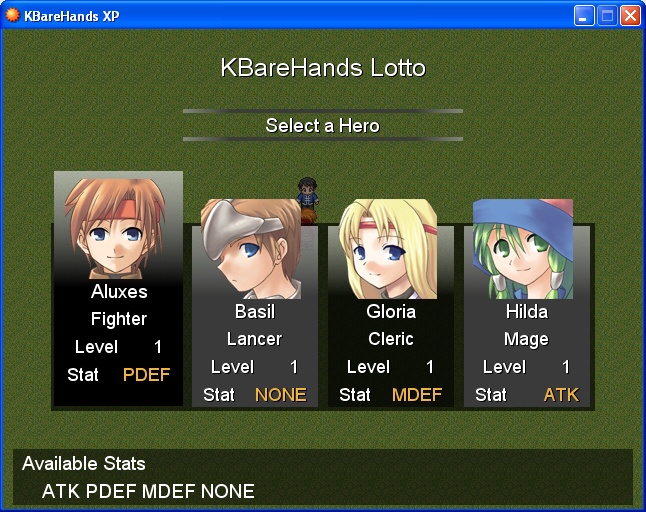
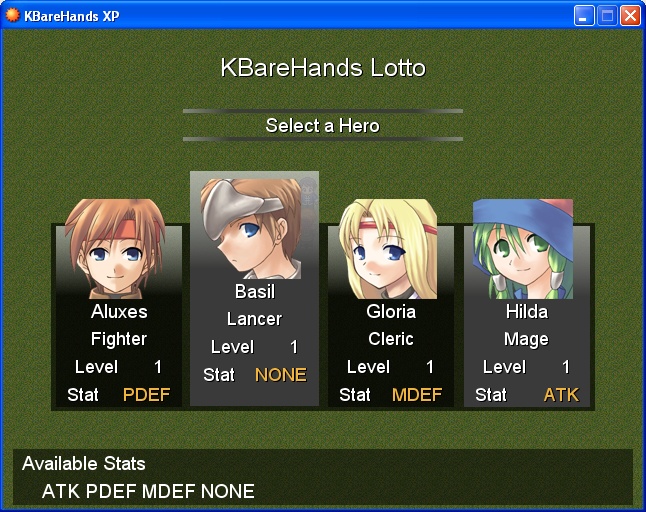

-
@DeBaby28 Although you have curved the top of your cliffs to make space for the steps, you haven't actually put them in. I've just made a very fast map with default tiles to show you what I mean. I have extended the steps right up to the top and, using shift + click mapping made sure that the path goes right up to the steps, not stop short of them. I have also put in a bit of cliff layering. Notice that where the top cliff meets the lower layer, you need to use a bottom tile. With these tiles the difference is not so clear as it is in your set. I could be wrong, but I don't think you did that.
This is a snip shot, not a screen shot, so sorry for the slight blurring.
-
@DeBaby28 Before you start adding all the fun stuff Kes is showing you, you really need to make sure your height levels are consistent:
Starting from the bottom (LV1), there's two stairs, both of them are as long as the other, so naturally both would get you to the samelevel. Except in your map you made it seem like the level you access through the right stairs is higher than the one on the left, which isn't possible (unless you're Esscher). ;)
Same issue with the LV3 heights on top. Even if we ignore the right side, you still have the problem of the cliff on the left and the one you can climb having the same height, but according to your mapping being perceived as on a different level.
(I'm not super good at explaining, but I hope that made a bit of sense?)
Edit: I did a quick edit (in Paint, so excuse it's crudeness) fixing the heights to show you what I mean:
Spoiler -
@slimmmeiske2 your explanation was clear. I see the different levels thanks to the help of the markup.
If I wanted to have my cliffs fixed at the top, I would need to increase the top by one or two tiles to show the difference in height, while also moving level 4 up to show a difference.
Bottom Right:
Despite being on different sides, they are still on the same level because they are 3 tiles in high.
So I have to do more to show the height difference and height planes. Instead of just placement, # of tiles are important as well.
Am I on the right track? -
Here is Alson, a small mountain village. I made it with FSM Town of Beginnings (I still don't know how to draw, unfortunately). I'm hoping for feedback on how to make it better.
Map -
Your waterfall has no source. In general, mountain rivers have their sources in grottos or whatever lies inside the mountain. It doesn't pop like this on the floorHere is Alson, a small mountain village. I made it with FSM Town of Beginnings (I still don't know how to draw, unfortunately). I'm hoping for feedback on how to make it better.
Your stairs look like ladders, you need to put some stair tiles before the cliff to make it more natural
you didn't use the cliff borders tiles, you only used the normal grass to draw your borders and it doesn't look well
your houses are very similar and lack of details
the village is kinda empty, you should add more little vegetation (grass, flower) and human built stuff (benches or whatever) -
Thanks for the feedback! I honestly don't see what I could add to the houses (and made them look similar on purpose, they're made from the same material by the same kind of people), but I tried to take the rest into account. Hopefully it's better now.Your waterfall has no source. In general, mountain rivers have their sources in grottos or whatever lies inside the mountain. It doesn't pop like this on the floor
Your stairs look like ladders, you need to put some stair tiles before the cliff to make it more natural
you didn't use the cliff borders tiles, you only used the normal grass to draw your borders and it doesn't look well
your houses are very similar and lack of details
the village is kinda empty, you should add more little vegetation (grass, flower) and human built stuff (benches or whatever) -
you can make the walls 2 tiles height with vines or whatever on them, make some variations on the roofs with cracks or leavesThanks for the feedback! I honestly don't see what I could add to the houses (and made them look similar on purpose, they're made from the same material by the same kind of people), but I tried to take the rest into account. Hopefully it's better now.
adding some flowers under the windows
There're tons of ideas to make them look different -
@ShiningPhoibe Let's take this house as an example of some of the things you need to be thinking about.
First of all, placement. There is a back to any house, but you have placed this one so close to the cliff face that any window at the back will be blocked by the cliff itself. There needs to be some space between any house and a cliff, unless it is clearly designed to be cut out of the rock face itself.
Your path ends before the door. People do not jump the last step leaving the grass intact, so your path needs to go right up to the door. You will need to use shift+click mapping to do that.
Is it really the case that there is no window in the main part of the house?
Your chimney is right next to the door, so anyone entering will more or less fall into the hearth. It also means that all the heat will be lost out of the door, and the family can't use it for e.g. cooking. Move the chimney into a more central position, as a fire place is more naturally at the centre of a house. This is true of all your houses.
Your roof is simply wrong. That is not a flat roof, but a sloping one. It cannot extend that far out without altering the height of the main part of the house. In addition, you need to use shift+click mapping when using autotiles like that in order to avoid that end line appearing between the 2 sections. If you want to have a section of a house coming out like that, there is no option to using a gable style roof. By that I mean something like this (from a map example by Candacis)
To add to pluevnr's point about your water source, water doesn't start off with such a wide expanse, it always begins small, narrow, and only broadens out when it has had to chance to draw in additional streams etc. In your revised version there is no obvious origin for all that water. If I were doing this map, I would have the stream (narrow) emerging from that cave and making its way down, with the waterfalls down such high cliffs having distinct foam at the bottom where the water hits the ground.
I do, however, query the whole layout. Why have people carried an enormous amount of timber and statues up incredibly narrow and steep steps to build this village which appears to have no way of supporting itself? There are no gardens or fields, so what do they eat? They are too far away from any forest to be a timber supplier to the cities, they are not mining or manufacturing anything. They have no famous shrine for devotees to come to, so why are they up a mountain in the first place? Do you really need them to be so high up, and so scattered? What function does this village have in your story? Can you make that function more explicit? -
Thanks for the advice, I changed the map accordingly.@ShiningPhoibe Let's take this house as an example of some of the things you need to be thinking about.
View attachment 200573
First of all, placement. There is a back to any house, but you have placed this one so close to the cliff face that any window at the back will be blocked by the cliff itself. There needs to be some space between any house and a cliff, unless it is clearly designed to be cut out of the rock face itself.
Your path ends before the door. People do not jump the last step leaving the grass intact, so your path needs to go right up to the door. You will need to use shift+click mapping to do that.
Is it really the case that there is no window in the main part of the house?
Your chimney is right next to the door, so anyone entering will more or less fall into the hearth. It also means that all the heat will be lost out of the door, and the family can't use it for e.g. cooking. Move the chimney into a more central position, as a fire place is more naturally at the centre of a house. This is true of all your houses.
Your roof is simply wrong. That is not a flat roof, but a sloping one. It cannot extend that far out without altering the height of the main part of the house. In addition, you need to use shift+click mapping when using autotiles like that in order to avoid that end line appearing between the 2 sections. If you want to have a section of a house coming out like that, there is no option to using a gable style roof. By that I mean something like this (from a map example by Candacis)
View attachment 200574
To add to pluevnr's point about your water source, water doesn't start off with such a wide expanse, it always begins small, narrow, and only broadens out when it has had to chance to draw in additional streams etc. In your revised version there is no obvious origin for all that water. If I were doing this map, I would have the stream (narrow) emerging from that cave and making its way down, with the waterfalls down such high cliffs having distinct foam at the bottom where the water hits the ground.
I do, however, query the whole layout. Why have people carried an enormous amount of timber and statues up incredibly narrow and steep steps to build this village which appears to have no way of supporting itself? There are no gardens or fields, so what do they eat? They are too far away from any forest to be a timber supplier to the cities, they are not mining or manufacturing anything. They have no famous shrine for devotees to come to, so why are they up a mountain in the first place? Do you really need them to be so high up, and so scattered? What function does this village have in your story? Can you make that function more explicit?
This map is supposed to have a mage living at the top, and a few disciples living in the other houses plus an inn for people who come see the mage. -
Feeling cute, might drop a work in progress side project title screen! (my first for MZ, but this is meant to be a humorous romp. I also might change this image later)