Felskis Skilltree Plugin

● ARCHIVED · READ-ONLY
Started by Felski 294 posts Page 4 of 15 View original ↗
  1. Hi Felski, thank you for this wonderful plugin!

    I have a few questions for you. The word wrap is working, but how do I make a manual break in the line? I tried \n but it appears as a box before an n in the node.

    Also, how do I make the skill name and icon appear below the tech description? If the description is too long, words become jumbled together like in this example: FelskiPluginExample.png

    Finally, is there a way to include icons in the tech description? For example, where it says Darkness Damage, I would like to include an icon before the word "Darkness" using \i[x] or some other means. If this doesn't work, then is there a way to make it work in the skill description itself without appearing as a box in front of an n? Again, thank you for sharing this plugin!
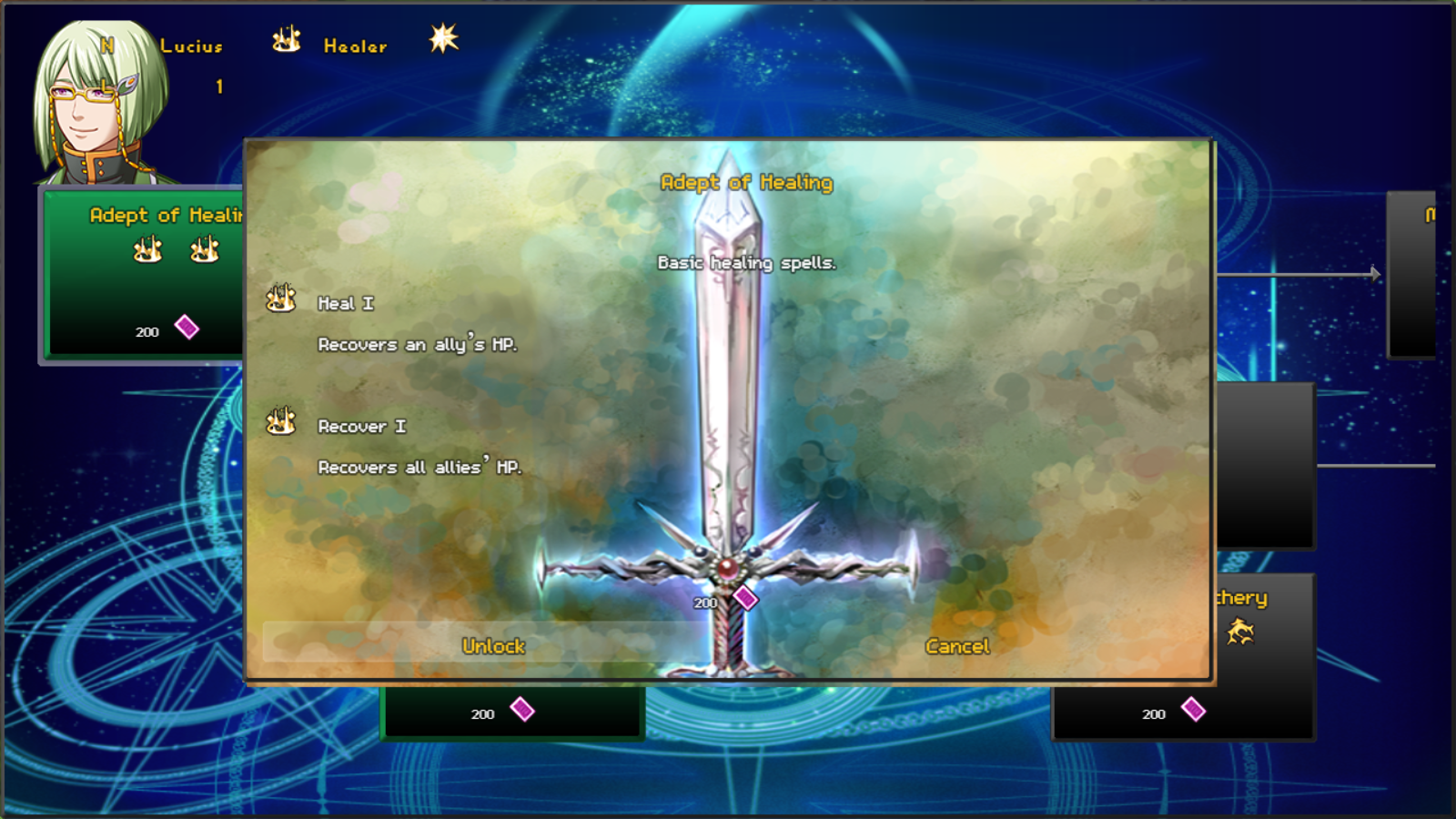
  2. I have not really understood anything about how this plugin works! :confused:
    It is very difficult and complicated! :confused:
    For example, where do I find the piromancer tree to modify? it seems the only one that can do for me!o_O
  3. nitriso said:
    Hi Felski, thank you for this wonderful plugin!

    I have a few questions for you. The word wrap is working, but how do I make a manual break in the line? I tried \n but it appears as a box before an n in the node.

    Also, how do I make the skill name and icon appear below the tech description? If the description is too long, words become jumbled together like in this example: View attachment 106485

    Finally, is there a way to include icons in the tech description? For example, where it says Darkness Damage, I would like to include an icon before the word "Darkness" using \i[x] or some other means. If this doesn't work, then is there a way to make it work in the skill description itself without appearing as a box in front of an n? Again, thank you for sharing this plugin!

    Hi @nitriso,

    are you using the most recent version v1.1.1? I'm pretty sure that I fixed that particular wordwrap issue in that version. Normally the node confirmation window should look like this:
    fgn6kJ.png

    The ability to use icons via \i[x] sounds like a good idea. I will consider putting that in the next update. Thanks for that suggestion!

    Lionheart_84 said:
    I have not really understood anything about how this plugin works! :confused:
    It is very difficult and complicated! :confused:
    For example, where do I find the piromancer tree to modify? it seems the only one that can do for me!o_O

    Hi @Lionheart_84,

    the plugin is really complex and configuring it will take a while. The pyromancer tree is part of the demo that you can find here: https://felski.itch.io/felski-skilltree
    The demo includes a skill tree editor where you can build your own tree from scratch or load an exisiting tree and update it.
    For the plugin itself to work you basicly need to define a tree and save it to your games data folder as the Techtree.json file. You can then add the trees using notetags to actors or classes.
    For more details read the help part of the plugin, it includes a how to install guide and many informations regarding notetags, controls and options.

    Best regards,
    Felski
  4. Felski said:
    Hi @nitriso,

    are you using the most recent version v1.1.1? I'm pretty sure that I fixed that particular wordwrap issue in that version. Normally the node confirmation window should look like this:
    fgn6kJ.png

    The ability to use icons via \i[x] sounds like a good idea. I will consider putting that in the next update. Thanks for that suggestion!


    Hi @Lionheart_84,

    the plugin is really complex and configuring it will take a while. The pyromancer tree is part of the demo that you can find here: https://felski.itch.io/felski-skilltree
    The demo includes a skill tree editor where you can build your own tree from scratch or load an exisiting tree and update it.
    For the plugin itself to work you basicly need to define a tree and save it to your games data folder as the Techtree.json file. You can then add the trees using notetags to actors or classes.
    For more details read the help part of the plugin, it includes a how to install guide and many informations regarding notetags, controls and options.

    Best regards,
    Felski


    Thank you for answering! :guffaw: in fact, as a plugin it's very difficult !!! :dizzy:
    besides I am also Italian :blush: ... therefore ... many things in the guide do not understand them at all! :dizzy:
    anyway I've downloaded your demo ... but I can not find the pyromancer tree !!! :stare:
    I would have modified that and changing the IDs of the skills, I would have set for each character ;)... but I can not find it! :headshake:
  5. Do you have any plans to add support for skill levels?
  6. Lionheart_84 said:
    Thank you for answering! :guffaw: in fact, as a plugin it's very difficult !!! :dizzy:
    besides I am also Italian :blush: ... therefore ... many things in the guide do not understand them at all! :dizzy:
    anyway I've downloaded your demo ... but I can not find the pyromancer tree !!! :stare:
    I would have modified that and changing the IDs of the skills, I would have set for each character ;)... but I can not find it! :headshake:

    The Fireomancer tree is assigned to Marsha. You can also find it in the gamefolder/data/Techtree.json at line 380.

    ArcticPrism said:
    Do you have any plans to add support for skill levels?

    Can you elaborate what you mean with skill levels?
  7. Felski said:
    Can you elaborate what you mean with skill levels?

    Leveling up skills. For example, you can learn Flame, but you can put extra points into it afterwards to make it stronger. Each level would draw from a separate skill and/or variable to determine what the next level effect is. Yours kind of does that already but you end up with Flame 1/2/3 in your skill page instead of just a stronger Flame.
  8. ArcticPrism said:
    Leveling up skills. For example, you can learn Flame, but you can put extra points into it afterwards to make it stronger. Each level would draw from a separate skill and/or variable to determine what the next level effect is. Yours kind of does that already but you end up with Flame 1/2/3 in your skill page instead of just a stronger Flame.

    I don't plan to add anything like this. The plugin is already big enough and it would only bloat it unnecessaryly. And there are already ways to achieve this. Here are two:
    • Any plugin that allows you to forget skills once you get the newer version should work with this plugin.
    • You could also use the common event feature to let the character unlearn the old skill on learning the new one.
    Best regards,
    Felski
  9. Thank you for your reply! Yes, I am using v1.1.1 for my project. I turned off "Node Show Skill Description" in the plugin parameters because all of my descriptions are using \i[x]. Due to this, I tried to retype a description of the skill in the tech description field. When the tech description is too long, it overlaps with the skill name and icon as in my example above.

    It would be amazing if you updated to allow \i[x] usage! Thanks, again. Your plugin is really great!
  10. nitriso said:
    Thank you for your reply! Yes, I am using v1.1.1 for my project. I turned off "Node Show Skill Description" in the plugin parameters because all of my descriptions are using \i[x]. Due to this, I tried to retype a description of the skill in the tech description field. When the tech description is too long, it overlaps with the skill name and icon as in my example above.

    It would be amazing if you updated to allow \i[x] usage! Thanks, again. Your plugin is really great!

    Hi @nitriso,

    I'm currently working on the next update. I will fix the overlapping issue and I've already added support for \i[x] so that will be available in the update, too.

    Best regards,
    Felski
  11. Felski said:
    Hi @nitriso,

    I'm currently working on the next update. I will fix the overlapping issue and I've already added support for \i[x] so that will be available in the update, too.

    Best regards,
    Felski

    Wow, that sounds great! Thank you, Felski! I look forward to the update!
    One more question, is there a way to have a node in the skill tree start as already activated? For example, a character's first skill is already learned, so when the player opens the skill tree they see the already-activated node.
  12. Felski said:
    The Fireomancer tree is assigned to Marsha. You can also find it in the gamefolder/data/Techtree.json at line 380.

    Thank you so much for the help !!! :guffaw::thumbsup-right:

    Can I hazard a suggestion? It can be done that if a piece has 3 skills inside it, the piece will have 3 different costs of JP and you decide which one to buy ???
  13. Felski said:
    I don't plan to add anything like this. The plugin is already big enough and it would only bloat it unnecessaryly. And there are already ways to achieve this. Here are two:
    • Any plugin that allows you to forget skills once you get the newer version should work with this plugin.
    • You could also use the common event feature to let the character unlearn the old skill on learning the new one.
    Best regards,
    Felski

    No problem. Do you feel the same about a reset function as well then?

    Also, can you make it so that your JP is displayed within the skill tree? You have to back out of it to the main menu to see it.
  14. ArcticPrism said:
    No problem. Do you feel the same about a reset function as well then?
    I'm not sure what you mean with reset function? At the moment you can reset skilltrees using:
    • RESETTECHTREES actorId - this resets all trees for the actor.
    • RESETTECHTREE actorId treeUid - this resets a specific tree for the actor.
    Does this cover what you meant?

    ArcticPrism said:
    Also, can you make it so that your JP is displayed within the skill tree? You have to back out of it to the main menu to see it.
    This is actually part of the next update. I expect to publish it around next week.

    Best regards,
    Felski
  15. Felski said:
    I'm not sure what you mean with reset function? At the moment you can reset skilltrees using:
    • RESETTECHTREES actorId - this resets all trees for the actor.
    • RESETTECHTREE actorId treeUid - this resets a specific tree for the actor.
    Does this cover what you meant?


    Yeah. I've had some time to look at it instead of glance at the original post. I can see that it already had the function when I asked. My bad! I gave it a try in the demo but had some problems with it. When you talk to the reset tree NPCs, the skill tree itself resets but the actor keeps the skills they learn and JP isn't refunded.

    Felski said:
    This is actually part of the next update. I expect to publish it around next week.
    Best regards,
    Felski

    Cool
  16. Would anyone be willing to do a step by step tutorial about setting this up? i'm insanely confused--whenever I try to update the skuma or skill tree plugin it just resets, where do the .json files go, and if you just copy and paste the new .json my comp doesn't let me save as a json, i can't even see the demo i am insanely confused haha.
  17. nitriso said:
    Wow, that sounds great! Thank you, Felski! I look forward to the update!
    One more question, is there a way to have a node in the skill tree start as already activated? For example, a character's first skill is already learned, so when the player opens the skill tree they see the already-activated node.

    Hi @nitriso,

    I just released an big update. Together with many other things you can now use \i[x] with the plugin to show an icon. I also added the plugin command ACTIVATENODE [actorId] [tree uid] [node uid] that allows you to activate a specific node in a skilltree.

    ArcticPrism said:
    Yeah. I've had some time to look at it instead of glance at the original post. I can see that it already had the function when I asked. My bad! I gave it a try in the demo but had some problems with it. When you talk to the reset tree NPCs, the skill tree itself resets but the actor keeps the skills they learn and JP isn't refunded.

    Hi @ArcticPrism,

    thanks for the feedback and your interest in the plugin. I just released a big update that fixes the issues with the RESETSKILL and RESETSKILLTREES plugin commands. You now have the option to refund the costs the user spend and the actor properly forgets the skills.

    Phoenixsylph said:
    Would anyone be willing to do a step by step tutorial about setting this up? i'm insanely confused--whenever I try to update the skuma or skill tree plugin it just resets, where do the .json files go, and if you just copy and paste the new .json my comp doesn't let me save as a json, i can't even see the demo i am insanely confused haha.

    Hi @Phoenixsylph,

    The Techtree.json goes into the data folder. You can find the demo at https://felski.itch.io/felski-skilltree. Just scroll down and download the v1.2.0. Demo file. It contains a RPG Maker MV project that has the skilltree plugin setup already. Also, I plan to add a documentation for the plugin soon. Meanwhile, feel free to ask any specific questions you have.

    Best regards,
    Felski
  18. Hi @Felski
    I have a question. Can I make a skill tree that have 2 routes. And if you choose first route, the second will block.
    Thanks in advance!
  19. Felski said:
    Hi @ArcticPrism,

    thanks for the feedback and your interest in the plugin. I just released a big update that fixes the issues with the RESETSKILL and RESETSKILLTREES plugin commands. You now have the option to refund the costs the user spend and the actor properly forgets the skills.

    Best regards,
    Felski

    Looks good. I'll let you know if I find anything else. Thanks for the update.
  20. Krystek_My said:
    Hi @Felski
    I have a question. Can I make a skill tree that have 2 routes. And if you choose first route, the second will block.
    Thanks in advance!

    Hi @Krystek_My

    I think there are multiple ways of doing this:
    1. Make a visibility requirement for both paths and set the switches to true at the beginning of the game. Turn the switches off at the beginning of the other path. That way, once the user selects one path, the other becomes hidden. Sadly, it would then show the Hidden Text. If you have no other hidden notes you could change the text via the plugin parameter "Hidden Text" to something like: "You choosen the other path, this way is blocked." or something more fitting.
    2. You could put the choice of path into an event. There you use the plugin command ACTIVATENODE [actorId] [tree uid] [node uid] to activate the first node of the path. As the other first node never gets activated, the user never can choose it, but he will still see it all the time.
    3. You could put the choice into a class choice or maybe a skilltree choice. The plugin command ADDTECHTREE [actorId] [tree uid] allows you to add a specific tree to an actor. Let him choose in a nice story scene and then use the plugin command.
    4. You could add the same specific cost item to the first nodes of both paths. Like each start node needs the super duper orb of fire. This orb is so rare, only one exists in the game. So the player has to use it to decide which path he was to use. I think if you emphasize the rarity of the item, the player will understand the choice he is about to make.
    Best regards,
    Felski