YEP (Yanfly) Extensions
by Aloe Guvner
Over time, I've written many useful extensions to Yanfly plugins for various different people. This thread will pull these together and release them for general use.by Aloe Guvner
List of Extensions:
- Plugin Order Checker
- Checks the order of your Yanfly plugins, tells you if anything is out of order, and presents the correct order.
- Menu Parameter Control
- Control which parameters show in Yanfly-modded menus, and in which order the parameters show.
- Map Select Skill - Help Window
- Adds a help window to show the description of the skill during Map Select Skill.
- Map Select Equip - Help Window
- Adds a help window to show the description of the equipment during Map Select Equip.
- Row Formation - Actor Face
- Shows the actor's face in the row formation setup window instead of their sprite
- Aftermath Level Up - Sound Effects
- Allows you to play sound effects on the victory aftermath screen when the actors level up.
Download Instructions: Click the link to reach the Github page, then right-click the "Raw" button on the Github page and select "Save Link As...".
All download links
Released:
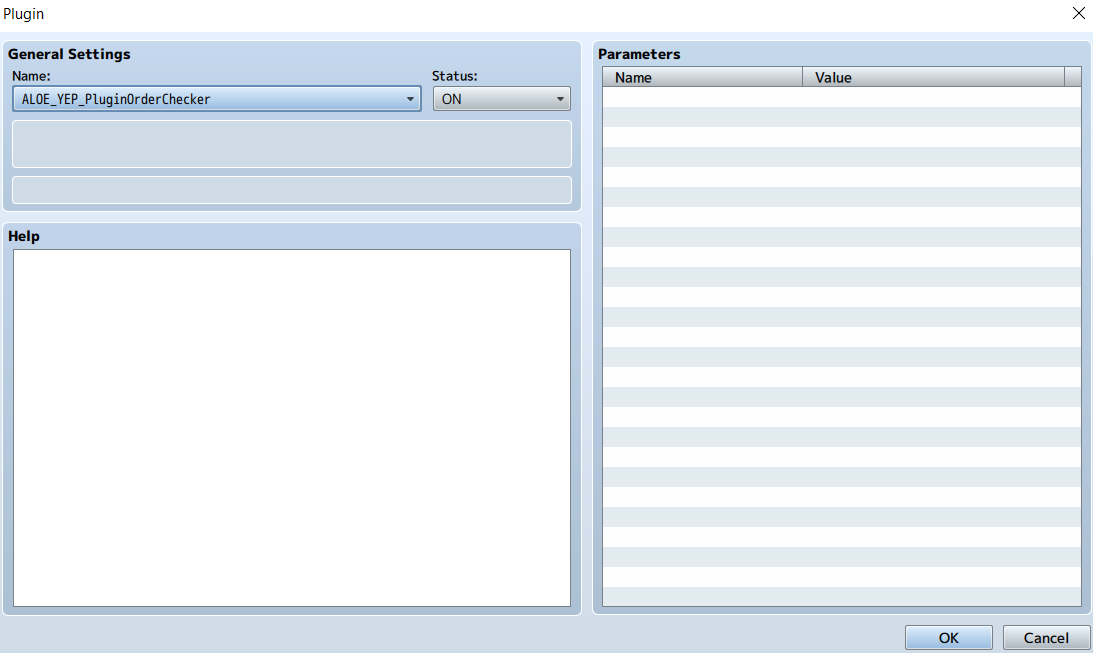
Plugin Order Checker
Title: Plugin Order Checker
Extends: N/A
Description:
Errors can occur if Yanfly plugins are added in the wrong order. The only way to check the order is manually against their website... Until now!
This plugin will check the order of your Yanfly plugins and tell you if anything is wrong.
Install Instructions: Install at the bottom of the Plugin Manager.
Download Plugin Order Checker
Extends: N/A
Description:
Errors can occur if Yanfly plugins are added in the wrong order. The only way to check the order is manually against their website... Until now!
This plugin will check the order of your Yanfly plugins and tell you if anything is wrong.
Install Instructions: Install at the bottom of the Plugin Manager.
Download Plugin Order Checker
Menu Parameter Control
Title: Menu Parameter Control
Extends: Status Core, Skill Core, In-Battle Status Window, Class Change Core, Item Core, Shop Menu Core
Description:
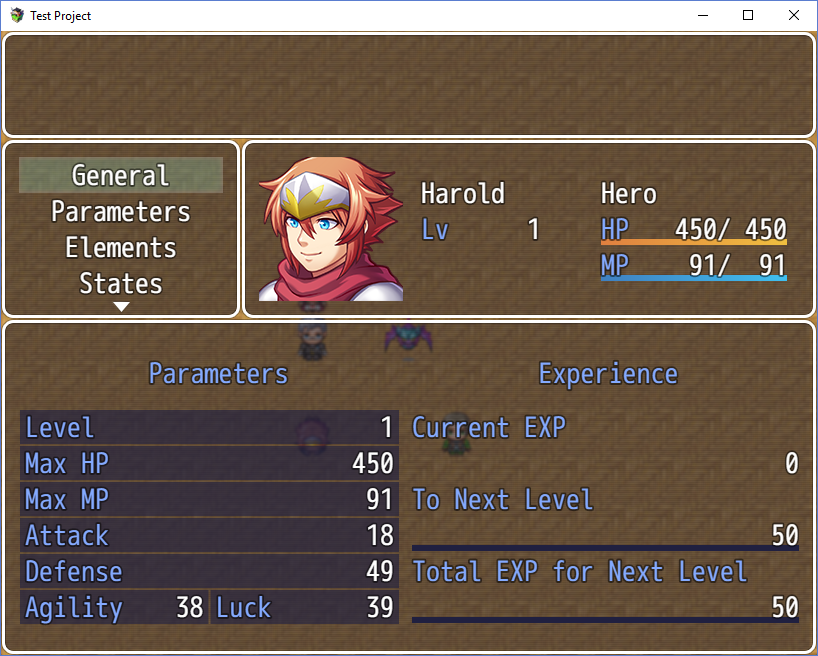
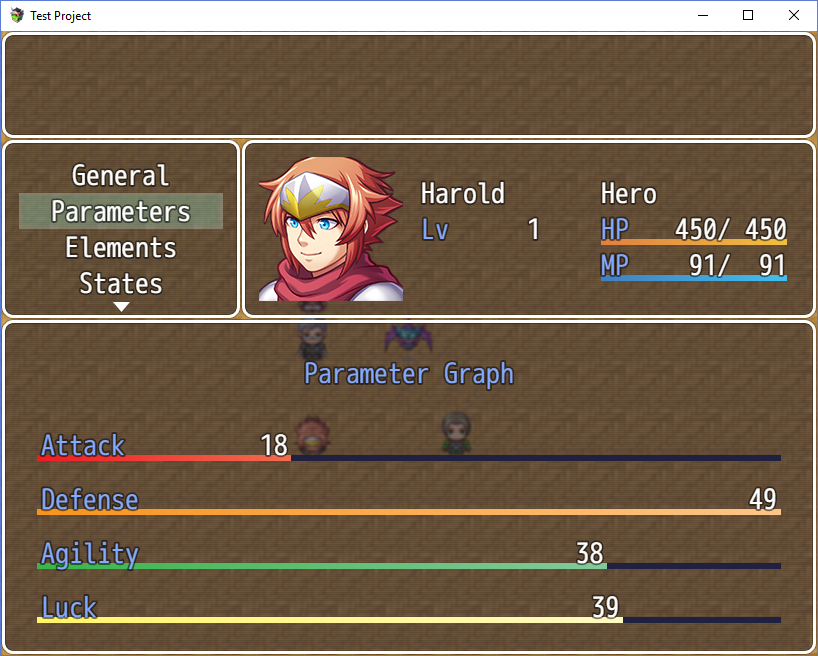
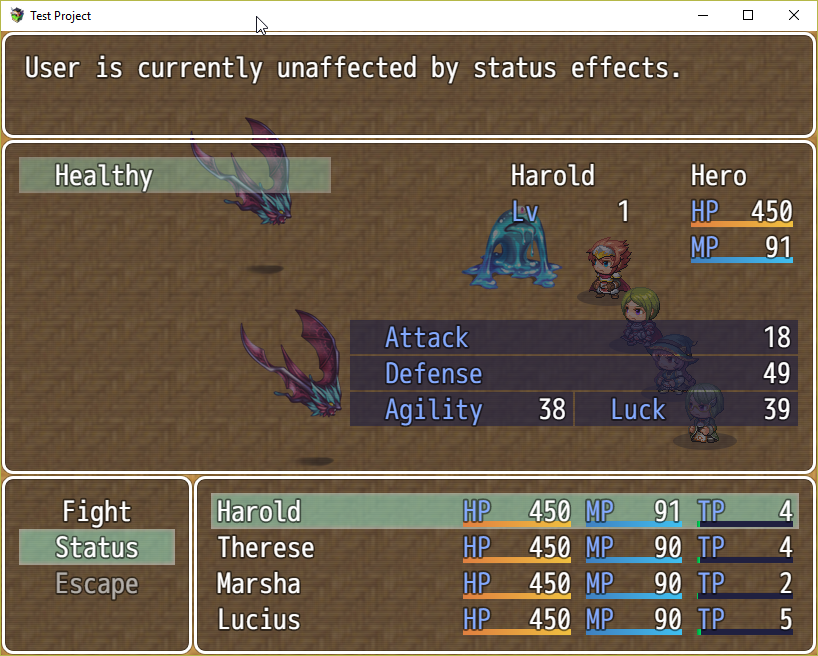
Control which parameters show in any menu!
Perfect for games that don't use the traditional parameters (ex. games without magic, so no Magic Atk or Magic Def). Additionally, control what order the parameters appear.
Install Instructions: Place below all YEP plugins.
Download Menu Parameter Control
Extends: Status Core, Skill Core, In-Battle Status Window, Class Change Core, Item Core, Shop Menu Core
Description:
Control which parameters show in any menu!
Perfect for games that don't use the traditional parameters (ex. games without magic, so no Magic Atk or Magic Def). Additionally, control what order the parameters appear.
Install Instructions: Place below all YEP plugins.
Download Menu Parameter Control
Map Select Skill - Help Window
Title: Map Select Skill - Help Window
Extends: YEP_MapSelectSkill
Description:
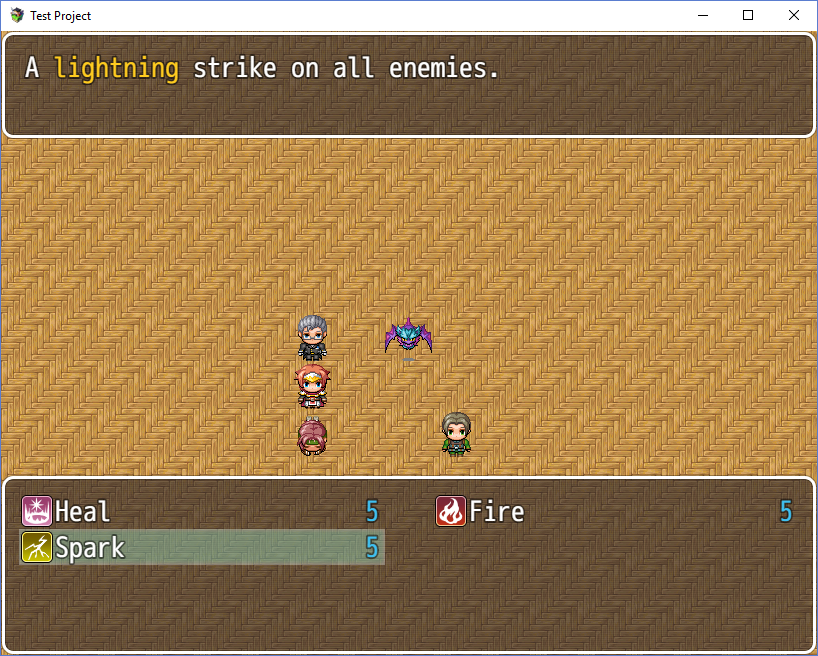
The Map Select Skill plugin allows the player to select a skill, and the ID# is saved to a variable.
This extension creates a help window that displays the description of the skill as the players are selecting it.
Install Instructions: Install below YEP_MapSelectSkill
Download Map Select Skill - Help Window
Extends: YEP_MapSelectSkill
Description:
The Map Select Skill plugin allows the player to select a skill, and the ID# is saved to a variable.
This extension creates a help window that displays the description of the skill as the players are selecting it.
Install Instructions: Install below YEP_MapSelectSkill
Download Map Select Skill - Help Window
Map Select Equip - Help Window
Title: Map Select Equip - Help Window
Extends: YEP_MapSelectEquip
Description:
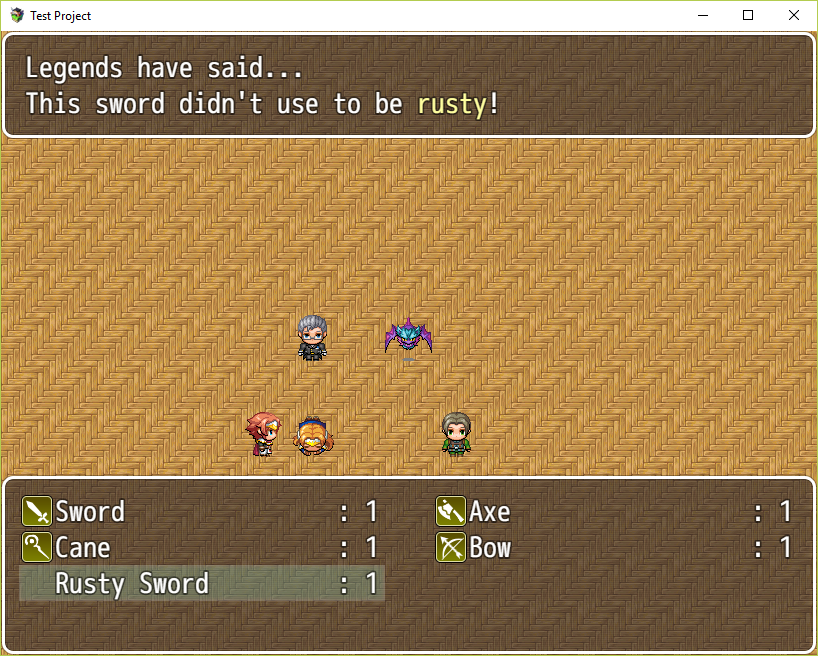
The Map Select Equip plugin allows the player to select an equipment, and the ID# is saved to a variable.
This extension creates a help window that displays the description of the equipment as the players are selecting it.
Install Instructions: Install below YEP_MapSelectEquip
Download Map Select Equip - Help Window
Extends: YEP_MapSelectEquip
Description:
The Map Select Equip plugin allows the player to select an equipment, and the ID# is saved to a variable.
This extension creates a help window that displays the description of the equipment as the players are selecting it.
Install Instructions: Install below YEP_MapSelectEquip
Download Map Select Equip - Help Window
Row Formation Actor Face
Title: Row Formation Actor Face
Extends: YEP_RowFormation
Description:
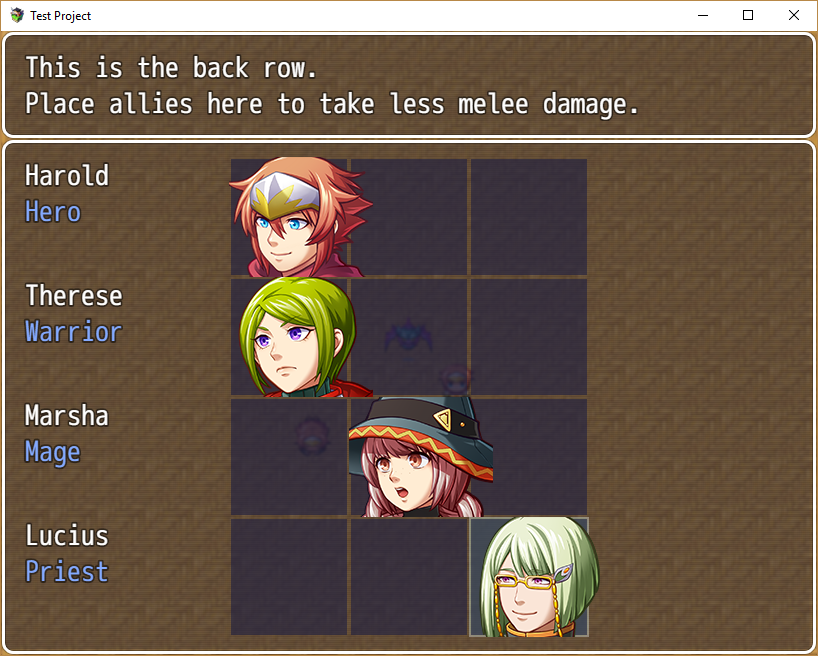
The RowFormation plugin comes with a screen that allows the player to arrange their party's formation in rows.
It uses the actor battle sprites by default, which can have strange effects if non-standard sprites are used. This extension allows the developer to choose to use the actor's face instead.
Install Instructions: Install below YEP_RowFormation
Download Row Formation Actor Face
Extends: YEP_RowFormation
Description:
The RowFormation plugin comes with a screen that allows the player to arrange their party's formation in rows.
It uses the actor battle sprites by default, which can have strange effects if non-standard sprites are used. This extension allows the developer to choose to use the actor's face instead.
Install Instructions: Install below YEP_RowFormation
Download Row Formation Actor Face
Aftermath Level Up Sound Effects
Title: Level Up Aftermath Sound Effect
Extends: YEP_X_AftermathLevelUp
Description:
The Aftermath Level Up plugin shows a window describing the changes to an actor when they leveled up.
This extension allows the developer to play a Sound Effect to celebrate the actor leveling up. Additionally, each actor may use their own sound effect.
Install Instructions: Install below YEP_X_AftermathLevelUp
Download Aftermath Level Up Sound Effects
Extends: YEP_X_AftermathLevelUp
Description:
The Aftermath Level Up plugin shows a window describing the changes to an actor when they leveled up.
This extension allows the developer to play a Sound Effect to celebrate the actor leveling up. Additionally, each actor may use their own sound effect.
Install Instructions: Install below YEP_X_AftermathLevelUp
Download Aftermath Level Up Sound Effects
In Progress:
Spoiler
Customized window in the Status screen.
{On Hold}
{On Hold}
Terms of Use:
Free for use in commercial or non-commercial games.
Credits:
Not required.
All code in this thread is released under the MIT License, please see the link for more information.
https://opensource.org/licenses/MIT
You must still credit Yanfly for writing the original code.
Change Log:
May 11 2018 - Added Plugin Order Checker
May 15 2018 - Added Map Select Skill - Help Window
May 22 2018 - Added Menu Parameter Control
May 28 2018 - Fixed a bug in the Menu Parameter Control
June 3 2018 - Added Map Select Equip - Help Window
June 14 2018 - Added Row Formation Actor Face & updated Menu Parameter Control to allow the use of sp-params and ex-params
July 1 2018 - Added Level Up Sound Effects
Suggestions/Requests:
Feel free to post suggestions and/or requests!