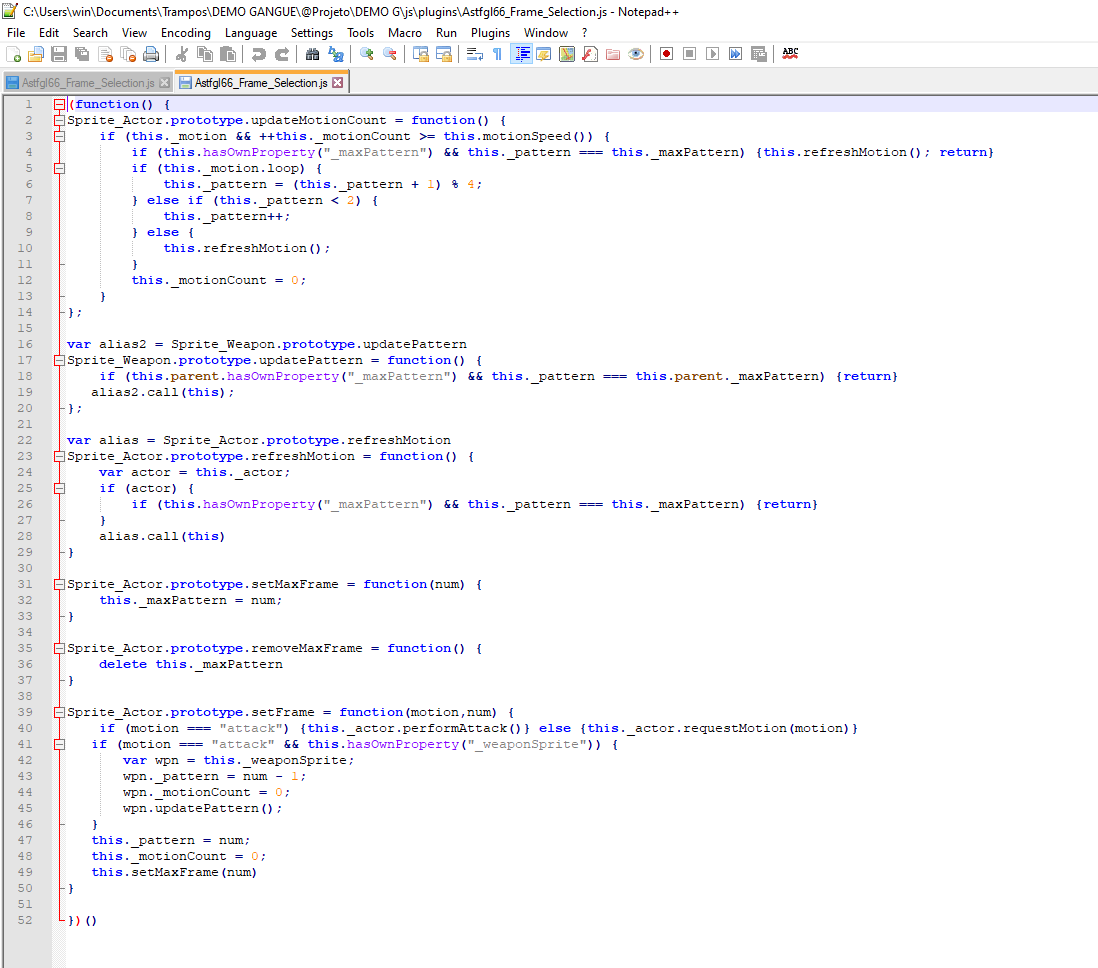
I'm sorry, but how do i insert that in my notes?
I have little-to-none knowledge of coding, i don't know how to make Eval work, all i understand is basic action sequence stuff. Hell, i dont even know for sure if the plugin is working, if i pasted it the right way... i get no response and i dont know what i'm doing wtong
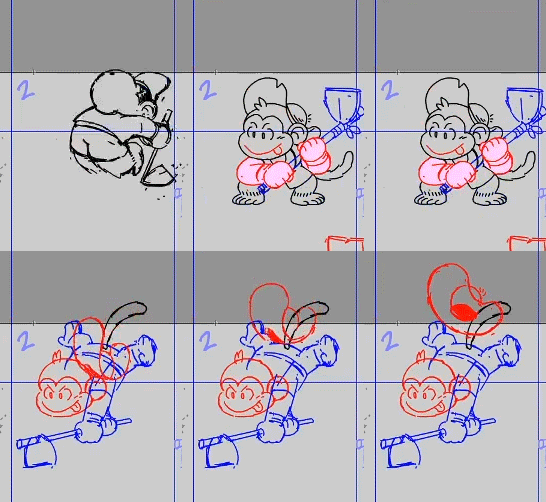
Anyway, i was recommended this thread because i want to hold the exposure for each frame, im doing animation from scratch, and this is what i want it to look like: pose 1 (hold 12 frames), pose 2 (hold 15), pose 3 (hold 3). This way i get way more impact for the animation, while RPG Maker's deafult animation plays in evenly timed poses.
This is what i want it to look like in game (nevermind the hat, that i think i'll handle with regular animation):
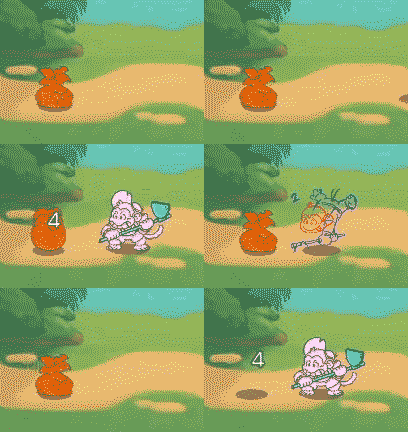
This is how RPG actually plays it, it has no impact and looks hella awkward (but are actually the same 3 drawing, just different timing)
From what i read i believe this plugin will do it, i just don't know how to code it properly, here's what i tried:
Code:<setup action>
clear battle log
display action
immortal: targets, true
perform start
wait for movement
</setup action>
<target action>
if user.attackMotion() !== 'missile'
move user: targets, front, 20
else
perform start
end
wait for movement
motion attack: user
$gameActor.actor(id).battler().setFrame(thrust,1)
wait: 12
$gameActor.actor(id).battler().setFrame(thrust,2)
wait: 15
$gameActor.actor(id).battler().setFrame(thrust,3)
wait: 3
attack animation: target
wait for animation
action effect
death break
</target action>
<finish action>
immortal: targets, false
wait for new line
clear battle log
perform finish
wait for movement
</finish action>
these are my plugins:
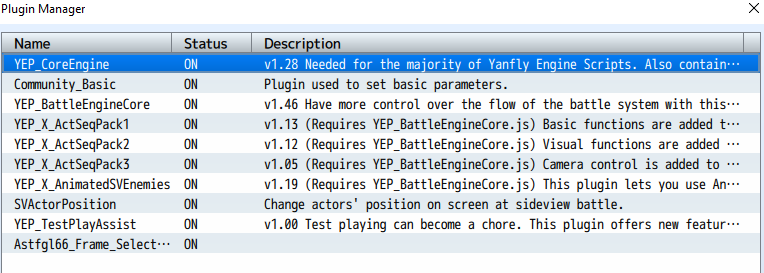
and this is how i saved the code provided (in case i messed something up in that step)