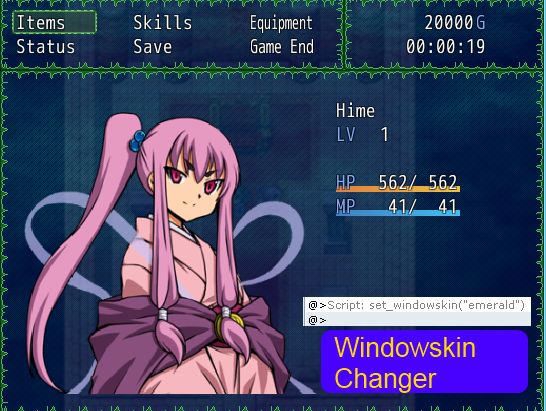
Windowskin Changer

● ARCHIVED · READ-ONLY
Started by Tsukihime 6 posts View original ↗


  1. By default, RPG Maker uses the file called "Window" stored in the Graphics/System folder, and only supports one windowskin throughout the game.

    This script allows you to change window skins dynamically during the game using script calls. For example, you can change window skins depending on the character that's currently speaking, or to reflect the player's current alignment.

    Get it at HimeWorks!
  2. Cool! Its the little things like this that makes games fun.  :) Well, to me at least. XD
  3. I was just hoping for something like this to change between cut scenes and major events, thank you.
  4. Script has been updated. Windows that weren't refreshed properly before are refreshed now.
  5. Found a bug in the script.


    When you change window skins, the message window changes...but the windows created by the message window do not change.


    Should be addressed now.
  6. Hello, Hime. :)
    Sorry if I make this like some necropost, but I want help on this, please.

    As for 2020, I have found this script and used it for my games. It's awesome.
    Now, the thing is: I have a certain windowskin defined as the default one, but whenever I do the windowskin change (making it happen when entering a different area or fighting a major boss or a simple random encounter) and then either lose the battle or go back to the title menu, the windowskin I called last time still remains. I would like to see the windowskin to revert back to the one I define as the default. But I have no idea how I can do that.