by: AppointedPie
Introduction
A small script that allows you to enter custom values for the Global settings for Line Height, and Window Padding. These functions already exist in YEP_CoreEngine, so if you are using that, it is unnecessary. If you prefer this lightweight version of just these settings, then this is for you.
Features
- Adjust the system setting for Line Height. Decreases the spacing between lines. You should adjust this to tighten up the look of your windows if you choose a font smaller than the default.
- Adjust the system setting for Window Padding. This is the distance from your text to the edge of the window. Adjust this if you want more or less space between window borders and text inside.
Screenshots
Here's a screenshot of how the spacing is effected when you use smaller fonts.
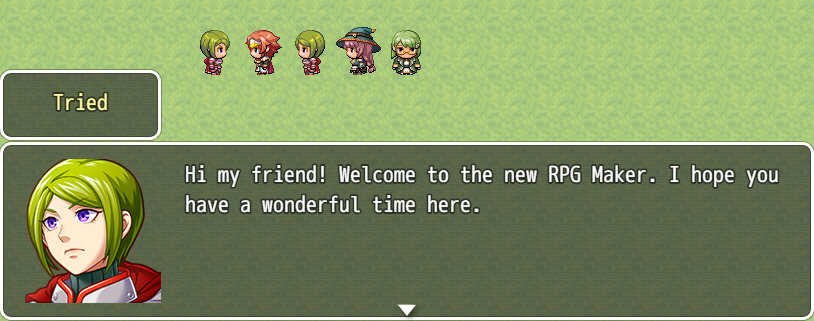
and here's what it can look like after using the script...
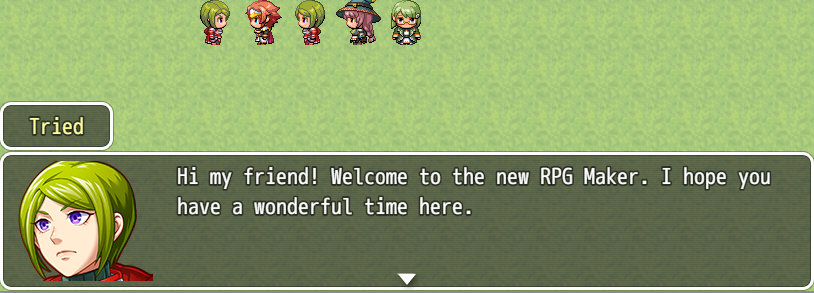
here's what it looks like.
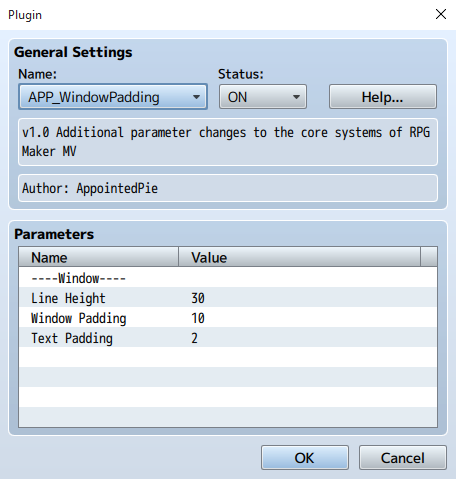
Code (copy and paste into the JavaScript editor of your choice)
Pastebin
or copy and paste from below.
//=============================================================================// AppointedPie - Window Padding// APP_WindowPadding.js//============================================================================= var Imported = Imported || {};Imported.APP_WindowPadding = true; var AppointedPie = AppointedPie || {};AppointedPie.WindowPadding = AppointedPie.WindowPadding || {}; //=============================================================================/*: * @plugindesc v1.0 Additional parameter changes to the core systems of RPG Maker MV * @author AppointedPie * * @param ----Window---- * @default * * @param Line Height * @desc Adjusts the Line Height system default. * Default: 36 * @default 30 * * @param Window Padding * @desc Adjusts the window padding system default. * Default: 18 * @default 10 * * @param Text Padding * @desc Adjusts the text padding system default. * Default: 6 * @default 2 * *///=============================================================================// Parameter Variables//============================================================================= AppointedPie.Parameters = PluginManager.parameters('APP_WindowPadding');AppointedPie.Param = AppointedPie.Param || {}; AppointedPie.Param.LineHeight = Number(AppointedPie.Parameters['Line Height']);AppointedPie.Param.WinPad = Number(AppointedPie.Parameters['Window Padding']);AppointedPie.Param.TextPad = Number(AppointedPie.Parameters['Text Padding']); //-----------------------------------------------------------------------------Window_Base.prototype.lineHeight = function() { return AppointedPie.Param.LineHeight;}; Window_Base.prototype.standardPadding = function() { return AppointedPie.Param.WinPad}; Window_Base.prototype.textPadding = function() { return AppointedPie.Param.TextPad}; Window_Base.prototype.updatePadding = function() { this.padding = this.standardPadding();};//=============================================================================// End of File//=============================================================================
Credit
- AppointedPie
Author's Notes
This script may be used freely for both personal and commercial purposes. Thanks and have fun!!