I found a very small grammatical error in one of the classrooms. It says "use the same variable that was used to input a number, and multiple it". Guessing you know what it should be. :)
Variables Guide
● ARCHIVED · READ-ONLY
-
-
I'm new to RPG Maker, and I really enjoyed this tutorial. One question: where did you get the resources? Are they available for use?
-
Still have zero idea how to count the monsters death.
HOW do I make a kill x number of monsters and return to me quest??? -
@TiLu640 - best answer from Cel below [=
SpoilerThe way to have variables track picking up ten objects is very similar to tracking killing ten monsters.
Use the Variables tut, say you have played before and go to this room.

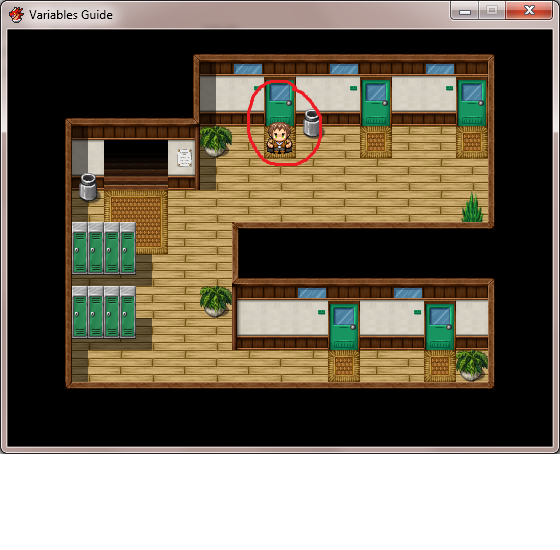
Pick up all the books. Pay attention.
Then go look at the code for it.
Do you understand all that?
Then depending on how you set up your monster battles, you just change the variable at the time of battles.
Unless you want to make a difference between battles and number of monsters, in which some battles have multiple monsters.
Then you need to have a separate help request. Or if you have more questions. Good luck. -
The project was created with my own resources, found in Celianna's Parallax tiles.I'm new to RPG Maker, and I really enjoyed this tutorial. One question: where did you get the resources? Are they available for use?
@TiLu640: check on the outside map, that's where you need to kill three slimes to 'complete' a quest. -
I did that, but it seems I can't get the monsters to be counted.. or stored?
-
Very nice tutorial. I like that it actually had enough of a plot that it informative and fun. I've seen so many tutorials lately that have just been so *boring*, and half the time they've turned out not to even be about what I wanted to learn. Come to think of it, this one and the Switches tutorial have been the most useful and easiest to understand that I've found. So thanks for sharing these!
-
It taught me a lot..thanks for this tutorail I'm very weak at variables and switches..
-
I know this is pretty old, but did you use a generator to design the character portraits? If so would you mind sharing?
-
Eh, I already am able to use variables in the most advanced conditions but you're never too advanced to learn, right? *downloads*
-
As I said earlier, these are my own resources!I know this is pretty old, but did you use a generator to design the character portraits? If so would you mind sharing?
I might create a switches tutorial in the same vein as this one. -
This guide certainly made the variables easier to understand. Also thanks for the download, looking at the sorce is going to be far the best part of this.
-
thank you this is wonderful!!
-
I'm weak at mathematics and logical thinking, so this will probably take a while to grasp, but the tutorial game was fun and very informative. I'll take a look at the code too, and see if that clears anything up.
Is it actually possible to catch any fish, though..? -
Yes, it's possible to catch the fish :)
Much like it's possible to get the lottery on your first try! -
nice tutorial.
-
Great guide! :cutesmile:
-
Just played through and noticed a bug in the room with all the books on the desk.
When I was asked to put the books all back on the desks, I kept one, and the instructor didn't notice & acted as though I'd put them all back.
Otherwise, pretty informative about a subject I'd been dreading to tackle for a decade! -
This tutorial was extremely helpful! Thank you so much for creating and uploading this Celianna, it was amazingly helpful in learning about variables. I'm sure I'll be using this guide again and again if I ever need help with variables and common events.
-
So how do I open these projects in MV? Is there no way to do so? I keep getting "Unexpected File Format." Do I have to buy the proper program as well???