Using Key Items to Trigger Events

● ARCHIVED · READ-ONLY
Started by Tsukihime 4 posts View original ↗
  1. This article shows how you can set up events to respond when the player uses a key item on the event.


    This is the second part of the series on Event Trigger Labels, a concept that allows developers to partition their event sequences into different sections marked by labels and choosing which section to execute depending on how the event was triggered.


    In the first part, Assigning Multiple Action Triggers to your Events, we explored a problem where I wanted to be able to interact with an NPC in two different ways depending on my intent: to talk to the NPC, or to challenge it to a card battle.


    We can extend our trigger labels beyond simply buttons; we can also use key items! In order to add this functionality, you will need to install the following script: Key Item Trigger Labels


    The Situation


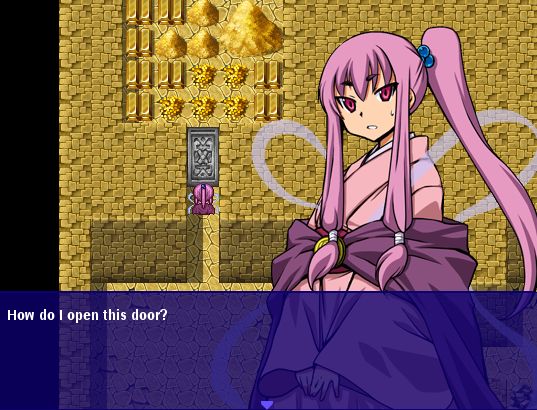
    Suppose you are exploring a dungeon called the Forgotten Pyramids and you come across a room full of treasure. Of course, the room is blocked by a door. No matter how hard you try, it simply does not open when you try to interact with the door.


    Basic Setup


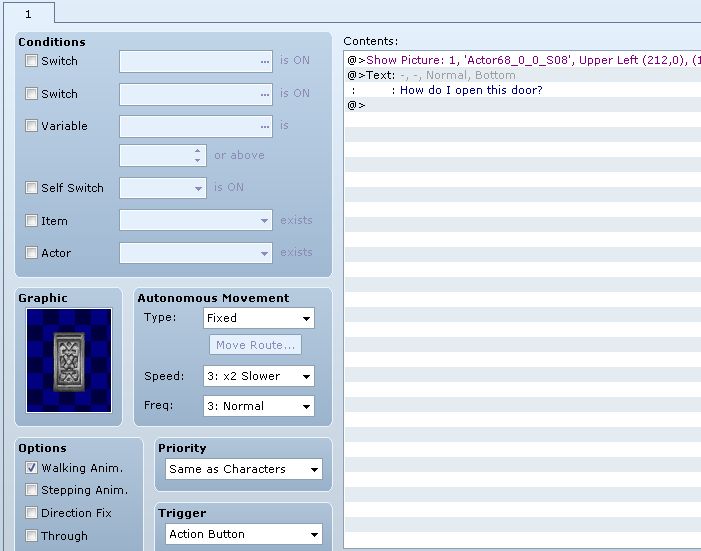
    We start with the basic setup where the player interacts with the door and is unsuccessful.


    Designing a Key Item


    We want to design a mechanism to open this door. Let’s say the pyramids were a part of some technologically advanced civilization and they had some tablets that were used to interface with highly secure doors.
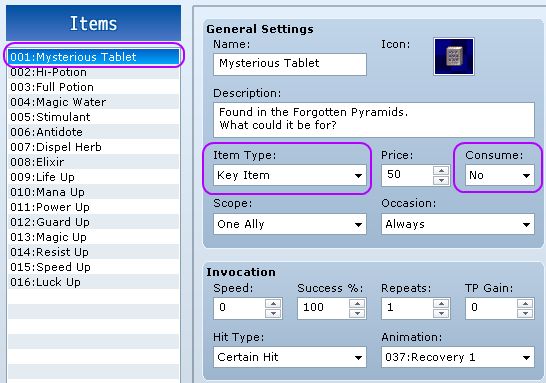


    There are three things that you need to set:

    • The ID of the item
    • Whether it’s a key item or not
    • Whether it is consumable or not
    We will be using key items to interact with this event, so it must be a key item.
    Because we will be “using” the item, there may be cases where you actually want the item to be consumed once it has been successfully used. We would like to be able to re-use our tablet throughout the dungeon, but you could just as easily make it so that it crumbles after one use.


    We continue by creating the actual trigger label that will be used to respond to the key item.


    Read the rest at HimeWorks!
  2. I want ask something, can I decrease one key item's quantities after I use it on an event.
    For example: if player do a task to bring a fish then I use 'select key items' and put it on conditional branch.

    If player give the right thing, the fish will decrease by one.

    How to do that?
  3. kazukazu said:
    I want ask something, can I decrease one key item's quantities after I use it on an event.


    For example: if player do a task to bring a fish then I use 'select key items' and put it on conditional branch.


    If player give the right thing, the fish will decrease by one.


    How to do that?
    That is basic eventing - just use a change item command in the correct branch.
    I suggest you follow the link in my signature to the starting point and work through the tutorials there to get familiar with the event commands
  4. Tsukihime said:
    This article shows how you can set up events to respond when the player uses a key item on the event.


    This is the second part of the series on Event Trigger Labels, a concept that allows developers to partition their event sequences into different sections marked by labels and choosing which section to execute depending on how the event was triggered.


    In the first part, Assigning Multiple Action Triggers to your Events, we explored a problem where I wanted to be able to interact with an NPC in two different ways depending on my intent: to talk to the NPC, or to challenge it to a card battle.


    We can extend our trigger labels beyond simply buttons; we can also use key items! In order to add this functionality, you will need to install the following script: Key Item Trigger Labels


    The Situation


    Suppose you are exploring a dungeon called the Forgotten Pyramids and you come across a room full of treasure. Of course, the room is blocked by a door. No matter how hard you try, it simply does not open when you try to interact with the door.


    Basic Setup


    We start with the basic setup where the player interacts with the door and is unsuccessful.


    Designing a Key Item


    We want to design a mechanism to open this door. Let’s say the pyramids were a part of some technologically advanced civilization and they had some tablets that were used to interface with highly secure doors.


    There are three things that you need to set:

    • The ID of the item
    • Whether it’s a key item or not
    • Whether it is consumable or not
    We will be using key items to interact with this event, so it must be a key item.
    Because we will be “using” the item, there may be cases where you actually want the item to be consumed once it has been successfully used. We would like to be able to re-use our tablet throughout the dungeon, but you could just as easily make it so that it crumbles after one use.


    We continue by creating the actual trigger label that will be used to respond to the key item.


    Read the rest at HimeWorks!
    Hi, this script is exactly what I need for my games but something strange happened when I intalled it (I have the other script installed too, the "event trigger labels" one)
    Could you tell me how can I fix this?