Unable to save in deployed Mac version, and Mac only error after accessing options

● ARCHIVED · READ-ONLY
Started by Rose Guardian 6 posts View original ↗
  1. I have Windows 10, but I made a Mac Deployment for a friend so they could the play my game. There was a problem though. They couldn't save in the Mac version and got this Mac only error when opening options, and then hitting the esc button.
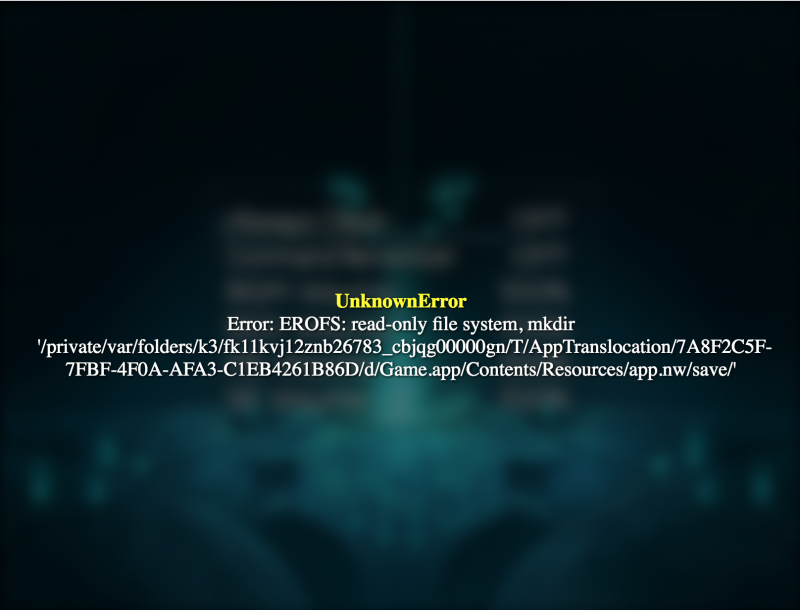
    MacOnlyError.png

    I don't have a Mac. So I cannot fix it. However I would like to know what could do to fix this for a Mac, and enable save for a Mac after Deployment on a Windows 10 PC using Mac Deployment.
  2. Oh boy, you're gonna run into a lot of Mac errors, just like me. That's why I won't officially support a Mac version of my project ahaha.

    Anyways, mac really doesn't want to give games permission to overwrite files (aka; a simple save file). There's some ways to get around this issue, but your friend has to allow unauthorized apps permission to overwrite, I suggest doing some intensive googling for this issue.

    So pretty much, it's not an MV issue, it's a Mac issue, and it differs case per case.

    I've had some users say they had success in saving by clicking the "nwjs" file in their Mac folder, instead of the app file. Try that.
  3. Creating the compiled version on a real Mac solves some of this too, due to the way the Mac file structure works, sadly.
  4. Thank you. I guess it's better not to have a Mac version of my game due the problems.
  5. Sadly, it's more due to how Apple has handled the Mac than anything. They want you making programs for their products on their products, no exceptions. So the only workaround that has any chance of working is to get a Mac yourself then make the game on there.
  6. As others are saying, it is indeed an Apple issue.
    As for the rumour above, that if you create the project on a mac, it won't run in that problem: I can confirm.
    I'm working with RPGmaker MV on my macbook since I've started, and never seen this issue.

    To fix this, you'll have to allow the game to adjust files.
    This should be able to be done in the steps:
    1.) Navigate to the game.exe file.
    2.) Right click the file, and select "Show Info"
    3.) Open the "permissions" section
    4.) Adjust the settings for it to be able to both write and read files.

    Edit: Forgot to say that this has to be done on the Mac side of things. (In case it wasn't obvious :p )