@DarkSearinox92 , I think the html tags are there due to the way you're downloading the file.
On github, do not right click and "save file as", as this will save the entire html page and not only the plugin!
You have two options: select plugin text, copy and paste in a local file; or click the raw button to open a page with only the plugin (no html tags), then right click and "save as" (some printscreens in the spoiler tag to illustrate what I mean).
Spoiler
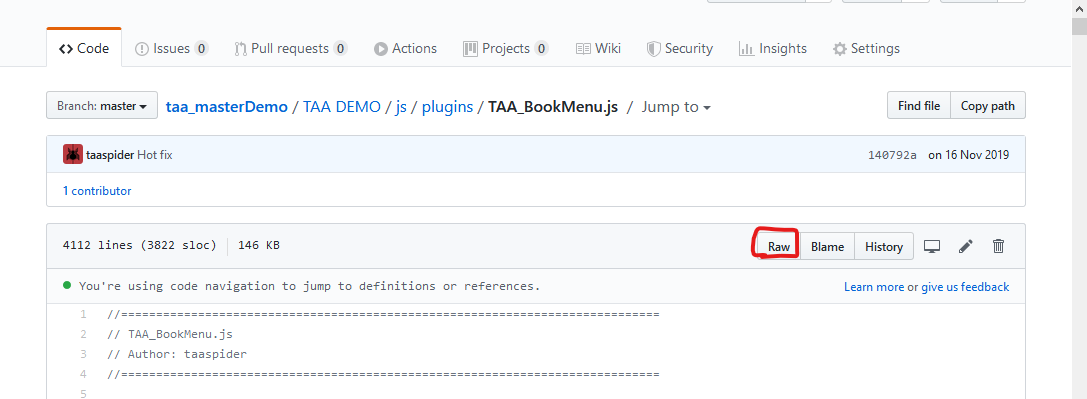
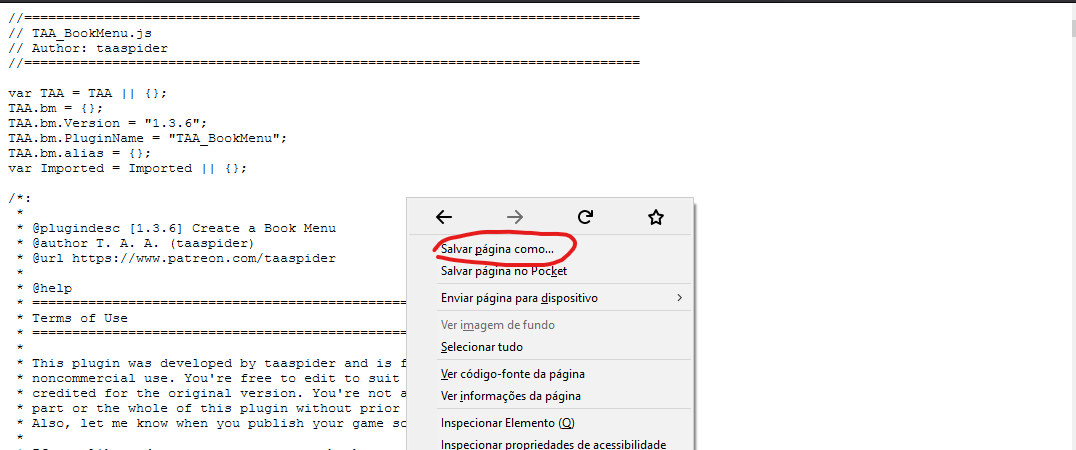 "Salvar Página Como" = "Save page as", it's just that my browser is in portuguese...
As for downloading the demo, I just tested it and its working fine. Try going to the root github page (
this page), then click "Clone or Download", and then "Download ZIP".
Let me know if that solves your issue.
Also, I just released version 1.3.7:
- Added a handler to exit the detached book view with both 'ok' and 'cancel' buttons (
@MikaTeapot )
- Fixed the black screen issue with long texts. (
@EseQueL )
An important note on the second item:
The issue was caused by the way the plugin was calculating text height before drawing it to the screen. There was an issue with the math, which was exceeding the WebGL maximum supported texture size, which depends on your graphic card.
I've tested a really long text after the fix both on PC and Android. As a reference, my largest test included 4472 characters, which still ended up around 20% the maximum size supported on my computer GPU, a GTX760.
However, please be careful with extremely large book texts and be sure to test them on your target device to make sure its GPU can handle it. If it can't, consider breaking your text into smaller books.