TAA_BookMenu (v1.6.7)

● ARCHIVED · READ-ONLY
Started by taaspider 301 posts Page 12 of 16 View original ↗
  1. ThreeSixNine said:
    I use CGMV Core, many Yanfly Plugins and this plugins and I havent had any issues.

    I have CGMV placed above all the yanfly plugins and this amazing plugin below all the Yanfly ones.
    That's interesting feedback! For me, moving this particular plugin around doesn't make any difference... I'll try moving CGMV Core above Yan's and let you know the outcome.
  2. ThreeSixNine said:
    I use CGMV Core, many Yanfly Plugins and this plugins and I havent had any issues.

    I have CGMV placed above all the yanfly plugins and this amazing plugin below all the Yanfly ones.
    That didn't work I'm afraid... The ONLY thing that works for me is turning off the CGMV Core.
  3. C64_Mat said:
    That didn't work I'm afraid... The ONLY thing that works for me is turning off the CGMV Core.
    Have you tried setting up a clean test project with only the aforementioned plugins present to see if the issue persists?
    I just did that and couldn't replicate the problem on my own.

    Maybe if you send me your plugins.js file I can check if there isn't any specific parameters giving you trouble.
    Can you PM me your plugins.js file, so I can check on your parameters settings?

    Also, looking through CGMV's code I found nothing that should be interfering with BookMenu, strangely. All it does is create a bunch of new stuff the dev probably uses in his other plugins.

    I can try debugging further with your plugins.js file, but the best course would be to setup a clean test project to replicate the problem in a more controlable environment. If you do manage to replicate it, sending me a link to download this test project would reeeeaaaally help me help you hehe :)
  4. taaspider said:
    Have you tried setting up a clean test project with only the aforementioned plugins present to see if the issue persists?
    I just did that and couldn't replicate the problem on my own.

    Maybe if you send me your plugins.js file I can check if there isn't any specific parameters giving you trouble.
    Can you PM me your plugins.js file, so I can check on your parameters settings?

    Also, looking through CGMV's code I found nothing that should be interfering with BookMenu, strangely. All it does is create a bunch of new stuff the dev probably uses in his other plugins.

    I can try debugging further with your plugins.js file, but the best course would be to setup a clean test project to replicate the problem in a more controlable environment. If you do manage to replicate it, sending me a link to download this test project would reeeeaaaally help me help you hehe :)
    Understood! Thank you so much for the time you've taken to look into this. The conflict strikes me as odd, too.

    I will send you both the file, and a test project if I can recreate it on a new title.

    Cheers again!

    Mat
  5. Thanks to the incredible help and support of the plugin owner, @taaspider , we now have compatibility!

    I was mistaken in my original assessment - it was the CGMV_Toast plugin which was causing the conflict, with the way it handles pup-up windows in game.

    However that affected the book menu I'm not sure, but it's been fixed, and @taaspider now has an updated version of their MV Book Menu plugin file. I now have compatibility between my masses of plugins, and I'm very grateful.

    So, as for my particular issue, this has now been resolved. Thank you!
  6. Version 1.6.2 has just been officially released with a compatibility fix for CGMV_Toast! :D
  7. Sorry to be a pain in the arse @taaspider ! It's one quick question about aesthetics in the detached window.

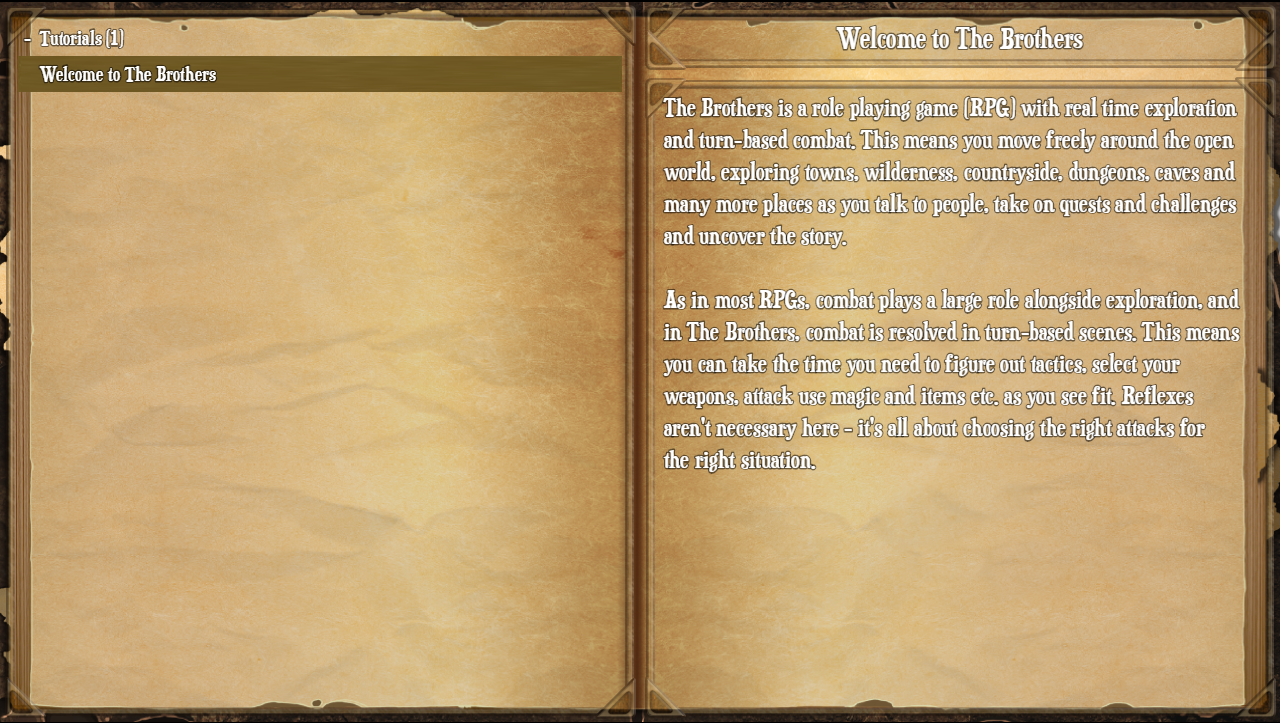
    In the Book Menu, my books look like this:
    BookMenu1.png

    As you can see, I've altered the parameters of the windows so it fits my background image nicely. I'm really happy with this, and it looks and works great!

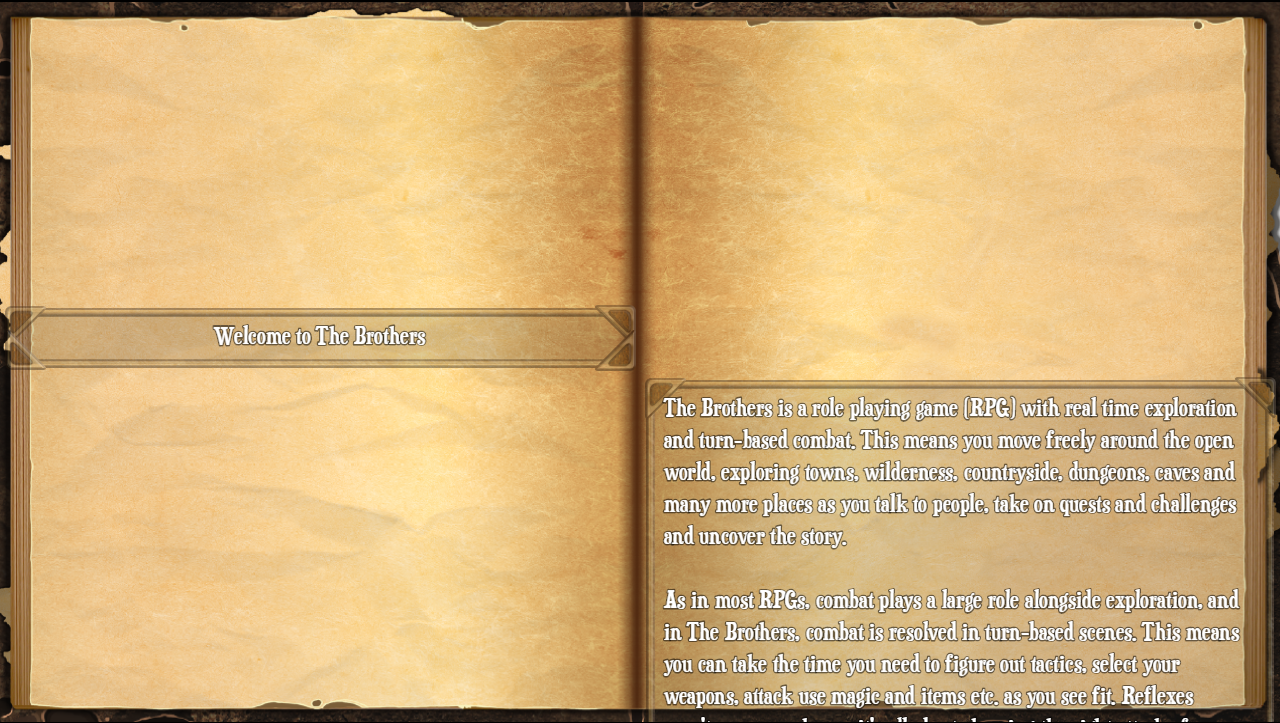
    I've tried to follow a similar approach in the detached book window, but because there isn't a category list there (as there shouldn't be!), I want to have the book title window on the left of the screen half way down, as if it's the first inner page of the book, similar to how Morrowind did it. But because the text window positioning is configured to use the 'zero' Y position to mean directly underneath the title window, I can only get it to look like this:
    BookDetached1.png

    I could of course use the 'zero' Y position for the title window, but even then it would still leave a gap at the top of the 'reading page' as it were. I've tried using things such as Y equalling -300, but it won't move lower than zero.

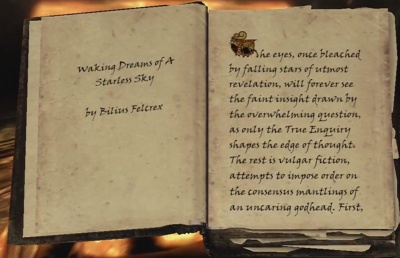
    Here's an example of a book being read in Skyrim, to show something similar to what I'm trying to achieve!
    400px-Wakingdreamsfallingstarblackbook.jpg
  8. Did you try using a negative Y positioning? I'm not sure how reliable that would be but it might get you closer.
  9. Solar_Flare said:
    Did you try using a negative Y positioning? I'm not sure how reliable that would be but it might get you closer.
    Yes, I did write that in my post. "I've tried using things such as Y equals -300"
  10. Oh, sorry, I must have missed that somehow…
  11. C64_Mat said:
    Sorry to be a pain in the arse @taaspider ! It's one quick question about aesthetics in the detached window.

    In the Book Menu, my books look like this:

    View attachment 204822

    As you can see, I've altered the parameters of the windows so it fits my background image nicely. I'm really happy with this, and it looks and works great!

    I've tried to follow a similar approach in the detached book window, but because there isn't a category list there (as there shouldn't be!), I want to have the book title window on the left of the screen half way down, as if it's the first inner page of the book, similar to how Morrowind did it. But because the text window positioning is configured to use the 'zero' Y position to mean directly underneath the title window, I can only get it to look like this:

    View attachment 204823

    I could of course use the 'zero' Y position for the title window, but even then it would still leave a gap at the top of the 'reading page' as it were. I've tried using things such as Y equalling -300, but it won't move lower than zero.

    Here's an example of a book being read in Skyrim, to show something similar to what I'm trying to achieve!

    View attachment 204828
    Applying a negative value to the Text Window Y parameter should work. But, I took a look into the code and found a bug that would prevent that from happening as intended... turns out the plugin was completely ignoring this parameter.

    I've setup a new version (1.6.3, it's already released on itch) that fixes this issue. For backwards compatibility purposes, the actual window position remains relative to the title window position for the detached scene. So if you want to move the text window to the top of the screen you should subtract the sum of the title Y position and its height. You can do that referencing the actual window settings using this value:

    Code:
    - this._titleWindow.height - this._titleWindow.y

    If you want a fixed Y value not relative to the title window, just add it as a sum to the expression (+150, for example) and you're good to go.

    I tested it over here and it has now worked as intended, but let me know if the issue somehow still persists!
  12. @taaspider
    I feel really guilty now because this plugin has been all nice and complete, and thanks purely to my using it you've now released two more versions. But I am grateful, of course!

    Thank you isn't a big enough word!

    Just to confirm - it works perfectly now.
  13. C64_Mat said:
    I feel really guilty now because this plugin has been all nice and complete, and thanks purely to my using it you've now released two more versions. But I am grateful, of course!
    Don't worry... there's a ton of parameters on this one... I won't be surprised if people finds more stuff to fix by experimenting with them, or by combining this with other plugins. It's a really complex monster this thing, it's nice to see it getting used by you people and grow a little bit in the process! :D

    C64_Mat said:
    Thank you isn't a big enough word!

    Just to confirm - it works perfectly now.
    Glad I could help!
    Let me know when your game is complete so I can check it out!! ^^
  14. @taaspider
    I was hoping to use this plugin as a help guide, but for some reason categories aren't showing. All the "books" are showing up in the list, but there are no actual categories to open/close (see picture).

    ShowCategories/LoadClosedCategories are both TRUE, and HideUnreadBooks is FALSE. But even if I try changing these values, there's no difference.

    The attached image shows the "books" in the list without categories, and the attached text file is my JSON (renamed to .txt just because this site doesn't allow .json files to be uploaded for some reason...)

    Am I doing something wrong?
  15. Hello Everyone!

    Has anyone made this plugin work with Luna Engine?

    Thanks!
  16. WoefulWitch said:
    @taaspider
    I was hoping to use this plugin as a help guide, but for some reason categories aren't showing. All the "books" are showing up in the list, but there are no actual categories to open/close (see picture).

    ShowCategories/LoadClosedCategories are both TRUE, and HideUnreadBooks is FALSE. But even if I try changing these values, there's no difference.

    The attached image shows the "books" in the list without categories, and the attached text file is my JSON (renamed to .txt just because this site doesn't allow .json files to be uploaded for some reason...)

    Am I doing something wrong?
    Hello!
    I loaded your json file in a test project and it worked fine:
    1638229871469.png

    If Show Categories is set to true then they should be visible. Here's my list window settings:
    1638230094350.png
    Make sure that Category Text Format is set with the correct substitutions (%2 is replaced by the category name). If you make sure parameters are set correctly and the issue persists, send me your plugins.js file so I can double check your settings, please!

    Strife250 said:
    Hello Everyone!

    Has anyone made this plugin work with Luna Engine?

    Thanks!
    I am unfamiliar with the Luna Engine, but I'll add an item to my backlog to look into it and check if compatibility is possible.
  17. @taaspider It seems that a new game is required for it to load properly. Starting a new game makes it work properly, but when I add things again, the new stuff is added the same way as in my picture, outside of any category. My settings look just like what's in your image of the plugin editor.
  18. WoefulWitch said:
    @taaspider It seems that a new game is required for it to load properly. Starting a new game makes it work properly, but when I add things again, the new stuff is added the same way as in my picture, outside of any category. My settings look just like what's in your image of the plugin editor.

    You mean the error appears only when loading a saved game?
    It shouldn't behave like that, but I'll run some tests later to check this.
  19. Hi All,

    Maybe someone here can help me. I just updated from 1.3 to 1.6.3 and I load my book from a JSON file. This all worked fine before, but with the new version I get this error when I try to load the game. This also happens in a fresh game for my but not the demo, weirdly enough. Any help would be greatly appreciated. Also @taaspider thank you so much for this plugin, its so good!
  20. Random Panda said:
    Hi All,

    Maybe someone here can help me. I just updated from 1.3 to 1.6.3 and I load my book from a JSON file. This all worked fine before, but with the new version I get this error when I try to load the game. This also happens in a fresh game for my but not the demo, weirdly enough. Any help would be greatly appreciated. Also @taaspider thank you so much for this plugin, its so good!
    Hello!

    There's a few new parameters added from version 1.3 to 1.6.3. The error you're getting is probably because some of them might not be set. I believe you just need to open the JSON config parameters, so the plugin can load default values for the new parameters, then save your settings and give it another go.

    From the console error message it seems the crash is occurring because the plugin is trying to access specifically the parameters that defines which object inside your JSON describes the variable and visible text arrays. Having those parameters updated in the Plugin Manager should fix that!