Rosedale Collision Altering Plugin [MV & MZ]

● ARCHIVED · READ-ONLY
Started by chaucer 340 posts Page 1 of 17 View original ↗


  1. RCAP.png

    Introduction

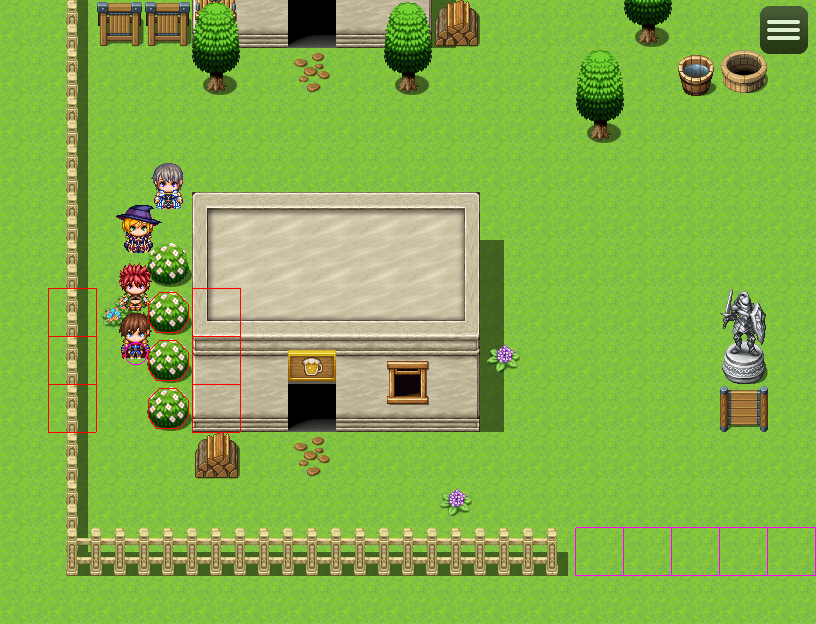
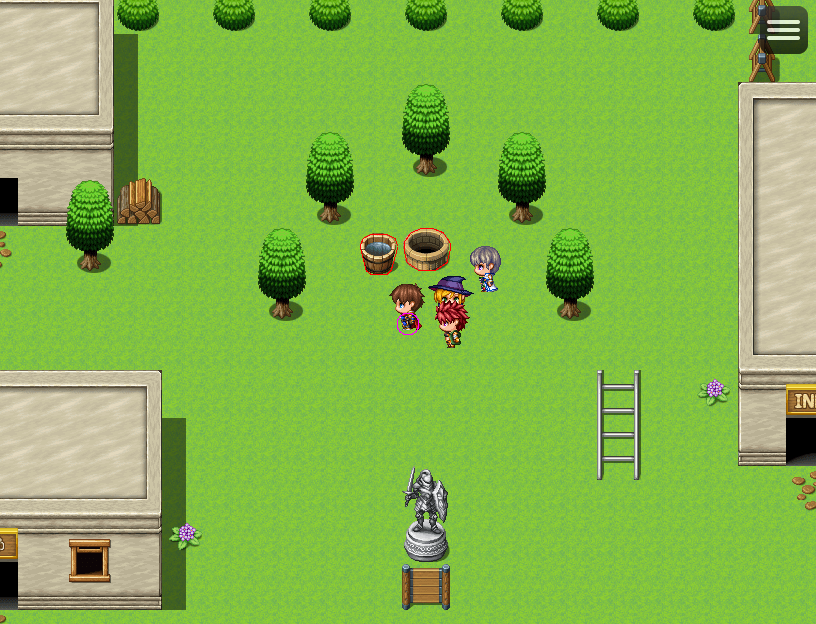
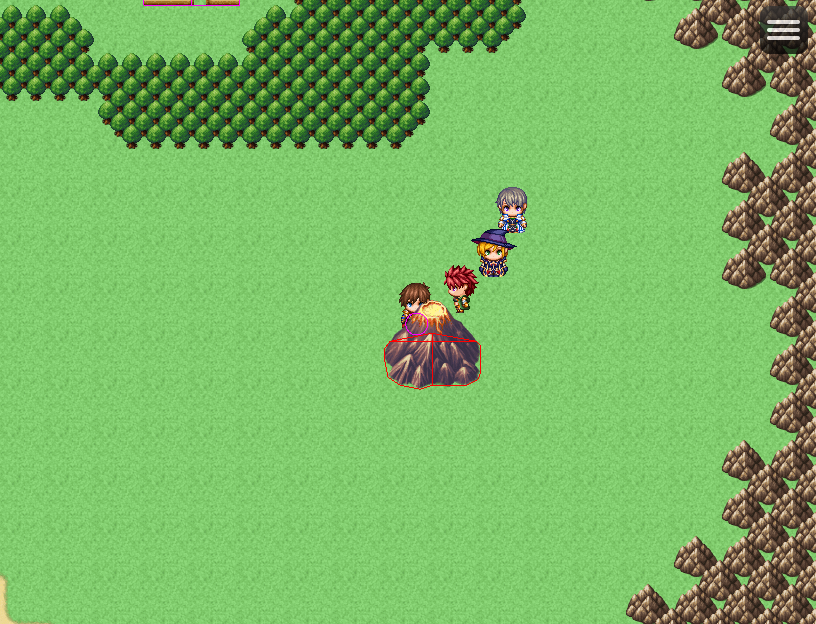
    This plugin changes the default grid based movement of RPG Maker MV and MZ and allows Pixel Movement, and calculates collision based off of user defined geometry.

    With the Rosedale Collision Altering GUI Tool you can specify custom shapes for each tile in any tile set in your project, this allows for highly accurate collision detection, while keeping your project size small.

    Features
    • Adds Pixel movement to your game.
    • Break the grid limitations of the default RPG Maker MV/MZ Engine.
    • Allows specifying collider data for each tile in all tilesets of your project via an easy to use User Interface.
    • Easily specify a custom collider size, and offset for the player.
    • Easily specify a custom collider size, and offset for any event for each individual page.
    • Includes a traction system based on region ID for unique feeling terrains, I.E. walking across an icey lake can cause the player to slide.
    • Plugin is highly optimized, so calculations are extremely fast, and the code base is very clean and easy to extend upon.
    • Because the plugin is geometry based, it can open up lots of possibilities for future features.


    Planned Features
    • 8 Directional sprite sheet support.​
    • Parallax image colliders​
    • Support for Damage Floors​
    • Support for Counter Tiles​
    • Support for Terrain Tags​
    • Support for TSR_Mirror.js​
    • Support for OcRam_Passages.js​
    • move to destination function( a gridless move option ).​
    • cliff jump feature​


    How to use


    Screenshots
    Screenshot_6.png

    Screenshot_5.png
    Screenshot_7.png
    Screenshot_3.png
    Screenshot_1.png


  2. I'll keep an eye on this since it looks cool, but I've already built my project around Altimit Pixel Movement and have gotten things working mostly how I want.
  3. I might take a crack at this one, I tried Altmit and had some conflicts here and there. I'm still early enough in my project to give this a go.


    Are evented movement routes impacted heavily or at all by this plugin?
  4. Puppet Knight said:
    I might take a crack at this one, I tried Altmit and had some conflicts here and there. I'm still early enough in my project to give this a go.


    Are evented movement routes impacted heavily or at all by this plugin?
    There are conflicts with this plugin too, but that's expected since it's brand new. You can read about them here
    New Releases: 8bit hi-tempo BGM pack, Haunted Residences Assets, Rosedale Collision Altering Plugin, Traditional Chinese Tilesets
    It should be interesting to see how this develops when the bugs get ironed out.
  5. Puppet Knight said:
    Are evented movement routes impacted heavily or at all by this plugin?

    not at all, this plugin maintains the default move routes, although I do plan to add custom move route commands soon ^^

    AquaEcho said:
    There are conflicts with this plugin too, but that's expected since it's brand new. You can read about them here

    correct, however I'll do my best to make compatibility patches as needed. :D I hope to make this plugin compatible with as much I can. I also plan to expand this system immensely I have a lot of pretty big plans for this plugin. ^^
  6. This is an amazing plugin and tool so far. If you have time to answer two quick questions I’d greatly appreciate it.

    1. For the 8 directional movement is there a way or a plan to add the ability to use 8 directional character sprites? Like add in diagonal facing frames.

    2. Is there a script I can call in this plugin that would check if the player is touching an event? For example I have an event with a conditional that checks this:
    JavaScript:
    $gamePlayer.pos($gameMap.event(this._eventId).x,$gameMap.event(this._eventId).y) && $gameMap.event(this._eventId).direction(8);

    Which works with your plugin of course, but only if the player is standing perfectly on the tile. What I am hoping for, is if there is an equivalent to $gamePlayer.pos().x, $gamePlayer.pos().y that I can call from your plugin. Like an "IF player hitbox is touching event hitbox". I would just use "player touch" or "event touch" but that only works if the player is moving.

    Any help you can offer would be greatly appreciated.
  7. Random Panda said:
    1. For the 8 directional movement is there a way or a plan to add the ability to use 8 directional character sprites? Like add in diagonal facing frames.

    This has been brought to my attention before, the and the answer is at the moment it's not supported, but it will be added in the near future!

    Random Panda said:
    2. Is there a script I can call in this plugin that would check if the player is touching an event? For example I have an event with a conditional that checks this:
    JavaScript:
    $gamePlayer.pos($gameMap.event(this._eventId).x,$gameMap.event(this._eventId).y) && $gameMap.event(this._eventId).direction(8);
    Which works with your plugin of course, but only if the player is standing perfectly on the tile. What I am hoping for, is if there is an equivalent to $gamePlayer.pos().x, $gamePlayer.pos().y that I can call from your plugin. Like an "IF player hitbox is touching event hitbox". I would just use "player touch" or "event touch" but that only works if the player is moving.

    I can definitely create an easy to use function to check if the player is overlapping an event! ^^ I'll try to get this into the next update.
  8. This is cool! Will get this in the future.
  9. @ chaucer - The plugin looks excellent, in my opinion, and I wouldn't mind getting it at a later time. Having said that, there's one thing that I'm concerned about the plugin based on what I have seen on the video and on the pictures so far and the thing that concerns me about the plugin is that it doesn't seem to make the collision lines (the red lines) be visible during gameplay. Is there any way to make those lines invisible during gameplay (especially a way that I may have overlooked while looking at the images and at the video)?
  10. Good question, it's not something i really explained anywhere. but there is! there's a plugin parameter in the plugin called "debug mode" if it's enabled it will draw the colliders, this is something only used for debugging purposes, but if you wish to disable it, simply turn debug mode off again, by default the value is already set to off, so the lines will not be visible unless you manually enable it in the first place. :)

    Also as a side note, got a rather large list of updates in store for this plugin in the next update( just double checking everything one last time )!

    Here's a quick update of what's coming!

    Tool Update:
    ● Version : 1.1.0
    ★ Add - tiles are drawn less blurry in editor window.
    ★ Add - parallax selector/editor mode.
    ★ Add - scroll memory for each tileset tab( A, B, C, D, E, and Parallax )
    ✩ Fix - Collider data remains visible on letter change.
    ✩ Fix - Tile Index doesn't clear on letter change.
    ✩ Fix - Letter A not properly selected on tileset change.

    Plugin Update:
    ● Version : 1.1.0
    ★ Add - parallax map collisions
    ★ Add - support for counter tags
    ★ Add - support for terrain tags
    ★ Add - support for damage floors
    ★ Add - support TSR_Mirror.js plugin
    ★ Add - support OcRam_Passagaes.js plugin
    ★ Add - function to check distance between two events.
    ★ Add - function to move to a destination( off grid ).
    ★ Add - 8 direction sprite sheets for player, followers, and events.
    ✩ Fix - below characters priority prevents trigger by action button.
    ✩ Fix - Autorun events not starting after page switch.
    ✩ Fix - event dialog test crashes game.
  11. chaucer said:
    Good question, it's not something i really explained anywhere. but there is! there's a plugin parameter in the plugin called "debug mode" if it's enabled it will draw the colliders, this is something only used for debugging purposes, but if you wish to disable it, simply turn debug mode off again, by default the value is already set to off, so the lines will not be visible unless you manually enable it in the first place. :)
    Awesome :) ! Thanks for letting me know!
  12. Since this plugin is sold in the store, I'll move this thread to the Product Discussion and Support section.

  13. Thank you! I wasn't really sure where it should be posted ^^; my apologies for that.
  14. In the collision editor, sections A and B are mixed together, and the rest have moved back a section.
  15. And also there is an error when loading parallax.
  16. I sent you a PM about this ^^; thanks for bringing it to my attention!
  17. Hello! A few things:
    One: TSR_mirror compatibility is a little wonky. The water works fine, but 8 way characters show as if the graphic is displayed through standard rpg maker and wall mirrors seem to not work properly at all.
    Two: This plugin does not seem to take tile overlap into account, or if it does it adds the collision instead of replacing the collision. Which is fine depending on some circumstances, but when making for example a bridge, the bridge becomes completely impassible unless you make the water passable.
    Three: If at all possible, would it be possible for you to add auto tile support to the editor? Unless I'm missing something, as it stands right now you can only edit the base tile for auto tiles, at which point it extends it to all the tiles of the auto tile. It's fine if not, but I figured I'd suggest it anyways!

    Other than that, I think the plugin works great and was well worth the money spent.
  18. Thanks for the feedback @Equinox-ThiefofHearts ! I had added 8 directional support after I added TSR_Mirror support sp I forgot to test thos feature ^^; I'll definitely look into this.

    As for colliders being combined I believe I fixed this in a experimental build of the plugin, I will copy over the code in the next version thanks for letting me know!

    Finally as for full support of auto tiles I've been wracking my brain to try and figure out how to handle this... Cause there is a huge number of configurations an auto tile can be in so it's very difficult to map every possible scenario... I'm still trying to find a way that is easy for the end user to set up, I apologize for the inconvenience

    I'm glad you found the plugin useful! And I hope you will find all the upcoming features useful as well! ^^
  19. I saw that RPG Maker Updated in steam but both the plugin file and the tool are still the same 1.0.0 versions. Is there something specific that I need to do in order to update this?

    Edit: Oh I found that the Plugin file in the sample project was updated. But the tool is still the original version if that helps at all.
  20. Hi sorry to bug again, but I am trying out the updated MV version 1.1.0 and I have two questions:

    1. For the 8directional character set, is there a way to use a full character sheet instead of just a single "$filename" one? I use another plugin that changes the sprite based on whether you are idle, walking, or running but it utilizes the other character slots in a single sheet to do so.

    2. For the "subject.distanceTo( CHARACTER )" function, is there a way to use the players collider created by this plugin instead of the sprite itself? Right now I am using this:
    "$gamePlayer.distanceTo($gameMap.event(this._eventId)) <= 1"
    And it doesn't matter how big I make the players collider, it only interacts when the actual 48 x 48 sprite touches it.

    As always, any help or answers would be greatly appreciated. Regardless this plug is beyond awesome! Thank you for all of your hard work.