Basically, I can only have one project running at a time, if I try to have two, just opening the other will literally overwrite all the data in the other project as well. I did get my game with the Humble Bundle deal if that makes a difference. I suspect that this has been going on for a while now, but as this is the first time I've worked with RM, I hadn't realised that RM wasn't supposed to do this until just today when I opened a new project to mess with the script and it overwrote the main project completely.
[RMVXAce] Projects overwriting each other
● ARCHIVED · READ-ONLY
-
-
Is that the steam version? I don't experience that problem with the non-steam one... though I don't think the steam version would have that problem too...
How did you try to open a new project anyways? -
That shouldn't be happening. Would a screenshot of your project file in your finder window (and the new one you're making) be possible? There is a possibility that the path to each file is being misread when saving, but it depends where the files are.
Try reinstalling RM btw? -
@Engr
It is the steam version yes.
I opened a new project with the new project button on the tool bar. I don't think I did anything too weird.
@Hotfirelegend
I actually deleted the new project once I realised what it was doing, going back to the projects now, there is literally nothing inside when I try to open it. But here is the screenshot:
Was kind of hoping to avoid having to reinstall, but I'll give it ago as soon as I get the chance.Spoiler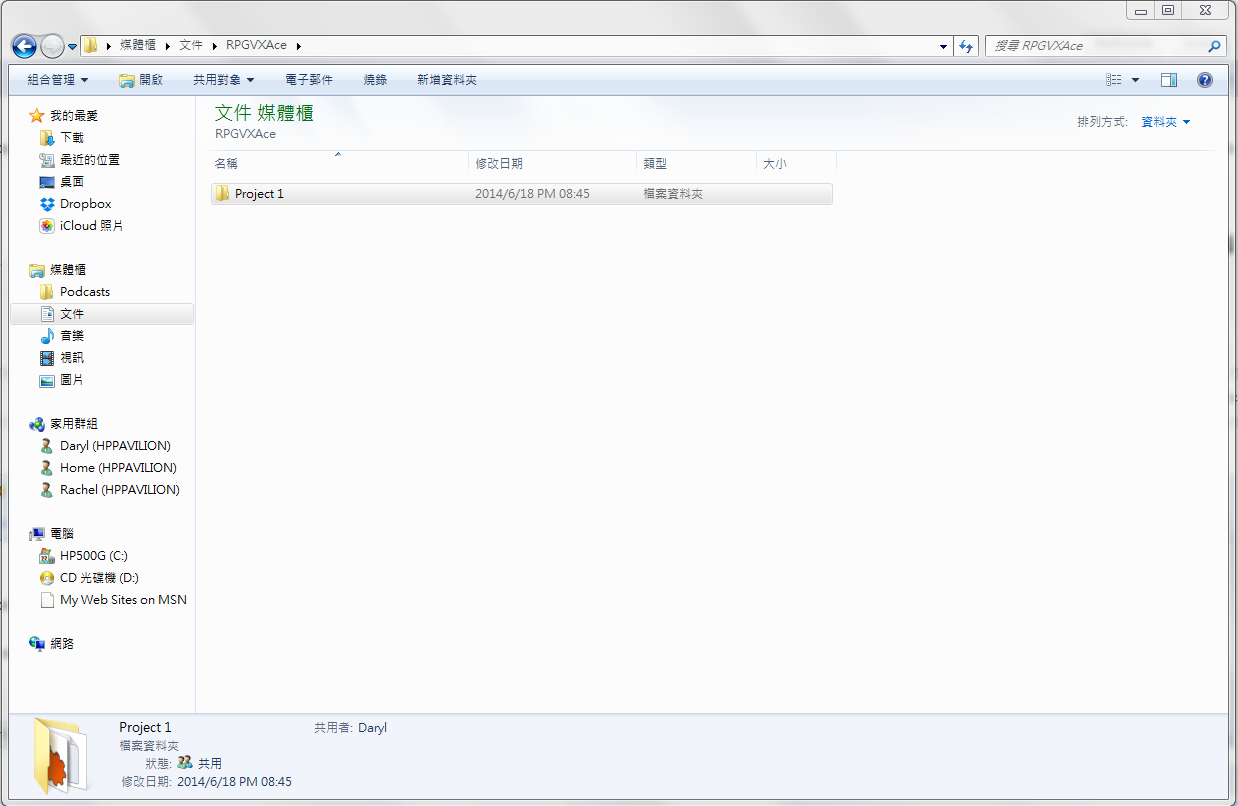
-
This should only happen if you tried to save the new project into the same path as the old one, by default RM makes new folders and new paths for each project.
It might be that the non-english paths of your windows might have caused some confusion, but even then a new project should go into a new folder. I suggest trying to save into a path that has no non-english characters to see if it happens in that case as well. -
Ok, and quick check: Was the old project called 'Project 1'? Are you naming the new project as 'project 1' as well?
-
Sorry for the late reply
@Andar
I just tried moving the save location into a path with no non-english characters, but it still seems to be doing the same thing.
@Hotfirelegend
The second project was called "Project 2".
EDIT: I've reinstalled RM but the problem still persists. It seems that if I try opening RM itself, it will open the last project I had open also, is that supposed to happen?
EDIT 2: Having played around with it a little bit more today, it seems as that it isn't the project itself being overwritten, but rather that RM will only open the most recently opened file, regardless of how it is being accessed. This is what it seems like at the moment considering the above and that if I open the game itself, the game displays properly, I just can't open the project file. I'm not 100% sure though, I hope I explained myself alright. -
So basically you cannot open other projects?
-
Basically if I open one project, I won't be able to open the other ones with the exception of when I'm making a new project. I might be wrong, but that's what it seems like.
-
No, the problem is at another place - and yes, this is regular behaviour.
Steam cannot open programs with file links, so if you have the steam version, any click on any project file will ignore which project file you clicked and open the last stored project. Nothing can change that, because it depends on the way steam works.
However, after you have started the editor, you can go to either "open project" or "manage project" and open any project from there - that does work correctly.
You just cannot click on the project file to open that project with the steam version, that way is impossible. -
I see, I wasn't aware of that. Though I guess it's working now, thanks for the help everyone.
-
This thread is being closed, due to being solved. If for some reason you would like this thread re-opened, please report this post and leave a message why. Thank you.