Random Item Prefixes & Suffixes

● ARCHIVED · READ-ONLY
Started by DreamX 228 posts Page 9 of 12 View original ↗
  1. darthnihilus said:
    Hi thanks for this plugin is really good, but i have a problem when i try to use a Suffix based on the YEP Element Core to add Magnify/Amplify to the new weapon, the cooldown reduction works but the elemental boost doesnt, also if i use two suffix some weapons are created using 2 suffixes instead of only 1 how can i fix that?


    <Suffixes>


    9 50%


    1150%


    </Suffixes>


    item 9 <Global Cooldown: -2>


    item 11 <Element Amplify 2: +200%>

    Think you need a space between 11, and 50% (i'm just guessing)
  2. Mojo907 said:
    Think you need a space between 11, and 50% (i'm just guessing)


     i fixed today it was so easy lol, it just need a change in the text


    <Suffixes>


    9 11 50%


    </Suffixes>


    now it roll 9 OR 11 but not both at the same time, but i still can't make the element boost to work :/, it work when i add the notetag to an item but it doesnt work when its added as a suffix.
  3. Question before I try using this:


    Can I set a Prefix that multiplies the bonuses provided by the item (and only the item?).


    For Instance:
    If a Sword grants +10 ATK and it has the Superior Prefix (+50% effectiveness) it would grant +15 ATK instead?


    I saw there was a percentage base increase but I am under the impression that it would increase the entire attribute by said percent.


    EDIT: I can find the code but do not know how to download it as a JS file.
  4. OMFG...this plugin beautiful. I would have loved to implement this bad boy into my current project, but alas, I'm too far in to do that now haha. Either way, thank you for writing this, I'm definitely keeping an eye out for it when/if I create another game!
  5. I think I understand how to use the notetags on the weapons but the one thing I haven't been able to figure out with this is where to make the prefixes and suffixes. Could someone explain that part of it. Like where would I make the prefix strong and define what strong means for a "Strong Sword" Same goes with suffix.
  6. Okay finally figured it out but now I'm not sure how to get the weapons to show how much damage they have improved by in their stats unless I'm equipping them while using percentages. Does anyone have any ideas?
  7. If I did something like this:
    Spoiler
    <Prefixes>
    1-3 4-8 12-19 20-22 100%
    1-3 4-8 12-19 20-22 100%
    </Prefixes>
    Will it select 1 prefix ID randomly from each row, thus applying TWO prefixes to an item? I just want to make sure I understand this correctly!
  8. Fernyfer775 said:
    If I did something like this:
    Spoiler
    <Prefixes>
    1-3 4-8 12-19 20-22 100%
    1-3 4-8 12-19 20-22 100%
    </Prefixes>
    Will it select 1 prefix ID randomly from each row, thus applying TWO prefixes to an item? I just want to make sure I understand this correctly!
    sounds right
  9. I didn't get the instructions... Can someone make an simple example of how prefix/sufix works?
    Let's say: I want to craft a Shinning Katana of Fire and Earth. How do I code it?

    Edit: I mean, wheres the preffix/suffix refferences are from? Like: 1 = Fire / 2 = Water
  10. Maybe I'm just dumb. But I don't get these instructions at all.
    Like I don't know how any of this is supposed to be set up.
    Is there not a Demo/Example someone could show?
  11. Hi, your plugin is wonderfull!
    but, can i suggest two adds?
    1) Different Chances to different suffixes/prefixes
    up to now, all suffixes have the same chance, unless i use twice the command (but appears double suffices/prefixes)
    for instance
    401 = poor and 402 = good
    <Suffixes>
    401 50%
    402 25%
    </Suffixes>
    i add 10 sword to test, some became poor sword, others good sword and others poor good sword
    (i know, it is prefixes and not sufixes, but i use in portuguese were the name is Espada (sword) Boa (good))
    can you add:
    <Suffixes>
    A=401 50%
    A=402 25%
    </Suffixes>
    if we want only one suffixe (where there is 50%+25% of chance of came A, with proportional distribution of chance of came 401 (67%) or 402(33%)) OR
    <Suffixes>
    A=401 50%
    B=402 25%
    </Suffixes>
    if we acept both?
    (or other nomenclature, this was only a exemple)

    2) Add percentual parameters
    with the command <prefixSuffixParameters: ATK 5|10 DEF -10|20> we add from 5 to 10 ATK
    if i have a wepon (wood sword) with 3 of ATK, it lead to a new weapon from 8 to 13
    but if a have a weapon (Master Sword) with 90 ATK, it lead to 93 to 100 (that is a very small variation compared with the first one)
    If is possible add 30% of ATK, both weapons can upgrade its attack proportionality
    Wood Sword: from 3 (+10%) to 4 (+30%)
    Master Sword: from 99 (+10%) to 117 (+30%)

    i solve both questions, sorry.
    for who like to know how:
    EDIT 1)
    <Suffixes>
    401 50% 402 25%
    </Suffixes>
    /EDIT 1)

    EDIT 2)
    <Prefix Suffix Effect>
    var atkBonus = +30/100;
    newItem.params[2] = Math.round(newItem.params[2]*(1+atkBonus));
    newItem.price += atkBonus;
    </Prefix Suffix Effect>
    /EDIT 2)
  12. DreamX said:
    Try the latest version I just uploaded (same link).


    Since I am not able to reproduce this error, please start a new project and try to recreate the problem in as few steps as possible. Then, tell me which steps you took to create the error.
    I'm actually getting this error with the affixes not showing up in victory aftermath either. I created a new project, loading Yanfly's item core, and victory aftermath, and your affix system. I created a basic affix, giving it a 100% chance to appear on a sword, and setting that sword to drop with 100% chance from an enemy. I go into the game, fight a couple of bats, each of which drops a sword, like so:
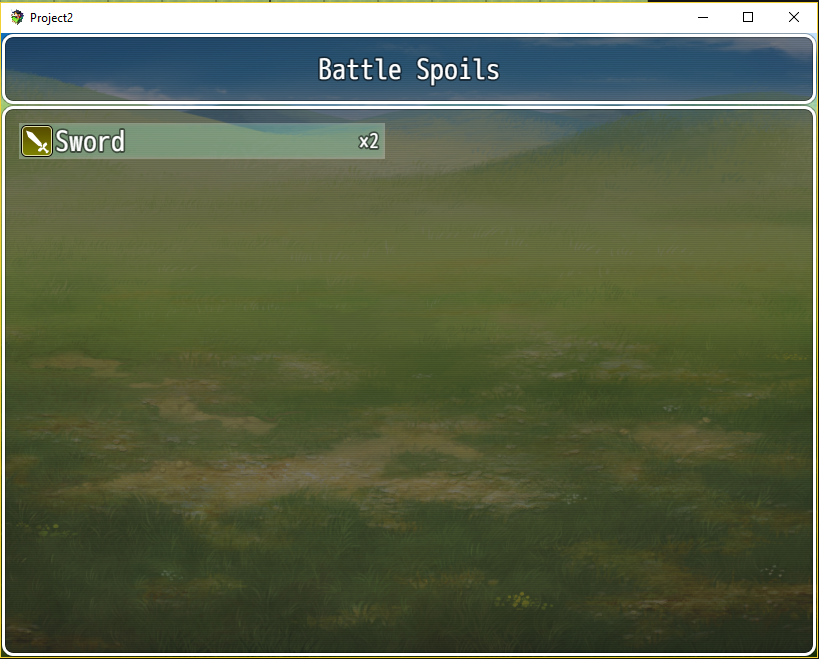
    affixes error 1.png


    But then, when I go into the inventory, I can see the prefix was applied, as such:
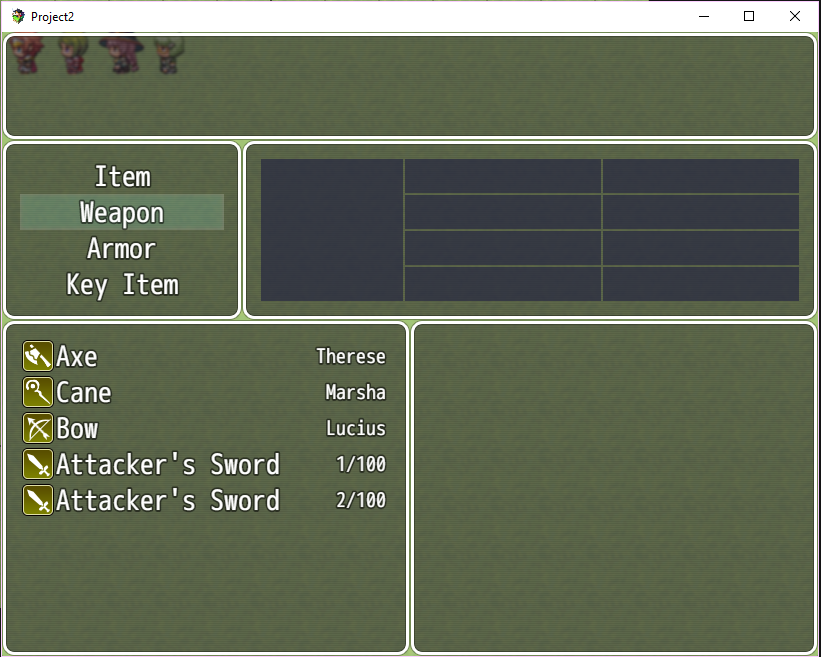
    affixes error 2.png


    Which actually brings me to another problem I'm finding. As you can see in the second image, it's not listing Harold as being equipped with a sword, even though he currently is. If I'm using any item variation via Item Core, then any item that could have an affix defaults to the absolute lowest value it can have with that variance (for example, a sword with 10 ATK at a potential variance of 5 always gets reduced to 5 ATK). Furthermore, if I de-equip it, it gets immediately randomized, as if it's being turned into a completely new item, and the game isn't reading it as one before that. Like in this screenshot, I de-equip the stock sword and suddenly I have three randomized swords instead of two randomized and one plain.
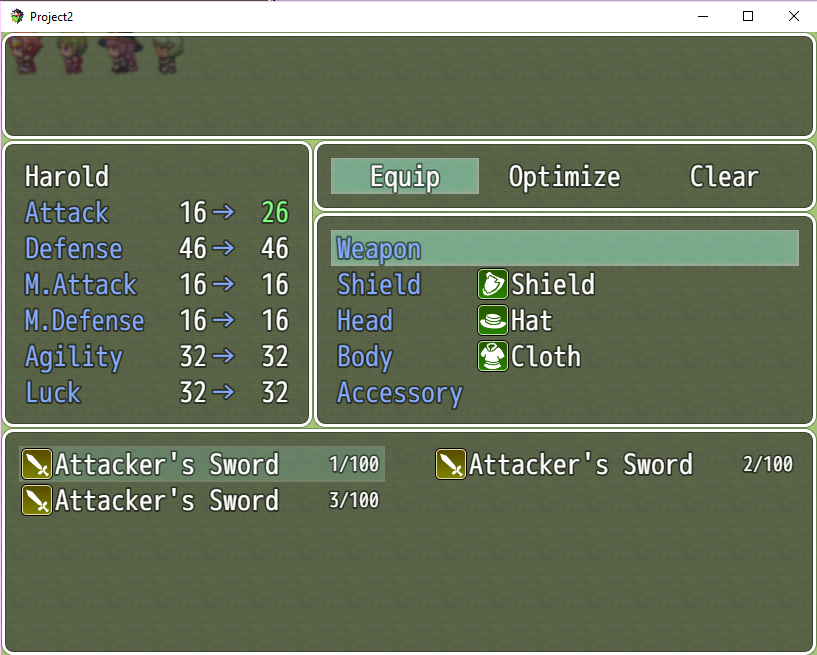
    affixes error 3.png

    I have no idea what's going on with this. I've tried re-arranging the plugin order with no changes. Independent weapons and armor are active. No messages show up in the debug console to give any clue. Any thoughts?
  13. Maybe I'm just missing it in the help file, but I'm a tad bit confused on how to affix stats/parameters to suffixes and prefixes.

    I'm fine with like... ATK: 1|10 and MDF: 5|15 or whatever (ATK, DEF, AGI, LUK, MAG, MDF), but what's the abbreviations for things like Crit Rate, Counter, Evasion, etc?

    Also, can I prioritize the order in which suffixes and prefixes are displayed?

    For instance, if I wanted a Fire elemental sword with a blind effect, an attack bonus, that attacked twice (+1 suffix), could I ensure it gets named "Ifrit's Blinding Sword of Might +1", rather than "Blinding Ifrit's Sword +1 of Might"?
  14. @up if you know some java you can use Yanfly's <On Creation Eval> like this:
    Code
    <On Creation Eval>

    var min = 0.01; //od

    var max = 0.10; //do

    var mid = max - min; //od <mid> do

    var value = Math.random() * mid + min;

    var elementId = 11;


    var haveTrait = false;

    for (var i=0; i<item.traits.length; i++)

    if(item.traits.code === 11 && item.traits.dataId === elementId){

    item.traits.value -= value;

    haveTrait = true;

    }

    if(haveTrait === false)

    item.traits.push({"code":11,"dataId":elementId,"value": 1 - value});


    item.price = Math.round(item.price * (1 + (value/2)));

    </On Creation Eval>
  15. Is this plugin still going by any chance? I was interested in trying it out, but after trying on two fresh projects (1.5 MV; while running v1.28 Item Core and v1.26 of this) it simply doesn't work. The most I've been able to get is a type error: "cannot read property of 'concat' undefined." Does anyone have any ideas? Thanks!
  16. This has been working really well for me so far, except for the Requirements thing.
    Using a
    <Prefix Requirement>
    this.averagePartyLevel(5);
    </Prefix Requirement>

    on a Prefix item, for example "Explosive" shouldn't make it only become available as a prefix option for parties above level 5? I'm getting a bunch of those at level 1, not sure if I got things wrong.
  17. Hey, Since DreamX hasn't been online in almost a year, I figured I'd post here instead.

    All over the thread I see mentions of elemental prefixes/affixes, but in the help file I can't find a way to change anything other than parameters. How do you guys make elemental weapons?
  18. Nana707 said:
    This has been working really well for me so far, except for the Requirements thing.
    Using a
    <Prefix Requirement>
    this.averagePartyLevel(5);
    </Prefix Requirement>

    on a Prefix item, for example "Explosive" shouldn't make it only become available as a prefix option for parties above level 5? I'm getting a bunch of those at level 1, not sure if I got things wrong.

    Try
    <Prefix Suffix Requirement>
    DreamX.RandomPrefixSuffix.averagePartyLevel()>4
    </Prefix Suffix Requirement>

    PathosFear said:
    Hey, Since DreamX hasn't been online in almost a year, I figured I'd post here instead.

    All over the thread I see mentions of elemental prefixes/affixes, but in the help file I can't find a way to change anything other than parameters. How do you guys make elemental weapons?

    Just change the parameter of the prefix/suffix mod item to be added, to the type you wish the new item to have

    (i.e. Attack Element - Fire on the prefix weapon, and it'll be transferred to the newly created weapon)
  19. @Nana707 this is the code I use, which should accomplish what you're trying to do:

    <Prefix Suffix Requirement>
    this.averagePartyLevel() >= X;
    </Prefix Suffix Requirement>

    Where "x" is the level you want to set for the requirement.
  20. Mojo907 said:
    Try
    <Prefix Suffix Requirement>
    DreamX.RandomPrefixSuffix.averagePartyLevel()>4
    </Prefix Suffix Requirement>


    Just change the parameter of the prefix/suffix mod item to be added, to the type you wish the new item to have

    (i.e. Attack Element - Fire on the prefix weapon, and it'll be transferred to the newly created weapon)

    Holy bananas, I didn't even try that out because I was convinced that was too easy a solution xD I feel stupid now, but thank you ;3