Please Help me with this

● ARCHIVED · READ-ONLY
Started by Deviso_12th_Sagittarius 9 posts View original ↗
  1. I have just recently downloaded the Yep.1 core engine and this message keep popping u I have tried finding ways to get rid of it bt none work I need some one to tell me in detail what to do.

    Here is the message
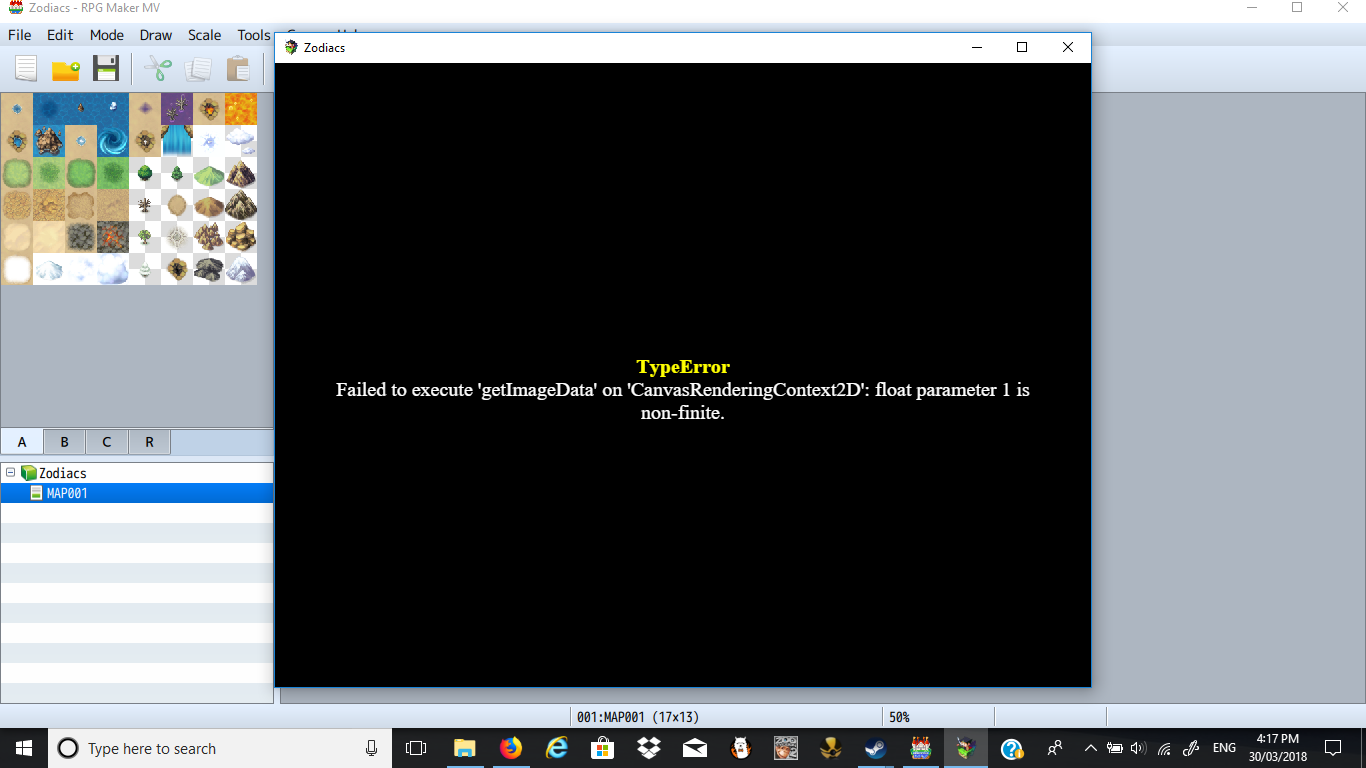
    upload_2018-3-30_16-18-4.png
  2. We ask that people provide a link to the web page where they got a plugin so that if people need to check something before helping, they don't have to go hunting. Please edit your post to include that link.

    And just a heads up for the future. Putting in a descriptive title to your topic will encourage people to look at it and therefore increases your chances of getting a solution. Everyone who posts on this section wants "help with this please", so your title tells us nothing about what the issue might be.
  3. What version are your core files? To find out, you need to open the js/rpg_core.js file in your project's folder. There should be a version number on the first couple of lines. If there isn't one, you probably have 1.0

    And what version of MV are you using? You can just find that in the Help > About menu.

    Did you create this project with your current version of MV, or have you updated MV since you initially created it? If you have, did you also update the project's core files as per the instructions in every MV Update thread/announcement?
  4. We can not help if you don't answer our questions.
    Please post the answers to shaz questions so that we can see what might be the cause.

    And we need a Screenshot of your plugin manager to help as well.
  5. Make sure your plugins are in the correct order. Yanfly gives the order here.
    yanfly.moe/yep/
    And he says:
    It is highly recommended that you place these plugins in the order shown below.
  6. Sorry for not answering those questions, I am on MV version 1.5.2. I had made the project yesterday. Also here is my plugin manager.
    upload_2018-3-31_10-50-43.png
    I am new to plugins so it's all crazy for me.
  7. The battle engine is YEP_BattleEngineCore.js not YEP_BattleEngine.js - if you don't give it the correct name, the game will behave as if you don't have the plugin installed at all.

    I'd also question the name of your YEP_MessageEngine and YEP_ClassChange, and I'm going to stop looking there.

    You have to name them correctly in your js/plugins folder.

    Subclass and ClassChangeCore are in the wrong order. Check the post just before yours and go through the list. You don't have many, so it should be pretty quick to reorder them.
  8. And you also changed the name of the js-file of the main menu manager - no JS file contains spaces in its filename because that is against networking rules and also causes problems.

    Please redownload all your Plugins, this time keeping their correct filenames, and correct the order as required by yanfly's website list.