Pixi Filter Controller - fancy screen effects by pixi (MZ version released!)

● ARCHIVED · READ-ONLY
Started by Tsukimi-neko 288 posts Page 10 of 15 View original ↗
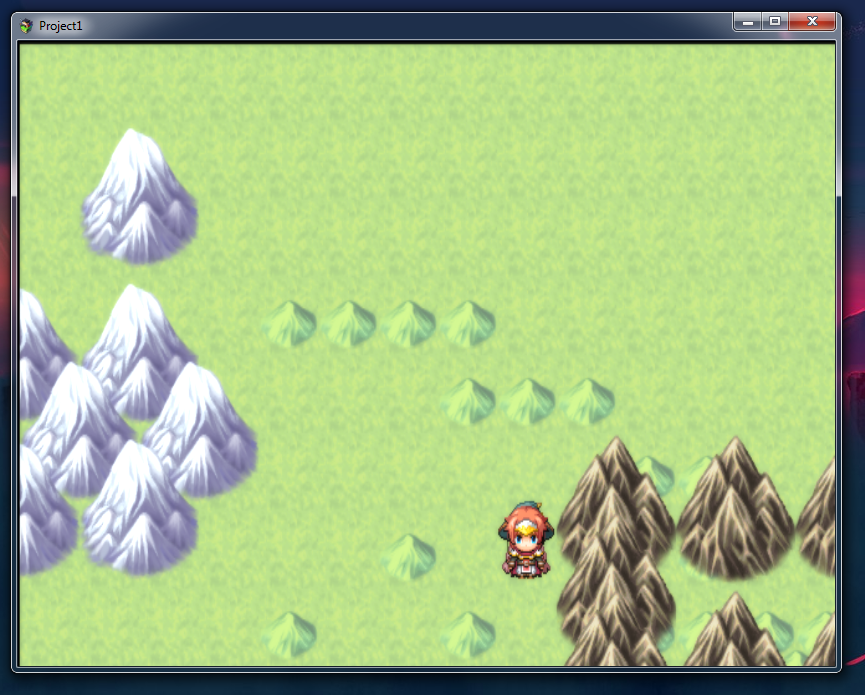
  1. Hi. Sorry for my english. When i turn on plugin, screen is displaced and stretched. This problem appears only on versions 1.6.2 and 1.6.1. I tried to completely remove the RPG maker MV from the Steam folder and download again. Then created a new project but that did not help. Does this plugin not work on version 1.6.2 or am I doing something wrong? Please help if you know about this. Thaks you.


    image
    1-1.png1-2.png
  2. WhiteW said:
    Hello.

    The displacement filter doesn't seem to be working that well for me:

    No matter if I set it to screen, map, character or anything, it always displaces just the map and characters;
    It only plays for a couple of seconds;
    And when it stops, the bottom and right areas are out of place: [embedded media]

    Does anyone how to fix this so that it keeps playing and doesn't make any of the black background show?


    The displacement filter is wonky, but the bottom and right areas are rendering properly. The issue is that it displaces the actual viewport, and it won't render outside of those bounds, so you're seeing the void. That particular issue isn't a technical one, but is rather a design one. You need to map your maps around that.

    Nemo1990 said:
    Hi. Sorry for my english. When i turn on plugin, screen is displaced and stretched. This problem appears only on versions 1.6.2 and 1.6.1. I tried to completely remove the RPG maker MV from the Steam folder and download again. Then created a new project but that did not help. Does this plugin not work on version 1.6.2 or am I doing something wrong? Please help if you know about this. Thaks you.


    image
    View attachment 130152View attachment 130153
    Are you running Windows 7? There's a pixi bug w/ Windows 7 that causes this.
  3. ZServ said:
    Are you running Windows 7? There's a pixi bug w/ Windows 7 that causes this.
    Yes i have Windows 7. I'll try to run on windows10. Thank you very much.
  4. Nemo1990 said:
    Hi. Sorry for my english. When i turn on plugin, screen is displaced and stretched. This problem appears only on versions 1.6.2 and 1.6.1. I tried to completely remove the RPG maker MV from the Steam folder and download again. Then created a new project but that did not help. Does this plugin not work on version 1.6.2 or am I doing something wrong? Please help if you know about this. Thaks you.


    image
    View attachment 130152View attachment 130153
    Are you're using an old laptop by any chance?

    I've seen that before on rare and very specific occasions, it happens when you run the game on an old integrated GPU (the "Intel HD 3000" for example) that doesn't support some modern effects, try the same export of your game/demo on a newer machine and it should be ok, even if it's weird you mentioned that it worked on previous versions of MV, curious.

    That's why it's a good thing to keep the option to toggle ON/OFF the filters in the menu of our games just in case some people are still using that kind of computer, but I think newer integrated chips are OK though, from what I see looking at the tech spec.
  5. KaYsEr said:
    Are you're using an old laptop by any chance?
    No, its not laptop, but you right, I have a realy very old system. DualCoreE6600 with GForce8600. It looks like I need to urgently update my PC =). Thanks so much for the answers. In the next couple of months I’ll try to buy a new computer or try export game on another mashine. This plugin is really awessome! Thank you.
  6. While those specs are rough as hell, an update to W10 should theoretically fix the issues you're having w/ the rendering. You can get W10 for dirt cheap on a particular auction site.
  7. GeForce8? Wow yes that one is about 13 years old. But it’s totally fine with for example a GTX 260 (even the performances are surprisingly good) and that GPU is about 10 years old after all, so I guess you’re OK with an old GPU as long as it’s not super old.

    The only exception would be the cheaper integrated GPUs (they need to be a bit more recent to be on the safe side) the one I tried with exactly the same glitch you have (stretched+zoomed pictures on the top left.. also flickering?) is “only” from 2012.

    And unfortunately, that computer is running Windows 10 so it’s not always the problem.
    (But it can be, so you can give it a shot anyway.)

    One thing you can always do is updating the GPU drivers, it doesn’t hurt to try and you can be lucky.


    It seems very old GPUs don’t support (or fully support) newer versions of Open GL/CL or some shaders etc, so it can lead to some glitches. I remember one of the filters in that plugin gave me a pink outline for some reason on an old integrated GPU, it was the filter that does a “magnifying glass” effect if I remember well. Biggest problems seem to be more prevalent when creating effects affecting the full screen. Maybe you can try another filter only targeting a character sprite to check.

    Also, out of curiosity. When you call the in-game menu, do you see it perfectly fine like I do?

    (On top of the distorted map I mean, but still fully usable like everything is normal. Which is a relief since you can simply browse the menu and deactivate “advanced effects” in the options.)
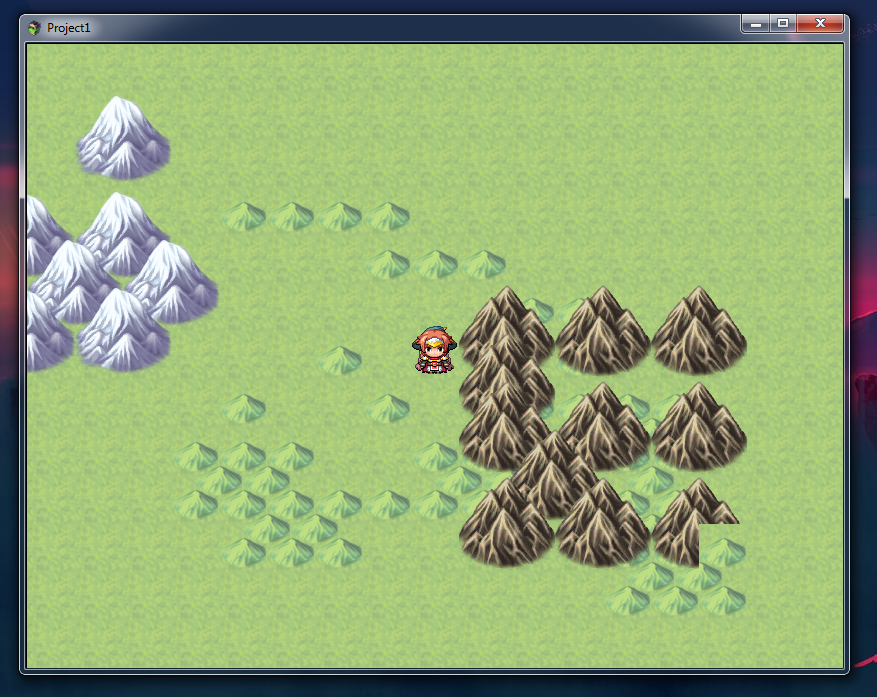
  8. I did not notice the flicker, but sometimes for a split second the image becomes normal, and then it moves out again.

    The last driver that Nvidia shows me was released in 2016 (for my video card). I already installed it.

    Yes, the in-game menu displays correctly, but the image is stretched behind it. =)
    If I select filter-target 0 (screen map + pictures) and filter-target 2 map (tiles + characters), then the screen is stretched. If I select filter-target 1 (whole-screen) the screen is not only stretched, but also the dialog box disappears. In other filter-target options, everything is fine.

    I can turn the plugin on and off from the in-game menu and the screen becomes normal.

    I tried to run the project on an old laptop with Windows 7 AMD E-1 2100 with Radeon HD and there is the same problem. Probably because of the integrated video card.

    Soon I will check it on 10 Windows and another computer. There is no time yet. =)
  9. Hmm could this plugin produce a raindrop on screen effect?
  10. Hmm, I have alot of puddles in my game, could this plugin make like a ripple/splash under characters on region tiles?
  11. KaYsEr said:
    And unfortunately, that computer is running Windows 10 so it’s not always the problem.
    (But it can be, so you can give it a shot anyway.)
    Thanks for answers. On W10 everything works correctly.
  12. Hey there - I know this is an older thread but this is one of the few places I saw people looking for alpha support on the PIXI godray filter. I've put in an issue with the team that manages these filters and submitted a PR. This means that hopefully soon that particular filter will support a .alpha property.
    I needed it for a game that I'm working on and so yeah. Keep an eye here if you like: https://github.com/pixijs/pixi-filters/issues/262
  13. I really like this plugin, but is there any way at all to draw effects over menus?
  14. UPD. ISSUE RESOLVED!

    So I've tested the plugins once again.
    A few filters don't seem to be working:
    Adjustment, Motion blur, Glow

    About half of them simply don't let you change any paraments :(
    Blur, Bloom, Pixelate, etc.

    And I'm not sure how the displacement filter works. It requires some kind of image?

    Is there any way to make the Adjustment filter function properly? Man, it would give developers so much flexibility in terms of visuals.

    P.S. I would gladly pay for the plugin, once all the functions are implemented.
  15. Hi!
    I will do MZ support for this plugin (will take a long time though)
    sorry for not being supporting for a long time, forgive me plz ><
  16. Hello Tsukimi-neko!

    Thank you for your nice plugin. Would you mind to give me some support?

    No matter what I set as <filter-target> , overlaying pictures shown via the "show picture" command don´t seem to be affected by the filter.

    I´m double confused because it is indeed working when I show the picture with my parallax overlay plugin.

    Could you give some advice?

    Kind regards,
    MSW
  17. @Ventusgermany

    Hello, Ventusgermany!
    I couldn't figure out where the problem come from, so I have some questions:

    ・ Is applying filter to other targets working fine?
    ・ I'm not sure what overlaying picture is, but is it a feature of another plugin?
    ・ If it is OK, please tell me the commands you used
  18. Tsukimi-neko said:
    Hi!
    I will do MZ support for this plugin (will take a long time though)
    sorry for not being supporting for a long time, forgive me plz ><

    Happy to see that you're back, well you might have less work than expected because I gave your plugin a quick try (just 3 or 4 filters like bloom or shockwave) in MZ and it seems to work already.
    I would say 20% of my MV plugin-list is compatible with MZ.

    Long ago you said you'd add a function to target ONLY parallaxes with a filter, but I think you forgot to add it (can't find it in the latest version), would it be possible to have that function? Back then you said it's something that would be easy to implement, that would be great. :)
  19. @Tsukimi-neko Hi! will there be no updates to the latest versions of pixi?