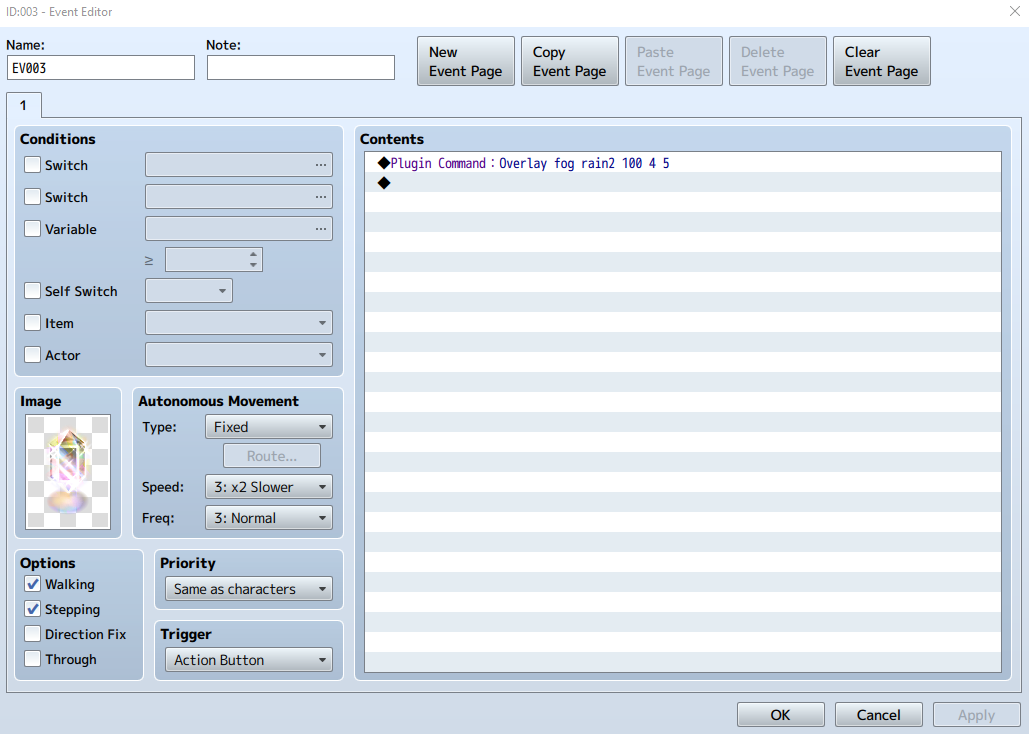
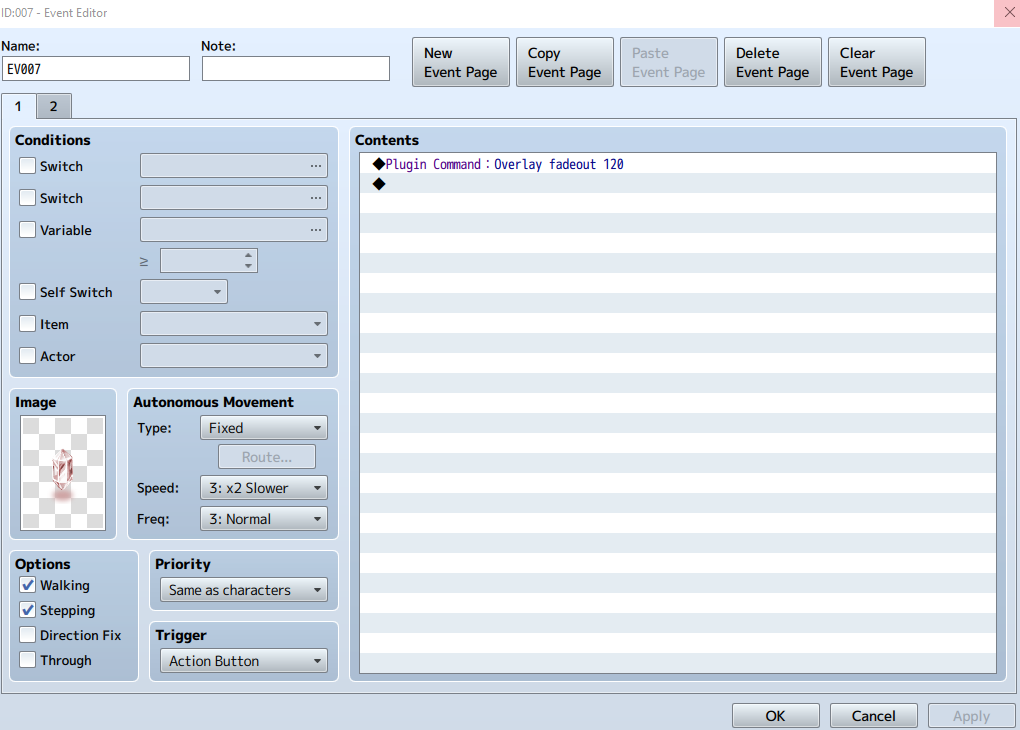
With permission from Hudell and thanks to Chaucer for the plugin fix, here's an updated version of Orange Overlay. This version fixes the broken plugin commands people were experiencing when trying to change parallaxes via events.
Instructions from the original thread.
Introduction
You can use this plugin to add overlay images to your maps
You can keep the images either on the img/parallaxes folder
Or (if you set the Organized Folders param to true) on separate folders like this:
Map notetags:
<all> : Display all overlays
<ground> : Display ground overlay
<par> : Display parallax overlay
<light> : Display light overlay
<shadow> : Display shadow overlay
<fogName:filename> : Display the specified fog image
<fogOpacity:number> : Change the opacity level of the fog image (0 to 255)
<fogBlend:number> : Changes the blend type of the fog image
<fogDuration:number> : Changes the duration of the opacity transition
<xMove:number> : Changes the horizontal speed of the fog
<yMove:number> : Changes the vertical speed of the fog
You can use variables numbers on the notetags by adding a $ symbol before the value
Plugin Commands
Overlay layertype filename
Possible layer types: ground, light, shadow, par.
Overlay fog filename opacity xMove yMove blendmode duration
Changes the fog params to the ones specified in this command.
Blendmode and duration are optional
Examples:
Overlay fog fog1 100 10 0 0 20
This will display the file fo1 with opacity 100 and move horizontally 10px at a time, with a transition of 20 frames
Overlay fadeout duration
Do a fadeout effect on the current fog. This command will disable the fog switch at the end of the fadeout effect.
Overlay addfog filename ID Opacity xMove yMove BlendType Z
Adds an extra fog layer. BlendType and Z values are optional
Overlay removefog ID
Removes an extra fog that was added with the addfog command
License
Free to use on any game.
You can use this plugin to add overlay images to your maps
You can keep the images either on the img/parallaxes folder
Or (if you set the Organized Folders param to true) on separate folders like this:
Code:
All image filenames must end with the number of the map that they are used on.img/overlays/grounds
img/overlays/pars
img/overlays/shadows
img/overlays/lights
img/overlays/fogsMap notetags:
<all> : Display all overlays
<ground> : Display ground overlay
<par> : Display parallax overlay
<light> : Display light overlay
<shadow> : Display shadow overlay
<fogName:filename> : Display the specified fog image
<fogOpacity:number> : Change the opacity level of the fog image (0 to 255)
<fogBlend:number> : Changes the blend type of the fog image
<fogDuration:number> : Changes the duration of the opacity transition
<xMove:number> : Changes the horizontal speed of the fog
<yMove:number> : Changes the vertical speed of the fog
You can use variables numbers on the notetags by adding a $ symbol before the value
Plugin Commands
Overlay layertype filename
Possible layer types: ground, light, shadow, par.
Overlay fog filename opacity xMove yMove blendmode duration
Changes the fog params to the ones specified in this command.
Blendmode and duration are optional
Examples:
Overlay fog fog1 100 10 0 0 20
This will display the file fo1 with opacity 100 and move horizontally 10px at a time, with a transition of 20 frames
Overlay fadeout duration
Do a fadeout effect on the current fog. This command will disable the fog switch at the end of the fadeout effect.
Overlay addfog filename ID Opacity xMove yMove BlendType Z
Adds an extra fog layer. BlendType and Z values are optional
Overlay removefog ID
Removes an extra fog that was added with the addfog command
License
Free to use on any game.
Animated Parallax Add-on - Plugin DL - (Updated 12Aug17) - Thanks @Krimer for the latest update!
Rejoice parallax mappers! You can now have animated water!
This plugin adds to the Orange Overlay plugin, and allows you to animate overlay images.
==============================================================================
INSTRUCTIONS :
==============================================================================
Naming Images :
When naming the animated images, please include _ followed by the index of the image, please take note that the index will always start on 0 and NOT 1, so please name images accordingly
( example : example_1, example_2, example_3, etc.. ).
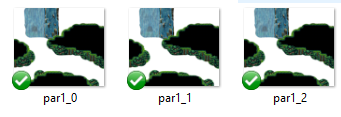
Example of how the 3 frame images would be set up in your parallax folder.
par(layertype), 1(map#), _0(frame#).
Changing animated layers:
When changing a layer that is animated via plugin command(example: Overlay ground ground1-v1 ), do NOT include _0, as this plugin will do so on it's own.
Map Note Tags:
Code:
(ex. <animate_parallax: 3, 10 > -- This will animate the par layer with 3 image frames at a speed of 10fps.)<animate_parallax: f, s > : *parallax layer will animate upon map entry.
<animate_shadow: f, s > : *shadow layer will animate upon map entry.
<animate_ground: f, s > : *ground layer will animate upon map entry.
<animate_light: f, s > : *light layer will animate upon map entry.keys:
f = the amount of frames( or images ), that will be used.
s = the amount of frames that must pass before changing frames.
Plugin Commands:
Code:
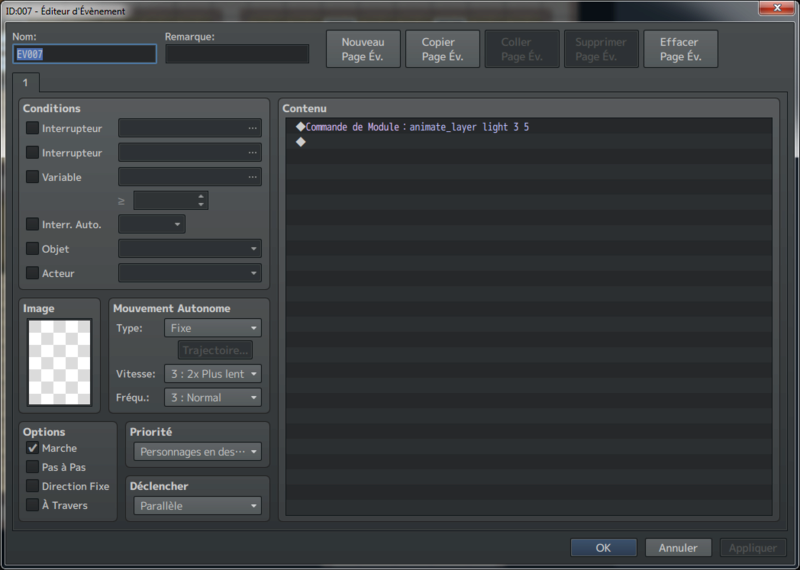
Description : tell a layer to start animating.animate_layer l f s(ex.) animate_layer ground 3 10
Code:
Description : change the speed of a given layers animation.change_layer_speed l sCode:
Description : tell a layer to stop animating.stop_layer_animation lkeys:
f = the amount of images used in the animation.
l = the name of the layer( ground, parallax, shadow, light ).
s = the amount of frames that must pass before changing frames.
----------------------------------------------------------------------------------------------------------------------------
Bugfixes: Please post all bugs you encounter in the thread. I'll try to keep this plugin updated and bug free.
----------------------------------------------------------------------------------------------------------------------------
Terms of Use
Orange Overlay
Credit: Hudell and Chaucer
Same rights as original-Free to use on any game
Tsukitsune Animated Overlay Add-on
Do not share on any other site without permission
Free for use on any game
Edits are allowed
and please support my project <3

Orange Overlay
Credit: Hudell and Chaucer
Same rights as original-Free to use on any game
Tsukitsune Animated Overlay Add-on
Do not share on any other site without permission
Free for use on any game
Edits are allowed
and please support my project <3