This plugin will add 1 layer for light sources. You may use event comments or plugin commands to control different type of light sources. Event comments are processed PER page so you can easily control different types of light sources on same event. You may have multiple different light sources declared in 1 event page!
Light sources for player, followers and events are carried over save/load. Example if you change light source via plugin command it will be saved on game save - and when game is loaded - saved light data will persist!
NOTE: If you use OcRam_Local_Coop/OcRam_Time_System make sure they are up-to-date and imported BEFORE OcRam_Lights -plugin.
Here's what you need:
1. This plugin
2. Configure plugin parameters as you like
3. Add event comments/plugin commands
Tutorial and demo video
Tutorial and demo video for v2.01 extensions
Multiple lights per event (Credits to EthanFox)
NOTE: Officially available only via EVENT comments!
(or advanced JS - need to know basics at least)
Event page setup for multiple lights and cycling colors
Create some crazy looking stuff with kill switch on it!
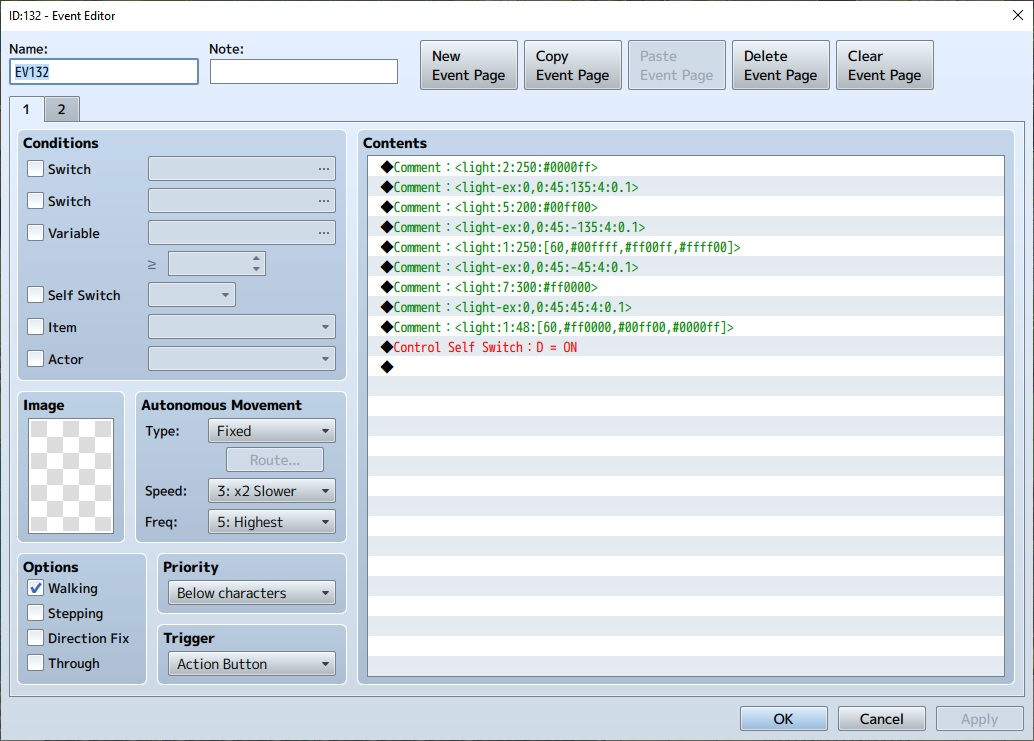
On page 2:
Trigger: Action Button
Condition: "Self Switch D"
* Comment * <light:0>
Control Selft Switch : D = OFF
On page 2:
Trigger: Action Button
Condition: "Self Switch D"
* Comment * <light:0>
Control Selft Switch : D = OFF
Use JS conditional check to check in parallel event page if player is in radius.
When player is not in event light radius.
When player is in event light radius.
Vibrant colors and new notation (light-ex)
Vibrant colors + dynamic light cones with angle and possibility to rotate x degrees per frame!
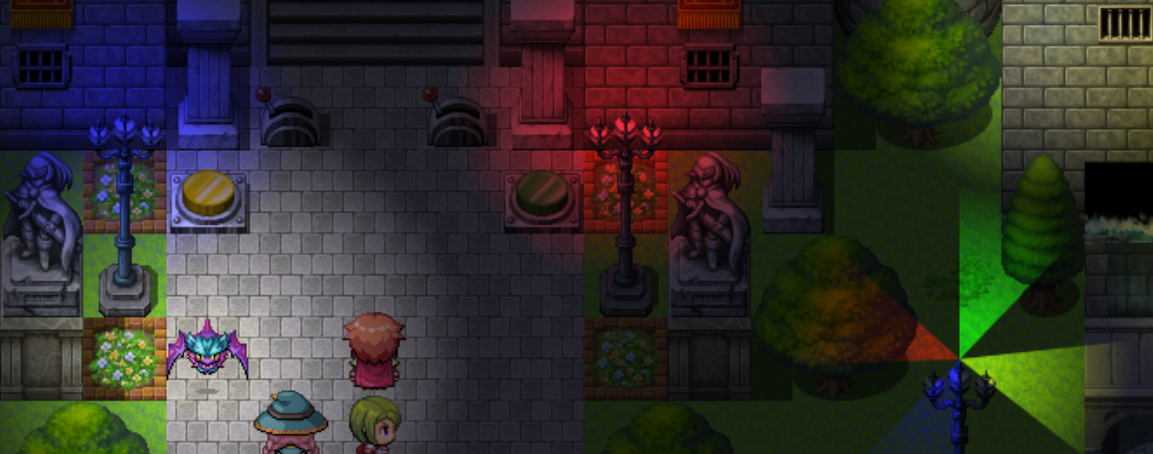
New notation technique will give you possibility to combine new parameters with existing light types!
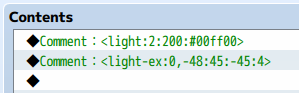
New notation technique will give you possibility to combine new parameters with existing light types!
All OcRam -plugins now available at ocram-codes.net
Please read: Terms of Use
Latest version: Download from here
All my plugins: Check 'em out!


