Need help with my scene.

● ARCHIVED · READ-ONLY
Started by ThatDudeMaxu 12 posts View original ↗
  1. Hi everyone,

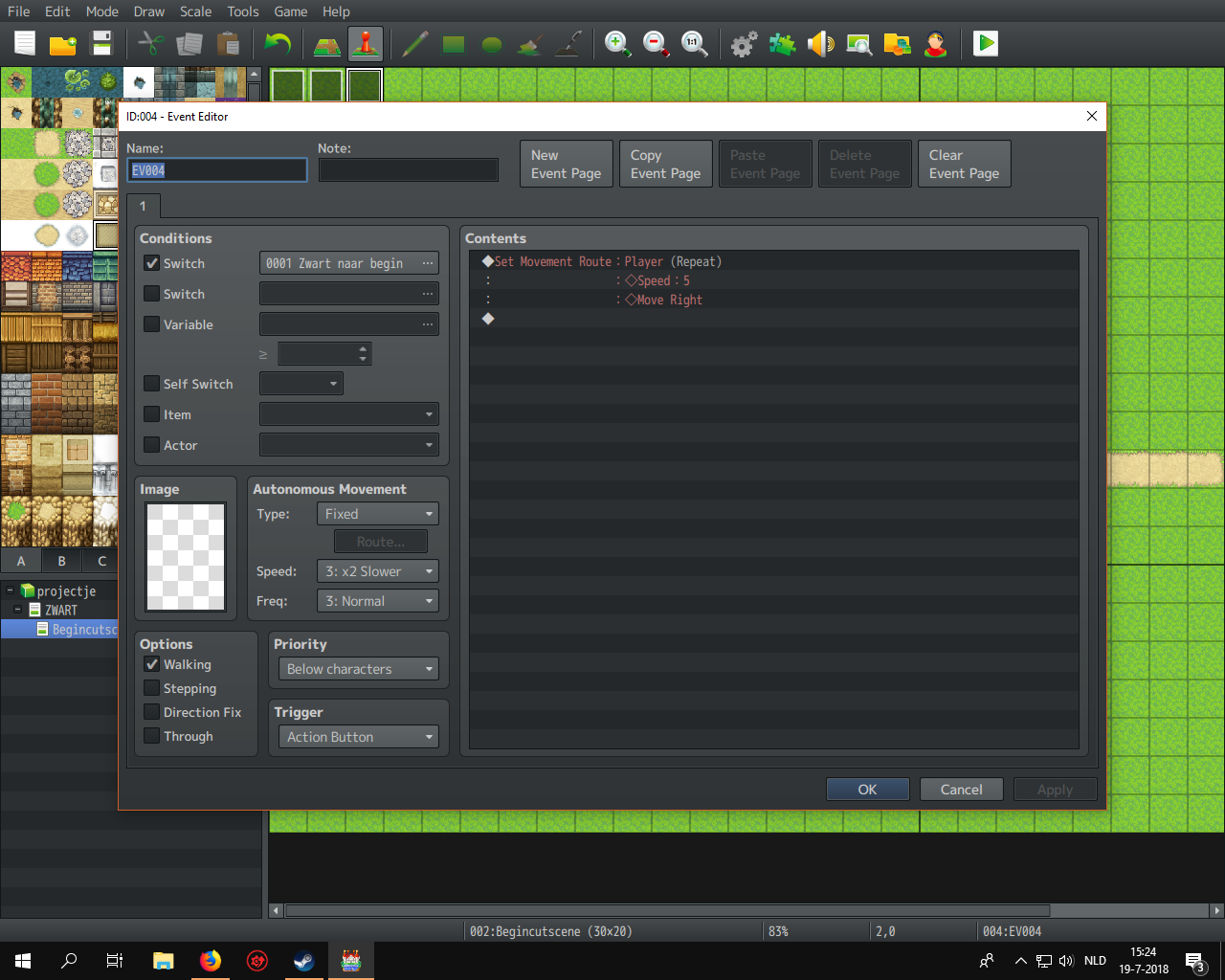
    I'm pretty new with rpg maker MV, so I don't understand alot of thing. One thing I wanted to do was a scene where someone is running through the woods, but for that I need the player (transparent) to follow the event. The event runs with move speed 5 (2x faster), so I use move speed 5 for the player too in his movement route. For some reason though, the player doesn't move faster, he just runs with his regular speed. Does someone know what I'm doing wrong?
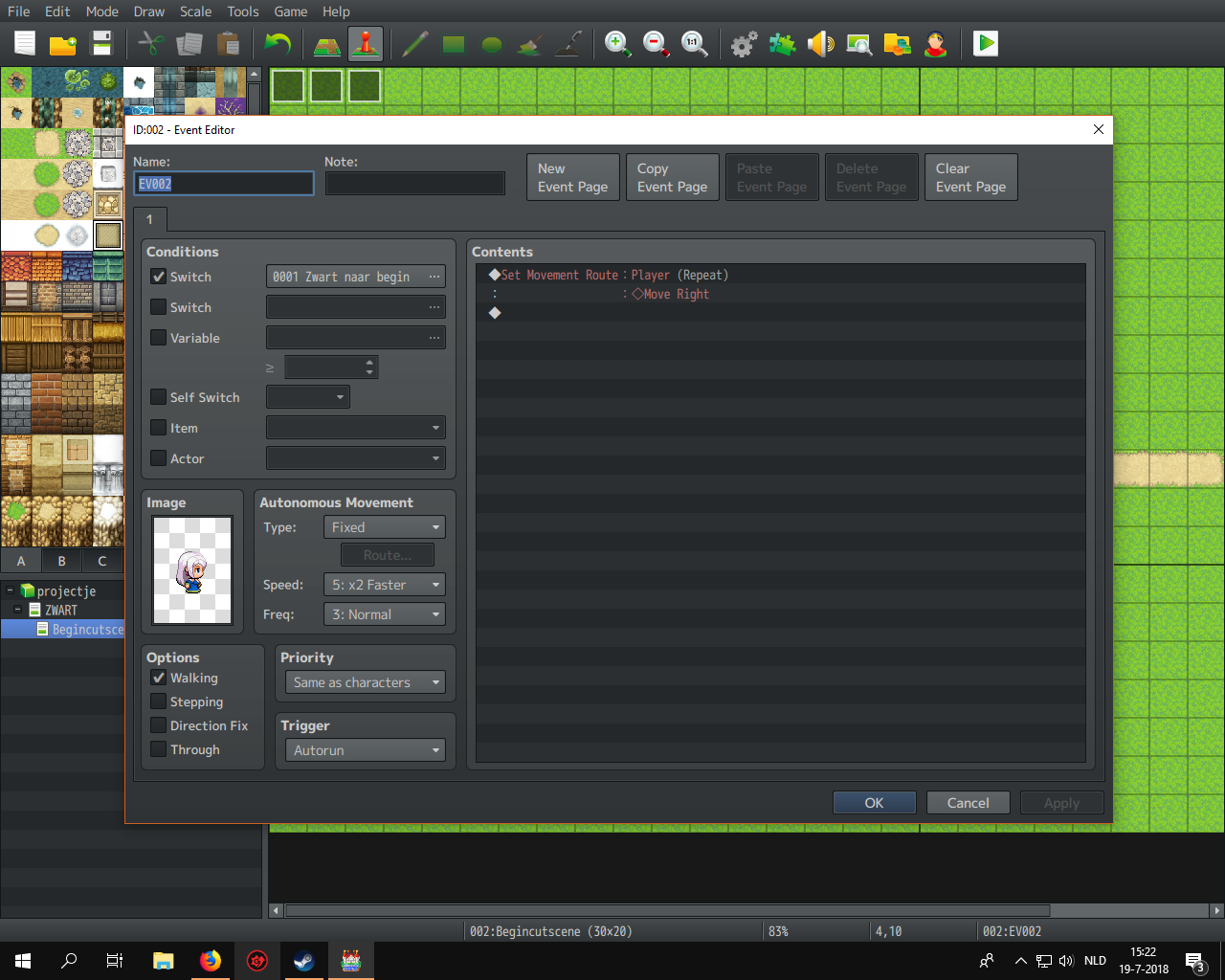
    upload_2018-7-19_15-24-20.png
    upload_2018-7-19_15-24-40.png
  2. Both events move the player, neither moves the event itself.
    And if several move route commands are given to the same target, the second one deletes the previous move command.

    I suggest you follow the link to the starting point in my signature and work through the tutorials linked there to learn how the program works.
  3. Also, your second event that controls the player speed is set to be trigger only by an action button, which means the player will need to step on the event and interact to trigger it, while the first event is autorun, which means it'll just start going and block the player from doing so.

    You can combine these two moveroutes together in one event with autorun (make a move route for the event, and move route for the player, untick the 'wait for completion' in the first, and leave it in the second). Although with autorun, you should set a more defined moveroute, otherwise it's just going to run to the end of the mapscreen and get stuck.

    You should definitely check out the tutorials Andar recommended.
  4. Andar said:
    Both events move the player, neither moves the event itself.
    And if several move route commands are given to the same target, the second one deletes the previous move command.

    I suggest you follow the link to the starting point in my signature and work through the tutorials linked there to learn how the program works.

    Oops, I know that that doesn't work haha. The one without the movespeed was first set to be tied to the event, but I accidentally removed it and just quickly remade it for the screenshot, but not without error seemingly. Also, I do know the core basics and a few other things about the program aswell, because I used VX Ace a few years ago (altough my knowledge has suffered). I will still surely take a look, thank you :D.
  5. upload_2018-7-19_16-51-8.png
    upload_2018-7-19_16-52-7.png

    It now looks like this, but the player is still too slow. I will watch the tutorials suggested, thanks for that :).
  6. Well... I managed to fix my problem with the player walking too slow, but now the events movement is very choppy and ever so slightly faster. Anyone know what's wrong?
  7. Set your visible event to THROUGH = ON in it's move route. I think what's happening is that your transparent player is bumping into your event (if I followed this thread correctly, anyway).
  8. WriterMonkey said:
    Set your visible event to THROUGH = ON in it's move route. I think what's happening is that your transparent player is bumping into your event (if I followed this thread correctly, anyway).

    The transparent player is above the visible event, so sadly that's not the case. It looks as if the camera can't fully keep up.
  9. Ah. That last screenshot shows it on "Same as characters," so I could have sworn that was it. My bad!
  10. Your scene has one of the most basic errors ever done - you split the commands between different events.

    You need ONE controlling event that contains all commands - all other events involved should only be remote controller empty placeholders for the sprites.
    Any scene where the commands are split between several events will always have timing problems, especially with multiple autoruns.
  11. Alright, putting both movement route commands on 1 event definitely helped, but restarting my pc also helped for some reason. Thanks for all the help guys!