@RK DracoRoy maybe now it works the focus as you expect? please, test the new version (v1.6.1).
@DigitalWF maybe with the new version (v1.6.1) the bug is corrected? Feel free to inform now.
@Killuki Zaoldyeck I added some options to battler scale to control animation position and "smooth". And character in map should now be pixelated if you disable the map zoom "smooth" option.
Yeaaah!! You're a monster!!
:kaoluv::LZSjoy:
Thank you!!
EDIT: Huh, on battle there are some enemies that are still smooth, maybe it's an issue with visustella?
(reduced screenshot size to 50% due file being too large).
EDIT 2: Balloons in map are also smooth still.
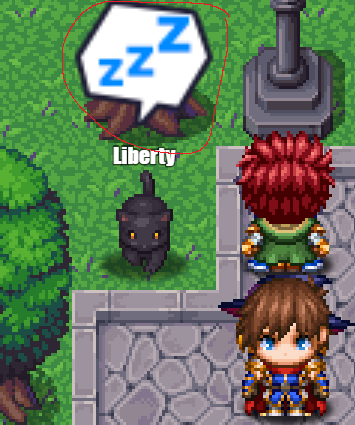
Ouch, I don't remember this being so complicated on MV, on MV I remember you putted a "pixelated" css code on index.html a plugin with a script snippet, and all the game went pixelated at once.
Well, you're close to fix all this!
EDIT3: The game starts minimized, also, at least with visustella's menu core, the characters bitmaps (busts) are also smooth still, but I guess this is more normal since there isn't any option on neither plugin yet to disable bitmap smoothing on menu scenes. Most curious is that icons goes pixelated.
EDIT4: Could you implement an option to automatically scale
all windows with the game resolution? I mean for example, all the stuff like font size, space line, etc becomes automatically adjusted and also all bitmaps.
Or maybe, if an automatic option is too complicated to program or is better to control each element scale individually, a way would be let us put the multiplier inside plugin parameters, like bitmap zoom, menu scale, etc to 2.0, 3.0, etc.
You know that by reducing the game resolution what mostly makes when you go fullscreen the pixels are wrongly displayed, while if you use a bigger resolution (in this case, 1080p), everything looks pixelated correctly.
This is an example of 1280x720:
You can see that the lines of the menu background looks weird, fonts and bitmaps looks kinda deformed.
And this is an example of 1920x1080:
Everything looks better (but fonts and bitmaps are smooth still because is clear that MZ has smooth options almost even in the plugin box, everywhere).
