MRP MapExporter - export your full-size maps 1:1 as PNG files

● ARCHIVED · READ-ONLY
Started by HelloAnnyong 20 posts View original ↗
  1. MRP MapExporter - version 0.0.12
    Mark Przepiora (HelloAnnyong)
     
    Usage Terms: Licensed under the Creative Commons Attribution-NonCommercial 4.0. tl;dr: If you use this during development of your noncommercial game, you must credit me (Mark Przepiora / HelloAnnyong) inside your game's credits sequence and readme. I would also appreciate you sending me a message letting me know you did so. :) If you plan to use this during the development of your commercial game, please contact me first.

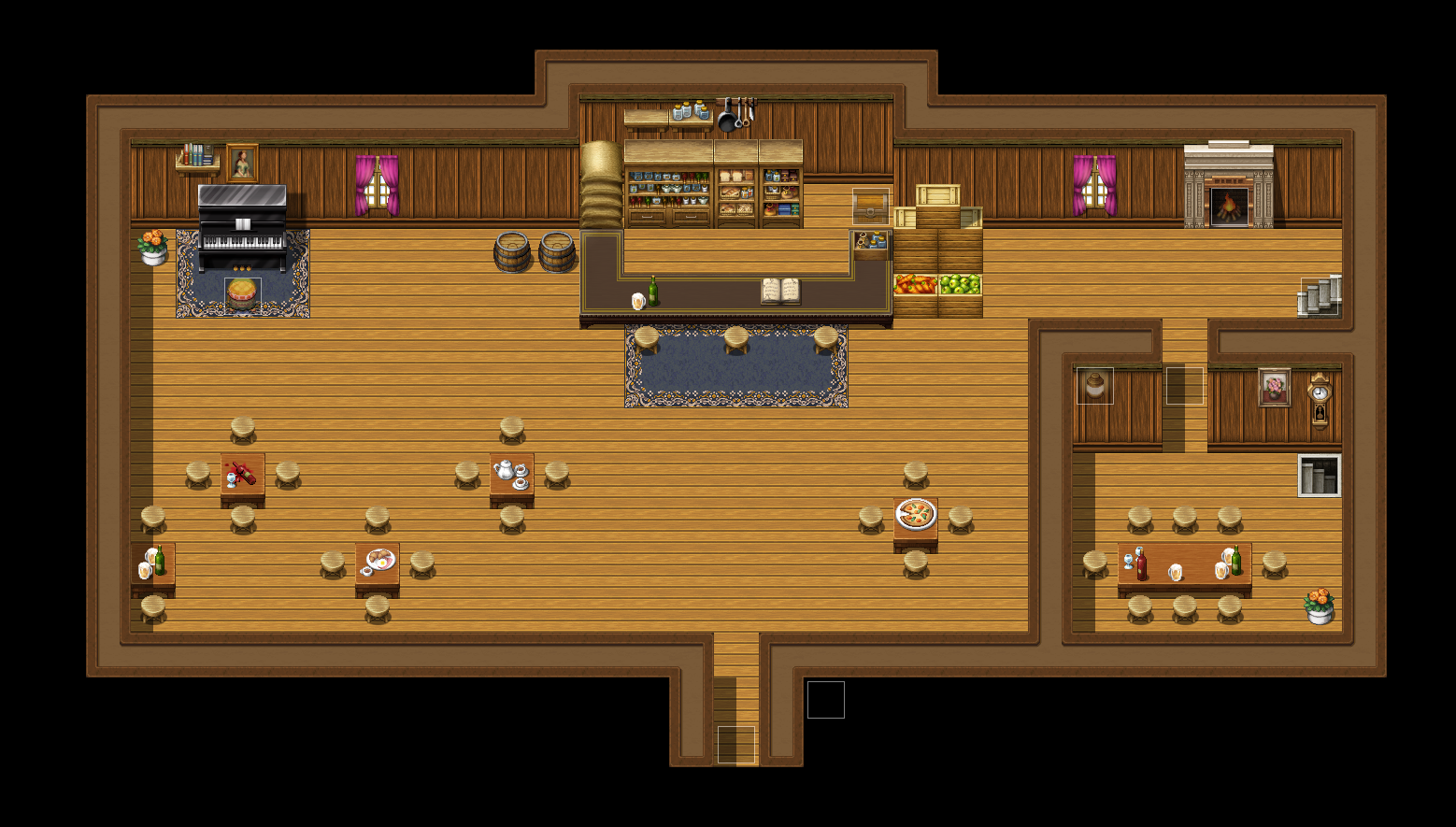
    Example (click to expand):


    MRP.MapExporter allows you to export your entire map as a big PNG file.

    Download and installation:

    Version 0.0.8 (in case you have issues with 0.0.11): Click here to download the ZIP file from GitHub.

    Version 0.0.12: Click here to download the ZIP file from GitHub.

    Extract

    dist/rmmv-mrp-core--map-exporter.jsand add it to your

    js/pluginsfolder and activate it. Easy peasy.

    Usage: Simply run,

    MRP.MapExporter();either from inside your JavaScript console or from an event. A PNG file will be saved to your game directory in a subfolder called "MapExporter". Explorer/Finder should open to the directory. The filename will be timestamped and include the name of your map.

    All events on the map are included in the image, but your character will be made invisible.

    This probably goes without saying, but you do not need to include this plugin with your final game.

    Changelog:

    • 0.0.11 — Now works correctly in Windows.

    FAQ:
     
    Will this work with nonstandard tile sizes / game resolutions?
     
    Yes. It should. But this is untested. So give it a shot and let me know.

    - Help! This doesn't work on my very large maps (RPG Maker MV crashes, or I get a blank PNG file.)
     
    This might happen depending on the size of your map and your system specs. (In my own testing, 100x100 maps work fine, but I experienced a crash on 256x256.) In this case, you can pass an optional named parameter to MRP.MapExporter() like so,

    MRP.MapExporter({ pagesPerImage: 3 });Doing this will save a sequence of images, each one at most 3 screen widths across and down in size. (Increase this number for bigger images, lower it for smaller ones down to a minimum of 1.) The files will be suffixed with 00, 01, 10, 11, and so on, with the first number giving the x value, and the second number giving the y value. You can connect these together manually in Photoshop or Gimp to get a full image.

    Any other caveats?
     
    Everything you see on the screen will be rendered to the image (except for your character - whose opacity is set to 0 before exporting). This includes your map's Display Name if it is currently being displayed. So be sure to disable anything you don't want displayed before running the exporter.
  2. This is awesome. Glad that you managed to take some of my ideas and make what we all wanted :DDDDD
  3. Yes, yes, yes, yes, yes, yesss! Thank you so much for this!

    Splicing up screenshots of maps bigger than the default map size was a nightmare.
  4. This truly a dream come true.bi had this half way working but he managed to get it all the rest of the way in like an hour or two.
  5. Finaly! Nice work man! Thanks for this
  6. Impressive!

    BTW I tested some scripts' compatibility. It works fine with Kaus Ultimate Overlay and TerraxLighting

    Thanks for your work!
  7. I just tried using it and it only exported a blank image.
  8. Jenza said:
    I just tried using it and it only exported a blank image.
    That doesn't really help me figure out what's wrong. :)

    Could you try disabling plugins one by one to narrow down if the issue is an incompatibility with an existing plugin? Also try on a brand new project to see if it's somehow an issue with your computer?
  9. HelloAnnyong said:
    That doesn't really help me figure out what's wrong. :)

    Could you try disabling plugins one by one to narrow down if the issue is an incompatibility with an existing plugin? Also try on a brand new project to see if it's somehow an issue with your computer?
    I just tried getting my dev partner to give it a go. it seems like there may be something in the plugin that doensnt like macs. He was on a windows and had no problem
  10. Jenza said:
    I just tried getting my dev partner to give it a go. it seems like there may be something in the plugin that doensnt like macs. He was on a windows and had no problem
    I developed and tested this on a Mac, and can't reproduce any issues so that's probably not the underlying cause.

    The code doesn't do anything crazy anyway. It uses RPG Maker's own API for taking a snapshot of the screen to take multiple screenshots (one for each screen-full of the map) and pastes these snapshots into a big HTML canvas, which it then converts to a PNG.
  11. Jenza said:
    I just tried getting my dev partner to give it a go. it seems like there may be something in the plugin that doensnt like macs. He was on a windows and had no problem
    Ahh, I was just able to reproduce this issue on a big (256x256) map. So maybe the problem is related to memory usage. I'm not really sure how Chrome limits large canvases from using excessive amounts of memory. It's possible that there's a limit that depends on your system RAM.

    I might add an option to save a series of images, each of a maximum size, to let users stitch them together themselves if they can't export the entire thing in one go.
  12. HelloAnnyong said:
    Ahh, I was just able to reproduce this issue on a big (256x256) map. So maybe the problem is related to memory usage. I'm not really sure how Chrome limits large canvases from using excessive amounts of memory. It's possible that there's a limit that depends on your system RAM.
    While doing my own map exporter, I also ran into some issues with memory on Chrome that never happened while playtesting with the Game.exe, so that's probably it.
  13. I have encountered no issues thus far, aside from the ones I pointed out while using the pre released version. I have exported, this morning, some rather large maps for my game and it works flawlessly :D
  14. HelloAnnyong, please avoid double posting, as it is against the forum rules. You can review our forum rules here. Thank you.

    If you want to add something and your own post is the last, please edit it.
  15. I've updated this script in a few ways. If you were experiencing crashes, please download version 0.0.10, read the updated instructions in the FAQ, and give the new pagesPerImage parameter a try.

    In addition, images are now saved automatically to your game folder in a subdirectory called MapExporter, with no "Save As" dialog required! They are timestamped and include the name of the map itself.

    Edit: If someone could test this new version on Windows and let me know if everything still works as expected, that would be great.
  16. Ill try the updated plugin later, just an fyi the map i tried to export was 80x100
  17. Thank you I alway want this.
  18. When I call this function: MRP.MapExporter(); I simply get an "no such file or directory" error (for the folder in which the screenshot should be created in).

    I tried to create the folder manually but that did not change anything. It is not a very big map (40x23) either so I do not really know what the problem is.
  19. Accendor said:
    When I call this function: MRP.MapExporter(); I simply get an "no such file or directory" error (for the folder in which the screenshot should be created in).

    I tried to create the folder manually but that did not change anything. It is not a very big map (40x23) either so I do not really know what the problem is.
    Thanks for the report. I'll install RPG Maker in Windows tonight and take a look. Check back later.

    Edit: In the mean time, you should be able to use the 0.0.8 version of this script.

    Edit again: This is now fixed. Please download 0.0.11.
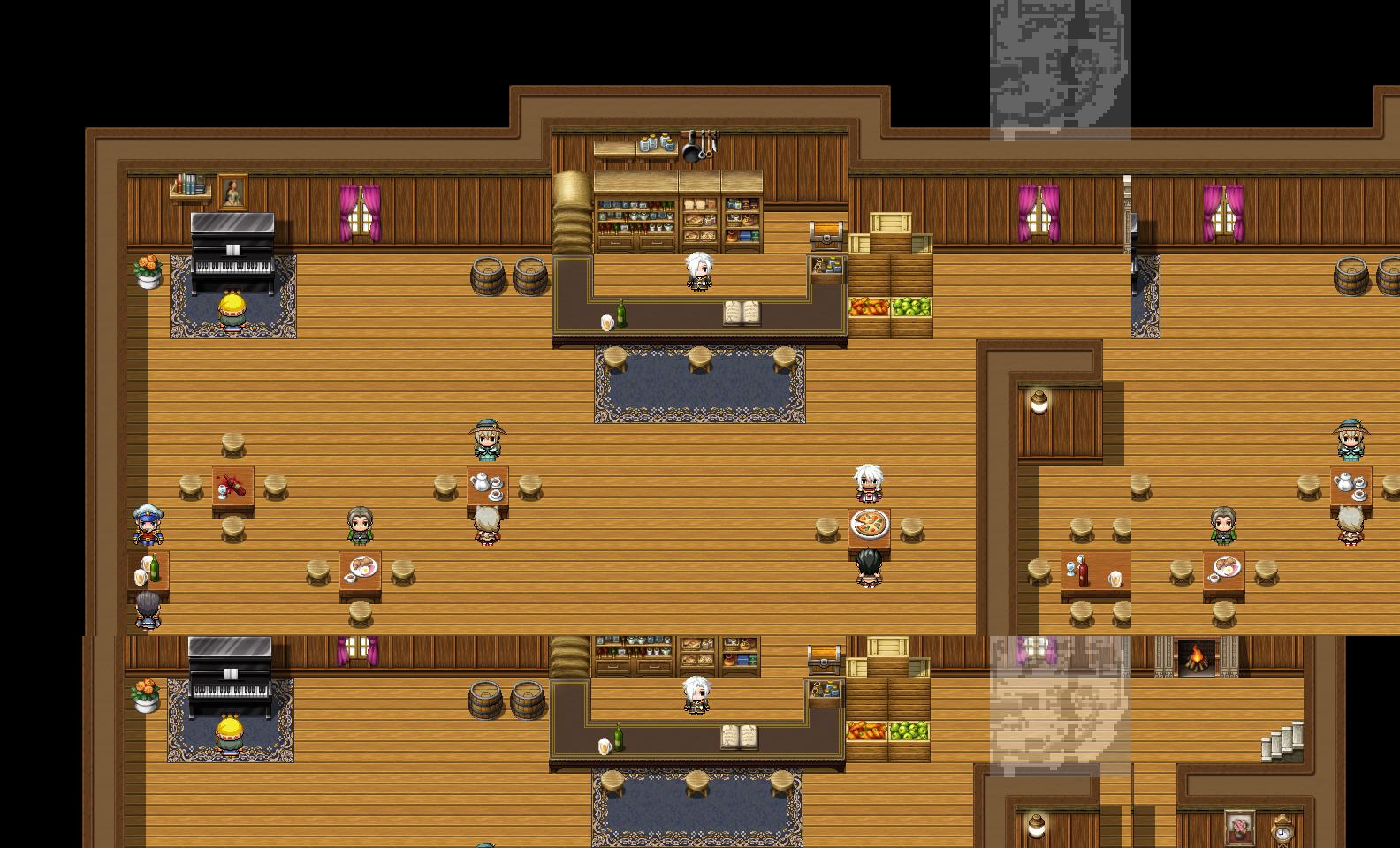
  20. Well, this is not working for me.. It may be the resolution I'm using (1280x720), a bug or some sort of black magic, but I can't be sure..

    Anyway, here's an example:

    Spoiler
    This is the complete map. (Which I took screenshot and edited on paint so I could show you)

    FullMap%20no%20Problem_zps3dm5frys.png
    And this is the error:

    Spoiler
    This is the actual png file I got after using the plugin's script call.

    FullMap%20with%20Problem_zpsfn5wd24b.png
    Any ideas?