I sometimes accidentally make new graphics for my own projects or just for fun.
Terms of use: You may edit them. Crediting me is not necessary (if you want, you may credit me as Milu, and I appreciate if you do). However, the original Rpg Maker MV terms apply to the edited RMMV graphics.
These graphics are edits of the default RMMV graphics, unless stated otherwise. They are free to use in non-commercial and commercial Rpg Maker MV projects, and with other rpg makers that you own (if you also have MV).
My original work can be freely used anywhere, also in other games or purposes.
* * *
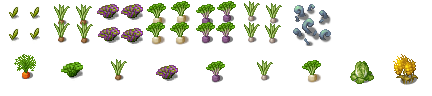
Plants – for growing them and cutting them down :uhappy:
Spoiler
Tall door with frames. (Edits.) Also magic doors and doors with spiderwebs.
Doors for the indoor maps. A trapdoor.
Spoiler
A tip for the indoor map doors: one easy way to use these is to make a door event that disappears after use.
Switches, levers & buttons
Spoiler
Wall-friendly versions of the small runes
Spoiler
A giant butterfly (Edited from this public domain material. You can use it anywhere.)
Spoiler
Flame and other spirits / monsters (does not work as a character file, must be copied & pasted into one)
Spoiler
*
ICONS:
Various items
Spoiler
My own original graphics. Pants, belt, hats, other clothes, jugs, potions, mugs, spoons, staff, wizard staff...

Icons edited from tileset:
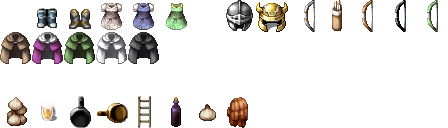
Icons edited from tileset:
*
TILESET:
WORLD:
World map tiles - A stone sign. Dying/dead crops. A building site. An underground city and/or city with rocks and no vegetation.
Spoiler
NATURE & OUTSIDE B-E:
Plants & farmland - Crops, trees etc.
Spoiler
Crops, edited graphics: (See also plants in the Character section)
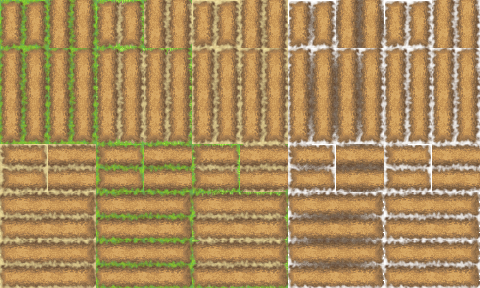
Field (edits of Outside_A5):
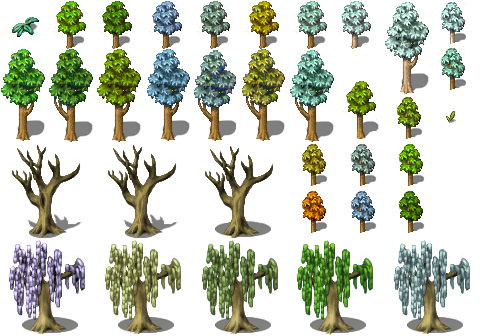
Trees, mostly (all original graphics):
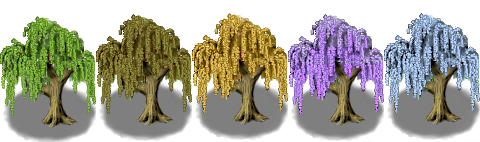
Different style trees (not very RMMV default graphics kind of style):
Field (edits of Outside_A5):
Trees, mostly (all original graphics):
Different style trees (not very RMMV default graphics kind of style):
Stones, wood & fences and other little things.
Spoiler
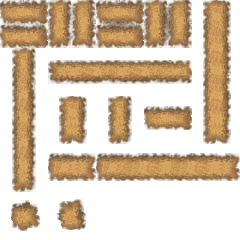
Experimented with making different fences. (No vertical fences, unfortunately. Yet.)
Door frames, original. The bigger frames were designed to fit around taller doors by Indrah and Tonbi@Tobishima-Factory , for those who want to combine resources by different people.
Spoiler
INSIDE B-E:
Furniture & stove - edited stove (with variations), table&desk, empty containers, dead plant, a hat stand and a coat stand and weapon stands (which match Inside_C), magic bookshelves
Spoiler
Weapons, armor, clothing, tools, food, tableware etc.
Spoiler
Tools, original – watering can & lockpicks:

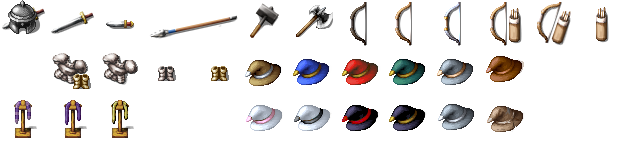
Original armor, weapons and clothing - inventory items lying on the floor/table:
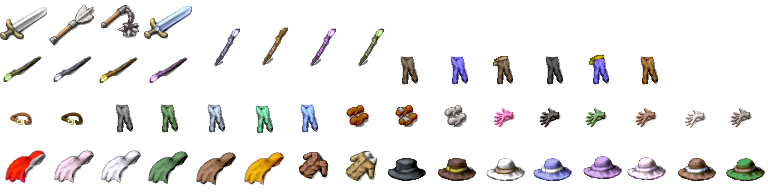
Edited armor, weapons and clothing:

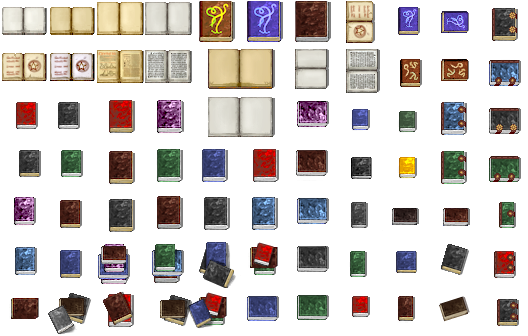
Books, original:
(Some of the covers and open book are heavy edits of this public domain scan of a real book from 1821 :uhappy: https://archive.org/details/b28407568)
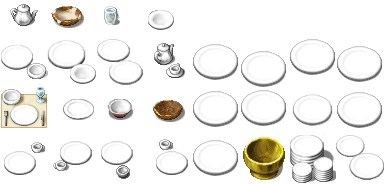
Kitchen stuff, original:

Kitchen stuff, edited:

Plates & other tableware from Inside_C and SF_Inside_C, all empty.
Original armor, weapons and clothing - inventory items lying on the floor/table:
Edited armor, weapons and clothing:
Books, original:
(Some of the covers and open book are heavy edits of this public domain scan of a real book from 1821 :uhappy: https://archive.org/details/b28407568)
Kitchen stuff, original:
Kitchen stuff, edited:
Plates & other tableware from Inside_C and SF_Inside_C, all empty.
Curtains and windows - Some of them match the recolored A2 tiles.
Curtains.
Window edits. Also a couple of dusk/dawn windows.
Magical (dungeon) windows, inside & outside. (Edits of Outside_C & Dungeon_C)
Wall beam.
Spoiler
AUTOTILES, WALLS, FLOORS & BUILDINGS:
Tables, rugs, carpets, floors - edits of Inside_A2 and Outside_A5.
Spoiler
Some floors I downsized into A5 tiles to save space. (If you want them back into A2, just copy them 6 times.) Broken floor versions are edited from Outside_A5.
Emptying/filling pools - I couldn't find any empty versions of the A1 Inside&Dungeon pools. I needed only one but ended up making a few variations. These are A2 autotiles. You can now empty or maybe fill up some pools or sewer canals or whatever. Or do things with lava.
Spoiler
This is not an autotile, the shadow just looks better:
Copper roof – parts can be combined
Spoiler
Stone walls (Inside_A4, Dungeon_A4, Outside_A4) - mostly edits. Thanks to Alilali for the blank wall frames.
Alternative log cabin.
Spoiler
Rounded cave walls - autotile tileset A4 and tileset B-E, edits of these nice walls by Sturmfels. I've adjusted the lighting, color and the way they connect, to my own preference. I also made a rounded autotile, because it's often frustratingly slow to put the wall pieces together.
Spoiler
Here's a screenshot of what these look like in game.
UPDATED:
5 August 2025: Updated stove options
July 2025: Magic bookshelves, field tiles with snow, updated edited icons
25 feb 2023: A few more carpet autotiles; wall beams; curtains.
16 february 2023: Added magical dungeon windows
3 november 2022: Updated the alternate stoves. Added small runes.
22 october 2022: Updated A5 floors and windows & alternative log cabin.
12 december 2021: Switches, levers, buttons; steampunk gates
20 november 2021: A trapdoor
14 november 2021: More doors... and a couple of hats from the Actor sprites
13 november 2021: Field tiles for farming. (Edits of Outside_A5)
8 november 2021: More books!
5 november 2021: Alternative log cabin, more stove options
28 october 2021: Doors for indoors, and a medieval-ish stove
10 october 2021: More plant characters, fixed some crops, added a couple of tools and empty weapon stands. Also, finally updated icons.
6 october 2021: A bigger update, once again. Added a couple of new doors and brick wall & floor edits, some new plants, items (especially hats!) and a copper roof. Some polishing & fixing done here and there. A major reorganisation.
21 october 2020: Empty pools added. More variation to the tree set. New, better fence.
18 october 2020: More doors & frames.
16 october 2020: Added doors, door frames, fences & a few random items and icons.
19 september 2020: Major revision. Added things, reorganized things.