Mastersheet Template for PV MV Character Packs

● ARCHIVED · READ-ONLY
Started by Niten Ichi Ryu 6 posts View original ↗
  1. Hi Fellow PVers!!!


    For those who wish to use the Mastersheets files to create their PV Characters, I have made that simple file, that you can use by importing as a layer in GIMP, that will help you find out at a quick glance what corresponds to what on the Master sheet.


    Simply open GIMP, open this a layer, set your grid to 128X128 and add directly the character pieces via Matersheets. Then simply Copy and paste in the corresponding formated spritesheet.


    Hope it will be useful for you :)


    Edit:


    Realized that while the colors were non intrusive, the text made it hard to see details


    Maybe for even more convenience, I'll split it in two files: one with the color codes, and one with the actual text, so import them as two different layers.


    @BloodletterQ grab this instead :) . (Admins, let me know if you want this in spoilers, but I was thinking leaving it as is for more visibility on what this is actually about)


    Colors:


    QjeMfyn.png


    Text:


    mesppIb.png
  2. I started to do one myself but my computer freaked out lol. Thanks for sharing.
  3. @Niten Ichi Ryu Hey that is a really, really solid idea. Thank you very much for sharing that!  Would you be opposed to me including that in future packs with credit to you for making it? Feel free to say no if you do not want to do that :)
  4. @Jesse - PVGames no problem, I would be super happy if it ends up being useful to PV community. So yes, please feel free to distribute with future packs. 


    I was inspired by the battlesheet template you provided at the time of Wild Steam. 
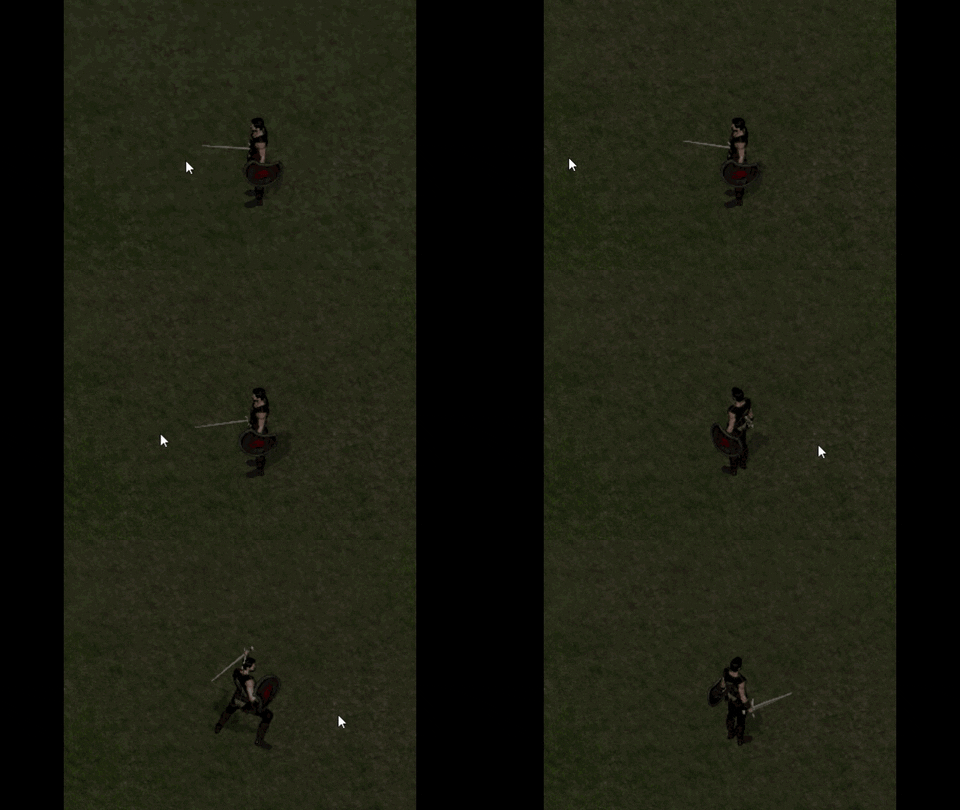
  5. Using the file "Mastersheet", with a plugin that manages poses and an ABS system, when the char attacks to the left, the correct attack pose appears. But when it attacks to the right, it doesn't have. I inverted the pose from the left to the right side, with an image program, and apparently it worked, but it didn't, because the shield and sword change hands, because I just reversed the side. Is there a way to create the "Mastersheet" file with the character attacking both sides?​

    giphy.gif
  6. DerniBorges said:
    Utilizando el archivo "Mastersheet", con un plugin que gestiona poses y un sistema ABS, cuando el personaje ataca por la izquierda, aparece la pose de ataque correcta. Pero cuando ataca por la derecha, no tiene. Invertí la pose de izquierda a derecha, con un programa de imagen, y aparentemente funcionó, pero no funcionó, porque el escudo y la espada cambian de mano, porque yo solo invertí el lado. ¿Hay alguna forma de crear el archivo "Hoja maestra" con el personaje atacando a ambos lados?​

    It's a problem, I think the author of these great resources was wrong, in the attack poses of the character. There are only two, and they are in only one direction, it is unfortunate, ideally they were in eight directions. I hope at some point he will correct it, and update the master sheet with all the attack poses.