First off, create a parallel process on your map with these events:
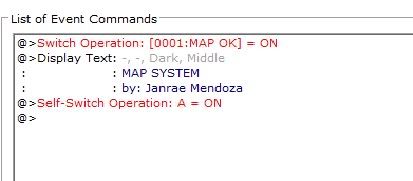
Make sure that a Self Switch Operation for that event should be placed for it to stop after the Map Switch is activated. Don't matter about the display text i made there. Next, make a parallel process common event that would be activated once the MAP OK switch is activated:
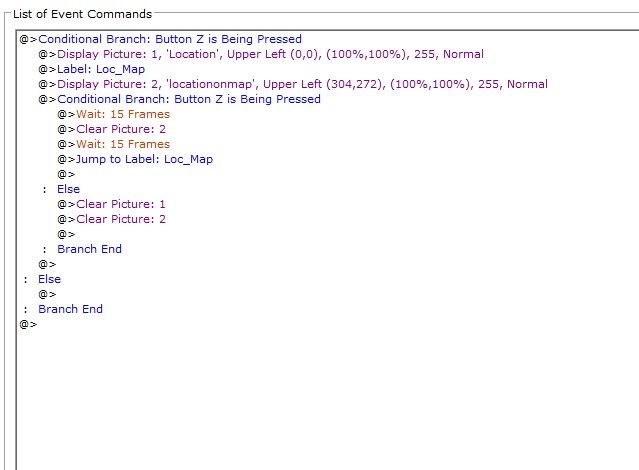
Note: We need the label to return the loop once you stopped pressing the map button. Make sure that it is a parallel process! Now, you're done. Enjoy! Make sure to have the graphics needed by the event though.
Here's the original post for the download link: http://dropsofjanrae...ystem-graphics/