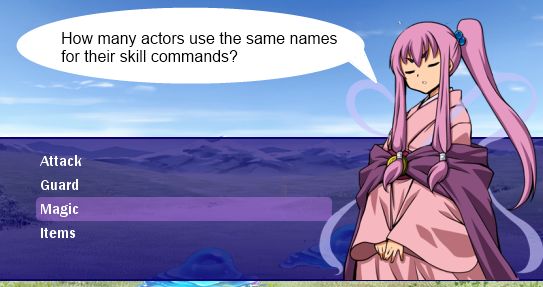
This article discusses some techniques for improving the look and feel of your game when it comes to skill commands. I discuss how skills are set up and assigned to actors, realize that everyone uses the same names for their skill command (Special, Magic, etc), and then look at ways to personalize these commands for each actor.
It is assumed that you are familiar with skills in RPG Maker and how to set them up in the database.
Managing Skill Types
In RPG Maker, you don't assign skills to actors.
Instead, you assign skill types that they can use, and then assign skills to each skill type. This is because the default menus were designed so that you must select a skill type first, which would then show all of the skills that you can use for that type.
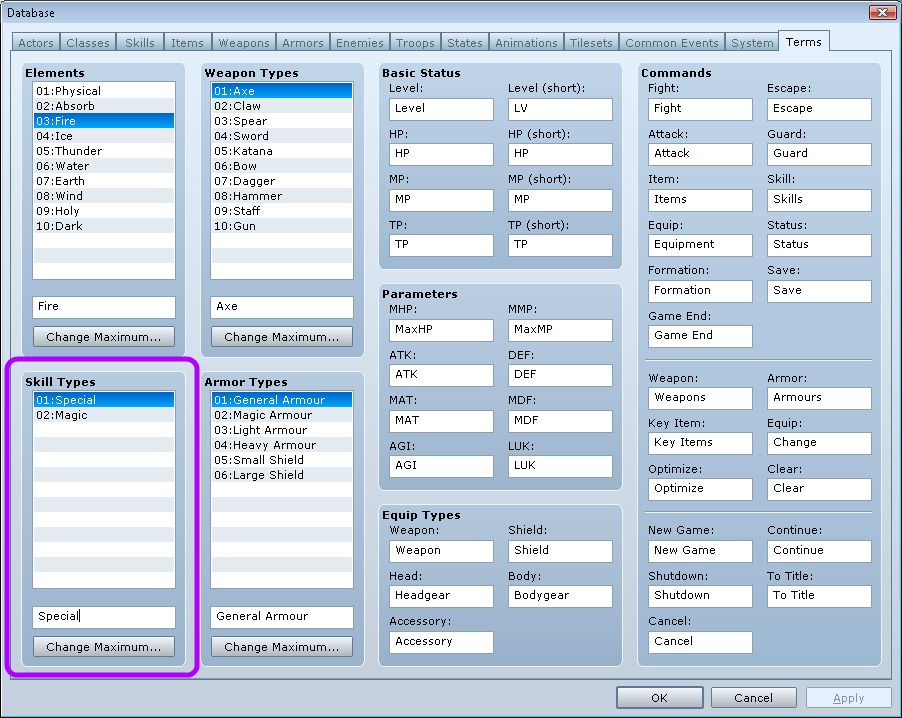
You can see all of the different skill types in your database from the Terms tab. By default, there are two:
Accessing Skills in-game
An actor can only use skills that it has access to. Two conditions need to be met.
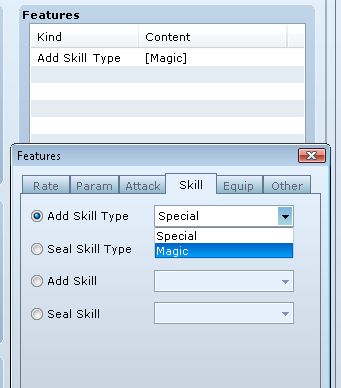
First, the actor must have access to the skill type that the skill is assigned to. In order to add a skill type, use the "Add Skill Type" feature.
Second, the actor must "know" the skill. This can be done either by learning the skill, or having features that add the skill directly.
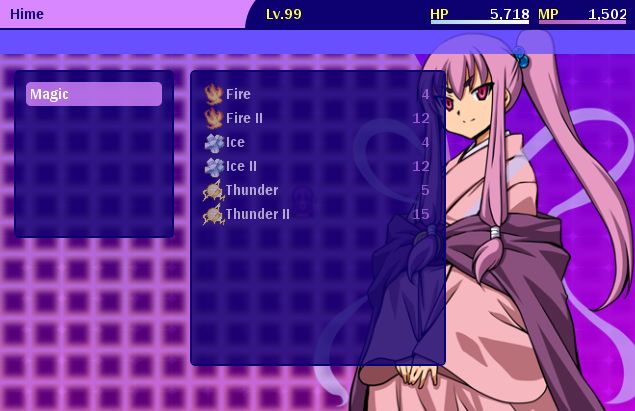
For demonstration purposes, I have set up 6 skills under the Magic skill type.
- Fire
- Fire II
- Ice
- Ice II
- Thunder
- Thunder II
Personalized Skill Types
Personally, I find it a little too generic when everyone has more or less the same set of skill command names. Either everyone uses Special skills or Magic skills or whatever name you want to give it.
I'd like to personalize my skill types so that everyone has their own unique command name.
Read the rest at HimeWorks!