Khas Advanced Lighting v4.2 Ultra (now with real-time shadows!)

● ARCHIVED · READ-ONLY
Started by Khas 20 posts View original ↗
  1. Khas Advanced Lighting

    Introduction
    This is one of my graphics enhancement plugins for RPG Maker MV! It adds a lighting layer to your game, completely processed by your graphics card with GLSL shaders, so you will get great performance and awesome eye candy.

    Current version highlights
    Here's the final update for my lighting system! Now it has two versions, and the only difference between them is the addition of real-time shadows:
    - Version 3.1 is the most lightweight lighting system for RPG Maker MV
    - Version 4.0 Ultra has real-time shadows, but it is performance intensive

    Attention
    This plugin requires WebGL. There’s no way around this.
    Old save files will not work correctly with this plugin.

    Features
    The most lightweight lighting engine for MV
    Easy to use
    Deferred lighting
    Lights are created from images – you can create them in any shape you want
    Two light blend modes: stock and custom
    Effects are rendered using GLSL shaders
    Comes with 23 lights. You can easily add more
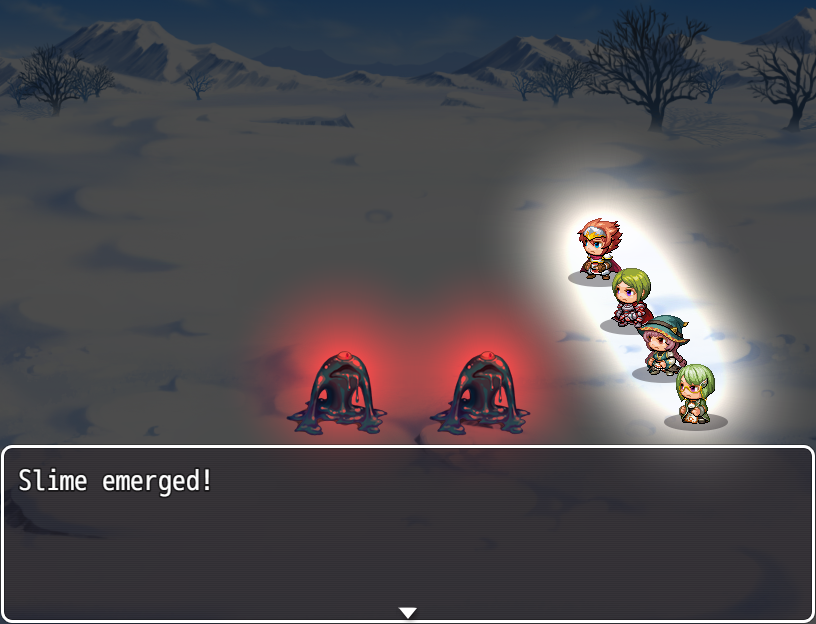
    Battle lighting
    Real-time shadows

    Video
    [embedded media]

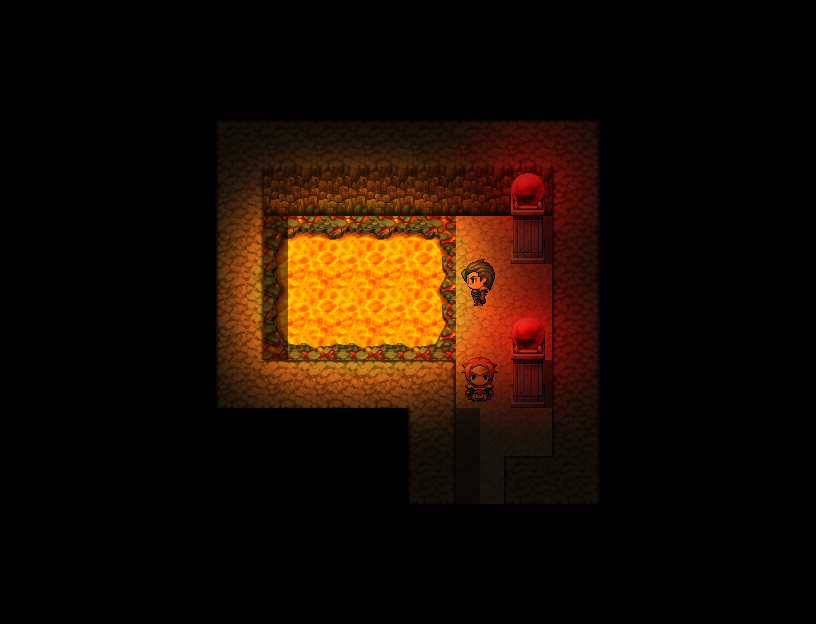
    Screenshots
    Click to enlarge!


    Required Plugins
    KhasCore
    KhasGraphics

    Download
    There are two main versions of this system!
    - Version 3 is the most lightweight lighting system for RPG Maker MV
    - Version 4 Ultra has real-time shadows, but it is performance intensive

    You can download the Master Demo or all my plugins here (click me!).

    Tutorial - How to install/use
    Please carefully read this tutorial before using!
    Additionally, you may download the demo to study and see the plugin in action.

    Video Tutorial


    Terms of Use
    Please read the full terms included within the plugin's Help. Basically it's free for non-commercial use and not free for commercial use. Credit to Khas is required.
  2. Amazing! )))
  3. I've been using your plugins since RMVXA and I was kinda waiting for you to release something LIKE THIS on MV. Very very nice plugin, this and the fog one are just smooth and awesome! Keep up the good work and 'obrigado'!
  4. Great plugin, the best lighting plugin by far, at least for me. The game runs really smooth.

    Thanks Khas.
  5. Battle lighting is incredible, great plugin :D
  6. is there the [static] or [shadow] function from the vx ace script?
  7. any information? thanks.
  8. Underserial, please do not bump your topic unless it has been 24 hours later since your last post. You can review our forum rules here. Thank you.


    This is to give all topics a fair chance to be responded too, and to keep in mind how busy others are.
  9. Underserial said:
    is there the [static] or [shadow] function from the vx ace script?

    bgillisp said:
    [bump]Underserial[/bump]
    This is to give all topics a fair chance to be responded too, and to keep in mind how busy others are.
    sorry thought it should be 48 hrs
  10. No worries, it can be tough with the different rules on different forums. If you don't hear from Khas on here within 72 hours from here, maybe make a support thread under Plug-in Support and see if someone else knows the answer?
  11. I have a question Khas! I work with 'Mog Hunter Time System Plugin', (Day & Night), and I would like your plugin to work with it. But whenever I create an event (like a light torch) and it gets dark/night (Mog Time system) your light system don't show up. How could I do to sync the ambient light of your plugin to the Mog Time system? That'd be a very interesting mix of plugins. Thanks!
  12. Josue Castillo said:
    I have a question Khas! I work with 'Mog Hunter Time System Plugin', (Day & Night), and I would like your plugin to work with it. But whenever I create an event (like a light torch) and it gets dark/night (Mog Time system) your light system don't show up. How could I do to sync the ambient light of your plugin to the Mog Time system? That'd be a very interesting mix of plugins. Thanks!

    I already create a day and night system. But i use orange time. With this common events you can create all these stuff. Mabye you can switch your system, if it isnt to much work for you.
  13. Hi, my overlay images still aren't affected by the lightning effects.

    EDIT: And now they are. That's weird.
  14. Thank you everyone!

    I understand that you may expect fast answers, but sometimes I get busy with my university stuff and then I have to delay the support a bit.

    @Underserial the MV version doesn't have shadows yet, so there's no need for [static] or [dynamic] commands.

    @Josue Castillo I would need to make them compatible. It's on my todo list and I'll give it a try, but it's not my priority right now :)

    @Tuomo L let me know if you find any weird behavior!
  15. Hi Khas,

    i use MOG - Event Sensor Plugin. This plugin uses comments. If I now want to add a light to the comment, then either the light or the event sensor, depending on what I first in the comment have.

    Sorry for my bad english.
  16. @Daalaff try placing all my plugins after MOG Event Sensor. My plugins add functionality to the original functions and they do not rewrite any of them. Thus, I believe the problem is being caused by MOG Event Sensor plugin.
  17. Hi,

    my problem is solved. :smile:

    I use two comments, one for each command.
    Thanks for this nice Script.
  18. Hi again, I'm having difficulty trying to get events to produce a light source. The help tab states:

    "Please place this plugin after the "KhasCore" plugin. Additionally, please

    copy the img/lights folder to your project. If you want to create more


    lights, place the light images in that folder."

    Unfortunately the plugin is never able to find custom made light images in that folder.
  19. You need to edit the plugin file itself and add settings for your custom lights.
    You can use the pre-set lights as a basis , copy/paste and then change them according to your needs.
    After that you have to save the file and refresh the plugin in the plugin manager.
  20. @Skurge try to do what @Gonor said, except that you don't need to refresh the plugin in the plugin manager :)