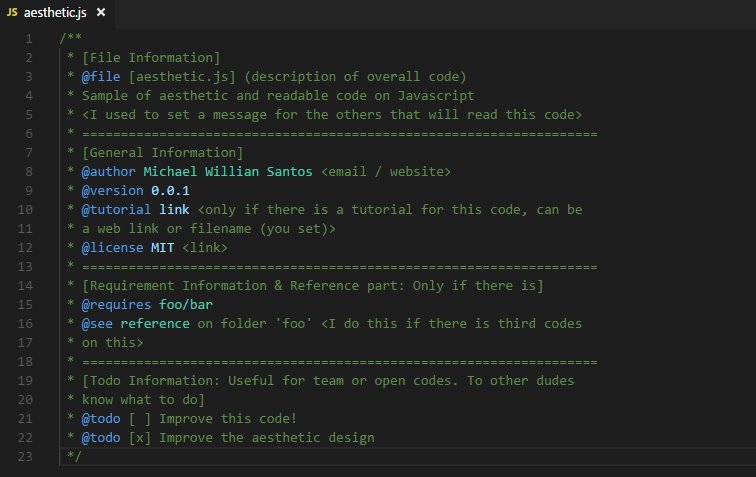
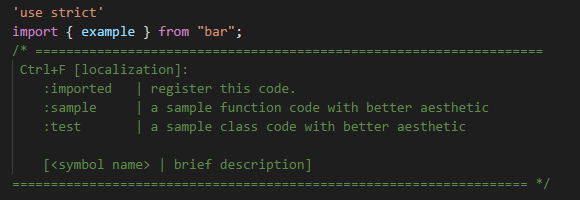
Comment blocks should be simple and small unless it's an open source project, in which case, more documentation the better because you expect more than just one or two people to read the code. But obviously most comments should be clear and concise not a paragraph or two long lol.
My current way of doing it and I hope once I'm finished those who want to learn how to develop plugins, will adopt it. I still have some amount of work to accomplish before it's available though.
Anyways, the worst downfall for any plugin is the fact most use one large file to put all your code, unless you use a file concatenation script. This makes it harder to read and keep track of things. The brain will process individual files or modules much quicker and it helps you write your code in a easier to handle manner.
So my solution at the moment is to have individual files for each new and existing module or class.
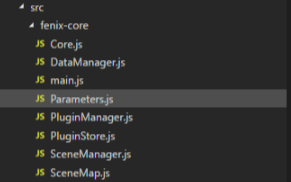
Three main files required for each plugin will be Core.js, main.js and Parameters.js. main.js is more like an index file that exports all files in the folder and if required, allows you to better handler what is exported.
FeniXCore plugin has this in it's main.js
PHP:import {Signals, VERSION} from './Core'
import { PluginStore } from './PluginStore'
export {Signals, VERSION, PluginStore}
export * from './PluginManager'
export * from './DataManager'
export * from './SceneManager'
export * from './SceneMap'
The core.js handles important tasks like registration of the plugin, registration of event emitters and a few other things. Mainly, this is where you start the plugin and retrieve all data for use in the entirety of it.
Because it will be an open source plugin, I comment the important elements of the plugin. Not to mention because this is a core plugin some code varies compared to other plugins.
PHP:/**
* The plugins Core file, which contains registration and export of important
* members.
*
* @file Core
*
* @author FeniXEngine Contributers
* @copyright 2018 FeniX Engine
* @license {@link https://gitlab.com/FeniXEngineMV/plugins/blob/develop/LICENSE|MIT License}
*/
import { PluginStore } from './PluginStore'
import { Signals as _Signals } from 'fenix-tools'
/**
* The version of FeniXCore
* @memberof FeniX
*/
export const VERSION = '2.0.0'
PluginStore.register({
name: 'Core',
version: VERSION,
author: 'FeniXEngine'
})
/**
* For use with core modules, for easy access to the core plugin client API.
* @private
*/
export const _Plugin = PluginStore.require('Core')
/**
* A signal dispatcher, used for emitting signals when important game events
* occur.
* @memberof FeniX
*/
export const Signals = _Signals()
And last is Parameters.js, which is literally all parameters and structs for your plugin, I won't show that here, we all know what it looks like.
Other files are simple enough, I import the functions and variables I need for that file and I proceed to do normal coding. If I need to export it so I can use it in other files then I simply export it, that's the beauty of ES6 and a bundler like rollup.
PHP:/**
*
* @file DataManager
*
* @author FeniXEngine Contributers
* @copyright 2018 FeniX Engine
* @license {@link https://gitlab.com/FeniXEngineMV/plugins/blob/develop/LICENSE|MIT License}
*/
import { _Plugin, Signals } from './Core'
import { loadEventComments } from 'fenix-tools'
// Overwrite or add to DataManager .........
All my parameters are parsed and available to the _Plugin variable created in the Core.js, and I can import it into other files to use.
PHP:export const _Plugin = PluginStore.require('Core') // Gives access to all of the current plugins information and data.
_Plugin.parameters // Returns all parameters found in Parameters.js already converted and parsed to appropriate types.
I can code so much faster as well as retain information longer during development because of this type of workflow. Most large comments don't distract me because most files are small enough and don't require much reading to get to the heart of the code.