@JamesRyan there's a way to get in Yanfly's Main Menu however you're going to have to edit the code of the plugin, it's not alot but you're going to have to.
So in the ARP Manual you need to do this:
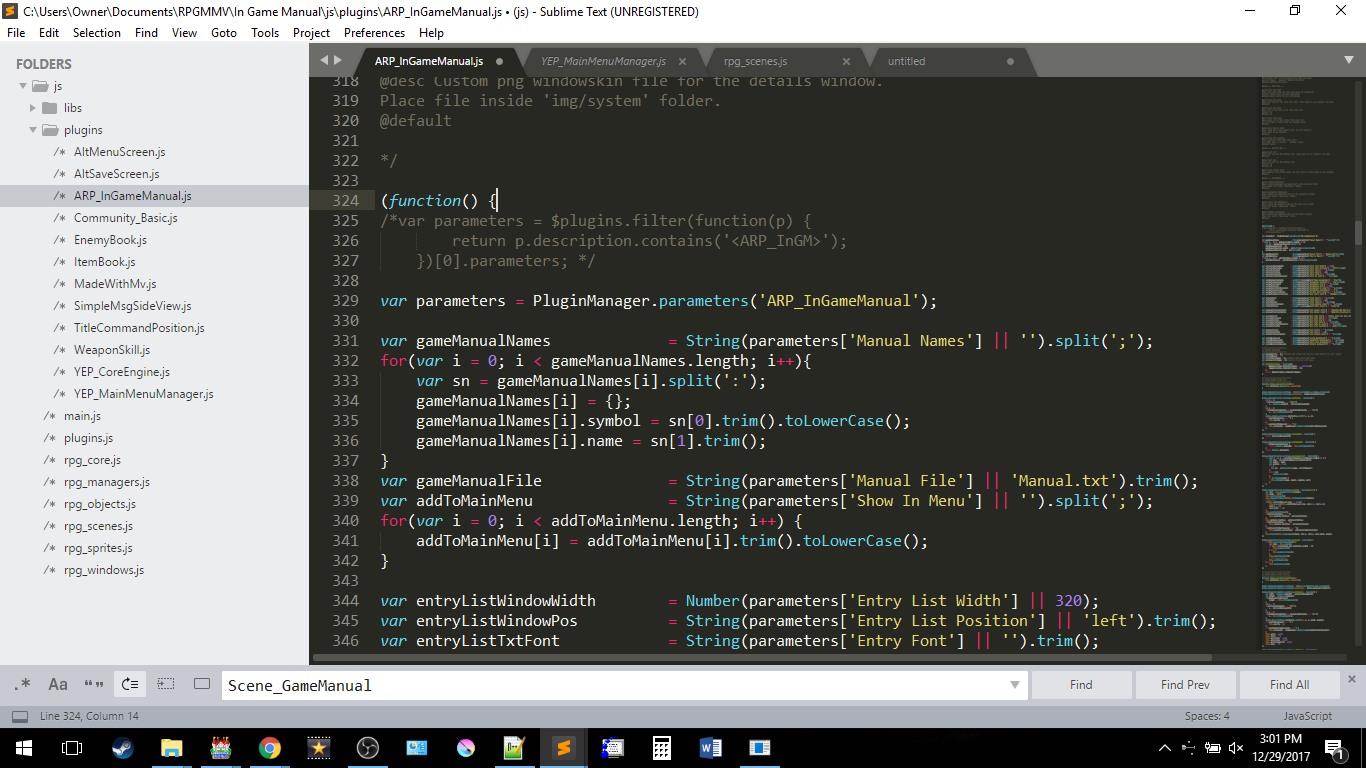
which is comment out lines 325 - 327
and write:
var parameters = PluginManager.parameters('ARP_InGameManual');
under it.
Then in ARP make sure that theese are your settings:
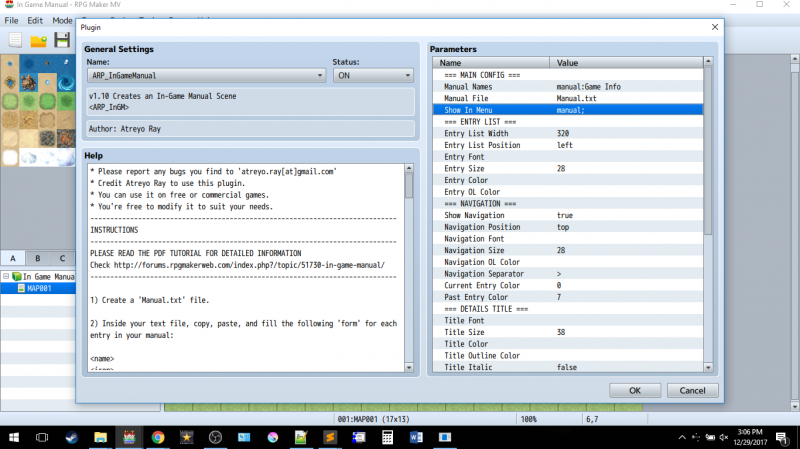
Just make sure that "Show in Menu" has entries with the ";"
Then in the Yanfly's Main Manger Core do this:
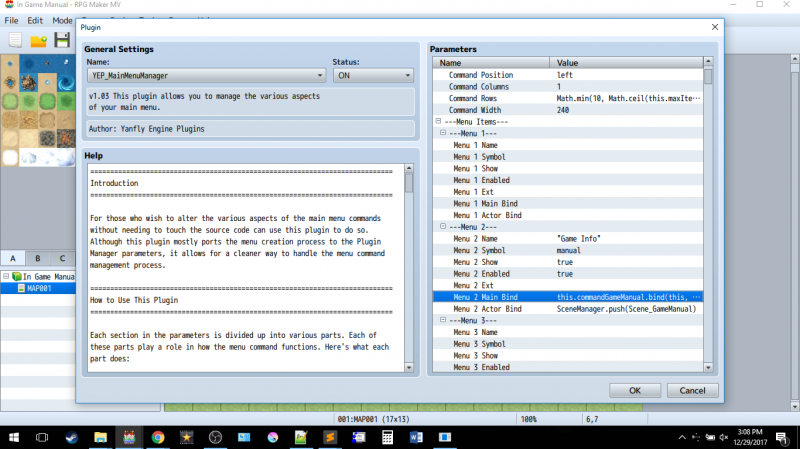
The Main Bind Code is this:
this.commandGameManual.bind(this, String(PluginManager.parameters('ARP_InGameManual')['Show In Menu'] || '').split(';')[0])
the number at the end ie [0], is the the postion the symbol name in the "Show in Menu" is minus 1 ie if in the "Show in Menu" has this:
"manual;name;lore"
the numbers for them would be"
manaul = 0
name = 1
lore = 2
And lastly your plugins need to look like this:
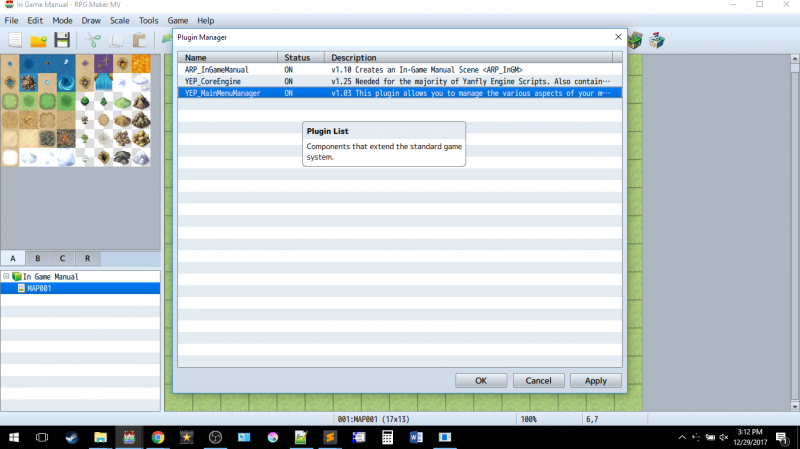
with ARP manual over all the yanfly plugins.