MZ - Ignis Pixel Movement v0.7 (MZ)

● ARCHIVED · READ-ONLY
Started by Raizen 32 posts Page 1 of 2 View original ↗
  1. Ignis Pixel Movement v0.7 for MZ

    Introduction


    This plugin changes the grid movement for pixel movement


    Features:

    Full controller support (y-axis x-axis)

    Full mouse/Touch Support

    Lightning fast collision configuration via regions, regions not used can freely be used for other plugins
    Spoiler
    YH84TRP.png

    Switch between grid and pixel movement.

    Easy specific hitboxes for events and maps.


    Known issues being worked on:
    - Followers in pixel movement mode
    - events and players walking off the borders

    Any more issues just tell me, this is a plugin that is still being worked on

    Future features:
    - Circular collisions
    - Improvement on event commands


    How to Use

    Download the demo and configure its parameters correctly

    Video

    Full controller support


    Example


    Plugin


    Ignis Pixel Movement for RPG Maker MZ by Raizen

    FAQ

    Can I use this commercially?


    Yes this plugin is available for commercial usage.

    Will there be systems based on this pixel movement?

    Yes, if all goes well, ABS and Platform.

    Credit and Thanks

    - Raizen
  2. Slightly off-topic, but I busted out laughing when you teleported to the room of spazzing out girls, it threw me off guard. Great looking plugin, though.
  3. Sounds great. I like pixel movements the best in RPGs.

    So you said you're close to fixing the followers?

    If you are close then I definitely think I'll be using this plugin.
  4. Morpheus said:
    Slightly off-topic, but I busted out laughing when you teleported to the room of spazzing out girls, it threw me off guard. Great looking plugin, though.
    Thanks friend haha, I didn't know what else to do to test that part :ywink:

    BrentBAM said:
    Sounds great. I like pixel movements the best in RPGs.

    So you said you're close to fixing the followers?

    If you are close then I definitely think I'll be using this plugin.
    Yeah I pretend to fix it and a couple of issues also that I found on testing, the plugin is ready to use, since the fixes shouldn't change anything. Anyway, it should be fixed in the next days! Thanks friend!
  5. none of my events that activate on player touch are working, any ideas what might be wrong?
  6. cyelis1224 said:
    none of my events that activate on player touch are working, any ideas what might be wrong?
    Did you checkout in the demo? It should just work by default. Or you switched them to Grid mode? in grid mode I'm still adjusting some things for a newer version.

    I've tried in another event just to make sure, it's still working good.
    Spoiler
    X6c2s9j.png
  7. the ones for action button work fine but the ones set to player touch dont work

    ***Edit***

    Nevermind i got it working. sorry for the false alarm. o/

    Also! Works great with my touch screen controls!
    GIF-200824-212828.gif
  8. This looks great! Any chance of a collision map in the future?
    What i mean by that is a separate PNG file that is basically 1 color and your character cant pass that color.
    Collision map isnt visible to the player.
  9. yeah a collision map would be awesome for parallax maps etc etc. I would def put that to use if it came along, there was one I used for MV as well as a plugin that allowed me to change player walking sprite scale on the fly and i used it to make the character grow/shrink as you moved up and down on the screen creating the illusion of depth. was actually a pretty impressive setup.
  10. i noticed that if i use your perpixel movement with VS event and movement core, though i can move in 8 directions it no longer lets me use my 8 directional sprite sheet. any idea what might be the cause of this?
  11. jerrypylant said:
    This looks great! Any chance of a collision map in the future?
    What i mean by that is a separate PNG file that is basically 1 color and your character cant pass that color.
    Collision map isnt visible to the player.
    That is possible after I make all event commands work perfectly with pixel movement, but... It is something I need to decide later if I want to implement, that type of collision is pixel collision, it is way heavier to process than hitboxes. Hitboxes are more standard for games because they are faster, maybe I can give that option, but the performance when that option is activated can go down.

    cyelis1224 said:
    i noticed that if i use your perpixel movement with VS event and movement core, though i can move in 8 directions it no longer lets me use my 8 directional sprite sheet. any idea what might be the cause of this?
    Ah, did you try changing orders? maybe that will work, I messes a little with the directions to make the plugin work. I will release an 8 direction very soon o/, so that should fix the problem.


    ________________________________________________________________________________________________

    Anyway, Iam finishing a new plugin today, and I will come back to work on this to give the best experience to who wants to use it \o/. Hope you all like the new updates that will come very soon!
  12. cyelis1224 said:
    none of my events that activate on player touch are working, any ideas what might be wrong?
    Raizen said:
    Did you checkout in the demo? It should just work by default. Or you switched them to Grid mode? in grid mode I'm still adjusting some things for a newer version.

    I've tried in another event just to make sure, it's still working good.
    Spoiler
    X6c2s9j.png
    cyelis1224 said:
    the ones for action button work fine but the ones set to player touch dont work

    ***Edit***

    Nevermind i got it working. sorry for the false alarm. o/

    Also! Works great with my touch screen controls!
    GIF-200824-212828.gif

    Can you tell me what you did to fix it? I can't get any of my transfer events working when the player "touches" the transfer event either.
  13. Thank you for the reply.
    It was an idea, i think Qmovement had something similar on MV.
  14. Nico Kaneo said:
    Can you tell me what you did to fix it? I can't get any of my transfer events working when the player "touches" the transfer event either.
    ****SCRATCH EVERYTHING I SAID EARLEIR****

    So what I had to do, was I created a blank character sheet and then set the event graphic to be one of the "sprites" on that character sheet, instead of leaving it as none. keep in mind, if you are using the VS movement plugin a long with this, you need to add the note tag <Hide Shadow> to the event or there will be a shadow on the floor.
  15. Raizen said:
    That is possible after I make all event commands work perfectly with pixel movement, but... It is something I need to decide later if I want to implement, that type of collision is pixel collision, it is way heavier to process than hitboxes. Hitboxes are more standard for games because they are faster, maybe I can give that option, but the performance when that option is activated can go down.


    Ah, did you try changing orders? maybe that will work, I messes a little with the directions to make the plugin work. I will release an 8 direction very soon o/, so that should fix the problem.


    ________________________________________________________________________________________________

    Anyway, Iam finishing a new plugin today, and I will come back to work on this to give the best experience to who wants to use it \o/. Hope you all like the new updates that will come very soon!
    Yeah, I tried moving it above VS plugins but still didn't fix it. Thank you for replying and looking into it. :) it would be great if there was somewhere to set up a timer where once you trigger an on touch event there is a 2 second wait time before you can trigger another, because I'm having to use a convoluted mess of switches to stop it from happening as it is right now, and I'm having to do that on every single event that triggers on touch.

    Also, could you add a parameter to disable your mouse input section of the plugin. I don't plan on having any mouse support in my project at all. It would be a huge help if you can work that in there somewhere. Thank you!!!

    AAANNNNNDDDD... random encounters aren't working either...
  16. Raizen said:
    Ignis Pixel Movement v1.0

    Introduction


    This plugin changes the grid movement for pixel movement


    Features:

    Full controller support (y-axis x-axis)

    Full mouse/Touch Support

    Lightning fast collision configuration via regions, regions not used can freely be used for other plugins
    Spoiler
    YH84TRP.png

    Switch between grid and pixel movement.

    Easy specific hitboxes for events and maps.


    Known issues being worked on:
    - Followers in pixel movement mode
    - events and players walking off the borders

    Any more issues just tell me, this is a plugin that is still being worked on

    Future features:
    - Circular collisions
    - Improvement on event commands


    How to Use

    Download the demo and configure its parameters correctly

    Video

    Full controller support


    Example


    Plugin


    Ignis Pixel Movement for RPG Maker MZ by Raizen

    FAQ

    Can I use this commercially?


    Yes this plugin is available for commercial usage.

    Will there be systems based on this pixel movement?

    Yes, if all goes well, ABS and Platform.

    Credit and Thanks

    - Raizen
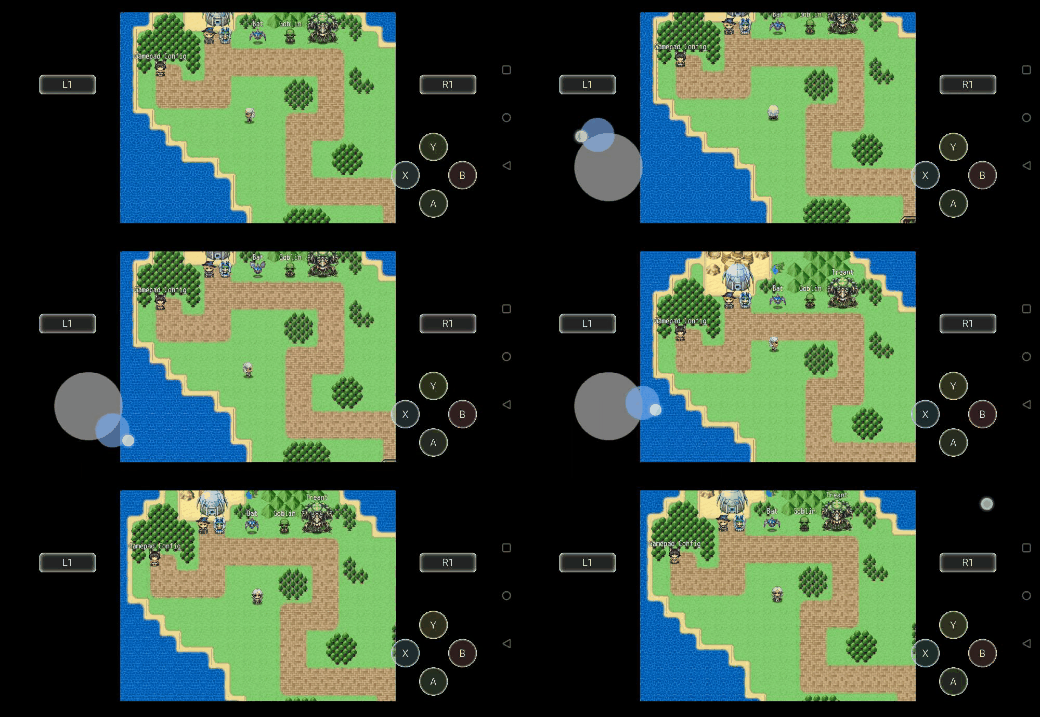

    Seems there's an issue where you cannot touch transfer events to other maps. Maybe fix this?
  17. Nico Kaneo said:
    Seems there's an issue where you cannot touch transfer events to other maps. Maybe fix this?
    Did you try what I said to do earlier?
    cyelis1224 said:
    ****SCRATCH EVERYTHING I SAID EARLEIR****

    So what I had to do, was I created a blank character sheet and then set the event graphic to be one of the "sprites" on that character sheet, instead of leaving it as none. keep in mind, if you are using the VS movement plugin a long with this, you need to add the note tag <Hide Shadow> to the event or there will be a shadow on the floor.
    Also like I said before, try opening the demo project that comes with the plugin and make sure your parameters are correct. It wasn't working for me at first but it works fine now. I also set my parameters a little differently than the demo though. Here is my parameter text for player and npc.
    ----------
    {"x":"0","y":"0","width":"32","height":"32"}
    upq-Lfc6h-Jf.gif
  18. cyelis1224 said:
    Yeah, I tried moving it above VS plugins but still didn't fix it. Thank you for replying and looking into it. :) it would be great if there was somewhere to set up a timer where once you trigger an on touch event there is a 2 second wait time before you can trigger another, because I'm having to use a convoluted mess of switches to stop it from happening as it is right now, and I'm having to do that on every single event that triggers on touch.

    Also, could you add a parameter to disable your mouse input section of the plugin. I don't plan on having any mouse support in my project at all. It would be a huge help if you can work that in there somewhere. Thank you!!!

    AAANNNNNDDDD... random encounters aren't working either...
    Oh I'm putting on my list of TODOs, the mouse part is easy, the random encounters actually also haha.

    _________________________________________________________________________________________________________


    Nico Kaneo said:
    Seems there's an issue where you cannot touch transfer events to other maps. Maybe fix this?
    Events below are not working? I think they should, I'll check it out anyway, thanks for the reports!

    @cyelis1224: thanks for all the report and support!


    I asked the mods to move this to in development, I think I have some stuff to work on this currently, so I will be working to fix all those issues.
  19. No problem my guy. Your map memory and the smooth camera plugins worked like a charm, so I'm glad I can help you make this one better, even if it's just by giving you some input here and there. Thanks again!
  20. cyelis1224 said:
    Did you try what I said to do earlier?

    Also like I said before, try opening the demo project that comes with the plugin and make sure your parameters are correct. It wasn't working for me at first but it works fine now. I also set my parameters a little differently than the demo though. Here is my parameter text for player and npc.
    ----------
    {"x":"0","y":"0","width":"32","height":"32"}
    upq-Lfc6h-Jf.gif

    Why can't pixel movement work with shadows? Is that the only thing you need to change, is adding that note to transfer events?