Ice's Generator Parts (09/22/2017-Updated!)

● ARCHIVED · READ-ONLY
Started by IceKun 116 posts Page 4 of 6 View original ↗
  1. Help! So, I've added all the files to my "Generator" folder, and most of them don't work... They just appear as the blank white-and-grey grid. Generator Bug.png
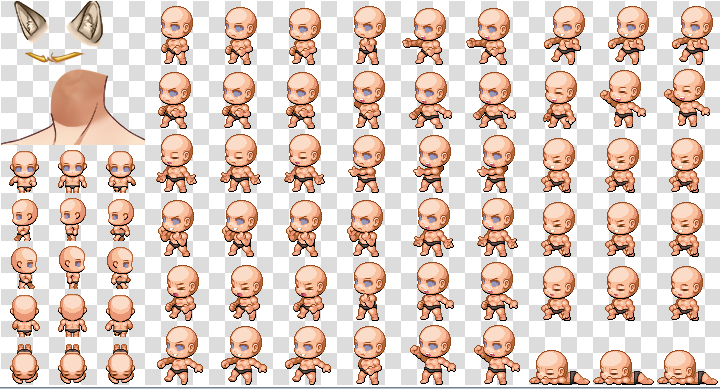
    In this image, I have only things that were "added" to the generator selected. As you can see, some of them work, but most don't. The "Blank eyebrows" option leads to having the eyebrows shown. The wolf ears work. This happens with both males and females, but in this screenshot I was using a male character. I really wanted to add these things to my generator, so, any suggestions on how to fix this?
  2. @whitepinecone
    It looks like you either forgot to rename the generator parts, or renamed them in the wrong way - please search a tutorial on how to add parts to your generator, because you can't simply copy the files without renaming them for your personal version of the character generator.
  3. Okay, thanks. I'm new to this, so I really don't know how to do most of it...
  4. IceKun, I most likely use these parts, i add you to the credit list.
  5. Think the site the pictures were hosted on is gone. Can't see any of them sadly.
  6. Hyreal said:
    Think the site the pictures were hosted on is gone. Can't see any of them sadly.
    It is because of Photobucket.
    Go ahead and download them, delete what you don't like.
    Don't forget to give credit to IceKun.
  7. Thank you for these, Icekun. They're all excellent pieces.
  8. It's been a while and I decided to bring some new pieces (not so many...). I have updated the main post with all the images that were off and added all the parts to just one download link. Also, I renamed all the files to a distant number(above 800), so no one will need to rename them (probably).

    The new parts include:
    wgivPUt.pngTFnXNmH.pngTAqKImx.png2sq1GBq.pngzCQi9F2.pngAH6xM8K.pngf4R4BRu.png
    Sorry, the skull helmet/head/face/whatever you want it to be doesn't have a face piece

    Download the new parts HERE
    Or download all the parts HERE
  9. WOWZA!! I dig the 4 arms! And the fighters gear! And the skulls!! And the cape! And Pendant.. ok.. whatever.. I dig them all!! Great work!!
    -MIA
  10. *Loud, happy and excited screaming* :kaojoy:
  11. These are cool, wish they worked.
    http://prntscr.com/h677um
    http://prntscr.com/h677yh
    http://prntscr.com/h6781b

    Edit: Lol, "http://prntscr.com/h67hr6" doesn't work either. Is there something wrong with my pc or does it still not work?

    Edit 2: Why don't you just make a download of this file for us to copy into our RPG maker
    folder, that way we can have everything without having to rename all of it?
    http://prntscr.com/h67ods < The folder I'm talking about.
  12. Colon Vee said:
    These are cool, wish they worked.
    http://prntscr.com/h677um
    http://prntscr.com/h677yh
    http://prntscr.com/h6781b

    Edit: Lol, "http://prntscr.com/h67hr6" doesn't work either. Is there something wrong with my pc or does it still not work?

    Edit 2: Why don't you just make a download of this file for us to copy into our RPG maker
    folder, that way we can have everything without having to rename all of it?
    http://prntscr.com/h67ods < The folder I'm talking about.

    Are your program updated? On older versions pieces with distant numbering don't appear properly... The folder was made just to copy directly to generator without the need of renaming them, but you need the updated version of RPG Maker MV.
  13. @IceKun - You sir, are a god. KAMI-SAMA!!! could you recommend a good generator part creation tutorial? I am making an alien invasion game, and can't find ANY modern military resources... beside that crummy looking tank and the helicopter that doesn't do any coptering... I would like for my aliens to have some NPC's to square off with, that aren't swinging swords against plasma rifles, if you catch my drift; and unfortunately am thinking that creating my own is all that i can do. where did you learn? because these look awesome!
  14. These are great. Good job. Wish i could find some things to add to the kids now.
  15. @EnyaShinji there is a pack that contains some 100+ different options for that... i think you have to pay for it though. DLC from kodokawa: kid generator pack. thats what it says in steam anyways.
  16. @MakerZeroOne Thinks, but on steam I have to buy the season pass. It's a good buy but I don't have the 30 bucks for it.
  17. EnyaShinji said:
    @MakerZeroOne Thinks, but on steam I have to buy the season pass. It's a good buy but I don't have the 30 bucks for it.

    ahh. i got it on sale recently; didn't know if it was over or not. well, keep an eye out. christmas is around the corner and you know how steam does with sales! :p hope you find other options.
  18. @IceKun: Dude, I was totally looking for a scar across the eye - thank you for providing such excellent generator resources!!! <3

    Now I just have to figure out how to implement them (I'm a newbie to MV XD)
  19. @Cleo-San

    Go to your RMMV install folder, not your project folder. navigate to the folder called "Generator"

    you'll then see folders
    FACE
    TV
    TVD
    VARIATION

    each of these also has a
    FEMALE
    KID
    MALE


    make sure that the generator parts are put in their corresponding folders, for the corresponding genders. Also, you'll notice that the file names generally have the type of part that they are, along with some numbers. If the file names and those numbers don't match up for that generator part, in each of the different original four folders, then you may end up getting the parts mixed up or rendered on top of each other; but that's usually only a problem if you download custom parts from different artists that have the same names.
  20. MakerZeroOne said:
    @IceKun - You sir, are a god. KAMI-SAMA!!! could you recommend a good generator part creation tutorial? I am making an alien invasion game, and can't find ANY modern military resources... beside that crummy looking tank and the helicopter that doesn't do any coptering... I would like for my aliens to have some NPC's to square off with, that aren't swinging swords against plasma rifles, if you catch my drift; and unfortunately am thinking that creating my own is all that i can do. where did you learn? because these look awesome!

    Thanks, I'm glad you liked!
    And sorry for not be helpful, but I really don't know any tutorial and I don't remember exactly how I learned (I started with edits or something like that I guess). Also I think I still need to improve a lot >.<