Brief description: I'll be going over how to determine a tile's TileID (which is used in the map data file) using the tilesheet and the shape of the desired autotile (if applicable). This info will most likely be useful for scripters, though @Shaz has just released an awesome new plugin to change a map tile during your game, and this can be useful for her plugin as well.
Requirements: RPG Maker MV, a reason to know the tile IDs
Tutorial body:
Before we start, some terms:
Tile: One square on the default map grid. For MV, a tile is a 48 x 48 pixel square.
Tilesheet: One PNG file containing multiple tiles or autotiles arranged in a predefined pattern, with no empty space between the tiles.
Tileset: A collection of tilesheets defined in the editor, that can consist of up to nine tilesheets designated A1, A2, A3, A4, A5, B, C, D, and E. Each map can use only one tileset.
TileID: A number stored in a map data file that tells the game which tile from the map's tileset to draw in which location. The number's position in the file corresponds to the grid location on the map. The value of the TileID corresponds to a particular tile from the tileset.
Tilesheet numbering
Strangely enough, tile IDs start with the non-autotile sheets first. This means we start with TileID 0 on the top-left tile of the B tilesheet. (Note: Therefore, TileID 0 always corresponds to a blank tile!) Then we proceed left-to-right, then top-to-bottom, through the B tilesheet, then C, D, E, and finally A5 tilesheet (being the only non-autotile A sheet). We'll get to autotiles in a little bit.
Here are the tile IDs for the non-autotile sheets:
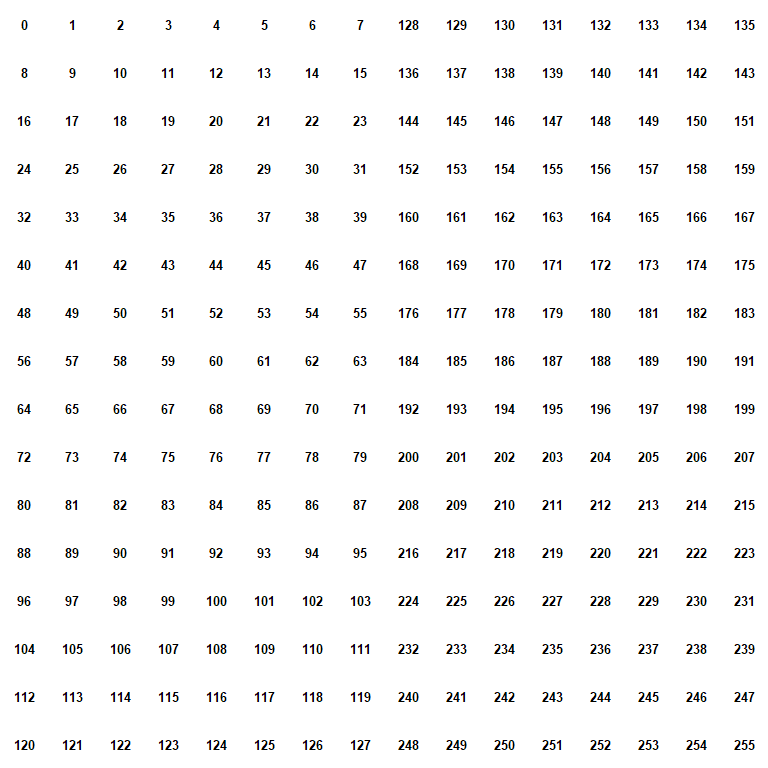
Tilesheet B: 0 - 255
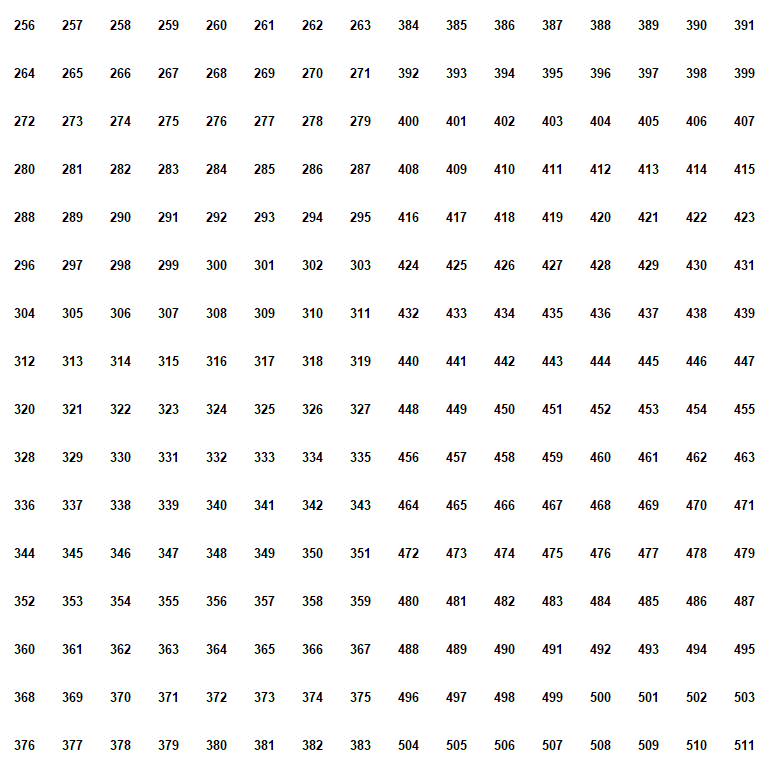
Tilesheet C: 256 - 511
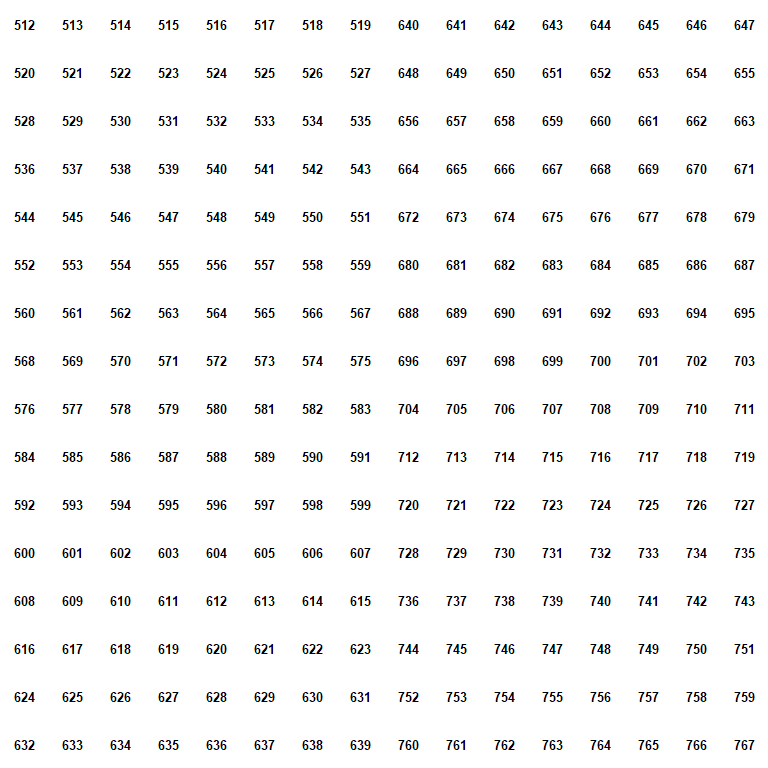
Tilesheet D: 512 - 767
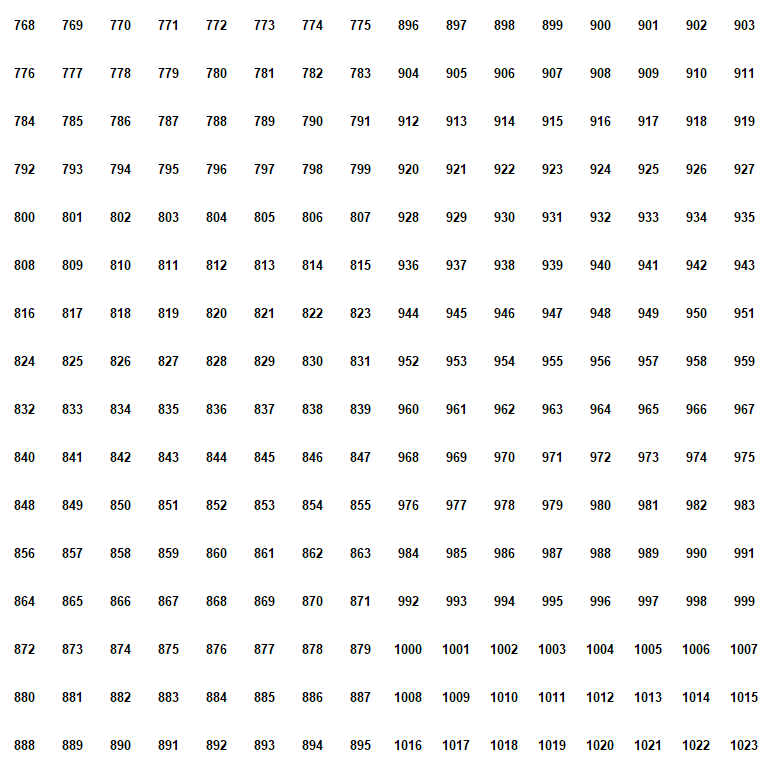
Tilesheet E: 768 - 1023
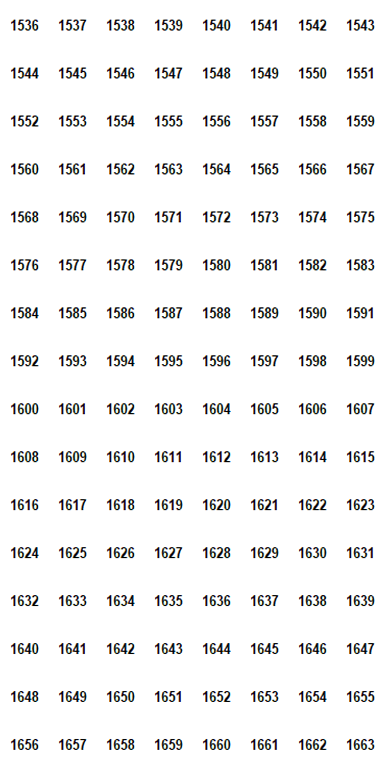
Tilesheet A5: 1536 - 1663
And here are some template PNGs you can lay over your tilesheet PNG image to see the numbers directly!
TileID Templates for Non-Autotiles
B:
C:
D:
E:
A5:
C:
D:
E:
A5:
For those paying attention, your eyes are not playing tricks on you; TileIDs 1024-1535 do not correspond to any tilesheet (at least as far as I can tell!). This is also true for TileIDs 1664 - 2047. I assume room was left here for future growth, but that's only a guess.
Autotiles
Here are the tile IDs for the autotile sheets:
Tilesheet A1: 2048 - 2815
Tilesheet A2: 2816 - 4351
Tilesheet A3: 4352 - 5887
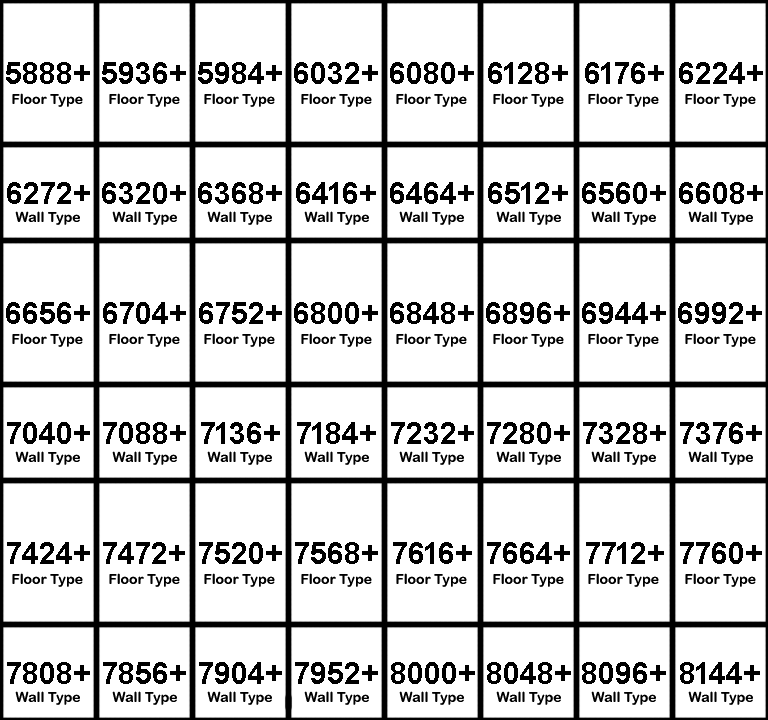
Tilesheet A4: 5888 - 8191
Figuring out your tileID is somewhat more complicated for an autotile, as you might expect. First of all, the tilesheets are NOT numbered in a straightforward left-to-right, top-to-bottom fashion. Secondly, each autotile corresponds to up to 48 different shapes. (Note: There are only up to 47 unique shapes, but one shape repeats to give the math-friendly number 48.)
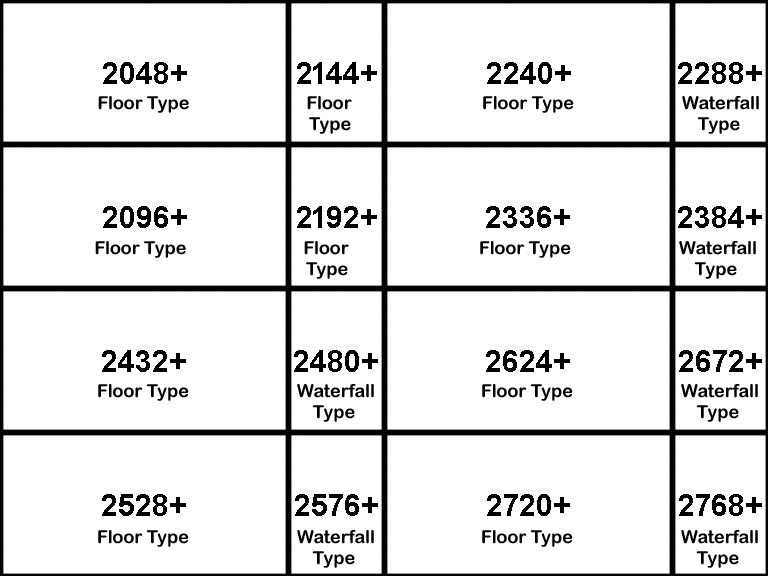
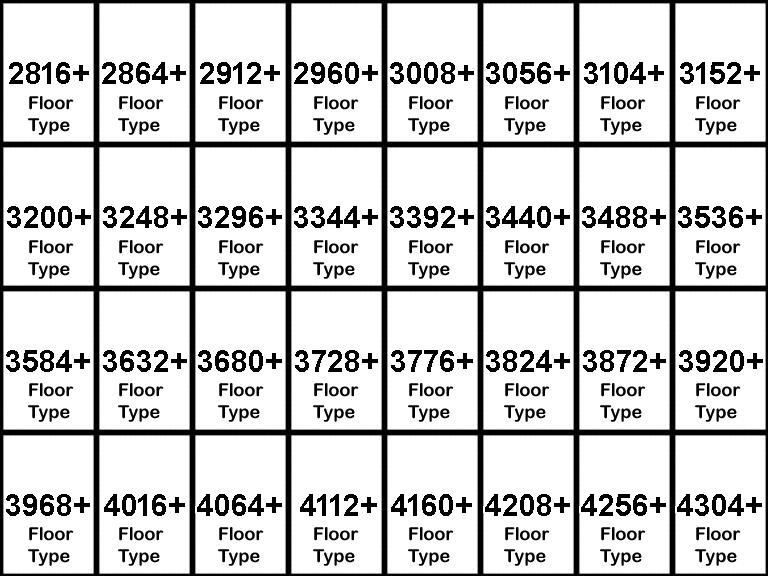
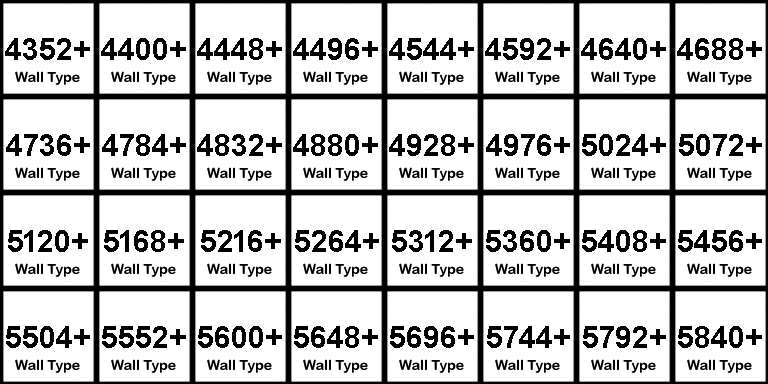
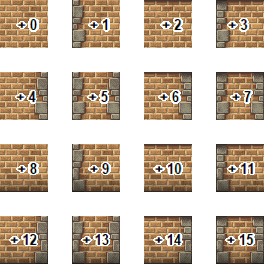
To make it easier, I've made a set of images to show you how to find your autotile TileID. For each tile you'll need to consult two images; the tilesheet numbering sheet and the autotile type shape sheet. There are three different types of autotiles: floor, wall, and waterfall types.
1) Find the starting TileID and the autotile type from the tilesheet numbering sheet. You can even place this image over top of your tilesheet to help you out. (Note: A1 autotiles contain animated autotiles. These look like three nearly-identical autotiles, but are actually treated as one autotile.)
2) Look on the correct autotile type numbering sheet to find the autotile shape you want, and add the corresponding number to the starting TileID.
Note: The plus signs (+) are located on these sheets to help you remember that you need to add the two numbers together to get your tileID.
Here are the template PNGs for autotiles!
Autotile Tilesheet Numbering Templates
A1:
A2:
A3:
A4:
A2:
A3:
A4:
Autotile Type Numbering Sheets
Floor Type:
Wall Type:
Waterfall Type:

Wall Type:
Waterfall Type:
And there you have it! You now know how to find a TileID for any tile. Hopefully this information is helpful to some of you. :)