For a start, here are some tiles: 2 trees and an edited grass autotile that does not look that much like a square as the standard one does.
lazy work, but they do good work as a dummy for me.
(how to use: add manually to your custom tilesets. for example trees to TileD and grass to TileA2)


720p stretch-corrected, resized MV battlebacks (resolution is 1400x800px)
(how to use: move into your project folder under \img\battlebacks1&2.)
get it here (144MB)
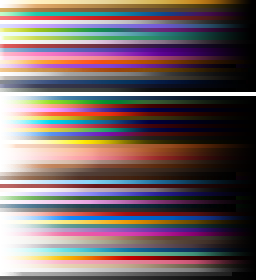
Character generator hair gradients for partly more vibrant colors, missing colors, and multi color gradients
(how to use: move into your RPGMV install folder under \Generator.)
I noticed that the eye color is barely visible in the character generators overworld sprites. so here are my edits to make eyecolor changes visible.
(how to use: move into your RPGMV install folder under \Generator\TV\Male&Female.)
get it here (16 kB)
here is the titles pack for 720p
(how to use: move into your project folder under img\titles1.)
get it here (32MB)
battle popups
(how to use: move into your project folder under img\system.)

terms
Spoiler
Present and future resources of this thread are to be credited for the use in free games/projects/etc created with RPG Maker MV.
Permission for commercial use or editing / other not mentioned cases, is not granted without contacting me.
Update: You don't need to contact me for commercial use. I appreciate it if you tell me about your project though.
Permission for commercial use or editing / other not mentioned cases, is not granted without contacting me.
Update: You don't need to contact me for commercial use. I appreciate it if you tell me about your project though.