You can't put that template in the generator. You'll need to edit it yourself in Gimp or Photoshop. Even a simpler program like Paint. NET will work. (Is that program still a thing?)
There's a few faulty file names in the female folders of the "kitchen sink" pack that have cost me a few hours in order to find and fix issues with the Character Generator as assets were not loading properly (either failing to load anything at all, or loading other random assets):
"icon_cloak_p611_hiddenone" in Variation\Female needs to be capitalized to Cloak. This threw off the clothing index for me.
"icon_Cloak_610_hiddenone" in Variation\Female is missing the 'p'.
"TV_RearHair2_p60_c" in TV\Female should be p605_c.
As it stands, copying-pasting the kitchen sink folder into the vanilla Generator folder (i.e. no other parts packs) without any edits will result in assets not loading properly, and may even disrupt other part packs. I have already made the necessary edits to the file names (including a full manual re-index) to have my Character Generator properly index the assets, so replies of assistance are not needed.
Nvm, I figured it out for using it with Schlangan's generator. I was uploading it incorrectly using MZ's choice instead of MV.
I still don't know why it's not uploading directly into MV or why I can't any new files into MZ. Any tips for a newbie would be helpful. Original post below.
Spoiler
I'm pretty new to RPG Maker MZ and the forums. I don't know if this has already been posted here already or somewhere else, so please forgive me if it has.
I tried importing the Hidden One's Kitchen Sink in to my Generator file under my Steam Library file. I copy pasted each file accordingly (Female Faces to Female Faces, etc).
None of them showed up in my RPG maker game. I tried doing this similarly for the Schlagan generator, following the instructions. Some of the files showed up, but most just showed up as "MISSING ICON" or did not appear at all...
I've tried looking up YouTube videos, starting over from scratch, only a few test files, and I'm still getting the same problem.
Any help please?
EDIT: I just saw that these are made for MV. But it's possible to add new icons into MV into the generator right? And it's still not working on Schlagan's generator. I also tried a few files in my MV project just test them out real quick, and those aren't showing up, either.
Somehow this went undetected for me, but now that I found it- thank you for such amazing sprites and compliments from me for how beautiful of a sprites you've made! And thank you again for contribution to the RPGMaker community for a long time!
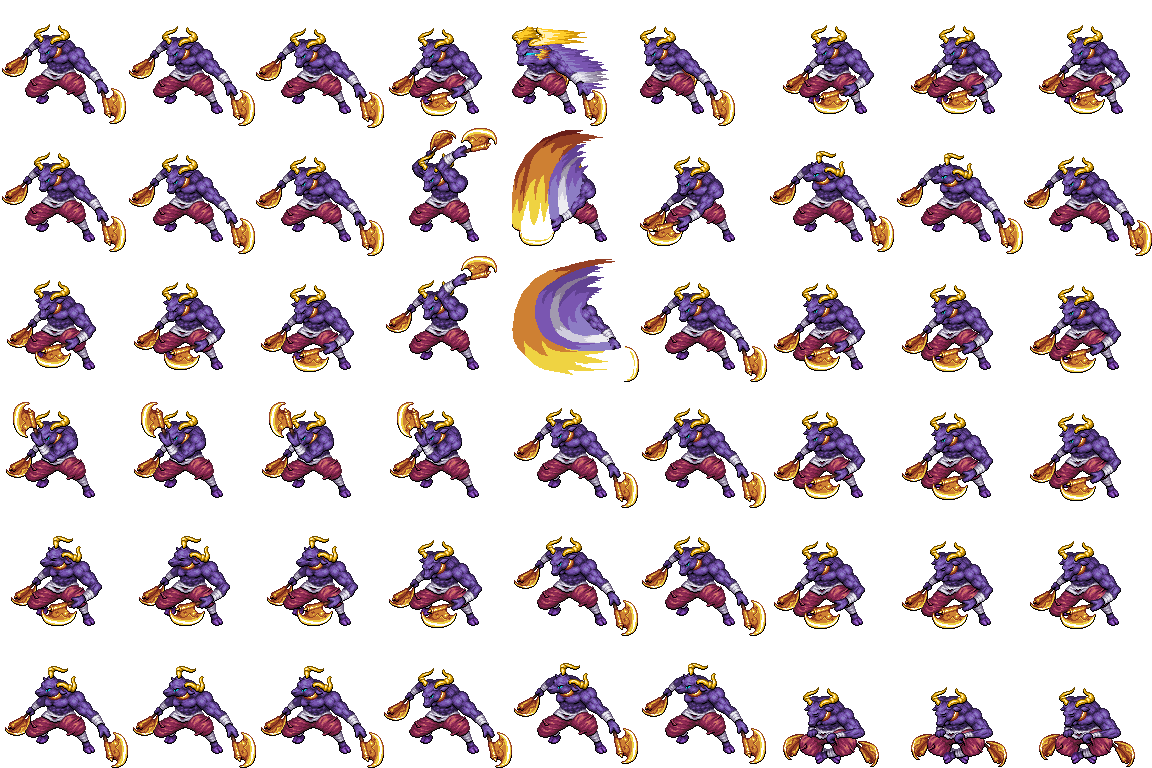
We've got a big battler today: the Minotaur! This bull-headed beast is ready to challenge your heroes in a fight to the death! He's big, he's bad, and he's combat ready!
Recolors
Happy game making! :rwink:
Edit: Images had been blurry, replaced them with the nice versions!
There is a pinned thread in this section that lists all existing resources that are anyhow related to the default chars/battlers. What the RTP is missing! MV Edition
There is a charset matching already, it is on the monster charset in your default files.
@badbriancool
This should be included in the standard resources of RPG-Maker MV.
(However, I don't know what "Mino" means.)
It's short for minotaur, which is a monster in MV's RTP.
I guess it is best described as a Humanoid-Bull. If you've played WoW, their version is called Tauren. The Tauren of WoW are minotaurs.