@hiddenone maybe @Schlangan, if he have time, can help you in converting the pack. If you authorize.
hiddenone's MV Resource Warehouse
● ARCHIVED · READ-ONLY
-
-
@vico, @hiddenone : I can easily set the resources in my generator, but since it is some kind of resources repost, I'll need hiddenone's permission. (Even though I'll put the link here only)
Edit : Here is the link for the resources : Download link
Note that there is a wrong template priority in my generator for now; you need to decrease the Clothing1 priority for the Face templates by one level in order for the masked facesets to work. -
Your Sprites: 5/5
Your Battlers: 5/5
Your Generator Parts: 5/5 (Will definitely be using the bandana one on my FF1 Remake/Spoof/Side Project!!)
Your Everything: 5/5!!
Keep it up!! :) -
@vico, @hiddenone : I can easily set the resources in my generator, but since it is some kind of resources repost, I'll need hiddenone's permission. (Even though I'll put the link here only)
Edit : Here is the link for the resources : Download link
Note that there is a wrong template priority in my generator for now; you need to decrease the Clothing1 priority for the Face templates by one level in order for the masked facesets to work.
Thank you so much @Schlangan and @hiddenone for this!! -
So, this may be a noobish question but how do the larger sprites work? You have to use something that changes the sprite engine?
-
You put $ in front of the name ( or ! I can never rememeber) and it works.
-
Cool, thanks. Where do you put the sprite sheet files in MV? What folder?
And I noticed some of the sprite sheets don't open in photoshop or windows photo viewer, I think they may be corrupt somehow. Namely the centaurs, bugs, and lamias. Any idea what's up with those? -
Cool, thanks. Where do you put the sprite sheet files in MV? What folder?
And I noticed some of the sprite sheets don't open in photoshop or windows photo viewer, I think they may be corrupt somehow. Namely the centaurs, bugs, and lamias. Any idea what's up with those?
To place the sprites, place them under: Your Game Folder > img > characters.
As for your second problem, I'll look into that if it wont open for me on my computer. Will edit this post if it will work or not.
Edit: They seem to open fine for me, try restarting your computer and see if it will open. I usually get errors like those and restarting my computer helps. -
This is really bizarre but neither of my PC's will open the files (windows 7 and 10) yet my friend from another state can download and open them just fine. I'll keep working on it and see how it goes.
Edit: I got it, I have my security settings on "aluminum hat mode" and it was messing up the download. Specifically it was the "https everywhere" plugin for firefox that needed to be turned off. -
awesome resources, thank you!!!!!!!!
-
hiddenone's MV Resource Warehouse
Hey folks, I love the look of the MV sprites, but it seems that the generator is a bit lacking. I'm hoping to help fix that. :)
TOS: Free to use in non-commercial and commercial games as long as you credit me (hiddenone). If you want to repost edits of my pieces, please contact me first!
How to use the generator pieces: These are set up so that you can just copy them into the generator and use them (I'd suggest making a copy of the original generator just in case). If you've already added pieces, check to make sure that these won't have the same name (otherwise they'll overwrite them).

SpoilerThe first set is some Anthropomorphic beasts!
 Anthro Sprites
- Tiger, dragon, and wolf heads
- Tiger and dragon tails
- A set of horns and some beast ears
Download here!
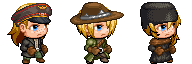
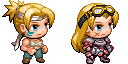 Clothes and Accessories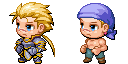
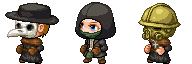
- Two armors with capes removed for male and female sprites, and jeans
- Shared facial marks and accessories
- Fixed female SV wings, & 6 new wings based on some of the default sprites
- Plague doctor outfit, Hooded clothes, gasmask helmet, a few hats, and a hunter's outfit - courtesy of The Stranger
- New hair and sleeveless tunic - courtesy of Haldarc
- A collection of masks - worn goggles, half-masks, & full face masks
Download all the accessories and clothes together here!
Hair styles
- 3 front hair & 5 rear hair styles
Download the hair here!
Everything & the kitchen sink!
Want to grab all the pieces at once? Download them here!
Schlangan was kind enough to make my pieces work with their generator! Grab Schlangan's generator version here!
- Please keep their message in mind while using it: " Note that there is a wrong template priority in my generator for now; you need to decrease the Clothing1 priority for the Face templates by one level in order for the masked facesets to work. "

SpoilerCentaurs & Lamias


Monster & animal sprites


Aliens


Flying saucers


SpoilerTall sprites
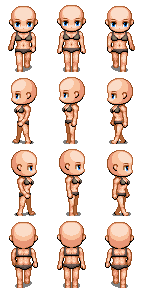
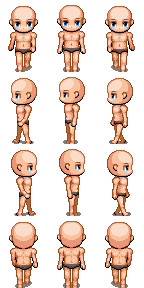
Centaurs


Lamias

 SpoilerElf Ears
I found it odd the the generator doesn't have pointy ears for the sprites, so I made some.I didn't find a good way to add these to the generator, so you'll have to open up your favorite editing program to put them on. I've added them as beast ears to the generator, but I'll leave these here for those of you who like to edit your sprites together. :)
Sprite ears - Downed ears -
Male side view ears -
Female side view -

SpoilerActor3_2

Actor3_4
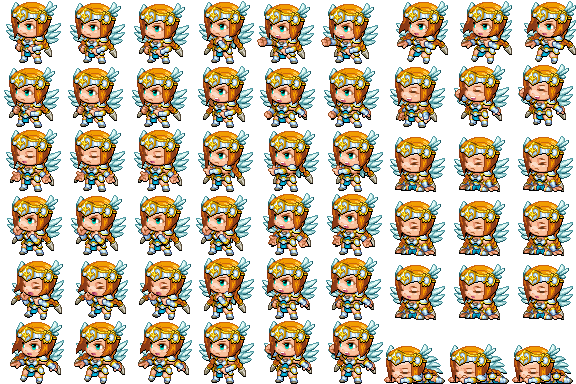
Aliens
Reveal hidden contents


SpoilerTiles
A2 hill tiles

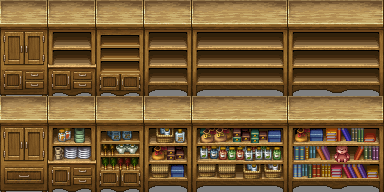
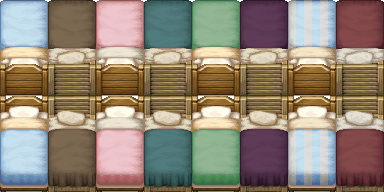
Edited shelves and beds
Icons & Weapons
Rapiers


Alien Blasters


Windows


I hope y'all enjoy these. Happy game making! :rwink:
Code:And the faces for "Anthro Sprites"? - Tiger, dragon, and wolf heads
-
These are really nice. Are they for commercial use?
-
If you read the quote present in the previous post, you have the answer to your question. :unsure:
-
@Mysthe There are no face pieces for some of the parts. I'm working on getting some, but at the moment we have to do without. :)
@JustS0meGuy Yes, you can use these in commercial games. If you use them let me know, I'd love to check out games that use my pieces!
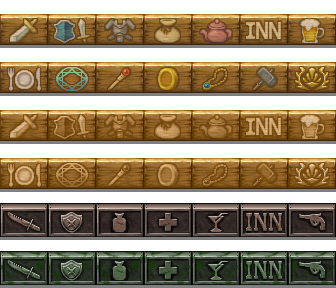
The signs were a little too bright for my tastes, so I edited them a bit. I also scrubbed off some of the rust on the metal signs. Happy game making!
-
I'm very very confused with how to use these. I'm trying to use the spider one and when I put it in the folder with all the other overworld sprites it appeared but when I selected a sprite it only selected a part of it. I'm confused about how I get it to work from the generator. My generator folder has the folders Face, SV, TV, TVD, Variation, and a png file called gradients if that helps.
-
@zomina The spider is a single sprite, so put $ at the front of the file name. That should let you select it properly. :)
-
So, I try to keep an eye on what people ask for, and do my best to make those things as time allows. My furious research has revealed to me what the people truly want: more signs! :D So here are some edits of the sci-fi neon signs, turned off because not every sign is on all the time.
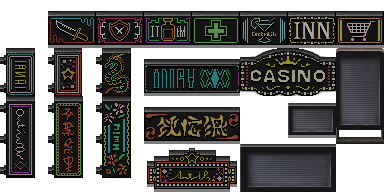
Also have some of the signs set up as sprites for flashing lights.


Oh, is that not what the people wanted? Uh-oh... :|
...
I can fix this! Check out these bad boys:

I'm betting you guys know what these mean. It means I hired the amazing Avery to make portrait pieces for my parts! She made some wonderful pieces, which y'all can use! If you do use them, please keep in mind that you must also credit Avery, and follow her terms.
Avery's terms:
Free for commercial & non-commercial use, as long as I get a free copy of the game.
You may edit these for your own use, but don't post them anywhere without my permission. This includes no asking for edits of them in request boards etc.
Credits to Avery
I added the pieces to the main packs, but you can download just the portrait pieces below:
Kitchen Sink face pieces
Beastmen face pieces
Accessories face pieces
Something to keep in mind while using the beastmen faces: the body piece doesn't change to match the face number, so to have a matching neck you have to remove the human piece (named 'FG_Body_p01_c1_m001') and put in the one you want! You will also have to use the included invisible nose and ears to keep your beastmen from having odd human parts sticking out.
Happy game making! :rwink: -
Amazing! Now with this, the parts collections is going to look more complete!
Good job hiddenone and Avery! :D
EDIT: Just so you know, in your generator parts, there was never a Variation icon for the wolf ears you just posted, so that might be a problem...
EDIT 2: Well, I guess I could duplicate the fox icon and use it for the wolf ears since both face parts look similar... :p -
Now that I think about it, there isn't a Facial Mark to combine with the Fox face parts, so that could actually be a problem for someone who wants to use that face part...
-
@Ilan14 I'm not sure what you mean. Everything should have variation icons, are you sure you have the most recent version? :unsure: